Okay, let’s try this.
Power down remove the drivers from Z, A, B. Put the driver from B into Z leave the other two out and power up, let us see the $SS.
Okay, let’s try this.
Power down remove the drivers from Z, A, B. Put the driver from B into Z leave the other two out and power up, let us see the $SS.
and it just keeps getting weirder
the esp wont register
even if i unplug from board and plug into laptop
fluidnc web installer cant find it , same usb cord ive been using all along
no sound from laptop that a device is connected
finally got it to connect
ts Jul 29 2019 12:21:46
rst:0x1 (POWERON_RESET),boot:0x17 (SPI_FAST_FLASH_BOOT)
configsip: 0, SPIWP:0xee
clk_drv:0x00,q_drv:0x00,d_drv:0x00,cs0_drv:0x00,hd_drv:0x00,wp_drv:0x00
mode:DIO, clock div:1
load:0x3fff0030,len:1184
load:0x40078000,len:13260
load:0x40080400,len:3028
entry 0x400805e4
[MSG:INFO: uart_channel0 created]
[MSG:RST]
[MSG:INFO: FluidNC v3.9.1 GitHub - bdring/FluidNC: The next generation of motion control firmware]
[MSG:INFO: Compiled with ESP32 SDK:v4.4.7-dirty]
[MSG:INFO: Local filesystem type is littlefs]
[MSG:INFO: Configuration file:config.yaml]
[MSG:INFO: Machine LowRider]
[MSG:INFO: Board Jackpot TMC2209]
[MSG:INFO: UART1 Tx:gpio.0 Rx:gpio.4 RTS:NO_PIN Baud:115200]
[MSG:INFO: I2SO BCK:gpio.22 WS:gpio.17 DATA:gpio.21]
[MSG:INFO: SPI SCK:gpio.18 MOSI:gpio.23 MISO:gpio.19]
[MSG:INFO: SD Card cs_pin:gpio.5 detect:NO_PIN freq:20000000]
[MSG:INFO: Stepping:I2S_STATIC Pulse:2us Dsbl Delay:0us Dir Delay:1us Idle Delay:255ms]
[MSG:INFO: User Digital Output: 0 on Pin:gpio.26]
[MSG:INFO: User Digital Output: 1 on Pin:gpio.27]
[MSG:INFO: Axis count 3]
[MSG:INFO: Axis X (3.000,1263.000)]
[MSG:INFO: Motor0]
[MSG:INFO: tmc_2209 UART1 Addr:0 CS:NO_PIN Step:I2SO.2 Dir:I2SO.1 Disable:I2SO.0 R:0.110]
[MSG:INFO: X Neg Limit gpio.25]
[MSG:INFO: Axis Y (3.000,2483.000)]
[MSG:INFO: Motor0]
[MSG:INFO: tmc_2209 UART1 Addr:1 CS:NO_PIN Step:I2SO.5 Dir:I2SO.4 Disable:I2SO.7 R:0.110]
[MSG:INFO: Y Neg Limit gpio.33]
[MSG:INFO: Motor1]
[MSG:INFO: tmc_2209 UART1 Addr:3 CS:I2SO.14 Step:I2SO.13 Dir:I2SO.12 Disable:I2SO.15 R:0.110]
[MSG:INFO: Y2 Neg Limit gpio.35]
[MSG:INFO: Axis Z (-297.000,3.000)]
[MSG:INFO: Motor0]
[MSG:INFO: tmc_2209 UART1 Addr:2 CS:NO_PIN Step:I2SO.10 Dir:I2SO.9 Disable:I2SO.8 R:0.110]
[MSG:INFO: Z Pos Limit gpio.32]
[MSG:INFO: Motor1]
[MSG:INFO: tmc_2209 UART1 Addr:3 CS:I2SO.19 Step:I2SO.18 Dir:I2SO.17 Disable:I2SO.16 R:0.110]
[MSG:INFO: Z2 Pos Limit gpio.34]
[MSG:ERR: X Axis TMC driver not detected - expected 0x21 got 0x0]
[MSG:ERR: Y Axis TMC driver not detected - expected 0x21 got 0x0]
[MSG:ERR: Y2 Axis TMC driver not detected - expected 0x21 got 0x0]
[MSG:ERR: Z Axis TMC driver not detected - expected 0x21 got 0x0]
[MSG:ERR: Z2 Axis TMC driver not detected - expected 0x21 got 0x0]
[MSG:INFO: Kinematic system: Cartesian]
[MSG:INFO: AP SSID FluidNC IP 192.168.0.1 mask 255.255.255.0 channel 1]
[MSG:INFO: AP started]
[MSG:INFO: WiFi on]
[MSG:INFO: Captive Portal Started]
[MSG:INFO: HTTP started on port 80]
[MSG:INFO: Telnet started on port 23]
[MSG:INFO: Flood coolant gpio.2]
[MSG:INFO: Mist coolant gpio.16]
[MSG:INFO: Probe gpio.36:low]
Grbl 3.9 [FluidNC v3.9.1 (wifi) ‘$’ for help]
ok
[VER:3.9 FluidNC v3.9.1:]
[OPT:MPHS]
[MSG:Machine: LowRider]
[MSG:Mode=AP:SSID=FluidNC:IP=192.168.0.1:MAC=38-18-2B-2F-16-25]
ok
[MSG:INFO: WebUI: Request from 192.168.0.2]
[MSG:INFO: WebUI: Request from 192.168.0.2]
[MSG:INFO: WebUI: Request from 192.168.0.2]
[JSON:{“cmd”:“420”,“status”:“ok”,“data”:[{“id”:“Chip ID”,“value”:“9238”},{“id”:“CPU Cores”,“value”:“2”},{"]
[JSON:id":“CPU Frequency”,“value”:“240Mhz”},{“id”:“CPU Temperature”,“value”:“55.6°C”},{“id”:“Free memory”]
[JSON:,“value”:“121.60 KB”},{“id”:“SDK”,“value”:“v4.4.7-dirty”},{“id”:“Flash Size”,“value”:“4.00 MB”},{"id]
[JSON:":“Sleep mode”,“value”:“Modem”},{“id”:“Available Size for update”,“value”:“1.88 MB”},{“id”:"Availabl]
[JSON:e Size for LocalFS",“value”:“192.00 KB”},{“id”:“Web port”,“value”:“80”},{“id”:“Data port”,“value”:"2]
[JSON:3"},{“id”:“Hostname”,“value”:“esp32-2F1624”},{“id”:“Current WiFi Mode”,“value”:"AP (38:18:2B:2F:16:2]
[JSON:5)"},{“id”:"SSID: ",“value”:“FluidNC”},{“id”:"Visible: ",“value”:“Yes”},{“id”:"Radio country set: ",]
[JSON:“value”:“01 (channels 1-11, max power 20dBm)”},{“id”:“Authentication”,“value”:“WPA2-PSK”},{“id”:"Max]
[JSON: Connections",“value”:“4”},{“id”:“DHCP Server”,“value”:“Started”},{“id”:“IP”,“value”:“192.168.0.1”},]
[JSON:{“id”:“Gateway”,“value”:“192.168.0.1”},{“id”:“Mask”,“value”:“255.255.255.0”},{“id”:"Connected channe]
[JSON:ls",“value”:“1”},{“id”:“”,“value”:“E8:4E:84:FC:78:75 192.168.0.2”},{“id”:“Disabled Mode”,“value”:"ST]
[JSON:A (38:18:2B:2F:16:24)"},{“id”:“FW version”,“value”:“FluidNC v3.9.1”}]}]
ok
Grbl 3.9 [FluidNC v3.9.1 (wifi) ‘$’ for help]
[MSG:INFO: WebUI: Request from 192.168.0.2]
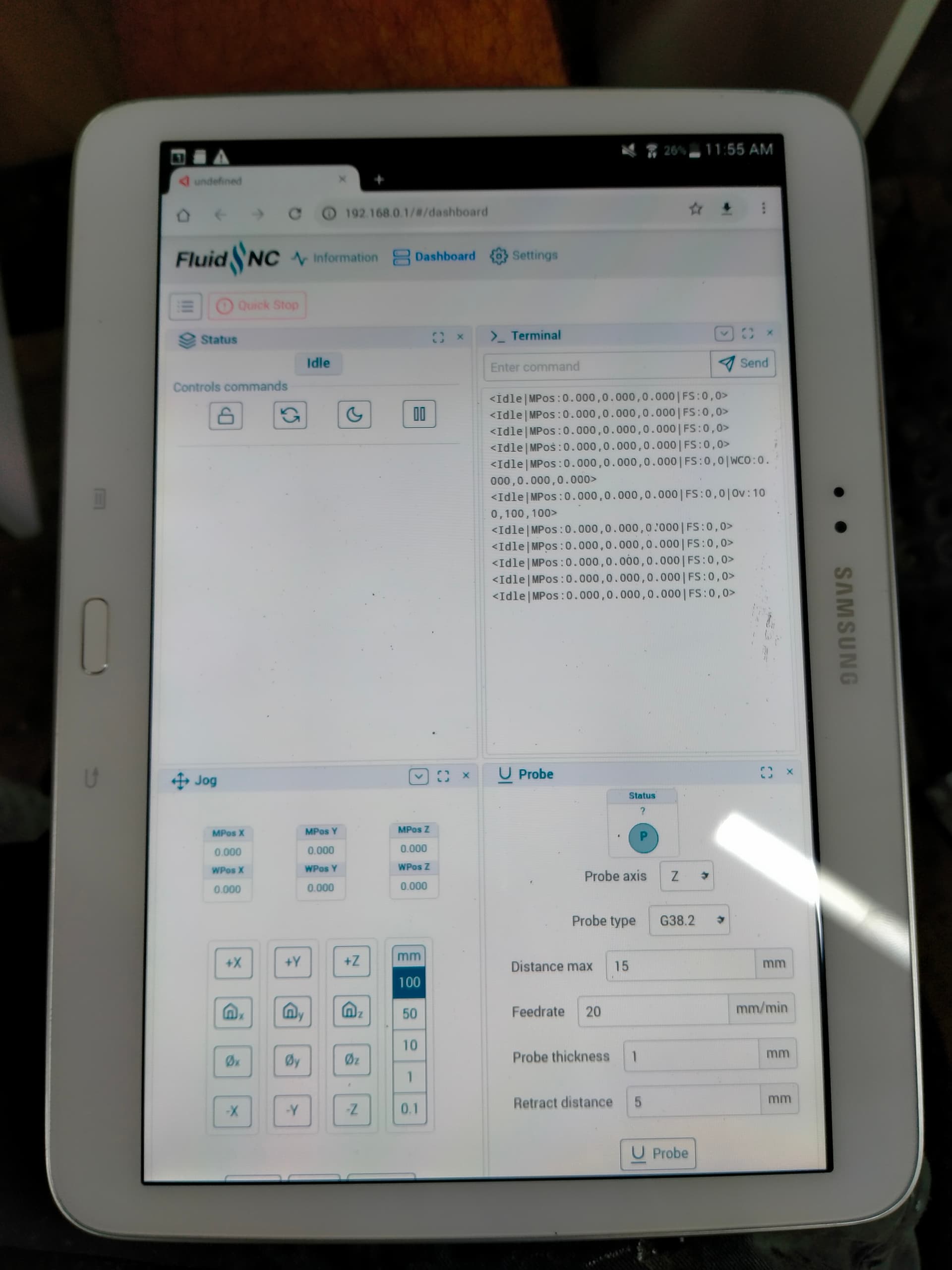
just logged in on tablet , yesterday it had the normal webui
today its got this ???, havent touched firmware on esp
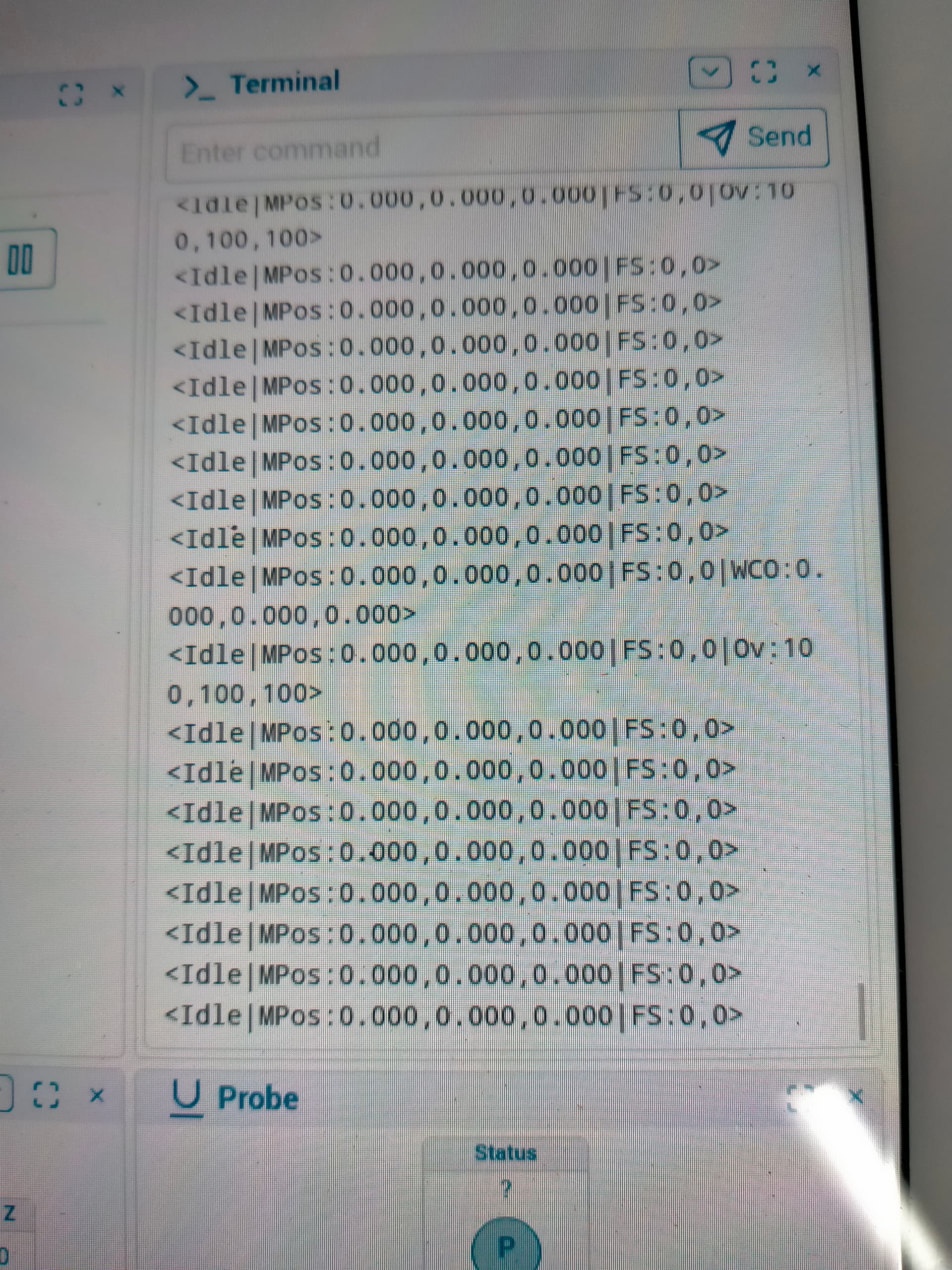
and it gives me this
comes up with this in commands
just tried this
put a 2209 in c and plugged in each cable and the steeper’s energize and i cant move the the different axis
if i plug z into c it energizes and
Z is the only error now
Jul 29 2019 12:21:46
rst:0x1 (POWERON_RESET),boot:0x17 (SPI_FAST_FLASH_BOOT)
configsip: 0, SPIWP:0xee
clk_drv:0x00,q_drv:0x00,d_drv:0x00,cs0_drv:0x00,hd_drv:0x00,wp_drv:0x00
mode:DIO, clock div:1
load:0x3fff0030,len:1184
load:0x40078000,len:13260
load:0x40080400,len:3028
entry 0x400805e4
[MSG:INFO: uart_channel0 created]
[MSG:RST]
[MSG:INFO: FluidNC v3.9.1 GitHub - bdring/FluidNC: The next generation of motion control firmware]
[MSG:INFO: Compiled with ESP32 SDK:v4.4.7-dirty]
[MSG:INFO: Local filesystem type is littlefs]
[MSG:INFO: Configuration file:config.yaml]
[MSG:INFO: Machine LowRider]
[MSG:INFO: Board Jackpot TMC2209]
[MSG:INFO: UART1 Tx:gpio.0 Rx:gpio.4 RTS:NO_PIN Baud:115200]
[MSG:INFO: I2SO BCK:gpio.22 WS:gpio.17 DATA:gpio.21]
[MSG:INFO: SPI SCK:gpio.18 MOSI:gpio.23 MISO:gpio.19]
[MSG:INFO: SD Card cs_pin:gpio.5 detect:NO_PIN freq:20000000]
[MSG:INFO: Stepping:I2S_STATIC Pulse:2us Dsbl Delay:0us Dir Delay:1us Idle Delay:255ms]
[MSG:INFO: User Digital Output: 0 on Pin:gpio.26]
[MSG:INFO: User Digital Output: 1 on Pin:gpio.27]
[MSG:INFO: Axis count 3]
[MSG:INFO: Axis X (3.000,1263.000)]
[MSG:INFO: Motor0]
[MSG:INFO: tmc_2209 UART1 Addr:0 CS:NO_PIN Step:I2SO.2 Dir:I2SO.1 Disable:I2SO.0 R:0.110]
[MSG:INFO: X Neg Limit gpio.25]
[MSG:INFO: Axis Y (3.000,2483.000)]
[MSG:INFO: Motor0]
[MSG:INFO: tmc_2209 UART1 Addr:1 CS:NO_PIN Step:I2SO.5 Dir:I2SO.4 Disable:I2SO.7 R:0.110]
[MSG:INFO: Y Neg Limit gpio.33]
[MSG:INFO: Motor1]
[MSG:INFO: tmc_2209 UART1 Addr:3 CS:I2SO.14 Step:I2SO.13 Dir:I2SO.12 Disable:I2SO.15 R:0.110]
[MSG:INFO: Y2 Neg Limit gpio.35]
[MSG:INFO: Axis Z (-297.000,3.000)]
[MSG:INFO: Motor0]
[MSG:INFO: tmc_2209 UART1 Addr:2 CS:NO_PIN Step:I2SO.10 Dir:I2SO.9 Disable:I2SO.8 R:0.110]
[MSG:INFO: Z Pos Limit gpio.32]
[MSG:INFO: Motor1]
[MSG:INFO: tmc_2209 UART1 Addr:3 CS:I2SO.19 Step:I2SO.18 Dir:I2SO.17 Disable:I2SO.16 R:0.110]
[MSG:INFO: Z2 Pos Limit gpio.34]
[MSG:INFO: X Axis driver test passed]
[MSG:INFO: Y Axis driver test passed]
[MSG:INFO: Y2 Axis driver test passed]
[MSG:ERR: Z Axis TMC driver not detected - expected 0x21 got 0x0]
[MSG:INFO: Z2 Axis driver test passed]
[MSG:INFO: Kinematic system: Cartesian]
[MSG:INFO: AP SSID FluidNC IP 192.168.0.1 mask 255.255.255.0 channel 1]
[MSG:INFO: AP started]
[MSG:INFO: WiFi on]
[MSG:INFO: Captive Portal Started]
[MSG:INFO: HTTP started on port 80]
[MSG:INFO: Telnet started on port 23]
[MSG:INFO: Flood coolant gpio.2]
[MSG:INFO: Mist coolant gpio.16]
[MSG:INFO: Probe gpio.36:low]
Grbl 3.9 [FluidNC v3.9.1 (wifi) ‘$’ for help]
ok
[VER:3.9 FluidNC v3.9.1:]
[OPT:MPHS]
[MSG:Machine: LowRider]
[MSG:Mode=AP:SSID=FluidNC:IP=192.168.0.1:MAC=38-18-2B-2F-16-25]
ok
[JSON:{“cmd”:“420”,“status”:“ok”,“data”:[{“id”:“Chip ID”,“value”:“9238”},{“id”:“CPU Cores”,“value”:“2”},{"]
[JSON:id":“CPU Frequency”,“value”:“240Mhz”},{“id”:“CPU Temperature”,“value”:“58.9°C”},{“id”:“Free memory”]
[JSON:,“value”:“129.12 KB”},{“id”:“SDK”,“value”:“v4.4.7-dirty”},{“id”:“Flash Size”,“value”:“4.00 MB”},{"id]
[JSON:":“Sleep mode”,“value”:“Modem”},{“id”:“Available Size for update”,“value”:“1.88 MB”},{“id”:"Availabl]
[JSON:e Size for LocalFS",“value”:“192.00 KB”},{“id”:“Web port”,“value”:“80”},{“id”:“Data port”,“value”:"2]
[JSON:3"},{“id”:“Hostname”,“value”:“esp32-2F1624”},{“id”:“Current WiFi Mode”,“value”:"AP (38:18:2B:2F:16:2]
[JSON:5)"},{“id”:"SSID: ",“value”:“FluidNC”},{“id”:"Visible: ",“value”:“Yes”},{“id”:"Radio country set: ",]
[JSON:“value”:“01 (channels 1-11, max power 20dBm)”},{“id”:“Authentication”,“value”:“WPA2-PSK”},{“id”:"Max]
[JSON: Connections",“value”:“4”},{“id”:“DHCP Server”,“value”:“Started”},{“id”:“IP”,“value”:“192.168.0.1”},]
[JSON:{“id”:“Gateway”,“value”:“192.168.0.1”},{“id”:“Mask”,“value”:“255.255.255.0”},{“id”:"Connected channe]
[JSON:ls",“value”:“0”},{“id”:“Disabled Mode”,“value”:“STA (38:18:2B:2F:16:24)”},{“id”:“FW version”,“value”]
[JSON::“FluidNC v3.9.1”}]}]
ok
Grbl 3.9 [FluidNC v3.9.1 (wifi) ‘$’ for help]
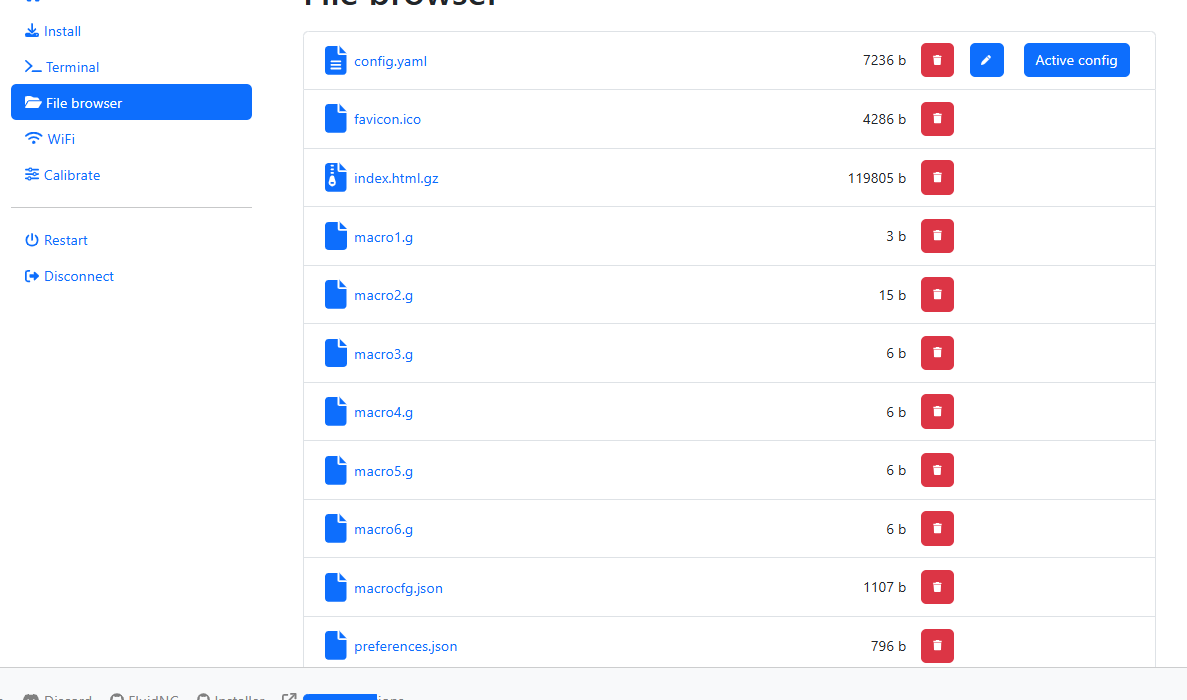
It looks like you’re back to this. Note that this means the index.html.gz file stored on flash was changed. It’s a relatively new feature of the web installer to have an option to choose this.
I’m pretty confused at this point on the rest of it so I’ll leave that one for someone else.
To help troubleshoot you can not keep changing the firmware.
You went from v2 UI to V3, back to 2, now you are on 3 again. PLease understand we can not help you if it keeps changing.
This was the last request. This should be done on V2 UI with all of the files I provide loaded.
rbl 3.9 [FluidNC v3.9.1 (wifi) ‘$’ for help]
$ss
[MSG:INFO: FluidNC v3.9.1 GitHub - bdring/FluidNC: The next generation of motion control firmware]
[MSG:INFO: Compiled with ESP32 SDK:v4.4.7-dirty]
[MSG:INFO: Local filesystem type is littlefs]
[MSG:INFO: Configuration file:config.yaml]
[MSG:INFO: Machine LowRider]
[MSG:INFO: Board Jackpot TMC2209]
[MSG:INFO: UART1 Tx:gpio.0 Rx:gpio.4 RTS:NO_PIN Baud:115200]
[MSG:INFO: I2SO BCK:gpio.22 WS:gpio.17 DATA:gpio.21]
[MSG:INFO: SPI SCK:gpio.18 MOSI:gpio.23 MISO:gpio.19]
[MSG:INFO: SD Card cs_pin:gpio.5 detect:NO_PIN freq:20000000]
[MSG:INFO: Stepping:I2S_STATIC Pulse:2us Dsbl Delay:0us Dir Delay:1us Idle Delay:255ms]
[MSG:INFO: User Digital Output: 0 on Pin:gpio.26]
[MSG:INFO: User Digital Output: 1 on Pin:gpio.27]
[MSG:INFO: Axis count 3]
[MSG:INFO: Axis X (3.000,1263.000)]
[MSG:INFO: Motor0]
[MSG:INFO: tmc_2209 UART1 Addr:0 CS:NO_PIN Step:I2SO.2 Dir:I2SO.1 Disable:I2SO.0 R:0.110]
[MSG:INFO: X Neg Limit gpio.25]
[MSG:INFO: Axis Y (3.000,2483.000)]
[MSG:INFO: Motor0]
[MSG:INFO: tmc_2209 UART1 Addr:1 CS:NO_PIN Step:I2SO.5 Dir:I2SO.4 Disable:I2SO.7 R:0.110]
[MSG:INFO: Y Neg Limit gpio.33]
[MSG:INFO: Motor1]
[MSG:INFO: tmc_2209 UART1 Addr:3 CS:I2SO.14 Step:I2SO.13 Dir:I2SO.12 Disable:I2SO.15 R:0.110]
[MSG:INFO: Y2 Neg Limit gpio.35]
[MSG:INFO: Axis Z (-297.000,3.000)]
[MSG:INFO: Motor0]
[MSG:INFO: tmc_2209 UART1 Addr:2 CS:NO_PIN Step:I2SO.10 Dir:I2SO.9 Disable:I2SO.8 R:0.110]
[MSG:INFO: Z Pos Limit gpio.32]
[MSG:INFO: Motor1]
[MSG:INFO: tmc_2209 UART1 Addr:3 CS:I2SO.19 Step:I2SO.18 Dir:I2SO.17 Disable:I2SO.16 R:0.110]
[MSG:INFO: Z2 Pos Limit gpio.34]
[MSG:INFO: X Axis driver test passed]
[MSG:INFO: Y Axis driver test passed]
[MSG:ERR: Y2 Axis TMC driver not detected - expected 0x21 got 0x0]
[MSG:ERR: Z Axis TMC driver not detected - expected 0x21 got 0x0]
[MSG:ERR: Z2 Axis TMC driver not detected - expected 0x21 got 0x0]
[MSG:INFO: Kinematic system: Cartesian]
[MSG:INFO: STA SSID is not set]
[MSG:INFO: AP SSID FluidNC IP 192.168.0.1 mask 255.255.255.0 channel 1]
[MSG:INFO: AP started]
[MSG:INFO: WiFi on]
[MSG:INFO: Captive Portal Started]
[MSG:INFO: HTTP started on port 80]
[MSG:INFO: Telnet started on port 23]
[MSG:INFO: Flood coolant gpio.2]
[MSG:INFO: Mist coolant gpio.16]
[MSG:INFO: Probe gpio.36:low]
ok
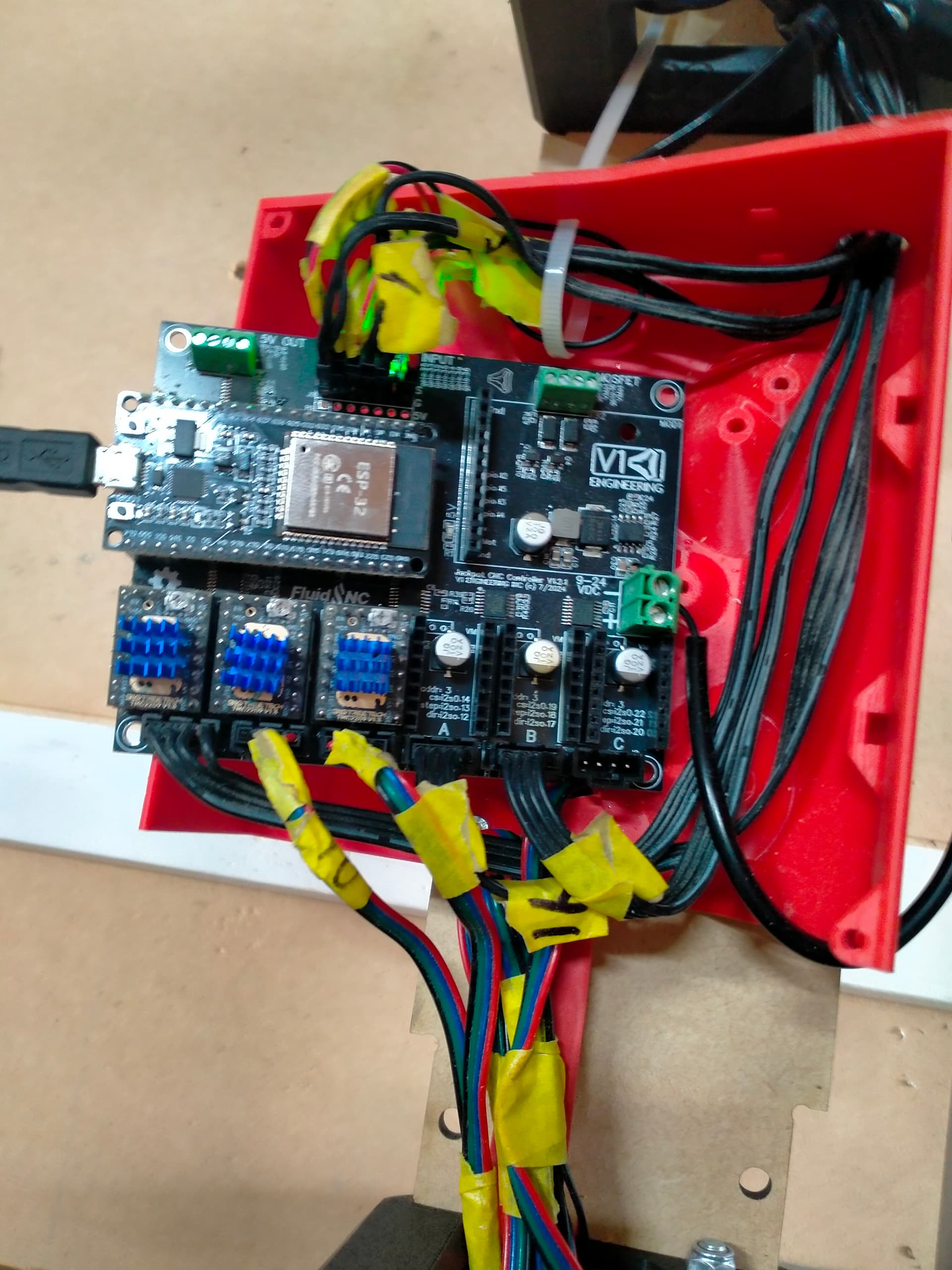
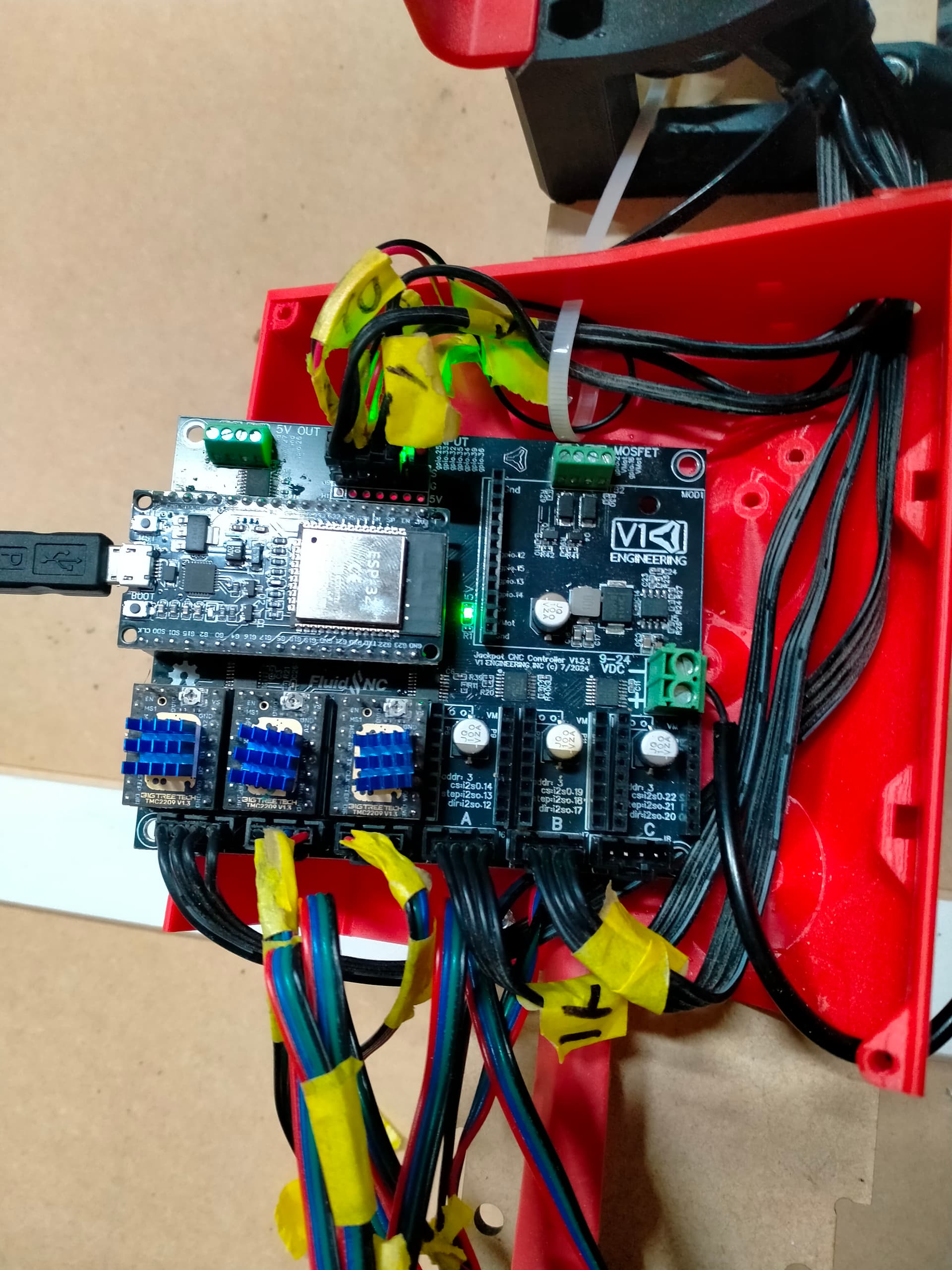
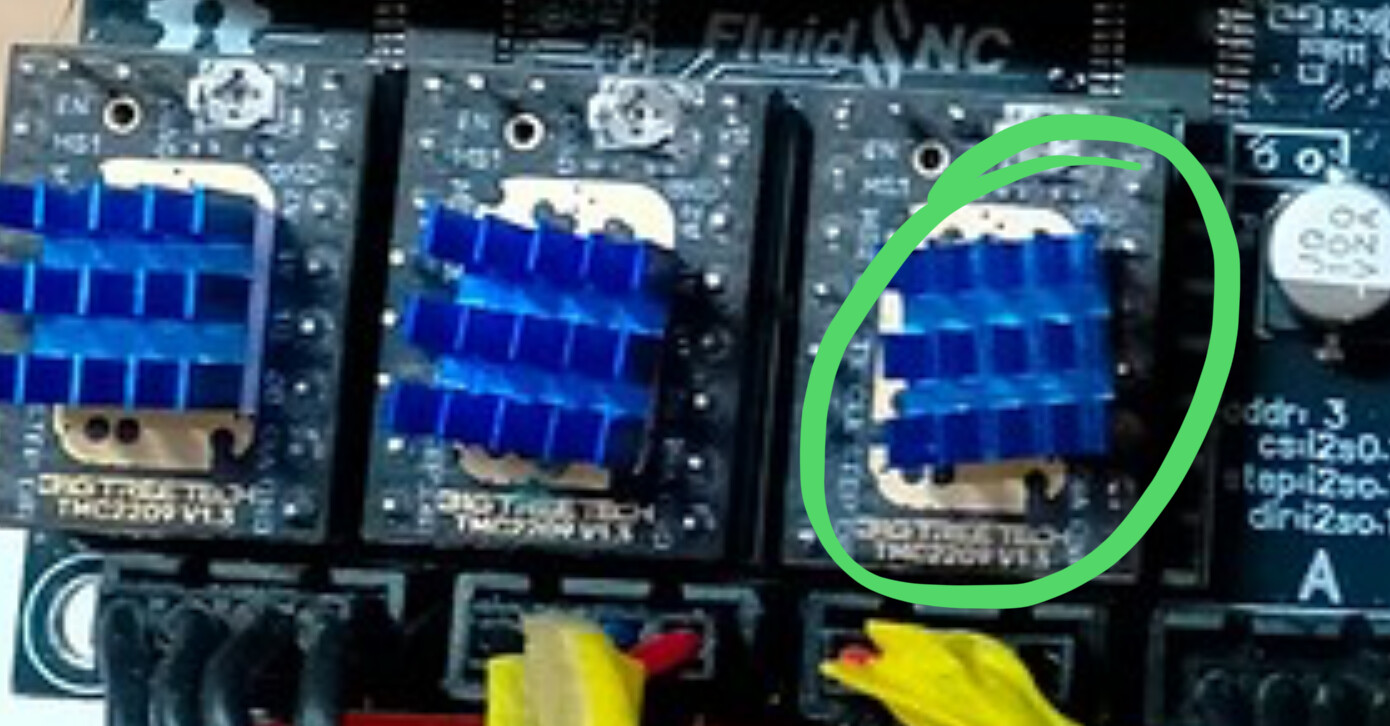
If the blue heatsink touches and connects the header pins together you could cause permanent damage.
You still haven’t created the config that Ryan asked for.
Power down.
remove the drivers from Z, A, B. (As marked on the Jackpot board)
Put the driver from B into Z.
Leave the other two out.
Power up.
Report what happens via $SS
Looking to test each driver individually.
config file?
No, it’s not. Your $SS clearly shows more than one driver is installed.
[MSG:INFO: Z2 Pos Limit gpio.34]
[MSG:INFO: X Axis driver test passed]
[MSG:INFO: Y Axis driver test passed]
[MSG:ERR: Y2 Axis TMC driver not detected - expected 0x21 got 0x0]
[MSG:ERR: Z Axis TMC driver not detected - expected 0x21 got 0x0]
[MSG:ERR: Z2 Axis TMC driver not detected - expected 0x21 got 0x0]
Easiest way is to take all the drivers out with the power off one at a time put each one in the X slot and power up. Check $ss for every driver. We are trying to see if all drivers show functional.
new boards arrived , so have swapped it out , will worry about old board issues another time or maybe never haha