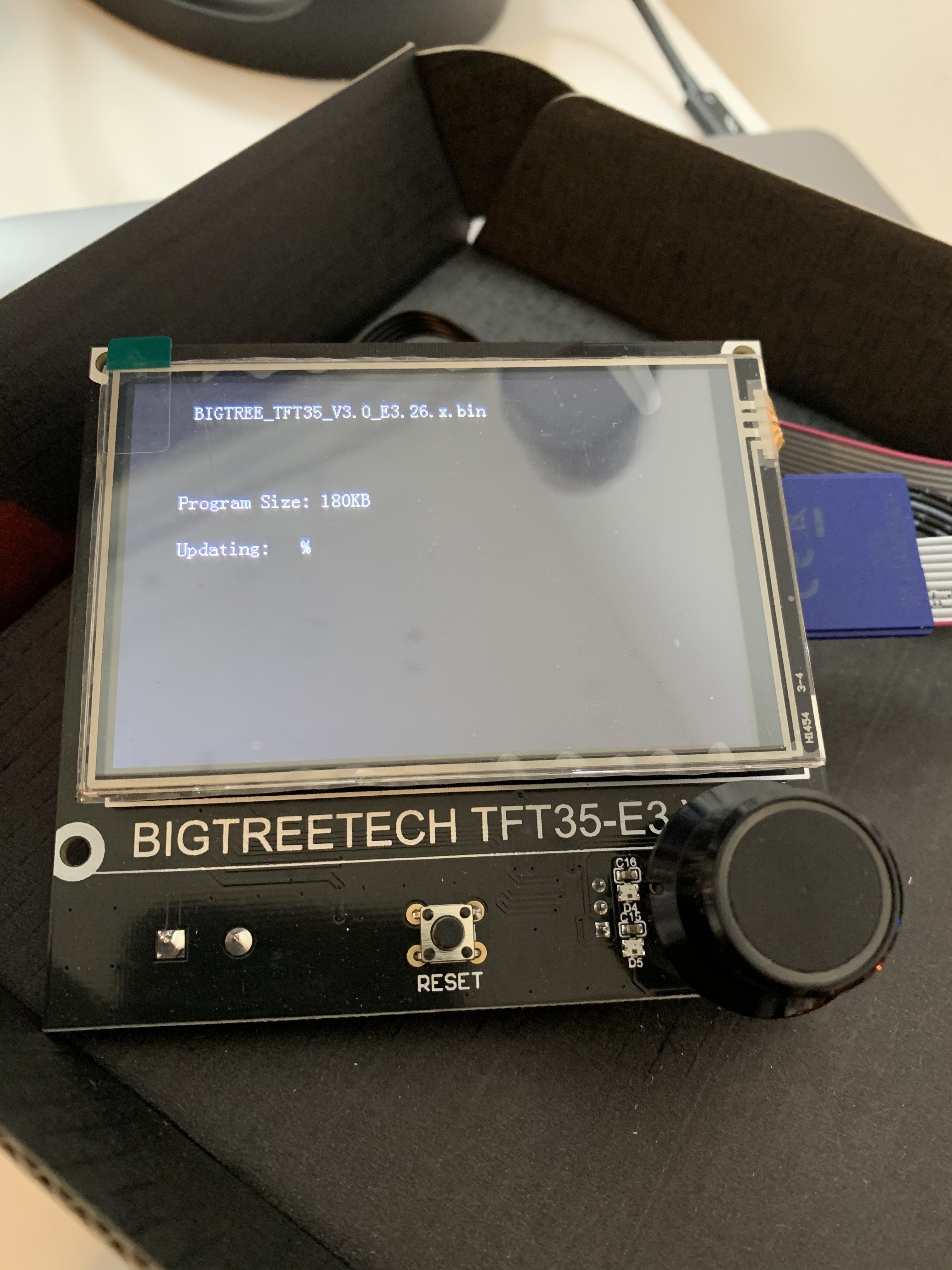
Anyone had an issue with their TFT35-E3 V3 not loading the firmware? I’ve loaded the files on the SD card and rebooted the board and it reads the correct file size for the new .bin file, but it doesn’t load and just freezes.
1 Like
Did you put the fonts and bmp folders on also?
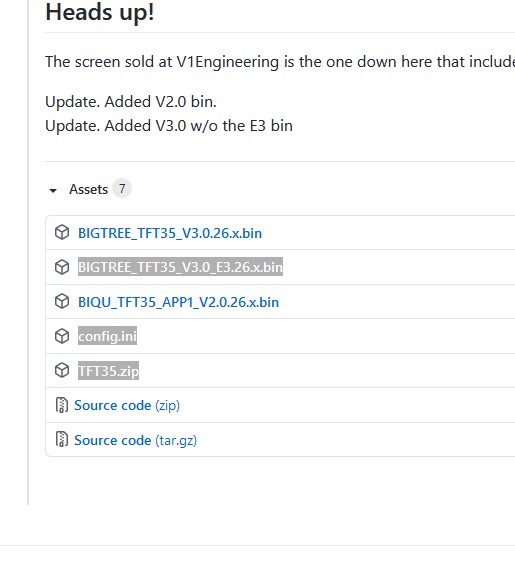
What files do you have on there, more than just the bin correct? You should at least have the bin and config, and if this is the first time you need the folder as well with all the graphics.
The card has the .bin file along with the config.ini and the TFT35 folder with the font and bmp folders.
Have any of them been renamed? Each boot should renamed them.
I suggest a fresh download and try again. It seems to see the files, not sure why it is not loading them. How big is your card, how is it formatted?
Yeah the two .cur files are in there as well. I’m trying to reflash new firmware because the screen is just blank without it.
For a fresh download are you suggesting downloading the files fresh from github here?
The card is 16 GB and it is formatted FAT32.
Disconnect the EXP1 and 2 cables, then try.
Restarting with the EXP1 and 2 cables did the trick!
Thanks so much for the help.
Hello, I have tried to create a topic where someone has a solution to be able to connect the skrpro 1.2 board with the bigtreetech tft35-e3 version v3.0.1 screen since the firmware it has at the moment is bigtreetech_gd_tft35_e3_3.0 but it does not work, nor does the marlin mode, nor does it control the stepper motors; The truth is that I am desperate, there are no old versions and I have already bought from 3 providers that say they send version 3.0 and they send me 3.0.1. I also already have the skr card but from the main page you cannot buy only the bigtreetech screen, I appreciate you can guide me
Hello,
I am currently building an MPCNC.
My controller board is a BIGTREETECH SKR PRO V1.2.
I installed a preconfigured version of Marlin and modified the X, Y, and Z dimensions in Visual Studio Code.
I successfully flashed the adapted FIRMWARE.BIN file to match the size of my MPCNC.
However, I am unable to configure my BIGTREETECH TFT35-E3 V3.0.1 screen in CNC mode.
Would it be possible to send me:
-
the TFT35 folder (CNC images),
-
the FIRMWARE.BIN file,
-
as well as the corresponding config.ini file?
Thank you in advance for your help.
The CNC version is horribly out of date. Best to use BTT’s most current release.
2 Likes
Greetings, ezobat. Welcome to the V1 community forums.
As Ryan said, the old CNC version of firmware is horribly out of date.
This forum topic is horribly out of date as well, and few folks will read a years-old topic with new folks.
I encourage you if you keep having difficulties, or if you want to share details of your machine build and use- do it here in these forums but in a new topic.
Good luck, and if you create a new topic there will surely be comunity members that can help.
1 Like
Hello,
Thank you for your replies and for the warm welcome to the forum.
I understand that the old CNC firmware version is obsolete and that this thread is outdated.
I am therefore creating a new topic to share my setup and ask for help specific to my installation.
Thank you for your guidance.
2 Likes