I could definitely buy an assembled one from you 
1 Like
I’m thrilled by your enthusiasm, but it is still a prototype. I’ll let you know when it’s action ready !
5 Likes
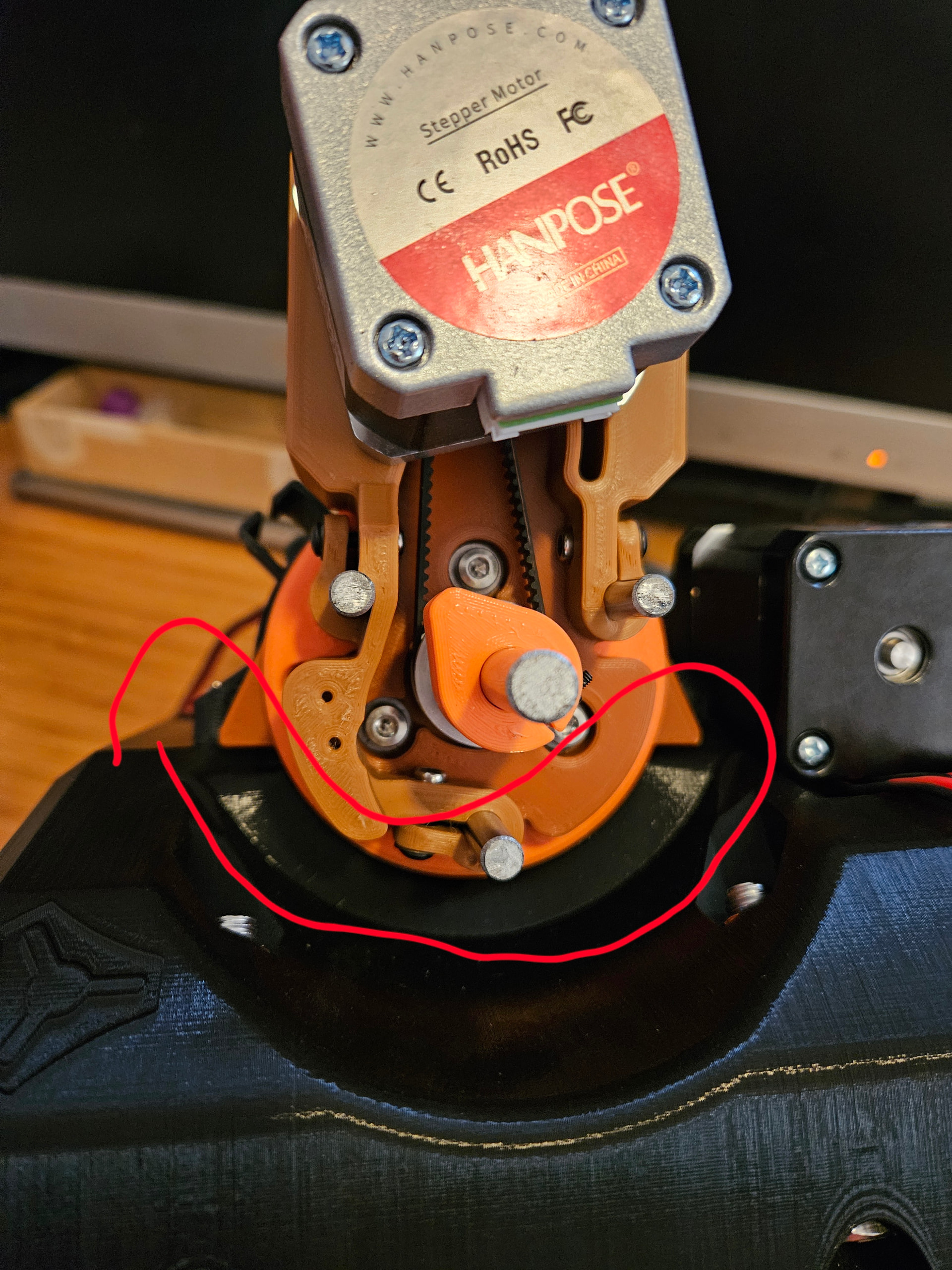
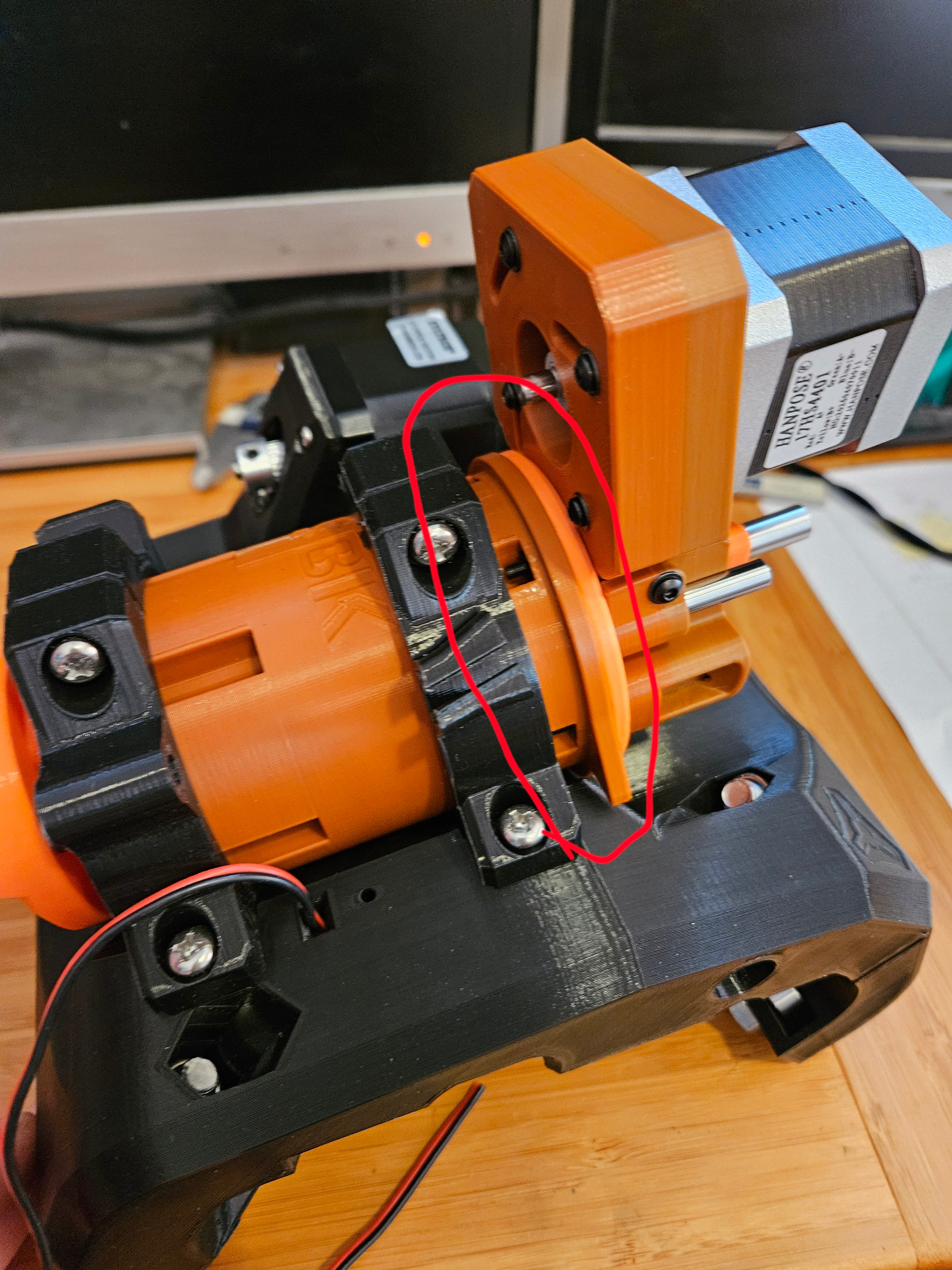
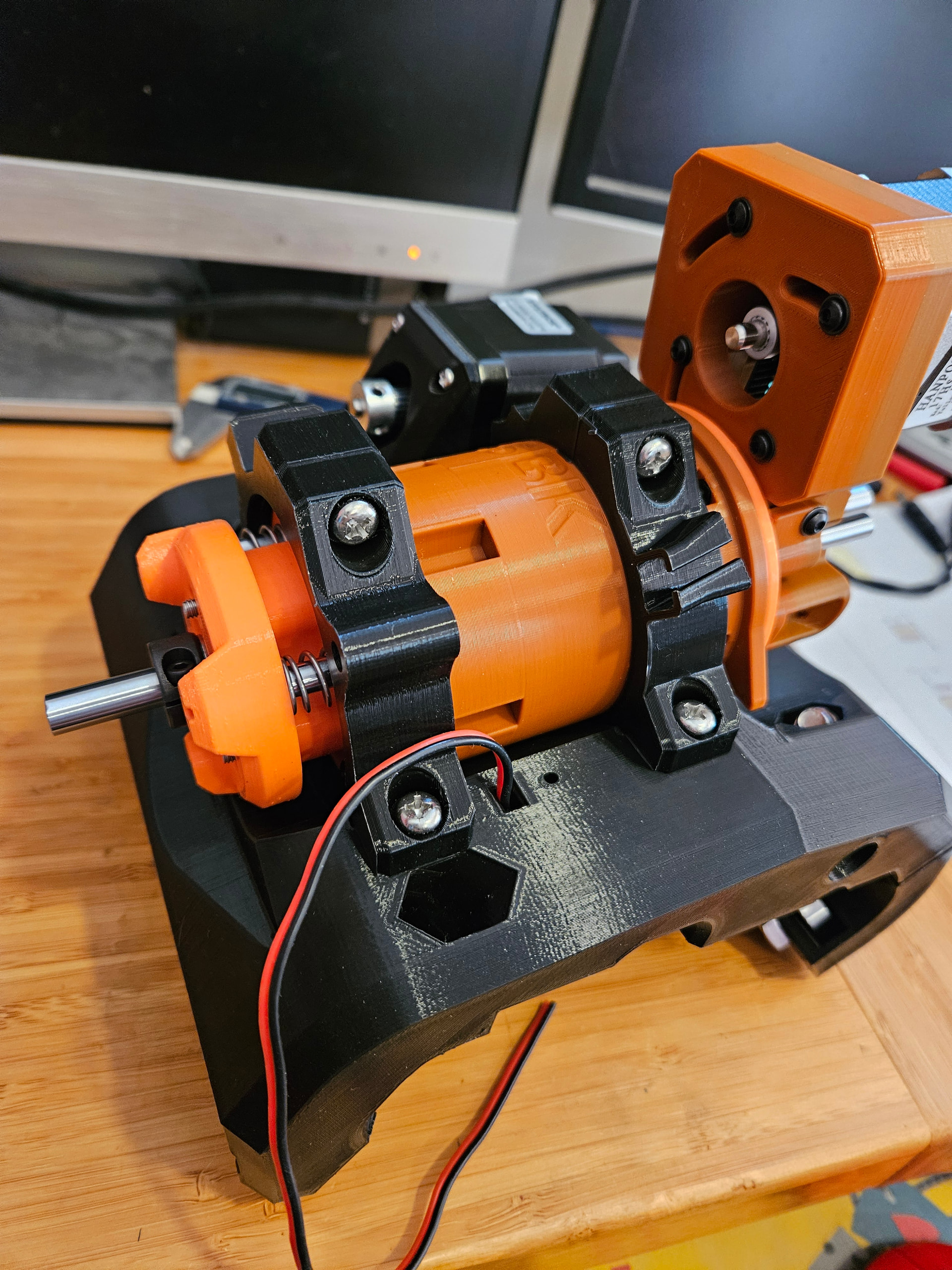
Already found some interferences while trying the knife on the LR4 core tool mounts.
Upper circonference is too big, and I can’t lower the knife ledge on the upper tool mount.
Well this will need a few parts mod/reprint.
I think I will just remove the ledge and make the shank a bit longer. So I think that way it will be compatible with MPCNC Primo too ? Shank is 65mm diameter…
3 Likes
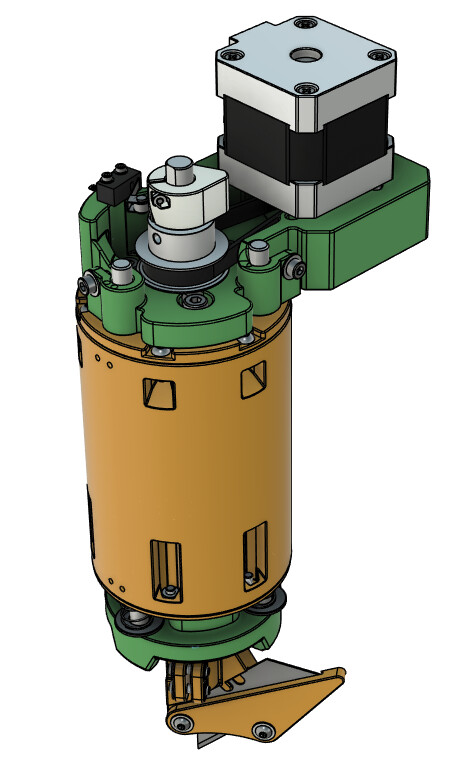
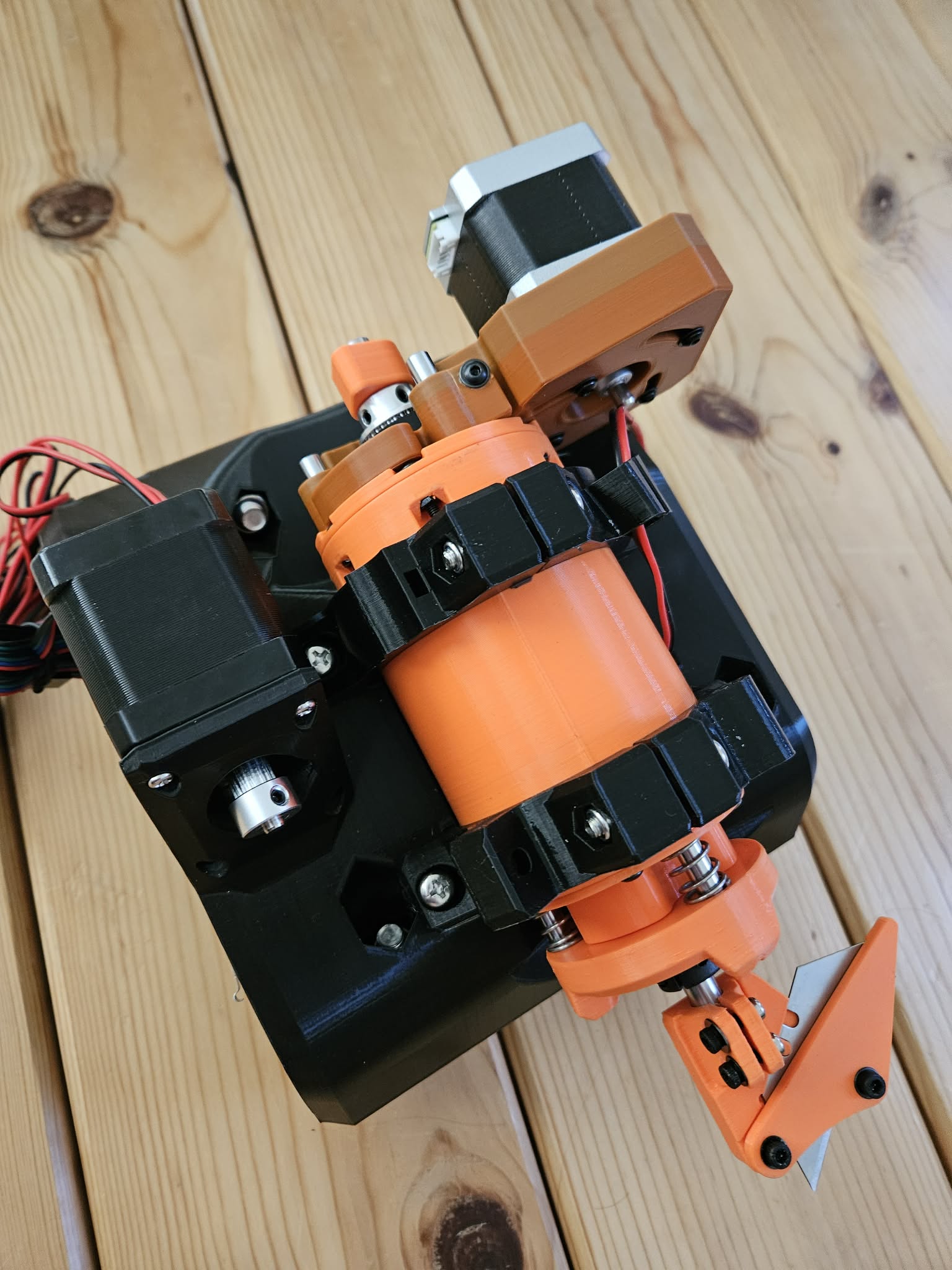
Reprint and remount done, I think it’ll work pretty well!
Shank is 65mm diameter and about 95mm long.
The only minor draw back is that I need to remove the bottom holder clip screw to pass the blade trough the open clip…
I don’t have a MPCNC, any of think it would fit on a it too ?
Spring loaded tool might not be necessary in the end, but I got it now, so… Maybe I’ll make a spring less version later if I don’t see the point while using it.
Time to build that CNC now ! I’ll kick my ass and make some space in the garage !
3 Likes
Probably.
1 Like
Looking good. How are you zeroing the blade angle with the machine? Do you have a repeatable hard stop you are using? The MPCNC’s Z has the dual tubes, so just wondering what would be the best way to repeatably zero it between router/knife swaps.
Generally it’s going to be interesting how you can implement it. Estlcam does not have drag knife correction when creating toolpaths, it does it on the fly in the cam.
FluidNC can’t do that because it assumes the drag knife correction was programmed in when the program was created.
Any idea on how to solve this? I still have an MPCNC that I could use for this. 
There is an homing switch and a cam on the rotation axis shaft, I plan to zero the axis with the homing switch, then add a correction angle to the homing position to set the blade in FluidNC firmware.
Or another way would be to home the axis, then with the blade holder loose, drag the blade on the table in x or y axis to align it, and tighten the blade holder set/holding screws… That way there is no angle correction for this axis in the FluidNC firmware.
I’m not there yet, but I’ll find something.
For Z axis, it will depends on the post processor. But mostly Z should be zero at table level, maybe just a bit below to ensure complete cutting. This is the cutting position. There would be a safe retract Z position over the material for non cutting moves.
GRBL plotter has tangential knife options, I’ll start with that for my test to produce the GCODE, then experiment with Fusion 360 post-processor.
1 Like
That’s my plan for now.
1 Like
Looking forward for it. When you relase the project i’ll use vectric aspire.
If anyone is interested FreeCAD had a DragKnife dressup in the CAM workbench. You input the offset and it recomputes the path including the turn around sharp edges (you can provide an angle filter).
4 Likes
Many softwares offer drag knife options, but only a spare few have tangential knife option, which is really different since you need to drive an extra axis.
Vectric Aspire has tangential knife tool options ?