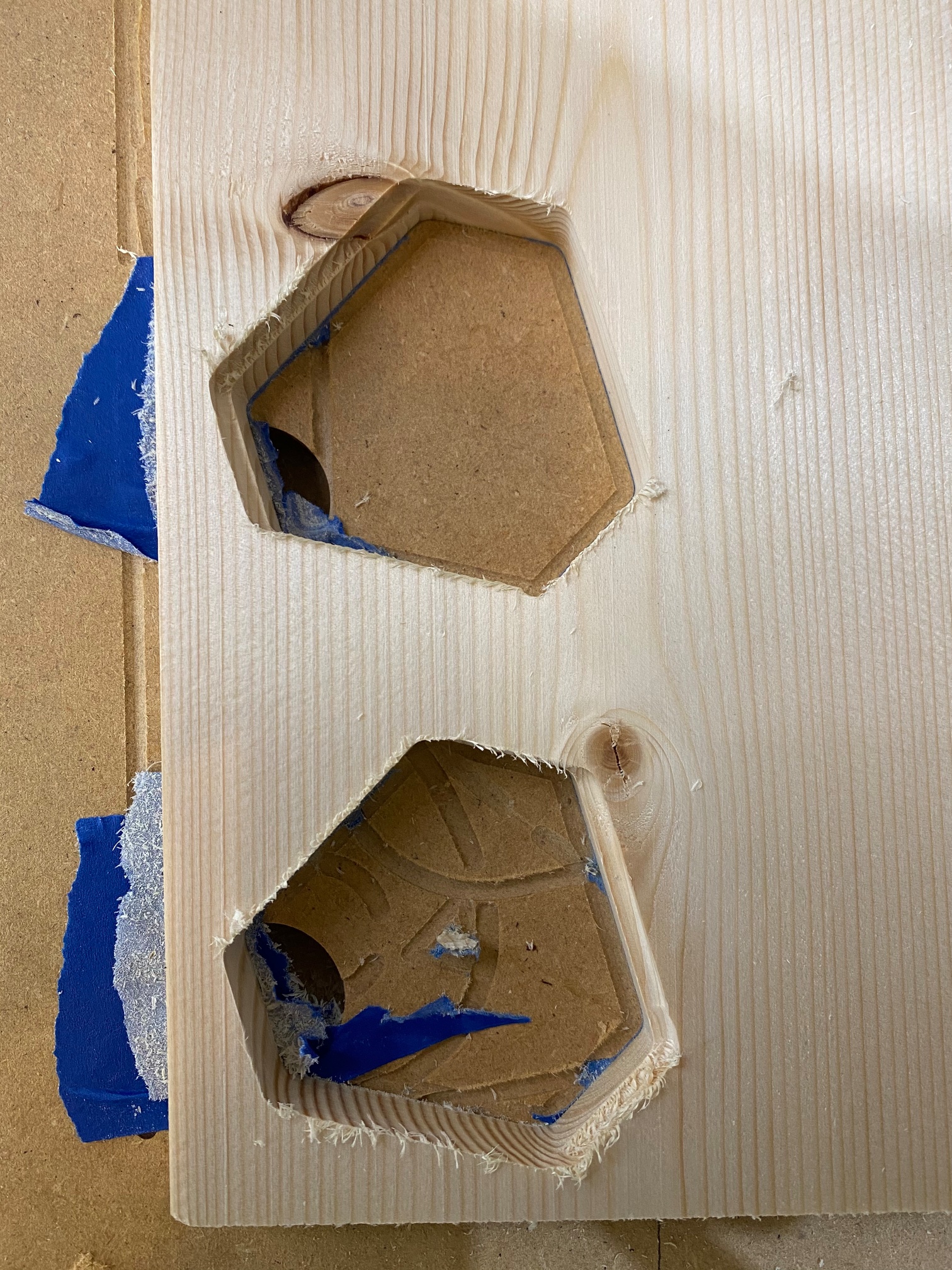
When I am cutting a hole with a 2d contour, I’m getting each progressively deeper depth offset in the x axis, but not in the y. This is consistent in the x direction even if I use the same tool paths (this is a closeup of the top of a stool which has four such holes, where each has a similar stair step effect).
The result is on one side of the hole I have these little steps at each depth, and on the other side the lower depths have massive DOCs on that one side (the full depth of the hole at the bottom). Any idea what could be causing this? I have tightened and used loctite on the grub screws . Using an MPCNC with SKR Pro with dual endstops.
Does the other side have the steps, or is it just a full cut?
Those seem like pretty small stairs to be skipping steps.
If the steps go all the way around, then you probably just want to add a full depth finishing pass, which will leave 0.2mm or whatever the first pass, and then come back around at full depth right on dimension. The second pass doesn’t take long (only one depth) and there is almost no load, so the edges are clean, and precise. But if it is skipping steps in the rough pass, it is going to be precisely in the wrong spot.
These are an adaptive clear + a contour finishing pass on each part. The difference between the top and the bottom was the top was two discrete operations (with two Gcode files) and the bottom was a continuous milling operation. Other than that these were exactly the same operations.
You can see the x step is consistent (but flipped) in each with the top having shifted in the positive x (step on the left) and the bottom in the negative x (step on the right). These were really conservative settings in pine (300mm/m, 1mm DOC).
Watching these operations it seems the shift occurs between milling operations (regardless of if it’s two distinct gcode files or one). This seems like a ‘precisely in the wrong spot’ situation rather than just deflection or something. I’m using Fusion360 with flyfishers’s post processor, and I only seem to have issues if I include an adaptive clear (either 2d or 3d).
I have cut some other parts that are 2d only (a single milling operation but multiple depths) without issues, so it feels like a Fusion360 / gcode problem specifically related to multiple operations or maybe just the adaptive clears. I super don’t know what I’m talking about though.
Very stupid question: Are your endmills long enough? The cut looks pretty deep, and if you had, say, an endmill with a 3mm wide cutting area but it is 1/8’’ on top, it might get pushed away by the bigger tip.
Do you get what I am saying? I am sure I am not using the perfect words for it.
I’m using the 1/8" ball end mill from the v1engineering store and this is a 1/2" piece of wood so I think I should be good, as it’s a consistent diameter for the entire shaft.
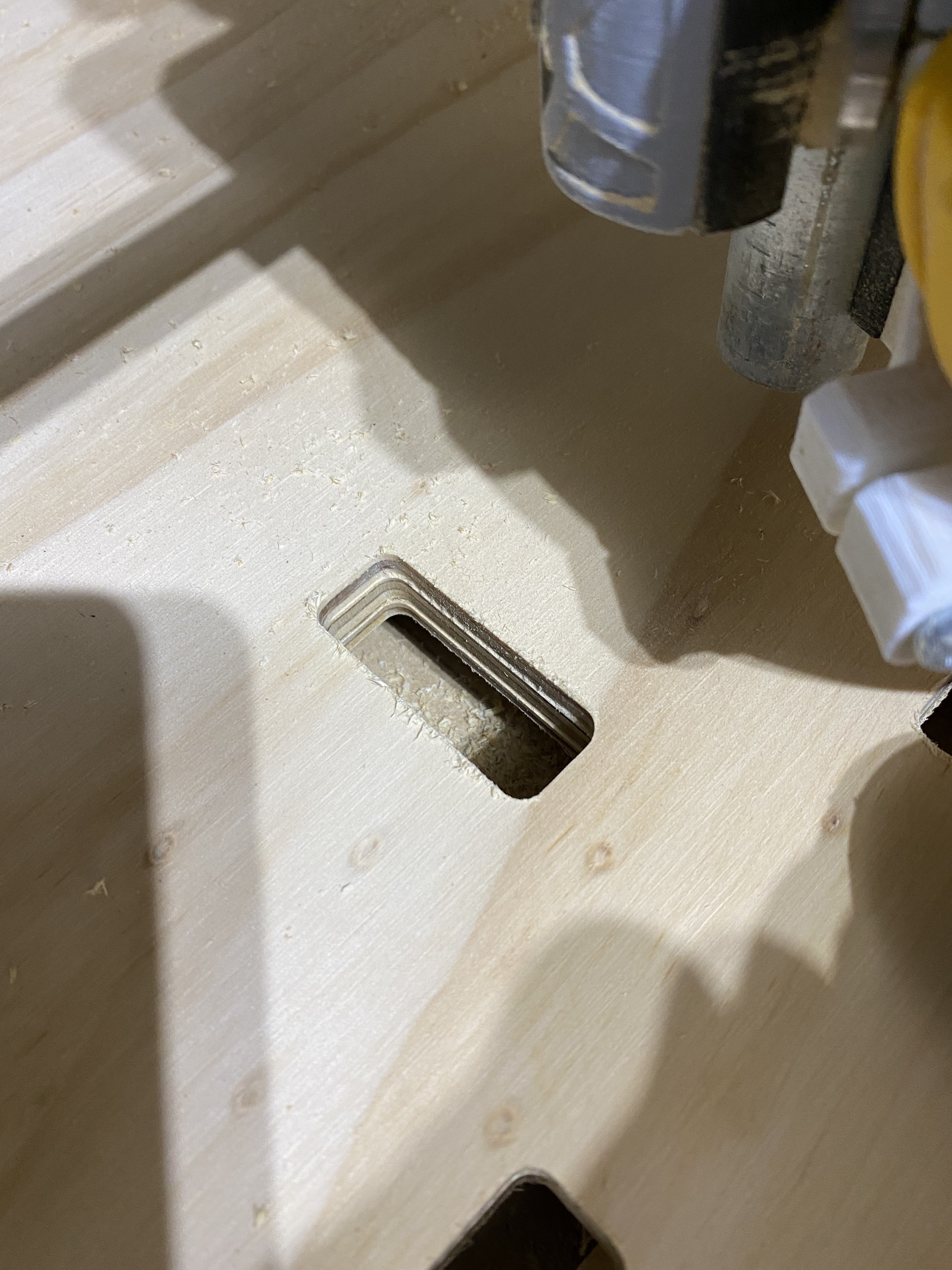
 . Using an MPCNC with SKR Pro with dual endstops.