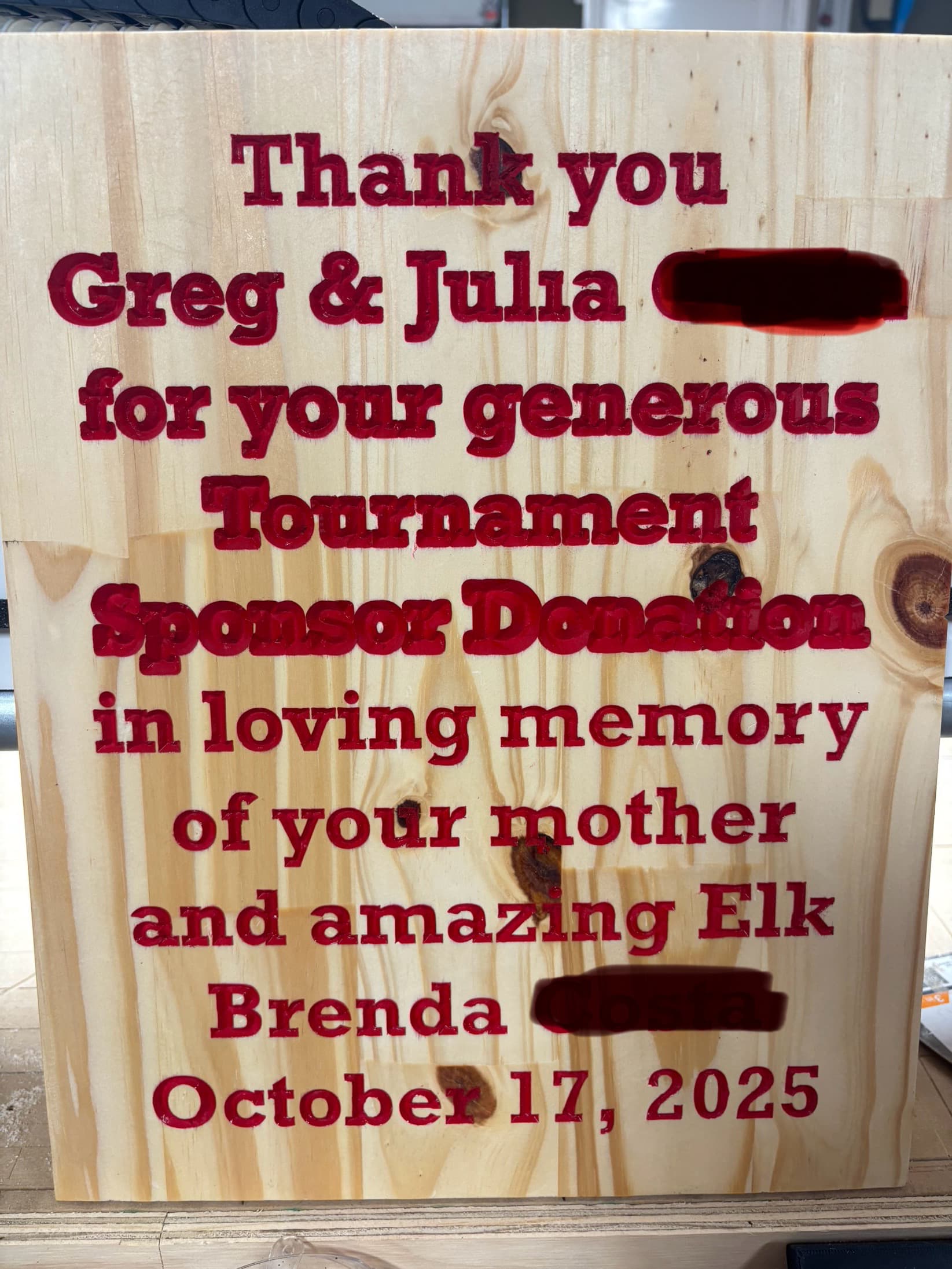
An odd thing happened today. 10 lines of text with a half inch wide 90° V groove on a 12 x 15 x 3/8” thick plank.
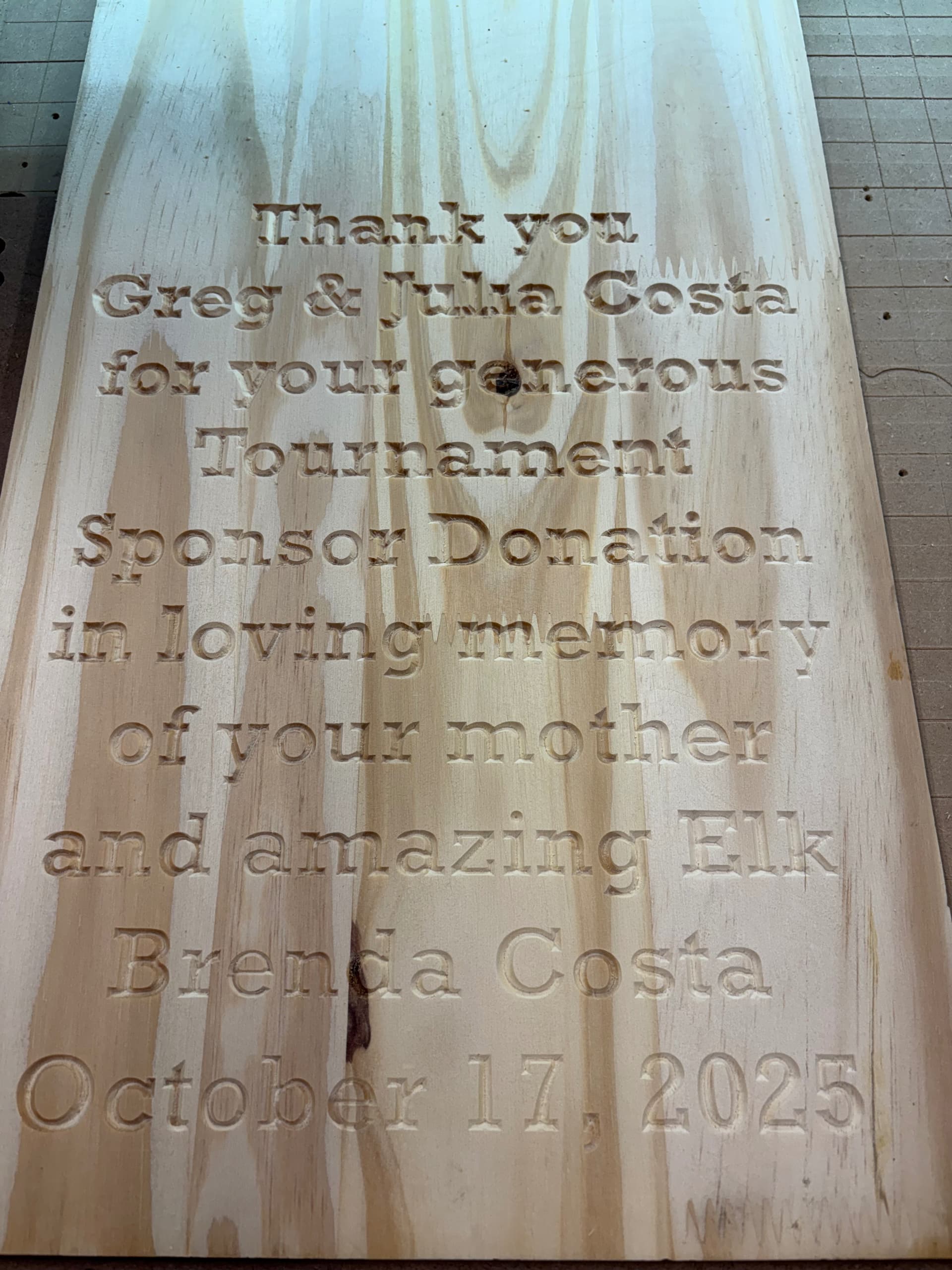
Issue: when I created the G code in Estlcam 11 to do all 10 lines of text in a single job beginning at the top left to the right then down from right to left progressing all the way down 10 lines ending near the 00 Mark, as it progressed down each line of text, the carving got deeper and deeper.
At first, I thought maybe it was time to resurface the spoil board maybe I had a high spot so I did that and it made no difference so I terminated the job after the line with the word donation. See the image I went ahead and painted the engraving, red and removed the mask for clarification of this issue
Nothing else changing other than saving the G code one line per job, beginning with “and loving memory” and a single line of text each thereafter. I ran each line below the word donation as a single job and I never even bothered to reprobe Z so it was at the same setting that the initial 10 line job would have run from.
This really has me stumped, doing a sentence One line at a time is fine doing the paragraph all 10 lines in a single job and the carving goes deeper as it gets further along the paragraph
Anybody experience this or have any clue as to what setting is off?
You can see the super wide letters overlapping each other which is the line where I stopped the job. At that point, I did a single line ‘in loving memory’ and it was fine, and then I did ‘of your mother’ and that was fine, nothing else had changed in Estlcam other than doing one line at a time as separate jobs rather than all 10 lines as a single job.
This one’s truly a puzzle Anyone experienced anything remotely close to this?
when I did the last five lines independently, they looked great by comparison when I did the first five lines as a 10 line paragraph each one went deeper.
What depth does the gcode show for each line of text? If the gcode is correct, then it is highly likely you are skipping steps on the upward Z movement. That could be caused by too high of acceleration setting, or too fast of a Z travel setting
Well, based on the feedback y’all provided, might be my own doing. I had set the feed rate to 30 and the z plunge to 50 mm/s to speed up the carving since it was a single pass shallow carve in soft pine.
From what y’all stay, I might be pushing too hard not allowing the Z to get back up to where it needs to be before carving the next line. Will test this again starting with 15/8 (very slow) and see what happens.
The depth of the Z in each line should be the same relative to the width of the carve/font used. Same size font used throughout. ??? Will looking at g-code with text editor indicate the depth of each letter/line of text?
The good news is the project can be remade line by line but I would rather find the solution to the issue regardless where it lies.
I am grateful for the input… for the this forum and Ryan for the machine’s creation. Truly love this entire new world in what otherwise was a 40 years of old school woodworking in this hobbyist’s realm.
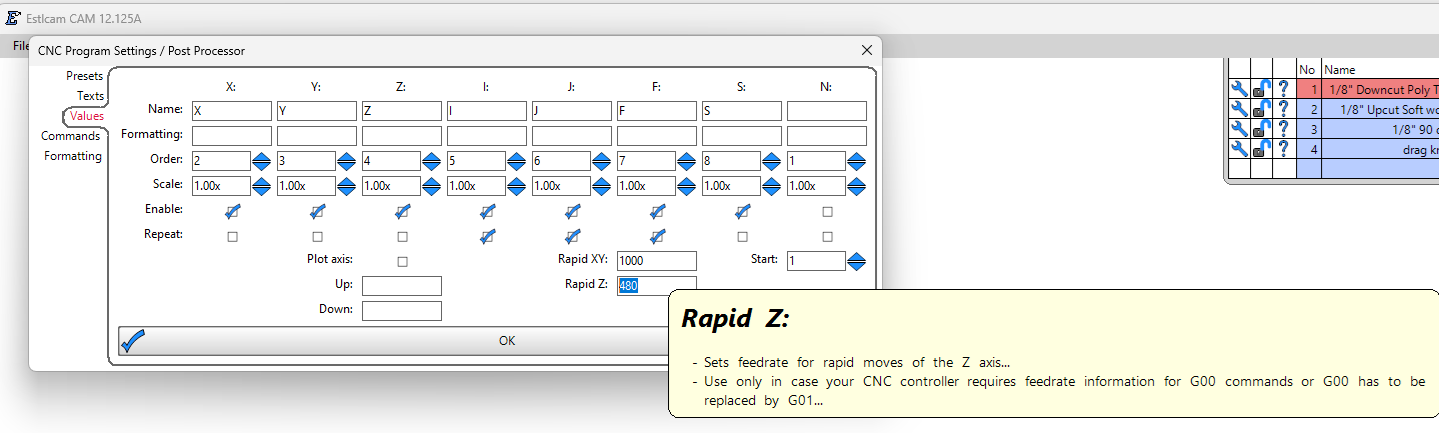
Am using conservative Z Rapid 480mm/min, so a slow (and steady…) 8mm/s. My Z Plunges are even slower. I’m not cutting enough to care to tune the assembly, but probably should.
Sounds like you’re losing steps when gantry rises because of Z Rapids too fast for the combo of assembled friction, gantry weight and stepper current of your setup. So, consider ensuring leadscrews are aligned and lubed well. This a full width gantry with 4’ usable? What’s your current settings for Z axis steppers?
Ideally… There’d be an easy way for community members to easily share and learn what settings are working for everyone. e.g. Opt-in telemetry option within EstlCam, or, an optional open sourced post script that uploads metrics with info useful to the community, but respects Maker’s privacy and IP. The metrics could be written to people’s GitHub repo, functionally serving as a backup to help people track setttings they used in the past too.
I agree, it pretty much had to be accumulated step loss on spindle retraction that caused Z0 to drift downwards during the carve. It is odd that doing five separate G-code files without resetting Z0 had no issues… time for the stepper to cool down??
To confirm it’s not the G-code you can copy any G01 X/Y/Z line from any partial/single line of text G-code file and see how many lines match when you search for it in the full/all lines of text G-code file (one).