Hey! New user here, bought a used LR3 a few weeks ago and having a blast so far. I am having some weird problems intermittently and (after having done all mechanical and wiring-related things I could think of) wondering if there is a new firmware for the controller (and display).
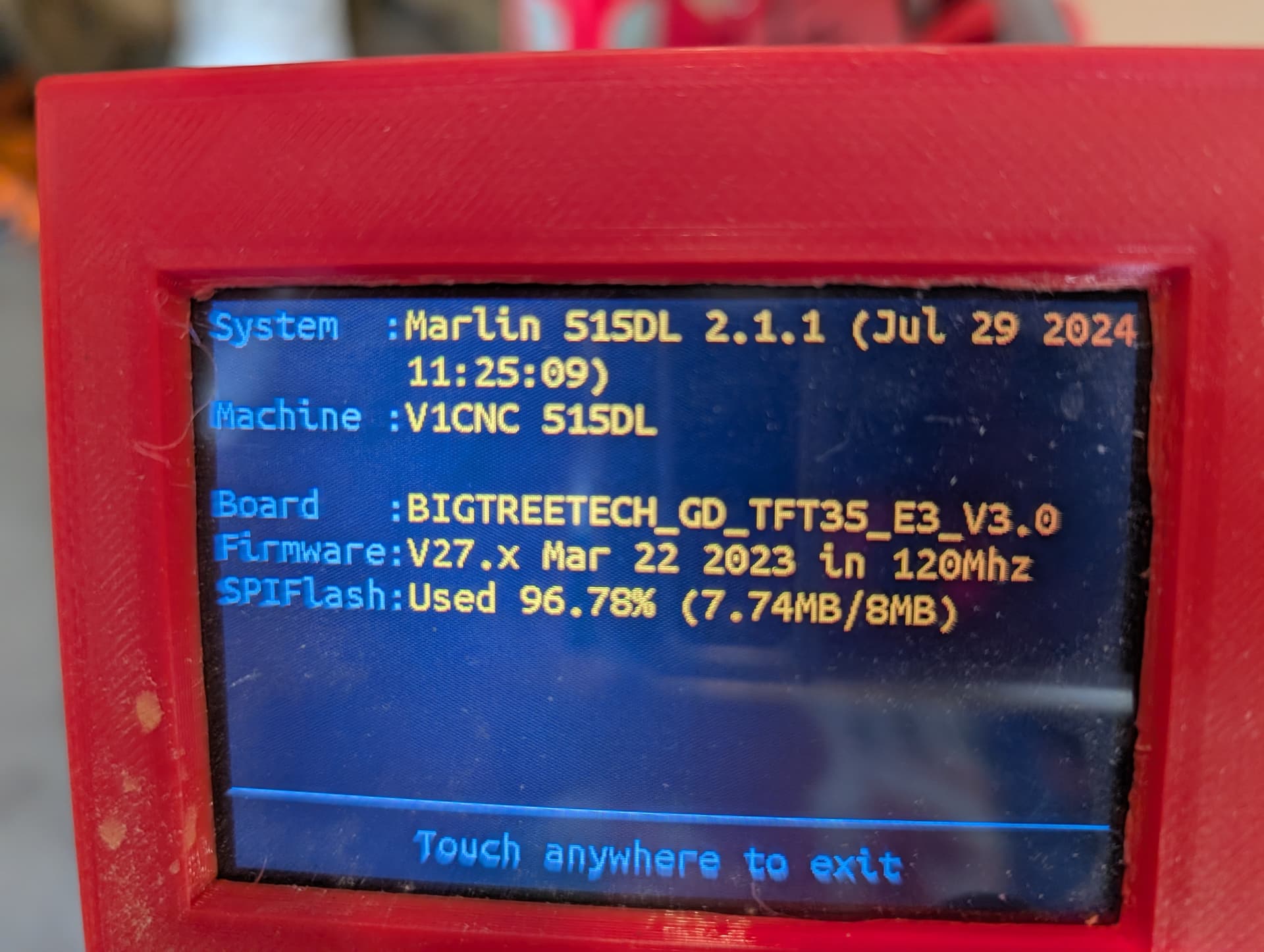
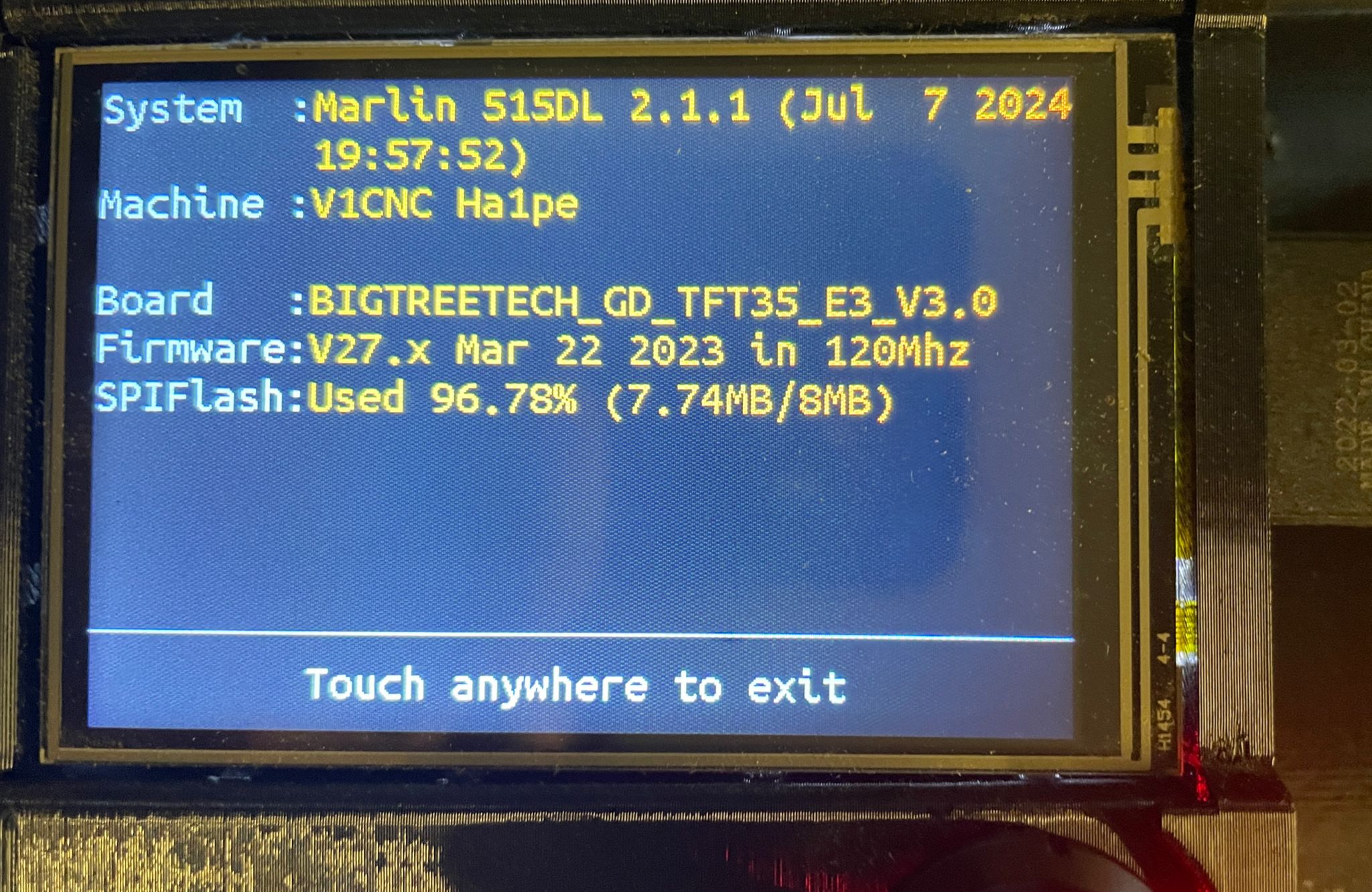
It´s using a SKR PRO V1.2 with dual endstops, Firmware page in the TFT35 says:
System: Marlin 515DL 2.1.1 (Jul 7 2024)
Machine: V1CNC Ha1pe
Board: BIGTREETECH_GD_TFT35_E3_V3.0
Firmware: V27.x Mar 22 2023 in 120Mhz
I tried to get all informations I could and go from there, but I am somewhat confused. I have a few questions:
Is it the most recent firmware there is for the SKR 1.2 Pro? Judging by the MarlinBuilder Repo in Github, 515 seems to be the most recent one, however I am unsure about the “Ha1pe” part
Am i right that there is indeed a new firmware for the display, which is currently on 3.0 and newest one is 3.27? (BIGTREE_GD_TFT35_V3.0_E3.27.x.bin)
Is there any way for me to check the current firmware and more importantly, the configured values?
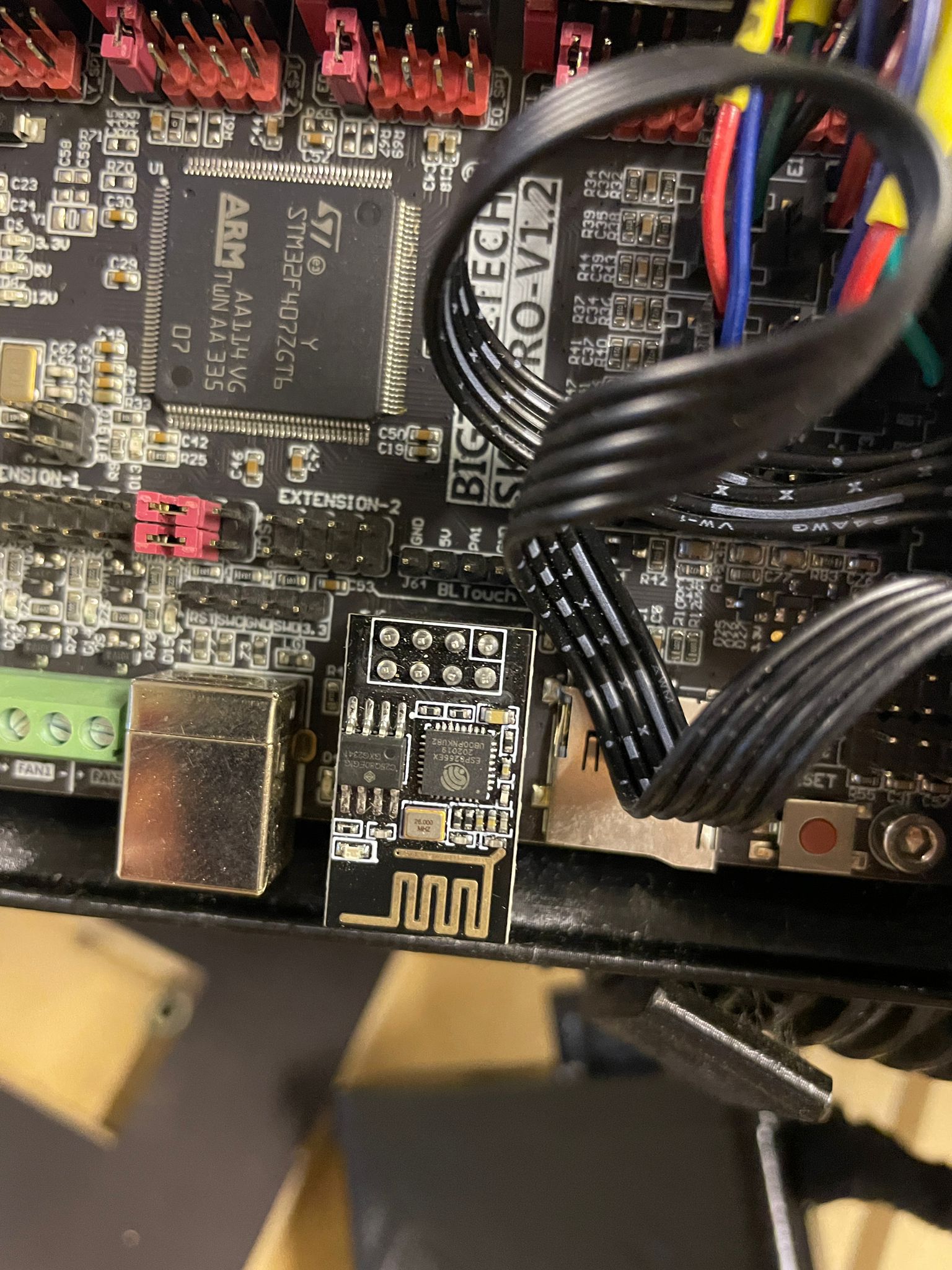
The board has the Wi-Fi Interface installed, but I don´t know what it does. I guess it has to do with Display/Marlin Mode? I can´t find information on what either of these do. Currently I am loading files from the display´s SD card reader. Is there a more convenient or better workflow?
Let’s see pictures of your controller with the WiFi setup. Is it an ESP-01?
You have current firmware, and that’s almost certainly NOT your problem. The SKR firmware is mature.
You should instead tell us more about your machine (pictures would be a great introduction), and most importantly the specific details about your “Weird problems.”
Hey, I appreciate you taking the time! I dont know why your response is so grumpy. I never insinuated that the Firmware is the cause of any problem, let alone that it´s immature.
I just figured it would make sense to be on the most recent Firmware, and that´s where the questions started that I was not able to answer myself.
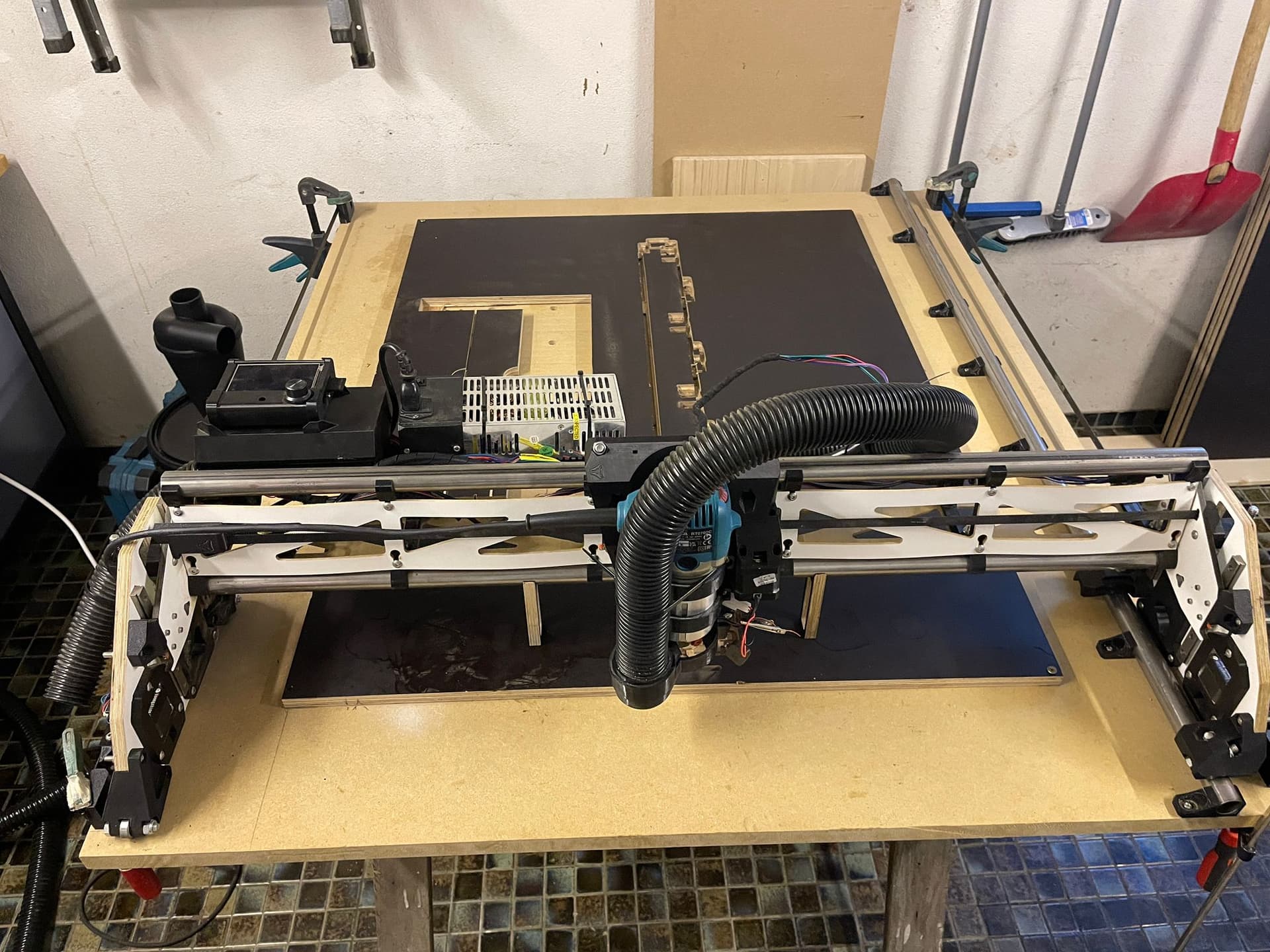
This is the machine:
Sometime Homeing the Z axis spins the Z steppers in the wrong direction, e.g. into the spillboard. I can replicate this issue with the manual move buttons, but only sometimes. Rebooting the board fixes it, and I never had an issue like this running any gcode, where everything works fine
Probing down the Z Axis is also intermittently producing an issue where it touches the probe, sits for a moment and then “falls” into the probe. I don´t know if thats because of steppers being powerless for a second or something else. It seems to have gotten better by modifying the Touch-Probe gcode from the “Milling basics” site, by plunging way slower to Z0 and adding a M400 after the G38.2. I re-did the Z-Endstop wiring from the Pins of the board to the Plate and clamp too, just to be sure.
Other than that I cleaned up all the moving parts, greased the leadscrews, tightened the belts, and verified squareness (there is probably more precision to be gained, but I don´t require it, neither do I believe it has to do with these issues) The machine is working nicely when it does, despite me still tuning my feed rates. I have had a few cases of missed steps on the X Axis, but most likely linked to high feed rates.
(ignore the different date on the System firmware, I modified and recompiled mine)
On the link on the V1E Docs page , you need to click on the “Show all 37 Assets” button at the bottom of the 515 section. That will expand the available assets. From there, select the V1CNC_SkrPro_DualLR_2209-2.1.1.zip asset (note that there are many similarly named files - make sure it is SKR PRO and DUAL LR). Follow the instructions to load the .bin file using an SD card.
Note that the “board” is 3.0, while the firmware is v27.x Can you post a picture of your “Settings - Info” screen?
For the firmware, the Settings - Info screen shows everything. For the settings, you can use the Terminal screen to run a M503 command . Note that this shows what is in Volatile (SRAM) memory. To see the contents of EEPROM (non-volatile), issue a M501 command first, or simply reboot and then issue the M503 command.
Sorry I can’t help with the Wi-Fi question. I use the SD card for all of my workflow. It is very stable and has much less risk of losing or corrupting a file transfer.
Will definitely have a look at the current settings in both volatile and non-volatile memory and then re-flash the board firmware, just to get on the “official” latest firmware. There are no changes I need to make to any config file, right?
I also now understand the version naming of the display firmwares, thanks. So the display is actually on the newest version.
Perfectly fine, I am doing the same and not necessarily looking to change that workflow. Just trying to understand the capabilities. Will look more into it.
Apologies. Not looking for any trouble and appreciating this community and help.
The direction of the Z is set by the DIR pins between the skr and the drivers. So there may be a bad solder joint there. Is it both Z motors that go the wrong way? They are both wired to different drivers, right?
Another thing that can be a problem is that Z has a lot of gravity pushing down. That can make a loose coil wire make the Z go down when it’s trying to go up.
You could try reflashing the firmware anyway. I haven’t heard of a bad flash still working before. But maybe you’re the 1/1M.
If you’re only using the wifi interface, I would try using only the screen for a while and see if you still see it. The wifi is the least tested.
This sounds like a probe error is putting the controller into a reset state. The screen or console would tell you what the error was. But it probably can’t retract away from the probe. This also happens if the signal is wired to the bit and the router is plugged in. The signal gets a path to ground through the router.
While it is possible to make changes to the Configuration.h and Configuration_adv.h files (requires a re-compile of the firmware) to suit your individual circumstances, 99.5% of users simply load the standard V1E bin file. Several of the parameters can be changed from the terminal screen and saved to EEPROM (M500) if you really want to make changes without modifying the base firmware. It is important that you research and understand any settings changes before you proceed.
I’ve actually had this happen (very intermittently) with different axis when doing manual moves with the cover off. I traced it down to a flaky connection on the stepper wiring. Static buildup can also cause some weird movement.
Another issue may be that may occur during homing is if the endstops are triggered (open in the wiring circuit), the controller thinks that the axis is already at the end of travel, so it backs it up around 10mm, then stops because it again thinks that the axis is already homed. This looks like it is moving backwards, but actually it is doing exactly what it is supposed to. Check your endstop status with M119 to troubleshoot (again often a flaky wiring connection).