Well, there are a few parts to this process. I don’t have much of an answer for reading materials or videos, but I think it helps if you can understand the big picture.
Building the Machine
This can be done yourself or by ordering one. You would be in good hands with @Jonathjon at Northwoods. The only downside of that is that you don’t get the experience of building the machine. At some point, you’ll have to fix something and that is easier if you were the one to put it together. That said, we’ll help you out. We’re a friendly bunch. I’ll also note that ordering one built isn’t completely “turn-key” since that gets you the gantry, but you still need to purchase rails and build a table.
Controllers/Firmware
The generally recommended controller here is the Jackpot which runs the FluidNC firmware which is largely GRBL compatible (that matters later). I believe all the Northwoods builds come with the Jackpot v3. FluidNC is generally used wirelessly and the controller gets mounted in the beam.
Software
There are a few categories of software here.
- CAD / Design
This is where you design whatever you are building. This includes CAD software like Fusion, Onshape, FreeCAD, etc. It can also include other design software like Inkscape. You mentioned VCarve which is included here as well and other similar software like MillMage, Aspire, etc.
Assuming you are mostly doing 2D projects, these will output DXF or SVG files. 2.5D is also possible via STL files.
- CAM
Once you have a DXF or SVG file, it needs to be converted into gcode that the controller can run. This is where the FluidNC/GRBL comes into play. The CAM software needs to generate that “flavor” of gcode. This includes software like EstlCAM (which is popular here). I believe VCarve also does CAM but I’m not sure. This also include software like Fusion, FreeCAD, MillMage and Aspire.
Each line/shape in the source file needs to be converted to some type of operation. You need to set depth of cut per pass and set feeds and speeds. This will depend on the machine, how fast the bit is spinning, what size and type of bit it is, and the material. You can read some more details on the milling basics page.
At the end of this stage, you have a gcode file that can be run by the controller.
- WebUI/Sender
So, how do you get the gcode file and run it? With FluidNC, you would typically use the WebUI which is a webpage that you can use to control the machine. You can upload the file and run it from there. When you do it this way, the controller is directly running the job off it’s SD card. But, there are other things to be concerned about before you just run the file.
There are also a collection of GCode Senders such as Universal GCode Sender (UGS). Many connect to the controller via a USB cable but UGS can also do it wirelessly. These work differently because they send the gcode one line at a time to the controller. Some people like these but I generally avoid them.
Running a Job
This can vary but this is the general idea. You can also refer to this video from Ryan:
That video is using a different controller with a touch screen on the gantry. The only thing in this video I would be careful about is moving the gantry by hand like he does in the beginning. If you do this too fast, you can damage the controller board. I just jog the machine instead.
Positioning
- Home the machine - The home action will position the machine in the bottom left corner and set the origin position. This is a repeatable process to the exact same location using the limit switches on the machine.
- Position and Zero - This is setting the starting point for the job which may not be at 0,0. So, you jog the machine to the starting position and zero the machine (which makes that position the new 0,0).
Workholding
Obviously you need to place the material you want to cut. There are a few options for doing this. The easiest is just to directly screw it into the spoilboard but there are various other options with T-tracks or dogholes with some kind of clamp. Be aware that you don’t want to hit a clamp or a screw.
Start the job
Usually, you would install the first endmill prior to running the job.
As mentioned before, you can do this from the WebUI. It can also be done from a pendant which can be wired or wireless depending on which one (I am the developer of FluidTouch - Wireless FluidNC Pendant). You do not need a pendant and I would recommend at least waiting until you become more comfortable with your machine before getting one. There are enough things to learn.
Depending on how the gcode is generated, you will usually pause and have you probe the Z height. This means that you connect a touchplate and it moves down until it touches. From that we get an exact Z height. This isn’t super critical for through cuts because you give yourself some leeway, but anything where depth matters, this is important.
After that, you turn on the router and resume the job.
While the job is running, you must be monitoring it at all times. If it gets stuck in a spot or something happens, it can very quickly start a fire. If there is a tool change, you will need to stop the router, change the bit, re-probe, and resume. You also need to be prepared in case you need to stop it.
Also from a safety standpoint, be aware of the dangers of dust. This is no different than normal woodworking.
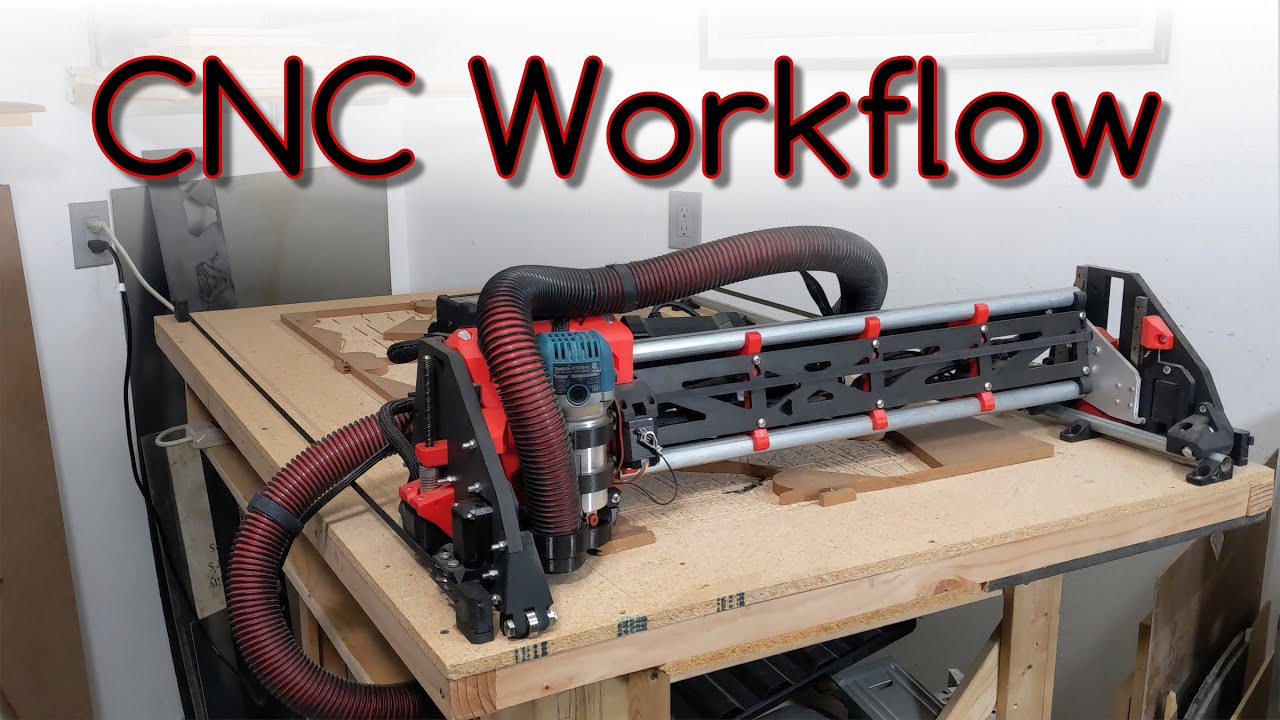
 The lr4 is reaching into the big time players . You give up some speed ect but not decimal per dollar or monetary designation. If you need the ultra high precision you have to pay but for the dollar you can’t go wrong here.
