Hello, I’m new to CNC and don’t really understand firmware, codes, etc. Can someone help me get my Ratrig Stronghold One up and running .
I bought it from an authorized dealer, and the manager told me that I was just assembling it and it was working, but as it turned out, it still needed to be flashed and calibrated. There is very little information about it on the Internet, so I ask for help on the forums, their Discord thread is not very active on this topic.The CNC came with a board. BIGTREETECH Rodent V1. 1.and power supply. Has anyone already assembled this machine with this control board? I would be grateful for any help.
Thank you, I have already collected this. Thank you, I’ve already assembled it and even connected the controller, but I don’t know what to do next. I’ve even downloaded the firmware and the machine parameters from the official website, but it doesn’t move correctly, and the limit switches aren’t working either.
If you can let us know where you are in the setup process, what you are doing now, and what’s happening versus what you are expecting to happen, someone may be able to help out.
For instance, what are you doing to get it to move? In what way is it supposed to be moving? How is it actually moving?
Yes, I did everything according to these instructions. Yes, I followed these instructions, I launch it through the web interface, I can’t set it to the initial position, the X axis moves only 30 mm and stops, the Z axis rises by 35 mm and doesn’t move further up, the Y axes don’t reach the end. That is, as I understand it, it is not configured correctly, and here I don’t know what to do.
At the entrance When I enter the Flui NC interface, the alarm button lights up (but I didn’t take a screenshot). After turning it off, it starts moving, as I described above. I’m not in the workshop right now so I can tell you exactly what it says, but I’ll do that tomorrow. If you tell me what other data is needed, I’ll do it. I followed the instructions you sent me up to the point with the limit switches (they work, when I bring the iron closer they light up red).
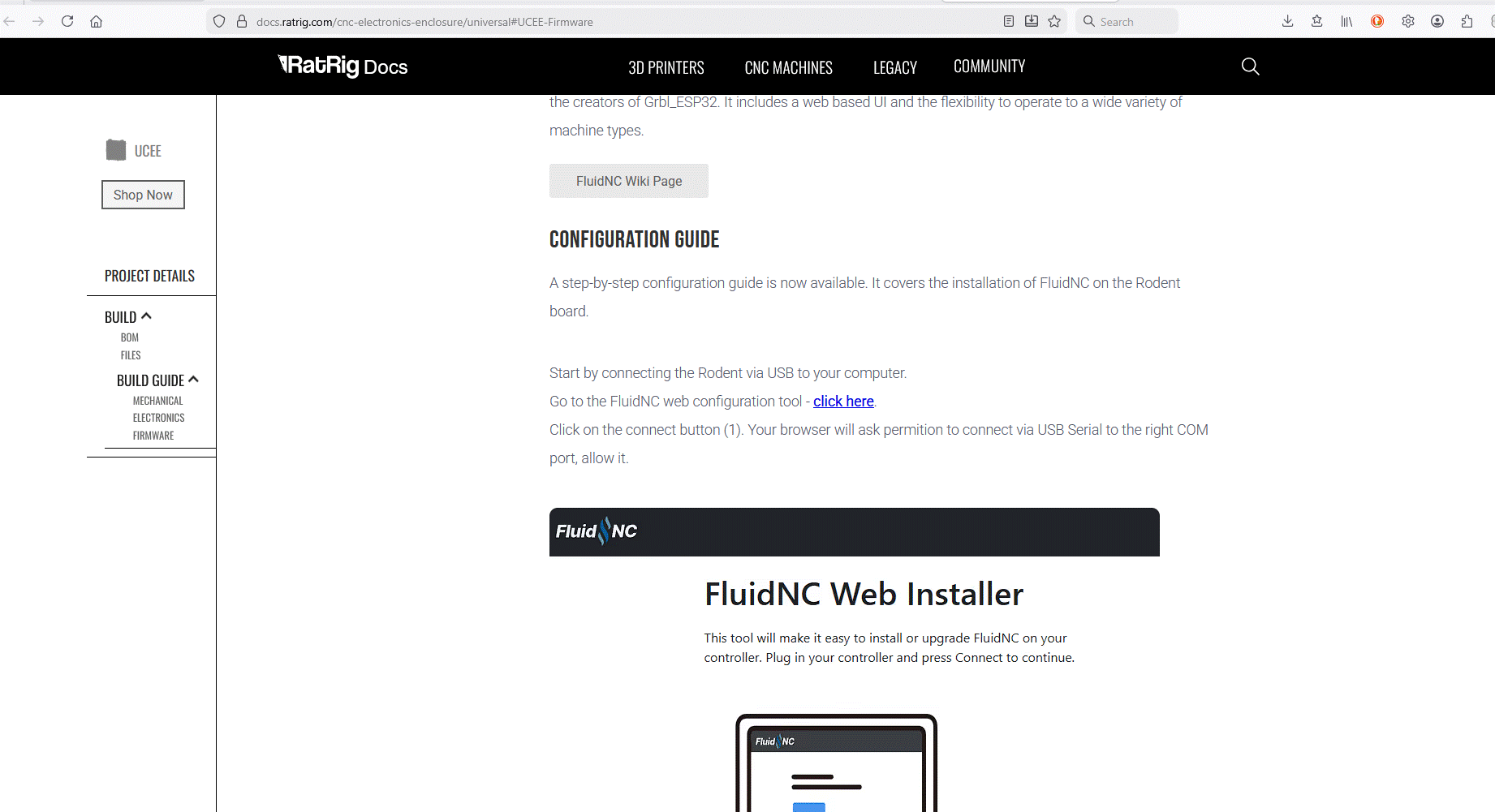
After Step 10 of the guide, it asks you to select the correct version of firmware, based on your model of CNC. Make sure you select the correct version.
Please let us know which step(s) you have performed from that FluidNC guide, and take screen captures of where your results differ from that shown on the guide.
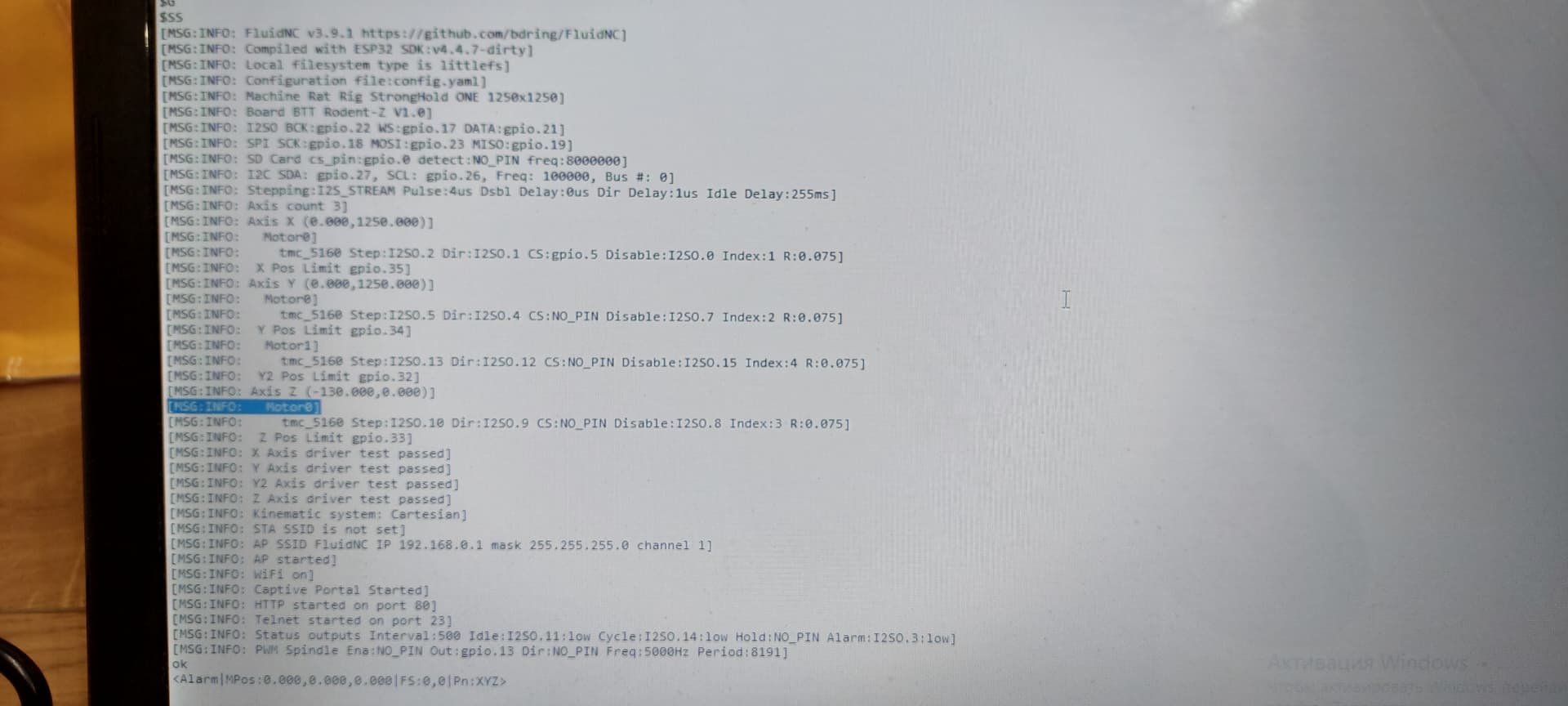
Without knowing what the alarm was triggered for, or what the console responses to the movement commands are, I’d just be guessing, and I don’t have enough experience with FluidNC to guess at what is most probable.
Report back on what is going on tomorrow, and someone may be able to point you in the right direction.
I would recommend, though, that you go through all of the commissioning steps and report back on any steps that don’t get the intended results, including any console output.
So in the other thread, you were mentioning that you were struggling with the firmware installation, but here you are saying that you’ve installed the firmware, and it’s running, but not the way you want it to.
I would suggest that you go back to the start of the firmware installation process, and carefully follow those instructions. Pay particular attention to the part where you upload the config.yaml file, and make sure it is active (step 12),
Once that is done, in the Commissioning Guide, what happens when you do the Endstop Checks (type ? in the console).
That’s exactly it, that’s why I’m asking for help, because I don’t understand this, I followed the instructions exactly as described, I even installed the firmware version as indicated in the screenshot (3.9.1), and then installed the yaml file and checked that it was active. Thank you for the quick response, I just didn’t expect it and wasn’t prepared. Tomorrow I’ll take a screenshot of what the console gives me.