Thank you! I will look at this, it is on my todo list for after I push release 0.5.0 out next week.
Absolutely, thank you!
I honestly missed the plus sign, I didn’t think it was clickable. Makes complete sense now.
I’ve gotten my LowRider up and running and doing some basic cuts successfully but I really don’t like using EstlCam - it just doesn’t match how I want to use software like this. I’ve been playing with PureCutCNC and I like it better but have two questions:
-
Anyone built an appropriate “machine” setup that works for it that I can just import instead of making one (based on the GRBL 1.1 machine, presumably)?
-
@Frank_Povazanj : I have feedback
 What is your preferred way of getting it? Posts here, GH issues, DM, something else? (I am a software engineer by day so my feedback is less feature requests like earlier in this thread and more UX bugs/oddities/confusion.)
GH issues would be preferable if you have an account there. I suggest that you check the preview version of the app before submitting an issue since it contains the latest code and some things might be already addressed or changed.
Thanks for for the feedback!
Entered a few (ranging from small UI bugs to things that don’t seem to work as intended) - definitely ping me if you need details.
One thing I didn’t enter as an issue since I’m thinking I’m just missing something: if I pick an Edge Out operation to cut out a shape how do I specify how much “extra” depth to cut to ensure I get the through cut? I was hoping I could set the “Stock to leave axial” to a negative number but that isn’t allowed. I could make the stock be bigger than it is so that the cut goes deeper but that seems like a hack. Did I miss an option somewhere?
thank you, I saw them. They will be worked on.
Regarding going down below the bottom Z is not possible by design - everything stops at zero and it is considered not safe to go beynod it.
I can see where this can be helpful in some cases. Have to see how this can be plugged into the current design (might not be as easy as it looks). I also noticed this as an issue while testing 3D model imports and wanting to sink them down into the material below zero and process only the top part, but in this case I would rather introduce a method to cut off the portion of the model that is not relevant.
Thanks again for submitting the issues, keep them coming and post some pictures of the results when you have a minute to waste.
I assume you mean that nothing is allowed to go below the stock bottom (the virtual “tabletop”) since the origin can be set at the top of the stock and moves are fine going into negative Z coordinates in that case (at least, that all seems to work as expected).
I’m definitely new to CNC (although decently skilled in CAD and 3D printing) so I’m assuredly not even close to an expert here but if going into the spoilboard, intentionally, isn’t supported the only way a through cut works is if everything (stock measurements, machine calibration, probed position, flat table, etc.) is perfect - right? I get that in an ideal world that is true but that seems hard in reality and everything I read about doing through cuts always talks about going an extra bit deep to be sure it actually cuts through.
I can imagine it is hard to add though and, even if added, I’d imagine you’d want to have clear warnings in the right places to be sure that is what is intended. And there is an easy workaround to just make the stock slightly bigger in the model so that full cuts go deeper, so it isn’t blocking or anything.
No real pictures yet since I’m mostly trying to figure out the differences between PureCutCNC and EstlCAM and I’ll probably still do my next few cuts (including my struts) via EstlCAM output.
set the stock a bit thicker then actual material and set the origin at the top of the stock
I understand that things are never perfect. Zeroing of the Z axis might be a bit off, material might be off in size, etc.
I think I will split that into two parts: in the project setup I can add max spoil board cut depth, which would be zero by default. Then in edge operations I can add an option to over-cut vertically by an amount which need to be less or equal to the max cut depth. There will be a warning in the operation properties, g-code export and the operation booklet.
I agree. I think we all just cheat the material thickness, but I like the idea of not having to remember the lie in CAM and just use real dimensions for everything and overcut Z by a number we can input.
Hi all. I’ve been building PureCutCNC, a free, open-source 2.5D CAD/CAM app that runs in the browser (there’s a desktop build too). 0.5.0 is out, so I wanted to share new features:
The main additions:
-
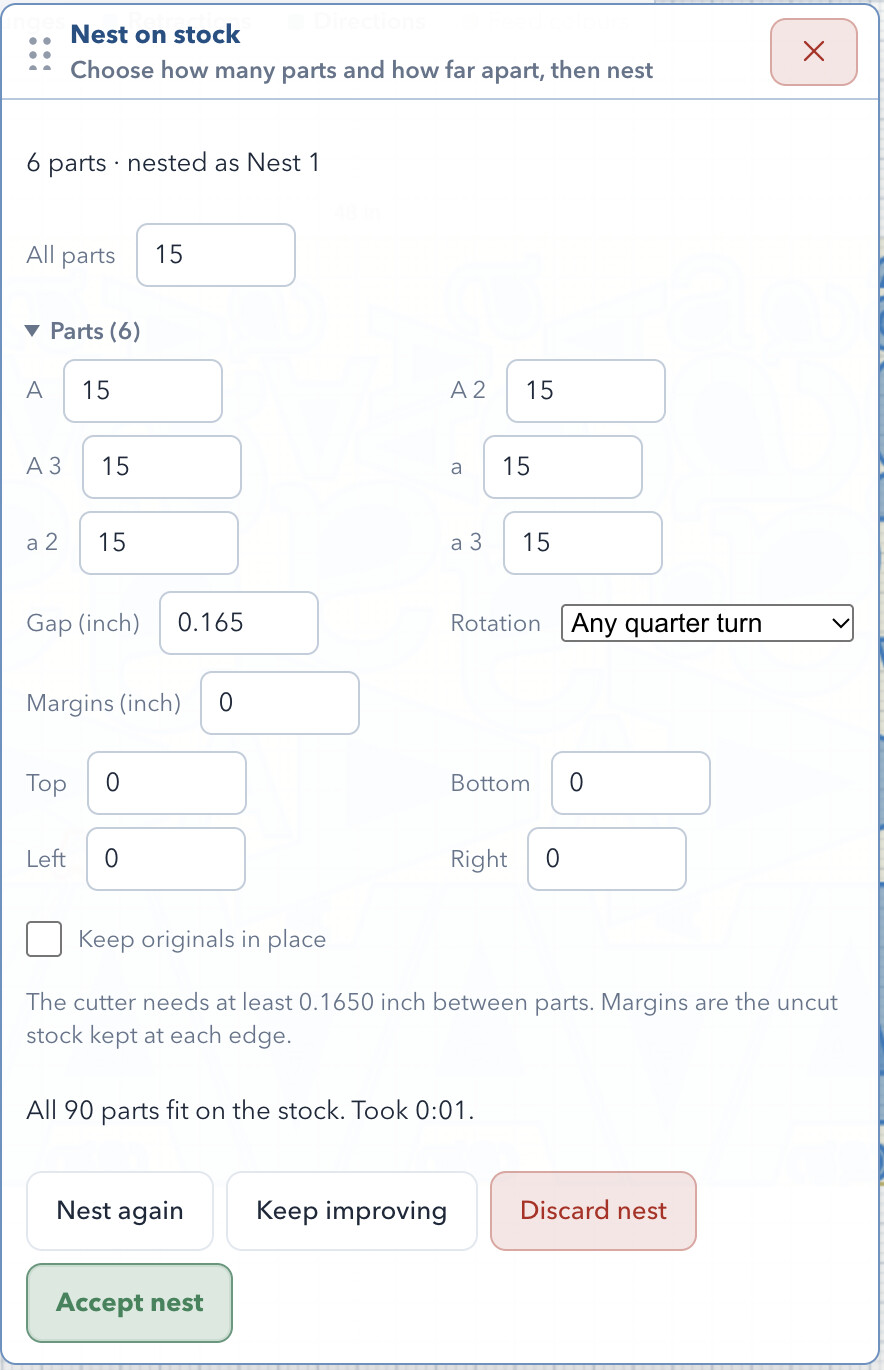
Sheet nesting: pick your parts, say how many of each, and it lays them out on the stock. The spacing comes from the cutter that will cut them, it stays clear of clamps, and small parts can go inside the holes of bigger ones.
-
Trochoidal pocket clearing: the cutter orbits along each ring instead of plowing a full-width path, so it stays lightly engaged. Rings are linked at depth rather than retracting between each one. It works on 3D roughing too.
-
Arc lead-ins and lead-outs: the cutter can come onto a wall along a tangent arc and leave the same way, instead of plunging next to it, so it doesn’t leave a witness mark. Edge routes can also helix down at every level now.
-
CAM Plan: suggests a set of operations and tools for what you’ve drawn. You review and edit it before anything gets created.
-
3D finishing: a constant-scallop finish, and you can set the scallop height you want instead of a stepover.
-
STEP import, and text that follows a circle or a path.
-
Clamps are now avoided while the toolpath is generated, not just flagged afterwards.
As always, feedback and comments are welcome!
The cutter plus a finishing pass on both parts?
Love that!
yes, that is why it is recommended to first assign operations to the original parts and the nest operation will use the tool size plus the whatever was left for the finishing pass. on top of that you can manually adjust the minimum spacing.
There is also set of options to leave margins on the stock if need for the clamps to hang on. Tabs can be auto positioned after the nesting is completed.
I finally have a project that is worth using to test. I report back when I get into it a bit more
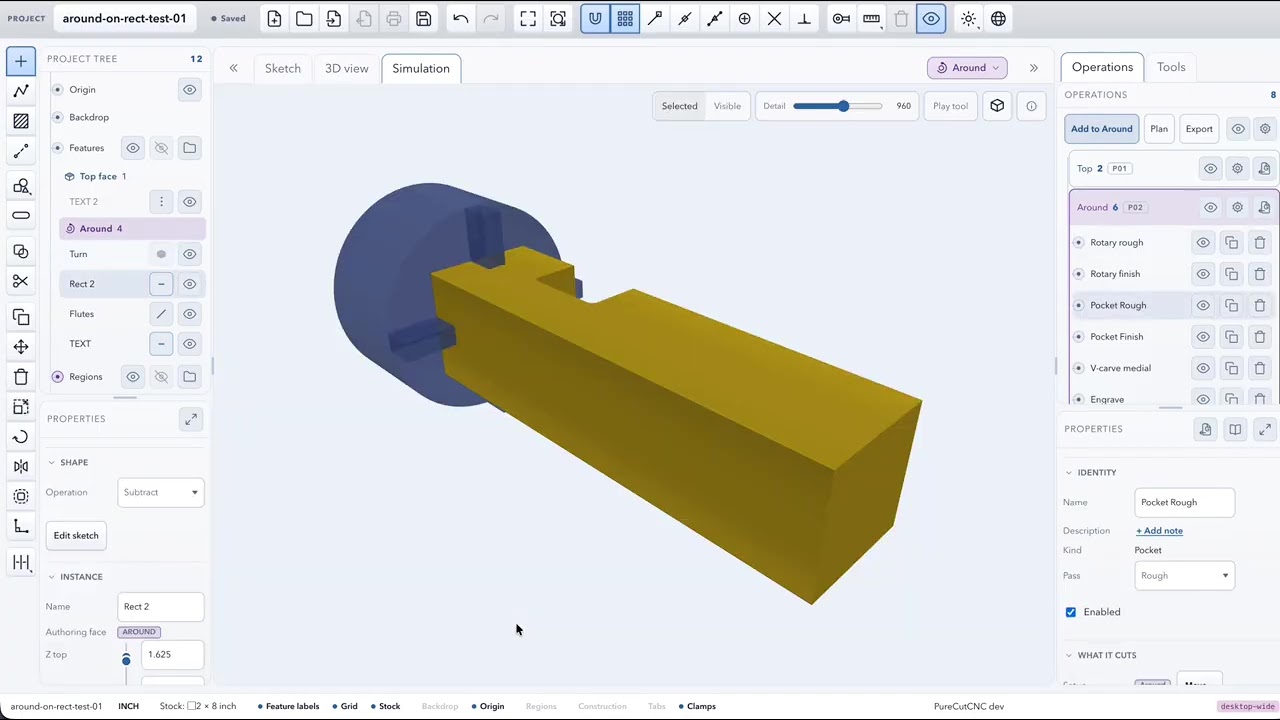
PureCutCNC 0.6.0 is here, and this time we’re cutting both sides. Top and Bottom setups let you flip a part and machine both faces in one project, with a program exported for each setup. Import a 3D model (STL, OBJ or STEP) and PureCutCNC finds its pockets and holes, from the top and the underside, ready for pocketing and drilling. Rotary projects add a fourth axis: rough and finish 3D models all the way around a round bar or a square blank, or draw on the Around face, the bar unrolled into a flat sheet, and wrap pockets, engraving and V-carves around it. Plasma projects bring QtPlasmaC and Grbl plasma output, and there’s native ShopBot .sbp export too (both experimental). The release also brings toolpaths that compute in the background, smoother previews, sharper simulation, safer 3D finishes and plenty of everyday fixes. PureCutCNC is free and open source.
Nice!