I’m trying to make ordinary pocket toolpaths a little easier on the machine.
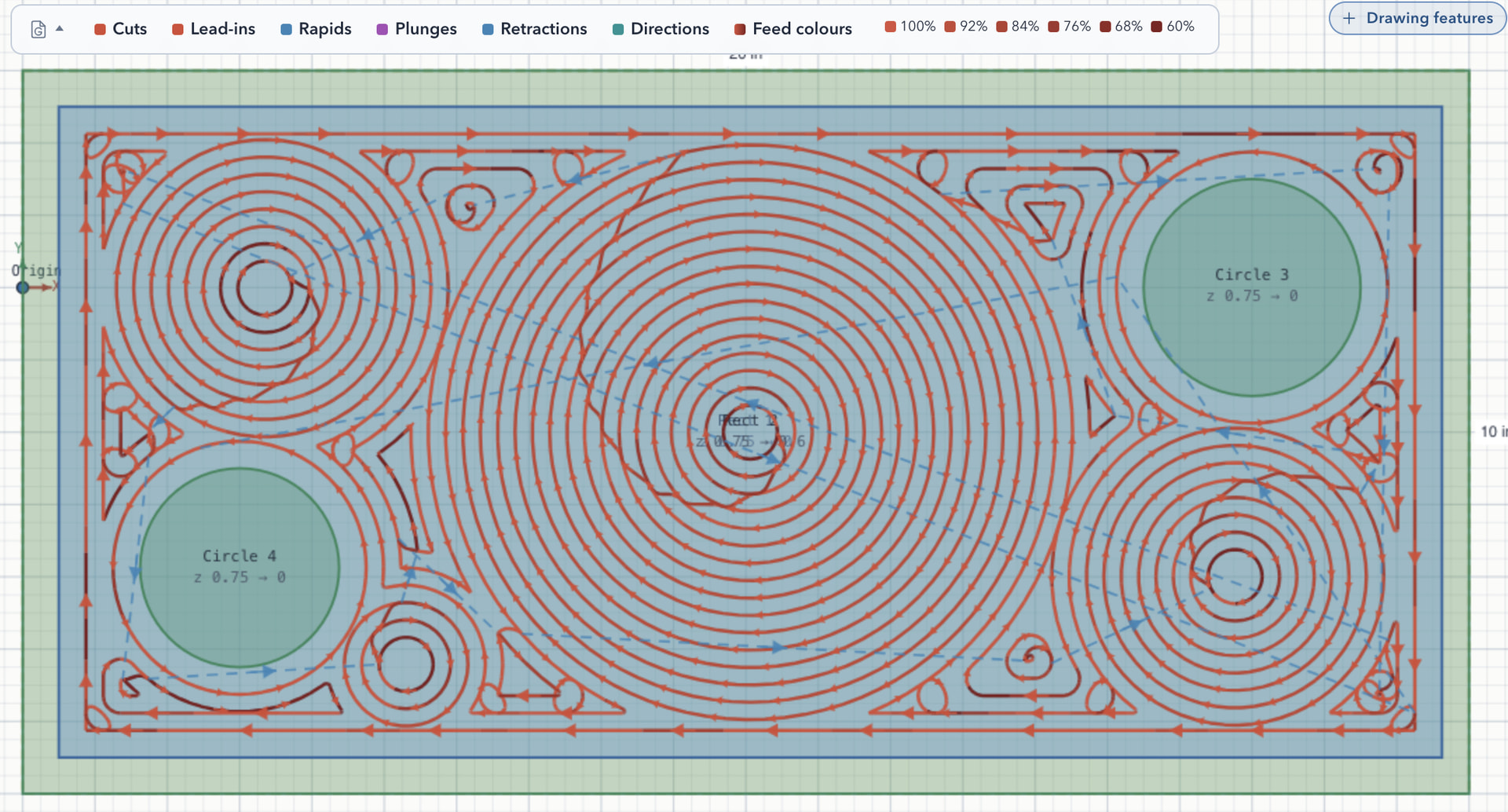
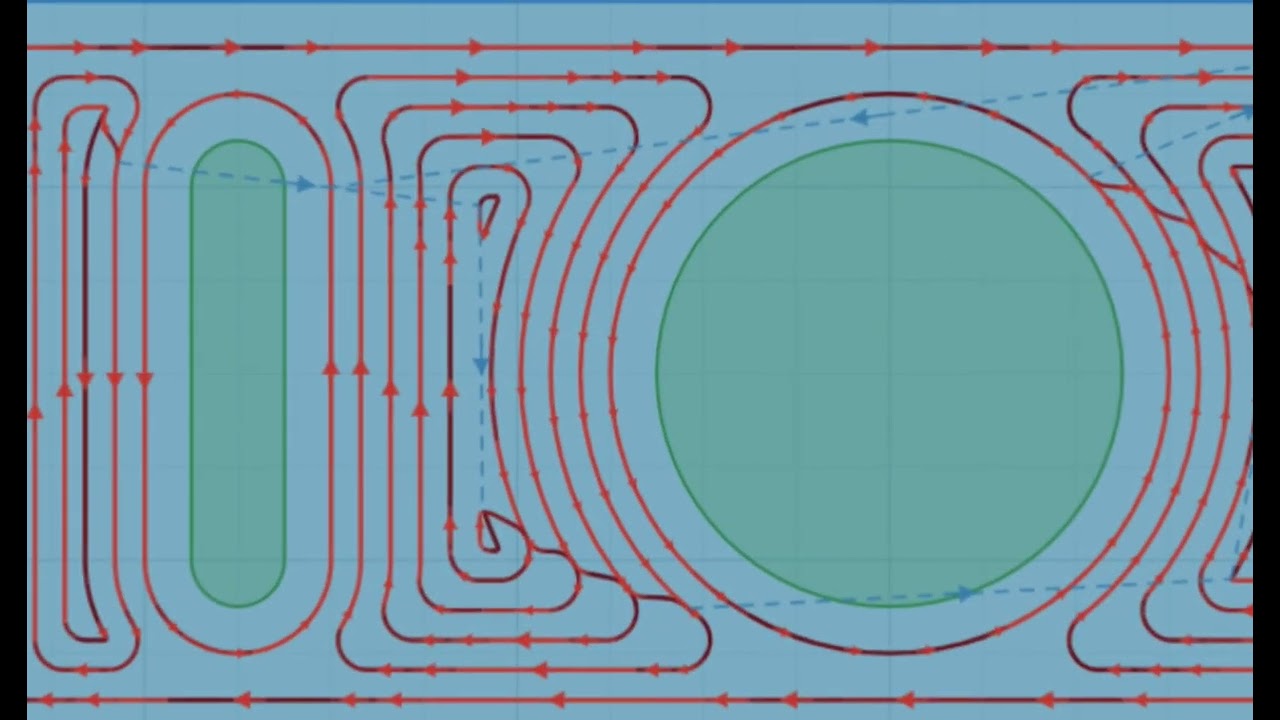
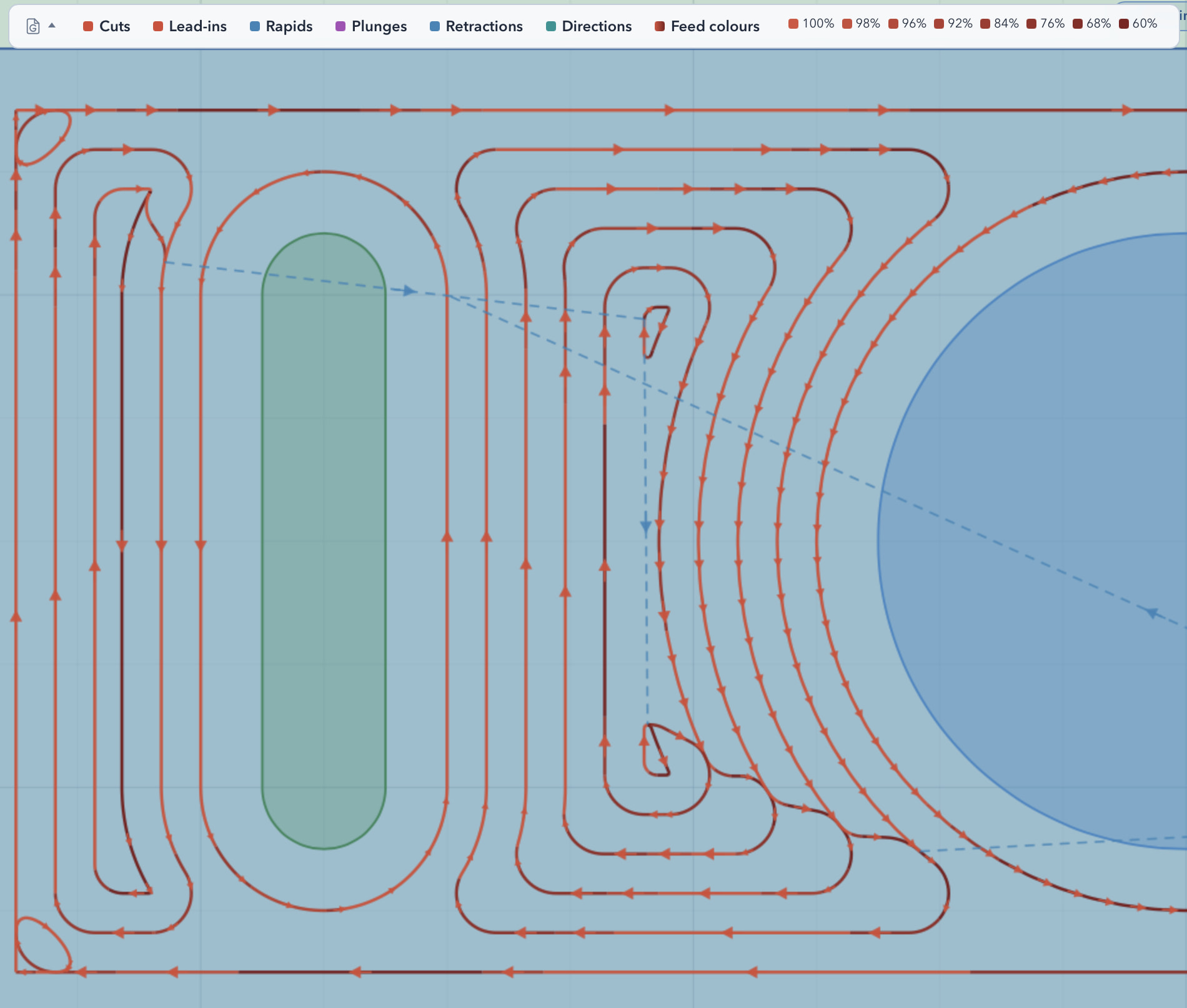
Instead of treating a cut as simply “slotting” or “not slotting,” this mode estimates how much of the cutter is engaged along the path. Normal passes stay at your set feed; tighter corners, crossings, and near-slot cuts slow down toward your configured slot-feed percentage.
It never raises the feed above what you set—only backs off where the cutter is working harder. The colours in the screenshot show the resulting feed changes.
This is not adaptive clearing; the underlying offset or parallel path is unchanged. I see it as a practical step toward more load-aware toolpaths without requiring a full adaptive CAM strategy.
It’s available now in the current development preview version of PureCutCNC.
I’d love opinions from people who run hobby machines: does this match where you see chatter, deflection, or broken cutters? Would you use it, and what slot-feed percentage do you normally run? My default setting is 60% of the specified feed.
For this example I deliberately used a simple plunge entry rather than a helix or ramp, so the feed changes along the pocket are easier to see on their own. Darker segments of the toolpath indicate feed reduction.
Looks like a slick feature that makes a lot of sense!!!
It might be better to keep the PureCNC stuff in one thread for now. Single-feature threads are going to be small and only seen if we are browsing, but if you keep all the features in one thread between major releases, it will be much easier for us to follow along if we want by subscribing to the thread.
As I understand the idea, it’s smart. But I’m not sure if it’s doing what i think it is.
My understanding is that the cam toolpath is using speed to adjust load on the tool. This makes a lot of sense and reminds me of 3d slicers adjusting speed to not exceed maximum flow volume.
A concern i would flag is that could be counter intuitive. Flutes cant change mid cut. Rpm can but not on all machines. So feedrate is really the only way to control chip load. The issue could arise that too slow means there isn’t enough material getting eaten. So in something like aluminum it could clog Flutes. I don’t think this is a red flag, more of a “what if” that should be considered during tuning of the math
That is a fair concern. This mode does not choose an arbitrary slow feed: the user sets both the normal cutting feed and the existing slot-feed percentage.
Engagement only chooses a value between those two. Normal cuts stay at the set feed; a true full-width slot reaches the user’s slot-feed value; intermediate engagement gets an intermediate reduction. It never goes below that configured floor or above the original feed.
So chip load is still a material/tool/rpm decision the user must make. The feature is intended to avoid brief engagement spikes, not to replace sensible feeds and speeds or detect problems such as chip packing.
This is a new feature in the upcoming PureCutCNC release (available for dev preview).
This new pocket pattern clears from the center out: it finds the largest inscribed circle in each open area, grows full concentric circles until the tool fits, then hands off to regular offset rings starting one stepover outside that seed disc — minimum 3 circles or it falls back to standard offset.
It works well in pockets with open areas and it makes toolpath smoother with less slowdowns for corners and turnarounds. What do you think about this?
This release focuses on better clearing motion: Seeded Circle pockets, engagement-aware feed reduction, smoother offset links, and V-bit countersinking. It also adds Feature Distribution for grid, radial, and path-based sketch copies.
Here’s a short video showing some of it in use. Thanks to everyone who has tried the project and shared feedback.
I was just taking a quick look at the pocketing operations you currently have. The current ones are good, the seeded circles look like they might make very interesting surface pattern.
I would suggest a strategy that makes as few full-width slots and plunges as possible. If there is just one plunge and all the rest of the machining is just at the prescribed stepover, Then I can tune my feedrate much higher. The tradeoff is more travel moves I think.
I simulated the seeded and offset strategies, and they both plunge and slot a lot. In wood or plastic that is not a big deal but in metal I would rather avoid both of those.
Also, in the ops properties, there are no indicated units. mm/s or mm/min catches a lot of people.
I agree with you on the retractions and plunges - my current focus was to reduce the length of slot cuts so I enforce inside-out sequencing inside the independent toolpath segments. that reduces the slot length but as you are saying - it requires retraction and move to the next segment, then plunge.
Within a segment the rings are connected on the same Z level, with what I call “s-link” cuts which makes them faster.
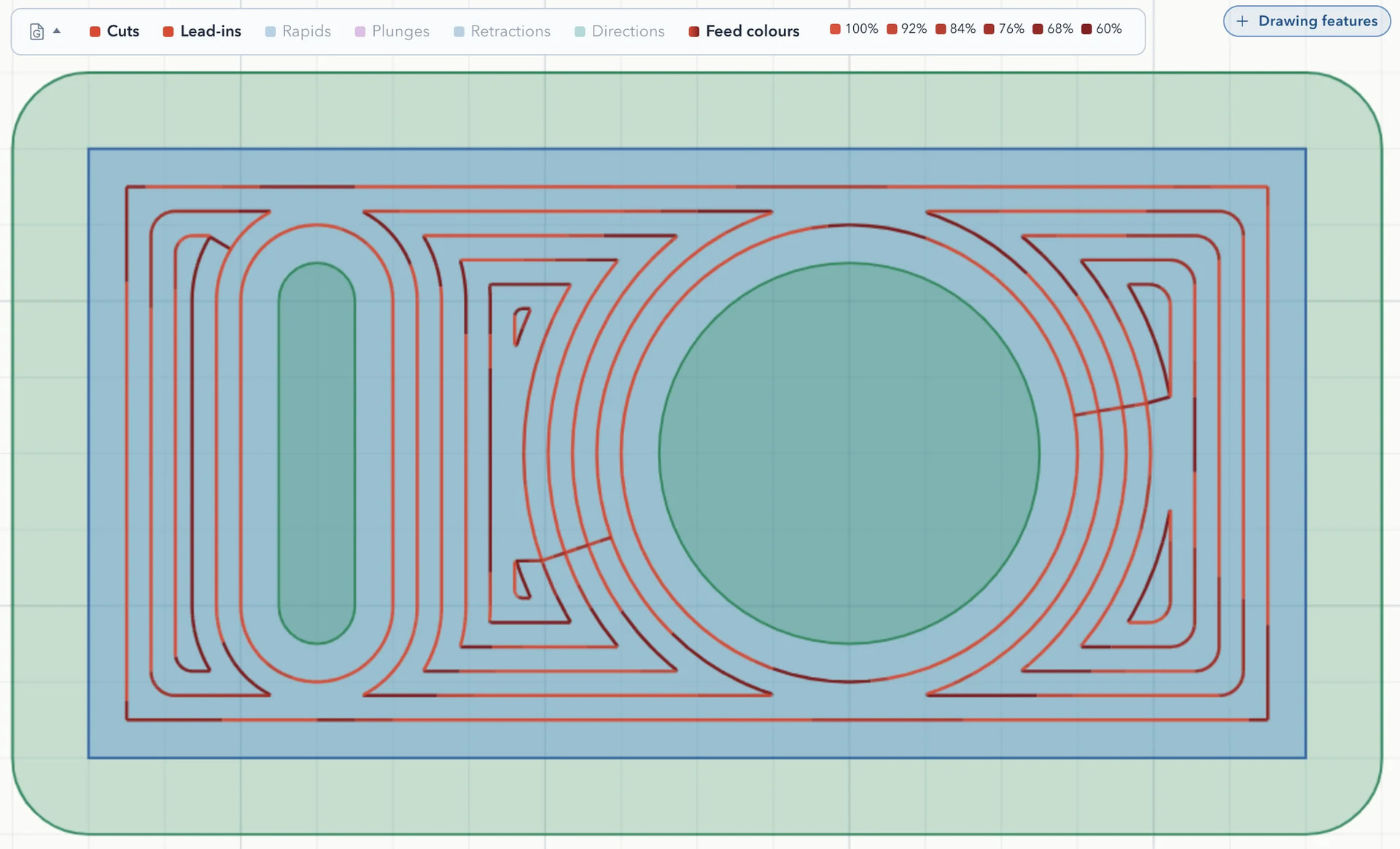
One thing that you can do with the current version is control the feed speed via feed reduction setting. the default is slot only where you have full speed and slot speed (defined as % of the full speed). however you can also select “by engagement” and the feed will be reduced gradually according to hw much is tool actually engaged in each move. In this case you will see multiple speeds between full speed and slot. So you can set the feed speed based on the stepover engagement on the straight move and define your slot speed reduction % (60% is default). PureCutCNC will then throttle the feed between those two. In the image you can see darker section which represent the lower feed rate, and the legend and the simulation also shows it.
I am still going to look at the option to make connections on the same Z level without retractions and plunges and have a setting for it in the operation. I would like to hear your opinion - would you accept same Z level moves ad feed speed over the already cleared areas instead of retract/rapid/plunge?
My whole goal would be to have only one plunge into a closed pocket and clear it from there. Retract and move is not a big deal, just not plunge into material and slotting. Ideally it would spiral out to the wall and rest machine from there.
Thanks. That is what I am looking into, have some ideas that I was testing.
Meanwhile - the straight plunge is not the only option you have, there is also already helix and ramp for the entry moves in the entry choices.
 ).
).