Hi everybody,
im happy to be a part of the community and I searched already the forum for a solution.
I have an MPCNC Primo build very clean (technical and electrical background) As controller I Use the Jackpot 3 Controller.
So what’s the problem.
When I use the standard config from Releases · V1EngineeringInc/FluidNC_Configs · GitHub the Probe is working and it shows the status in the WEB UI. Currently im using v3.9.9 as suggested. I tried it also with 4.0.2 but the problem is every time the same.
As soon as I activate the CYD Pendant which is wired to the RJ11 the probe pin does not work anymore.
Fluid Touch works on both versions seamlessly.
Here is the probe config:
probe:
pin: gpio.36:low
toolsetter_pin: NO_PIN
check_mode_start: true
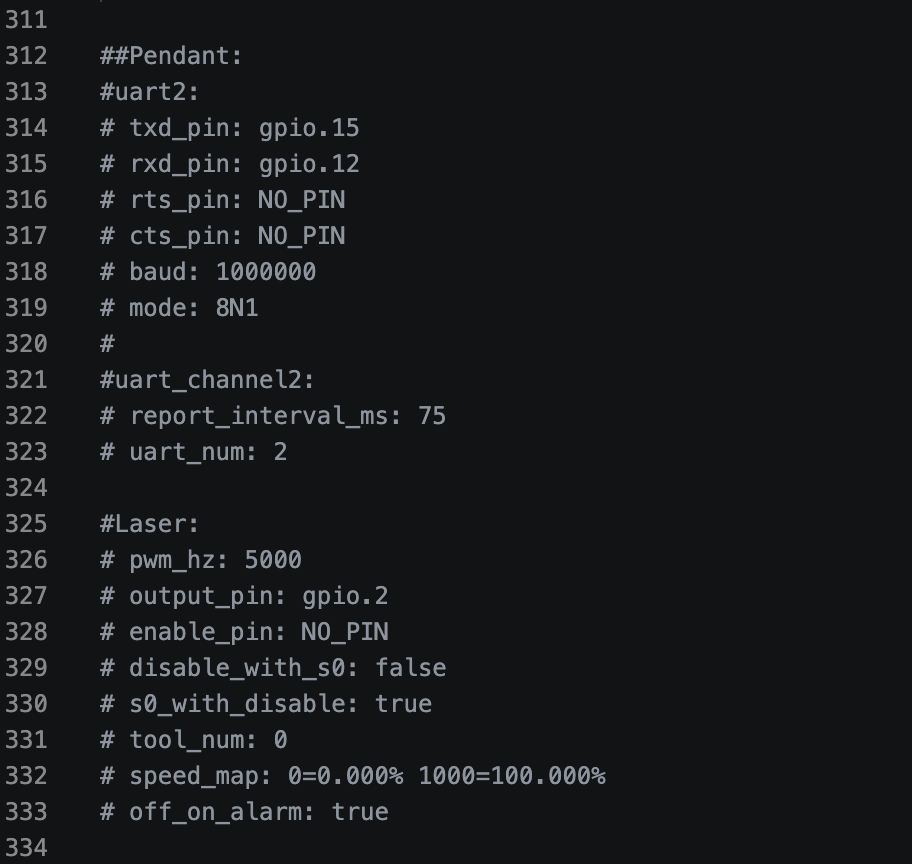
And here the Pendant config:
Pendant:
uart2:
txd_pin: gpio.15
rxd_pin: gpio.12
rts_pin: NO_PIN
cts_pin: NO_PIN
baud: 1000000
mode: 8N1
uart_channel2:
report_interval_ms: 75
uart_num: 2
I found also out that when I use this command in the Stepper Drivers config that this deactivates the probe as well:
stealthchop_threshold: 800 # mm/min
I tried now also to swap pin 25 and I tried it also with pin 32 in the config with the pin 36 from the probe with rewiring it changes nothing on the beheavier of not working probe. But the end stops work on every pin every time. With Fluid NC version 3.9.9 and with 4.0.2.
So the probe is technically definitely correctly wired because it works with the basic config without the CYD pendant.
Here is the config from me where probe works with just the parts commented out with # which stop the probe from working.
config.yaml.zip (2.1 KB)
I measured the probe also with my multimeter, I have 3.3 v between GND and the Signal pin 36 and when I close the contact from the probe it goes down to 0V which should be exactly what we need. I tried it also with a switch between the Signal Pin 36 and GND to be sure no mistake is made with the cables. But still the same problem when I activate the CYD pendant what stops the probe signal from working. In the Fluid Web installer is then also a ? mark shown under settings.
Here is the CYD Pendant version that I use.
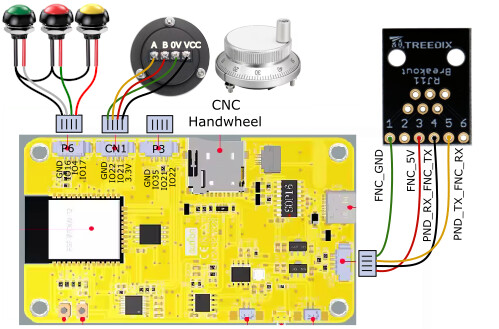
So I really need your help on this. I need a workaround or a hint if it’s my config or maybe it’s something that can’t work together Pendant and probe because something is used double.
Tried to solve it with AI too. But no chance.
Im thankful for all your thoughts and solution on this.
Thanks a lot
Cheers Matt

 field? I have a thought that might help why the display never goes to green. LiPo batteries are max 4.2v hand LiIo batteries at 4.1v. That could be a reason. But I’m not sure. I do have small charging circuit boards for usb for such batteries. Maybe worth a try…