I know there have been many other inquiries about this, but I am building a primo and can’t square the trucks. I redesigned the feet to give more adjustability, and with everything square and parallel to within 1mm. The truck holds the bar at an angle. Even with no tension on the bearings. Thinking of heating and twisting, or simply filing?
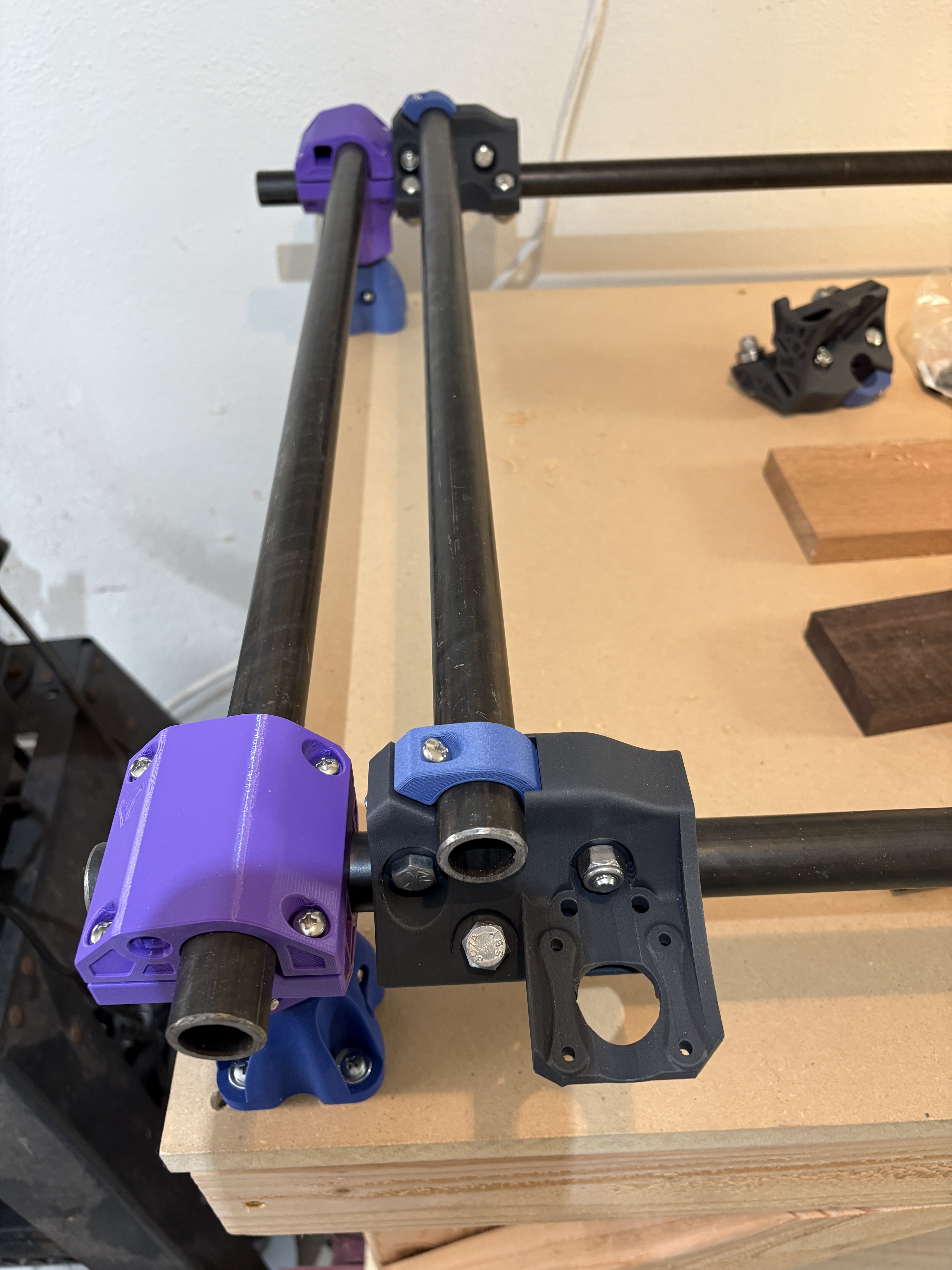
That’s fine, autosquaring is going to pull it straight with the motors engaged. 
Thanks. I think I needed to read more documentation.
so after reading all the documentation, and countless threads on truck squaring, I just can’t get the trucks square.
The frame is square, but no amount of bolt tensioning gets it anywhere close. On the x side, it’s out by 1/2” over 48”. That’s 13mm out!
So what I’ve gleaned for the other posts is:
- dont worry about it, the motors will keep it square
- Use a 1/2 round file to alter the clamp geometry of the trucks.
As the instructions are so adamant about squaring at every step of the way, I am hesitant about ignoring it and moving on. Things in life should be square. Especially machine tools
Am I overthinking again?
You’re going to add endstops right? When you home the X and Y axes, that will make the machine square.
Thanks Britt. I’ll have to take your advise. unless I want to try filing, or adding a little heat and some leverage.
Many years ago when I printed and built my first mpcnc I ran into a similar issue.
I played out everything squared and doubled check. Screw down all the mounts. Mounted the tubes,rechecked the square Ness. It was out and I could not get it right.
2 days of doubting myself. The solution was the base mounts. I printed everything in abs.
Slight curling of the base feet causing the base mounts to not be 90 degrees. This creates a paralelagram. In this case I loosen the mounts and shimmer them to true them.Everything measured square and true
Thanks Larry, I considered that, so I tested squarness of individual trucks to individual frame rails, and they are all out of square.
When I first built my MPCNC I had the miniRambo. It didn’t have the capability to add dual endstops. I had to manually square it each time I used it. Ryan released the Jackpot a few years later and I bought one. I added the endstops and I am so glad to have them. Now I just turn in on and home the x and y axes. Easy peasy!
As long as you have measured the x, y and diagonals and made the corners square you will be fine. Also make sure you haven’t overtightened the trucks. They should move freely from one end to the other.
Good luck