Is anyone running with this configuration and using dual endstops?
Arduino Mega with a Ramps1.4 board driving the steppers. The interface for the Arduino is a RepRapDiscount Full Graphic Smart Controller LCD The firmware is Marlin 1.0 with a and I used a post processor developed by a person with a similar machine to post process CAM files from Fusion 360.
I will have to upgrade to Marlin 2.0 or higher to get my files from Fusion 360 to run. My biggest challenge with my experience is Editing Marlin for this application including edits required for adding 2 more stepper drives to the Ramps 1.4 to individually drive the 2 X and Y axis rather than driving X and Y pairs with one driver per pair.
If you look at our github you will see our old config files, that might help with a new config. This is how we used to do it, 8+ years ago.
As for using fusion cam and a PP, I can’t help there, that is a tough combo. Fusion limits your federate and rapids, that is a dealbreaker for me. Estlcam, kirimoto, millmage, anything but fusionCAM.
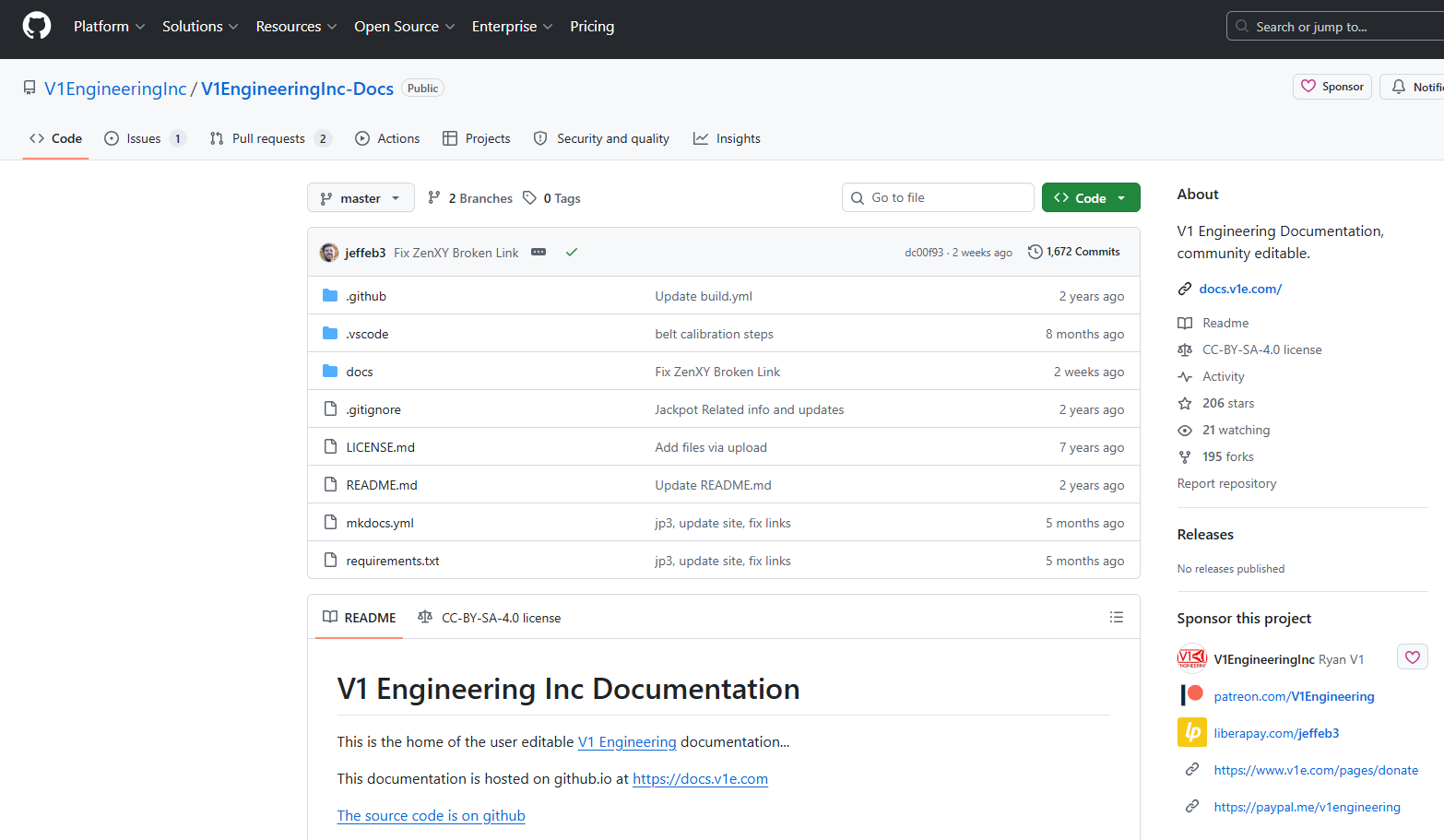
I went to V1 Engineering in Github and could not find arduino/marlin files for the mpcnc. I get to the page below and have checked every link to no avail. I found that when I purchased the preloaded Arduino Mega it was approximately January 17, 2018. The version of Marlin that is on it is Marlin 1.1.0-1 I would really like to get a copy of that version for comparison to a new Marlin configuration. Any idea how I could find that firmware version? Also is there a Marlin 2.x version of the firmware somewhere for use with the Ramps 1.4 and dual endstops?
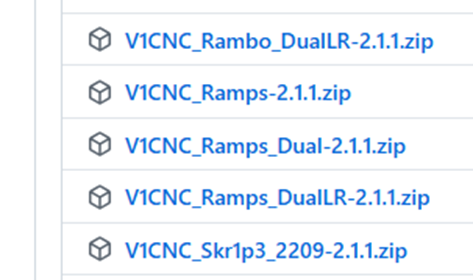
I believe the RAMPS_Dual is the version for an MPCNC with dual endstops for auto-squaring. System config is Dual X axis, Dual Y axis, Single Z. Each X and Each Y have an endstop to let the machine auto-square. This firmware is for an Aurdino + Ramps controller setup.
This is also for an Arduino/RAMPS controller, except now for a LowRider CNC (Single X, Dual Y, Dual Z). This uses a single endstop for X, dual endstops for the Y motors and Dual Endstops for the Z motors.
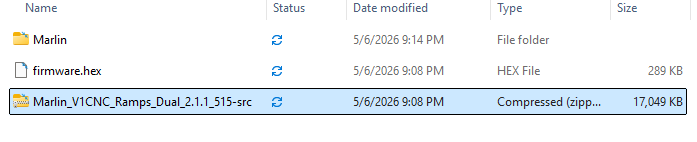
The .hex file is a file that some device programmer software can load (for example you can use XLoader to flash it) This doesn’t let you make changes or see the source code.
The included zip file has the source code, but as far as I know you can no longer build Marlin firmware with the Arduino environment and instead need to install PlatformIO .
Most of us here have moved on to firmware like FluidNC. In my own case, my ability was to build and mildly hack at the firmware- and that’s really rusty.
I’m sure others in the community with better memories and sharper skills will jump in to add to this.
Ryan, this information is all very helpful. I am going to look into fluidNC. Is there a fusion 360 post processor for fluidNC? Why have you and others moved to this firmware? In the meantime I will probably use XLoader to flash the Marlin firmware to my Arduino and see how it works out.
I’m Jim, not Ryan- and I’m just a community member here.
There is, but I don’t use it so others will have to help you with that workflow.
The capabilities and affordability of the FluidNC software for running a CNC router/mill/laser have surpassed what Marlin can do in the same application. Marlin is a capable CNC printer firmware, but less so in many of our opinions for subtractive manufacturing applications.
In the 3D printer world, many have moved on from Marlin to firmware like Klipper, and in fact a few of our V1 router users are using Klipper for that. Klipper is extremely capable, but also has a steep learning curve and needs good configuration to give good results.
We also have been seeing controller costs skyrocket and capabilites and reliability plummet.
So, the thing Ryan has done is to figure out how to make a very capable controller that runs good firmware with an easy to use web interface that can be purchased for a quite reasonable cost.
That controller is the Jackpot series, runs FluidNC, and it’s why many of us have moved on.
There’s absolutely nothing wrong with Marlin, nor the old controllers, and some like the Rambo series are super robust and very capable. But, they’re not the future.
I haven’t done a great job of walking this through, and it would be better still if @vicious1 (Ryan) jumps in to tell more of this story- but there’s my nutshell version of it.
Was the laser support in fluid nc better than in marlin as well?
Marlin required compiling and reflashing the board to make foundational configuration changes like changing a wire pin assignment. Pin assignments in fluidnc and klipper are in config files that are read on powereup so a quick save and reboot make massive changes super easy with these newer control programs. Adding a laser or other offset fixture is a couple lines in a macro now rather than changing a header file and recompiling and reflashing a board that sometimes meant unplugging everything. It really has made the configuration part a different experience. Still time consuming and tedious, but you can back up that text config file and share it as well.
Jim, Sorry I mistook you for Ryan. Thnaks for the information. I continue to trudge on with this project. I am going to try to upgrade to the dual endstop. I have all the hardware I need and am trying to do this low budget. I will give the Marlin upgrade a try and see it I can make this thing work again. I may have to punt and go another route though.
I am connecting the steppers to the Ramps 1.4 in the following way:
Ramps Drive X to 1st X motor closest to control side of machine
Ramps Drive E0 to 2nd X motor.
Ramps Drive Y to Y motor nearest home position.
Ramps Drive E1 to Y motor away from home position.
Ramps Drive Z to Z motor
IS THIS THE PROPER SETUP?
Where do the end stops get wired to on the Ramps board? It appears that there are six sets of end stops on the Ramps board. Is there a layout drawing that shows the position of the end stop limit switches and which end stop position to wire them too on the Ramps board? I’m not sure about how this is all laid out and connected going from single end stops to dual end stops.
Once complete what post processor should I use with Fusion 360?
When I have all of the steps in my questions completed and the steps that are finished below am I good to go?
So far I have accomplished the following:
Downloaded V515 Marlin 2.1.1 Files from V1 Engineering
Used the version Ramps_Dual-2.1.1 and found the file firmware.hex
Downloaded Xloader and flashed firmware.hex to my Arduino Mega 2580.
Set the current limit on the DRV8825 drivers to approximately 1.3A using a Ref Voltage of .65 and placed them in the 5 locations on the Ramps 1.4 board.
Next steps:
Make up extension cables to route to all of my 5 steppers. (Waiting on 4 conductor cable to arrive.)
Wire limit switches. I’ve got questions here.
Route the wiring for the steppers.
Download a Fusion 360 post processor that works with the new configuration.
1 - doesn’t really matter, but yes that will work. XYZ, then x2 y2. What side they are on is not all that important, just that y is to and away from you, x is left and right, Z is up and down.
2 - one endstop into each port in the same order as you plugged in the steppers is preferred.
3 - I can;t help you there, fusion cam is too confusing. If you want to do estlcam I can help, or others can help with fusion and millmage.
Boy do I get the fuzzy after 9 years. It seems like every time I come back to this project I am starting over.
So if I’ve downloaded and loaded the V515 Marlin 2.1.1 Files from V1 Engineering, Ramps_Dual-2.1.1firmware onto my Arduino Mega, and I’m a little confused about how the end stops work.
The Ramps board has 2 end stops per axis for X, Y, and Z that I think are designated for X min, X max, Y min, etc. I’m wondering how those are used to control individual X motors and Y motors for squaring. Is that all handled in the firmware already?
The firmware should have all that configuration in place. Your mission is to make sure the X1 end stop switch matches up with the X1 motor (and so on for X2, Y1, and Y2). If the switch gets triggered during homing and the motor at that end of the axis keeps moving, you’ve got them crossed.
Reminder that the switches are only paid attention to during the homing cycle.
Yes I understand that I don’t want a min and a max but on the ramps board they are designated x min, x max etc. I think what I am getting from your message and Tom’s is that the designations on the ramps board are repurposed as the end stops for the squaring. For example the x min is the one x motor squaring and x max is used for the other x motor when squaring. Am I reading that correctly?
Yes, that’s what I meant. I’ve never run that setup so I can’t tell you which end stop goes with which motor. You may be able to tell by reading through the config files if it’s not covered in the relevant section of the docs.
I have everything wired and set up. When I do an Autohome the x and y axis home fine. I am using the touch plate wired into the Z min signal and -. Once the x and y finish homing the z axis moves down a small amount and then stops without getting even close to the touch plate.
I assume I have something wired wrong or the stepper direction is wrong or something but I am not coming up with a solution.
The MPCNC does not home Z. The touchplate is used in a later step as soon as your stock is placed and is triggered by a macro or a button on the WebUI.