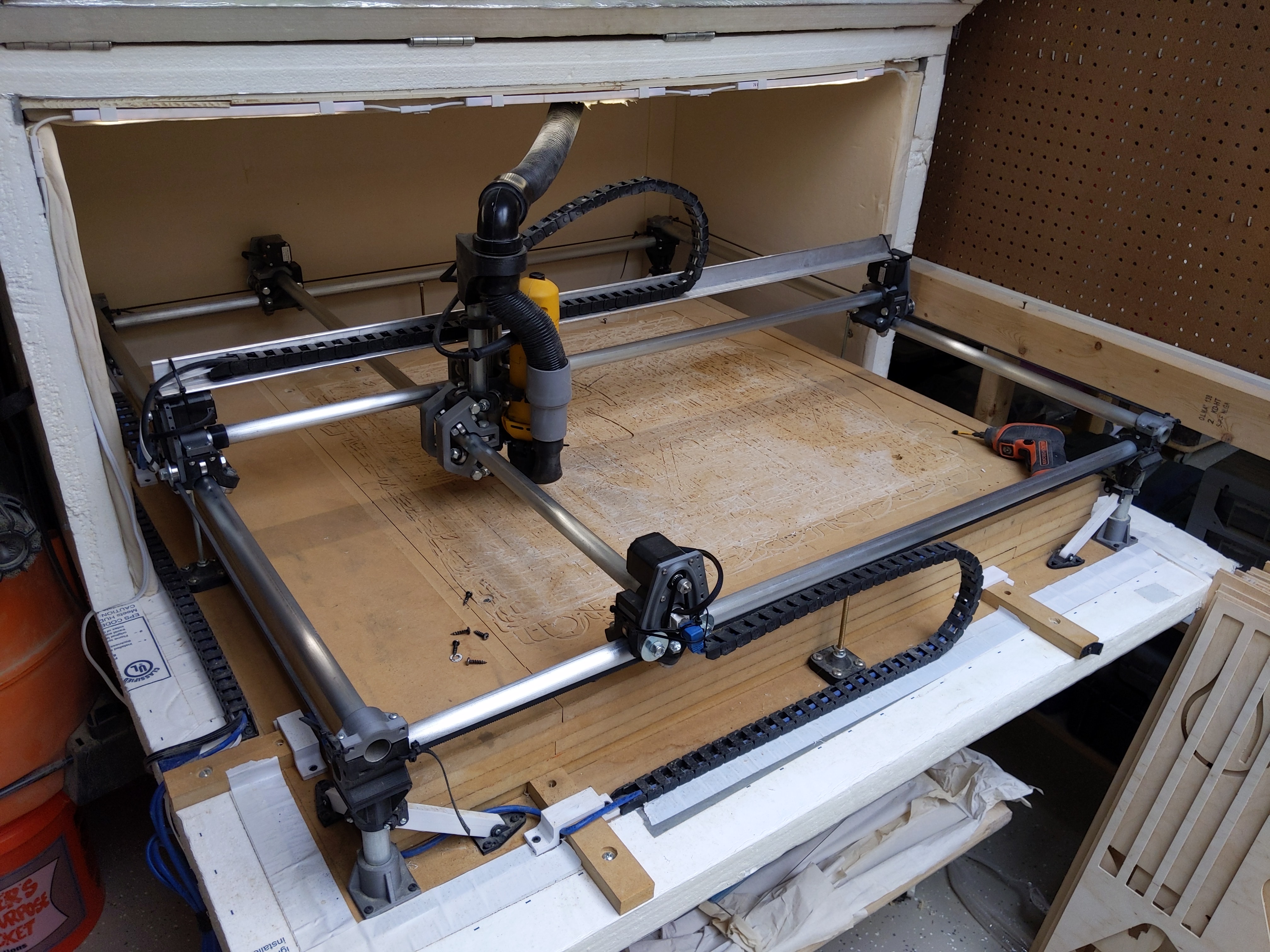
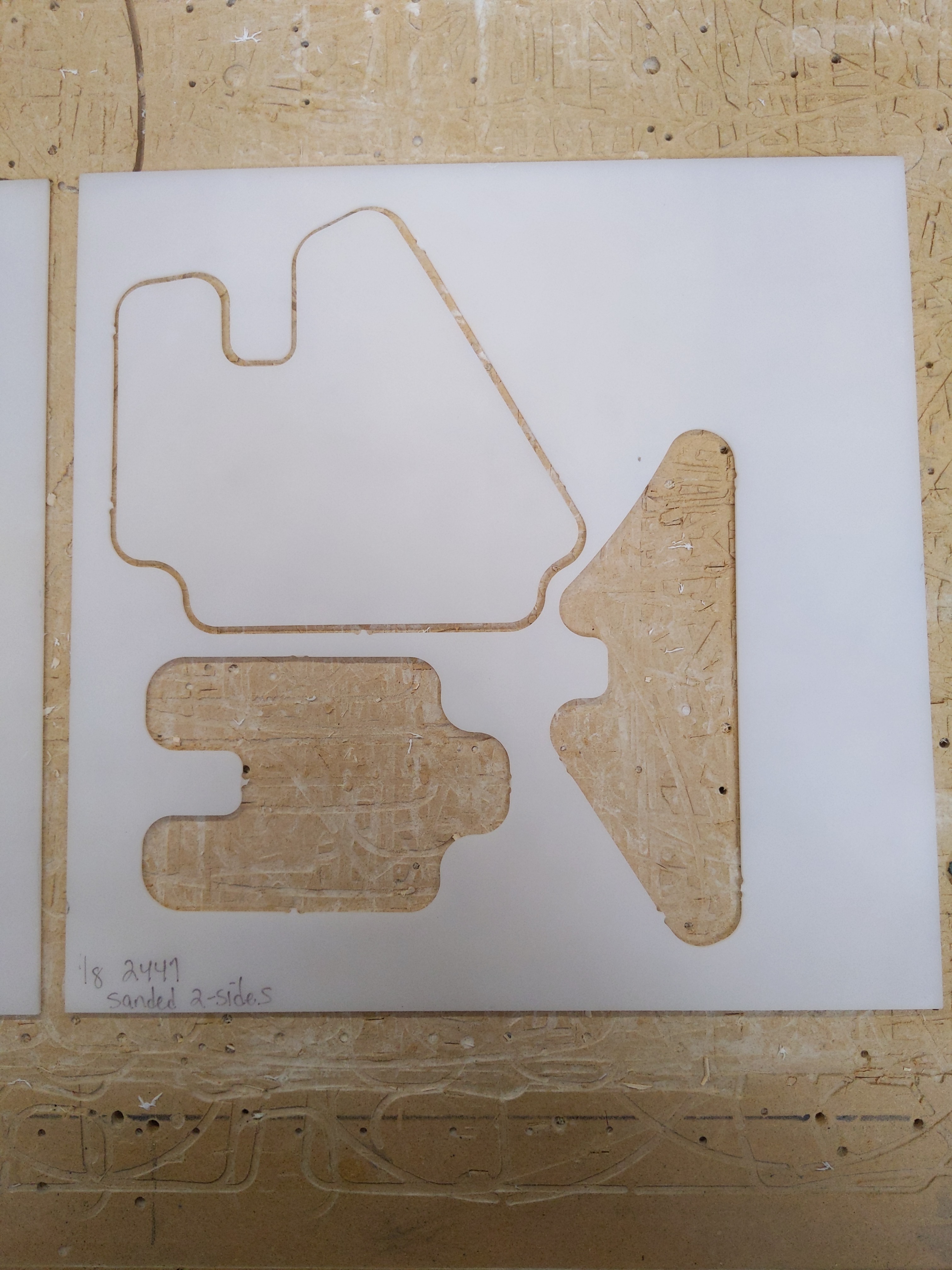
I just tried re-cutting a file from ESTLCam (via Repetier) that cut great a few days ago - the result was a poor quality cut with (I think) missed steps and inaccurate curves. First, here’s a proper cut from a few days ago:
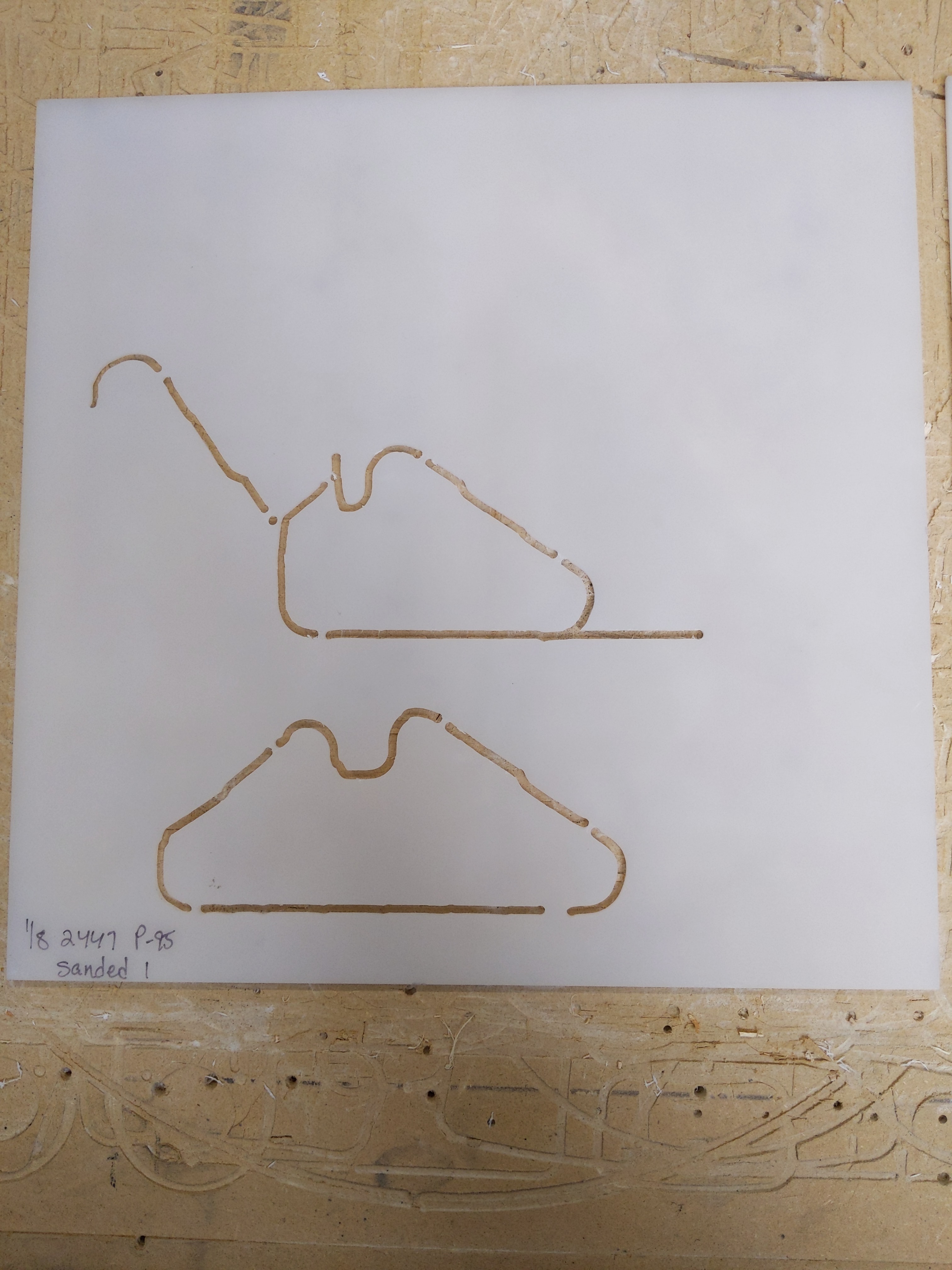
I’m cutting 1/8" acrylic using a single flute 1/8" carbide bit at 10mm/sec with a single pass at 4.25mm deep at full speed w/ a Dewalt 660. These are tried and true settings that I’ve used for years. Here’s the screwed up recut:
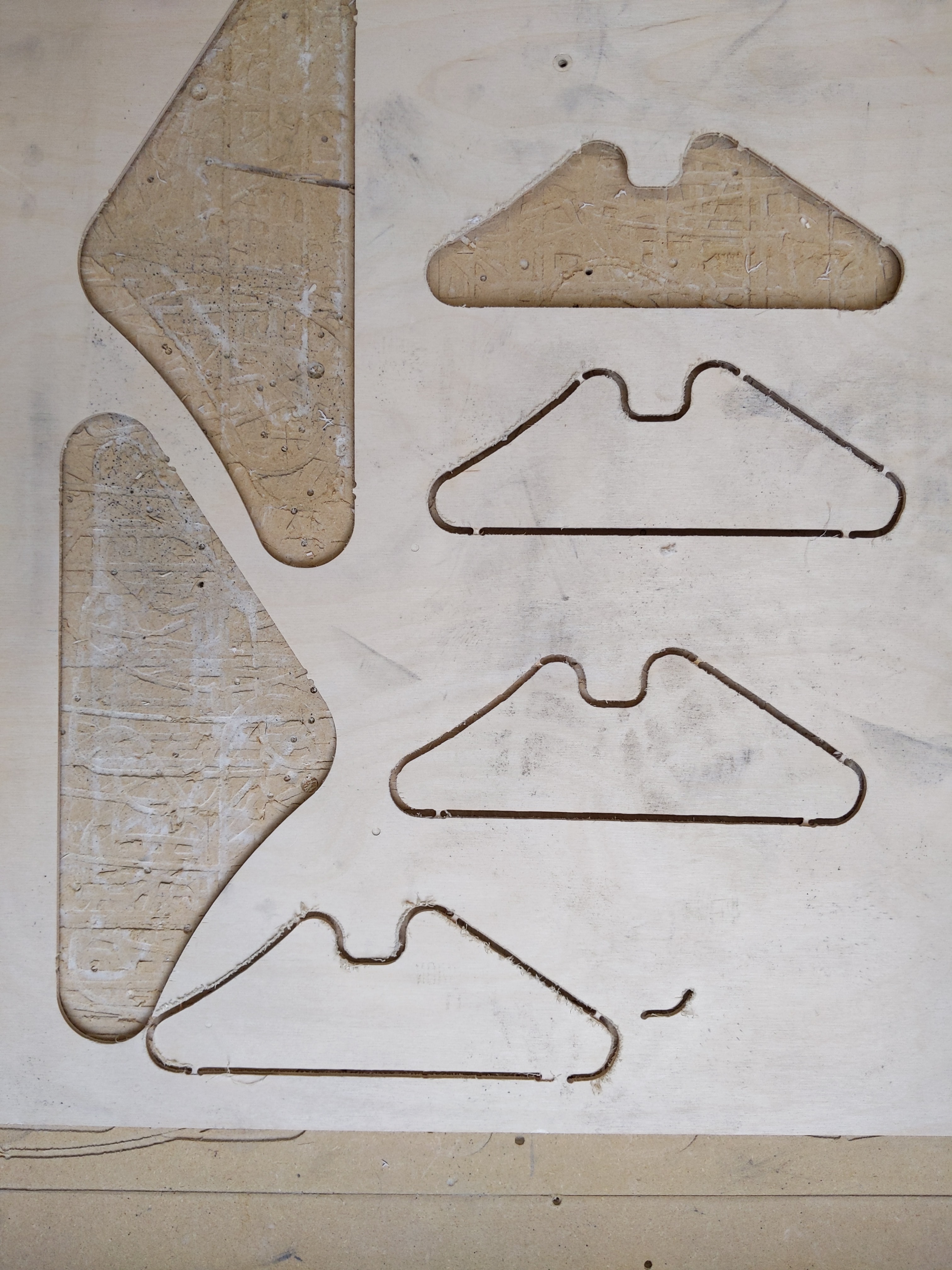
Watching the cut, I noticed the router wasn’t moving smoothly, it appeared to be skipping steps and jerking at moments. I tried going back to 1/8" ply since that’s the most forgiving material I have:
I looked up similar posts on the forum and made adjustments the the machine while recutting the same file. From bottom to top are a series of cuts as I made the following adjustments:
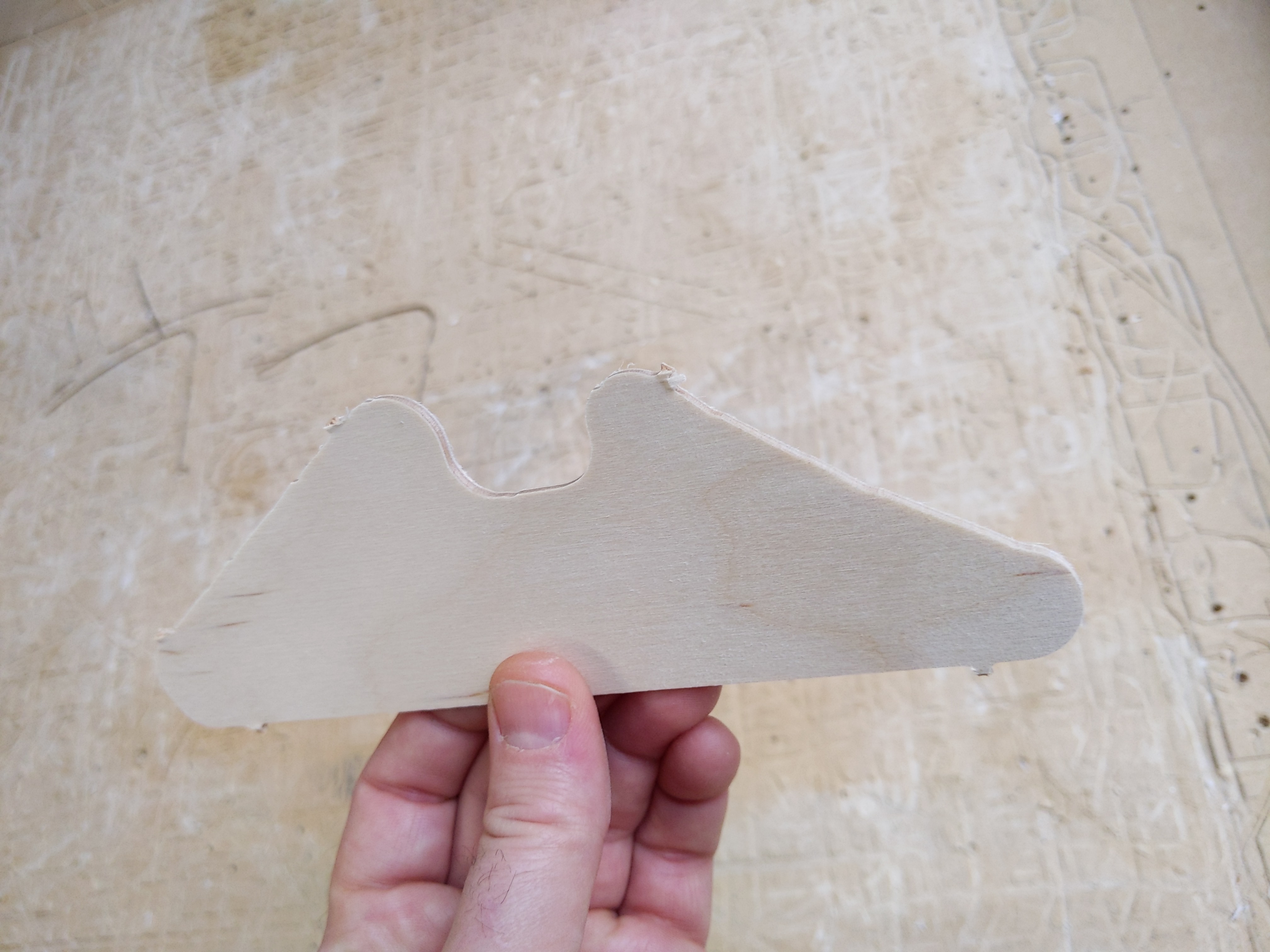
Here you can see the most recent cut (after all the above efforts) where the edges show jerky movement where it should be a smooth curve.
If it helps, here’s a video of the machine going through the motions and not cutting any material:
To my ears and eyes it seems off - like the steppers aren’t getting enough power - it just doesn’t seem to move w/ the confidence it had a couple days ago lol
Does anyone have a suggestion on how I can troubleshoot this further? Rt now I’m stuck -
Oh man - I just finishing building the LR2 a few weeks ago. I’d rather get some more mileage about of this one if possible. I don’t mind rewiring the steppers if it comes to that - at least the wires prior to the RJ45 connections - I believe those are solid. Is there a way to test the wiring/steppers? Just want to make sure I’m not missing something before going down that hole
My belts are tight but yeah i dunno if the inner strands broke. I think the spindle is pretty stable:
Normally I would scream grub screws, but you checked those. I would say pop the belts off and make sure all 4 are moving. That bad cut picture looks like it has steps in it. That kinda happens when only one side is turning.
Yeah grub screws are def tight. I removed the belts and was able to lightly hold each toothed pulley of the X-axis and then Y-axis while it went through the same cut as the prior tests. I did this 2x each, so 4x total. I could not tell (by touch) any difference in the movement of one size vs the other. They seem to be moving in unison. One oddity - while the Y-axis seemed to start and stop quickly, when the X-axis slowed down it was more gradually to the the point where I could feel the individual steps spacing further and further apart. Then Y-axis felt more like a vibration - on then off. I’ll try swapping the stepper drivers of x and y and see if that makes any difference.
Feels the same with the drivers swapped - maybe this specific shape just has more tapering of the X steppers than the Y.
I think the cheapest/simplest/smartest approach might be to replace all (4) 5+ year old GT2 belts. I’ll order some new ones and report back on performance when they arrive and are installed.
Thanks for the guidance - especially on a Sunday Ryan! Thomas Sanladerer can eat a bag of dicks
Yeah - I mentioned in that list that I tightened then replaced the end mill with a brand new one. There’s something about the movement that’s off - even w/ out making contact w/ material.
If there is a poor connection, the steppers will kinda stutter like that. If you swapped the drivers, and the problem is the same that even more points to a poor connection. This is an odd one for sure. Power supply giving the right 12V? Flash a new Marlin version?
Ok - yeah, I just measured the PSU - it’s supplying 12.73V. I also ran the cut again w/ the multimeter in line with the power to measure amp draw. That test cut pulls a peak of 1.63A from the PSU but most of the time it stayed around 1.5A. That’s with all 5 steppers and the RAMPS + 30mm fan cooling the drivers all running off the PSU.
Maybe it is best not to switch that yet. Any of the new ones will work you would need to adjust the Z steps and max speed though.
Continuity of the wiring extensions?
Do the stepper drivers “wear out” over time? The few I’ve lost have always been due to mistakes on my part leading to immediate burn out.
I have seen jerky stepper behavior when the drivers were just on the edge of overheating. Does your fan blow “in” on the drivers or pull air “out” past them? Is there enough space in your enclosure to bring in/exhaust the same volume of air the fan is trying to move? Have you checked the vRef on the motor drivers to be sure it’s not too high?
You mention cleaning the bearings and conduit. Have you tried releasing the belts and moving the machine by hand looking for any rough patches?
Any chance the vacuum hose or drag chains are dragging more than they used to?
Cool - I’d rather leave the software alone if there’s not a huge benefit from updating it.
That’s my project for today - with more experience it’s prob not a bad idea for me to just rewire the steppers.
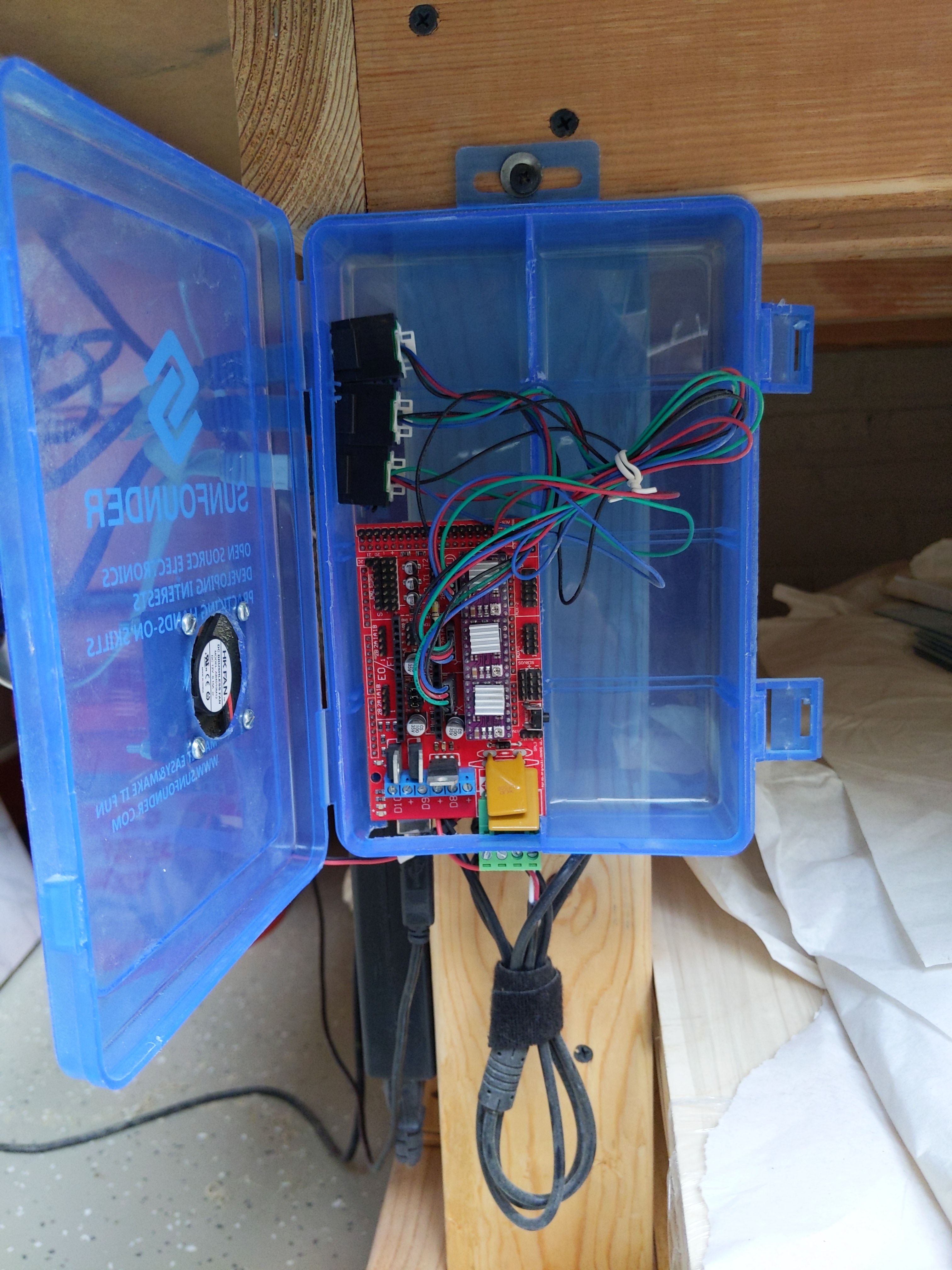
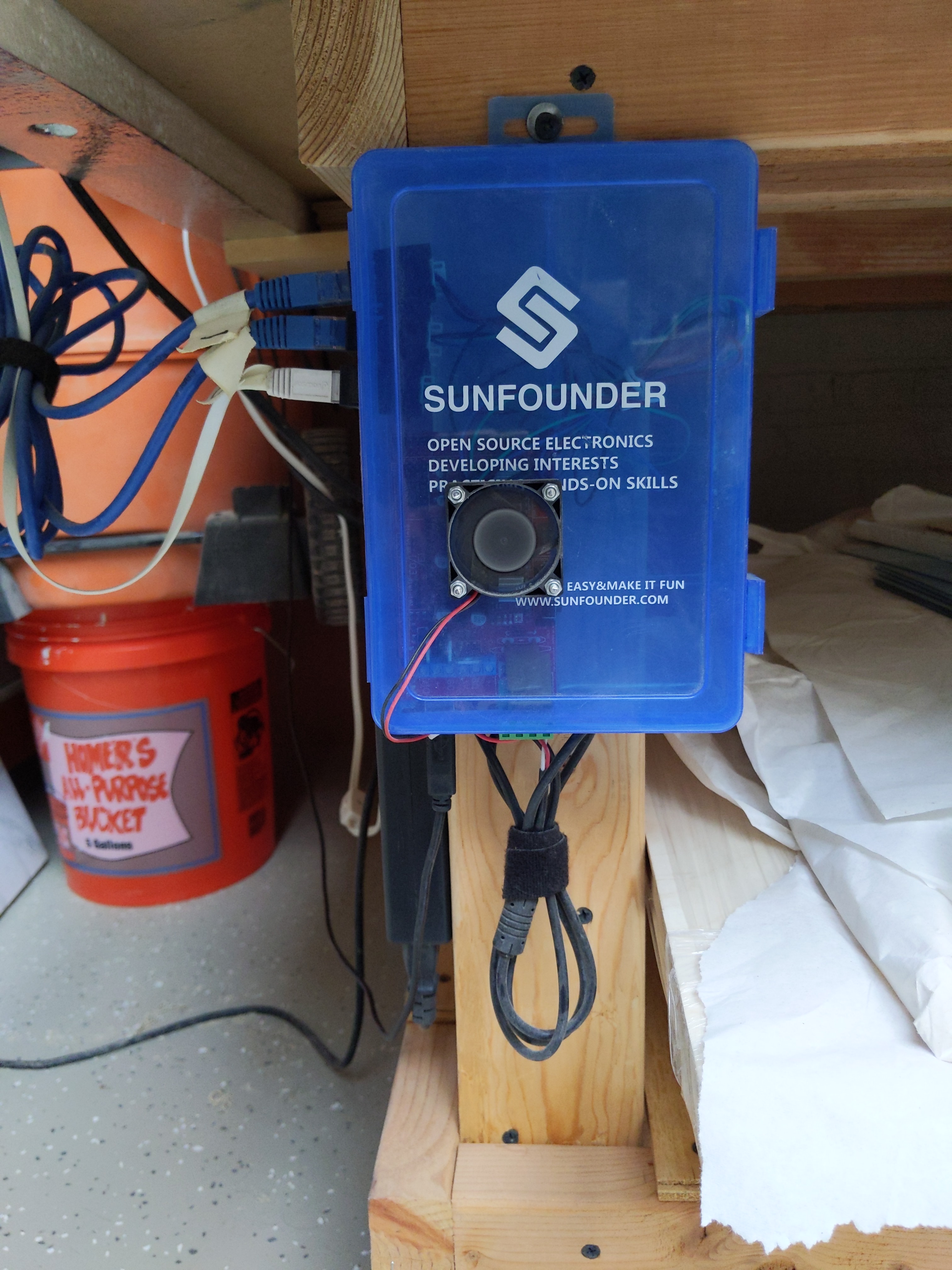
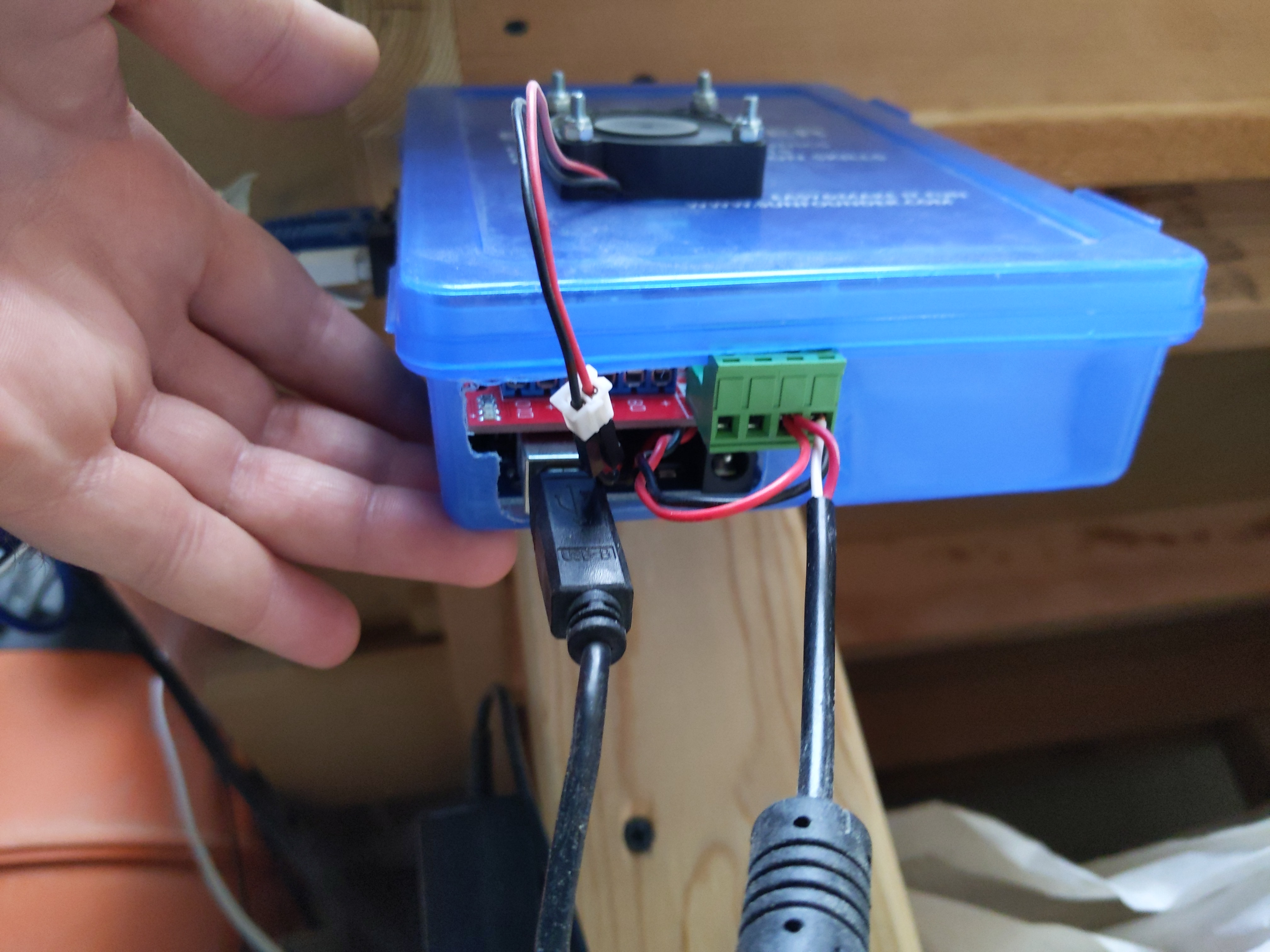
@ttraband A bunch of good ideas there - I have the fan blowing out - and there’s a pretty good sized hole (about the same area as the fan hole) located past the mosfets so cool air can be pulled in from the lowest point, past them, then the drivers and then out of the case:
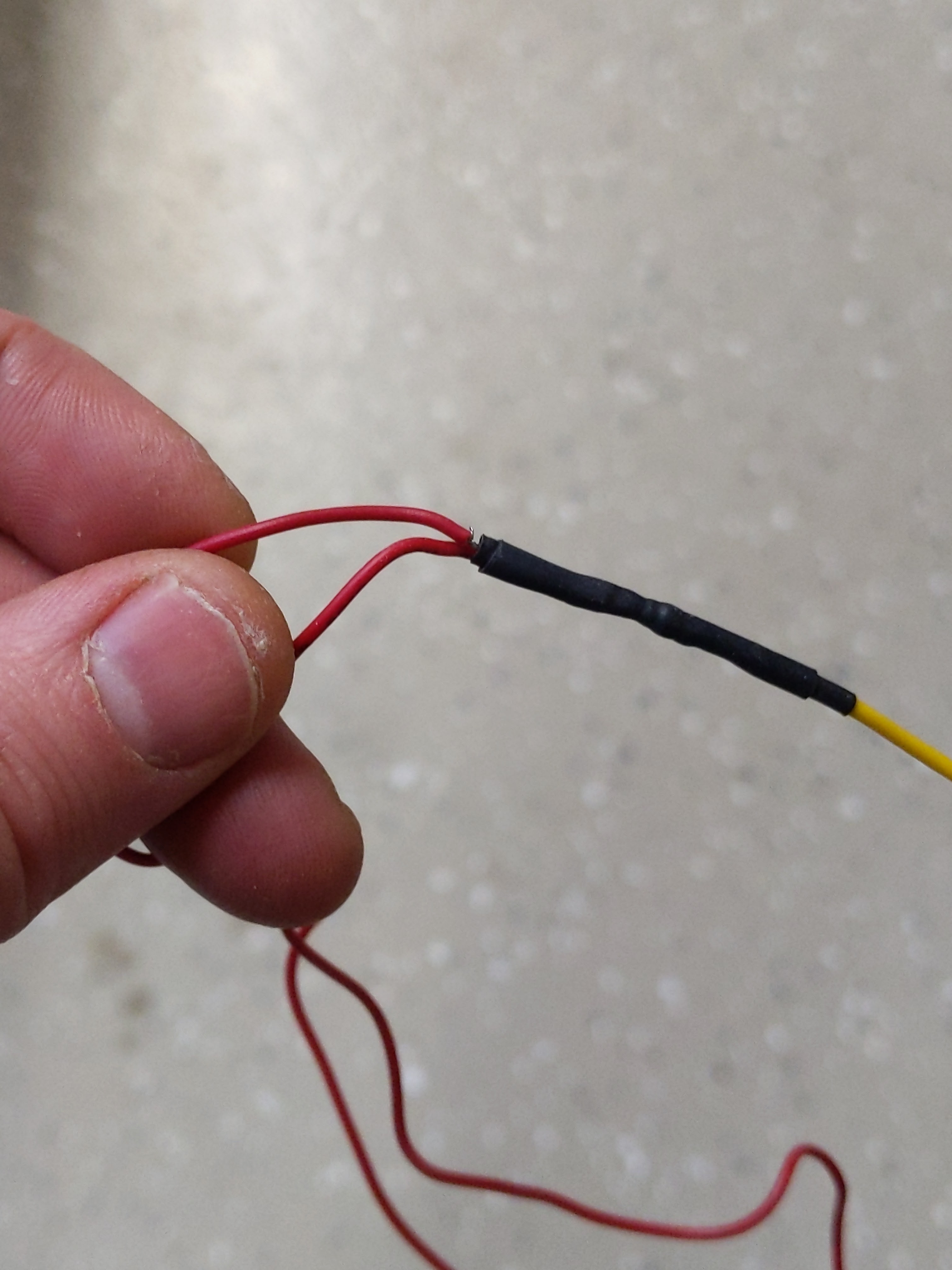
Now everything’s tightened up with these heat activated connectors. They’re one of my fave time savers and have def upped my reliability game when it comes to wiring.
The new belts arrive tomorrow so I’ll run another test when they’re installed. Fingers crossed.
Thanks for all the suggestions - if my voltages look fine then I’ll leave them alone but I don’t mind adjusting them if they could be more spot on.
We used to use parallel wiring, and we would crank the current way up (to basically double). But Ryan (or somebody) found out series wiring requires less current and we had more power and less problems with the stepper.
Maybe this explains it. You have been running your rig with the double current for years and then switch to a new controller with the current set for one motor?
Ahhhh - thanks Jeff, you’re right - it’s wired in parallel right now. That guide is new to me. Thanks for sending the link. I can change it to series wiring - it sounds like that’s the recommended method now. I haven’t switched controllers - everything’s been setup like this since I built the machine 5 yrs ago. Are my voltages setup for series or parallel?
Yes they can, but it would be unlikely. All integrated circuits degrade slowly with time and use. It is excelerated by excessive heat (which is why good cooling is always important). But unless the machine was on constantly for the last 5 years or Subject to high temps (general rule is consistent temps above 80 degrees C will lead to quicker wear. Above 100 and it becomes noticeable because you will be replacing components every couple years.)
That said the steppers would likely last longer than the rest of the control board because of what they are designed to for.
Overall you can think of it similar to an LED light bulb, if operated properly you will get tens of thousands of hours of operation before a “normal wear and tear” breakdown.