Old laptop linux'd and turned into shop controler

I have an old Acer that is from about 2 years after they invented dirt. I decided it needs to be my controler for the digital fab tools.

THE MACHINE:

Acer Aspire One D257, model ZE6, Atom N455 1.66GHz, 1GB RAM, 250GB spinning HDD. 32-bit only — no 64-bit support. 10.1" screen at 1024x600.

THE GOAL:

Wipe Windows 7 Starter, install Linux, turn this into a dedicated CNC/laser shop controller. No general purpose use.

THE SOFTWARE STACK:

  • gSender (for TTS-Pro laser via USB-B)

    • switched to bCNC because its moar betterer
  • FluidNC WebUI in browser (for LowRider V4 via network)

  • LightBurn optional later

    • works great, just not on this laptop LOL
  • Samba share to receive gcode files from main desktop PC over ethernet
    AFTER INSTALL GOALS:

  • Samba configured to receive files from Windows network

  • bCNC installed

  • Browser set as default for FluidNC WebUI access

  • Hostname set to “shop-controller”

  • Auto-login enabled (no password prompt, dedicated machine)

  • Unnecessary services disabled to keep RAM free

Do real work in the office and then drop the file onto the acer over the lan. everything else is just telling the machines to do it.

So I started with AntiX 26 and then ran a bunch of updates and such. Shut down any and all passwords because they are silly. Nobody is going to hack my 2011 laptop with nothing on it and no access to anything but a laser and a router.

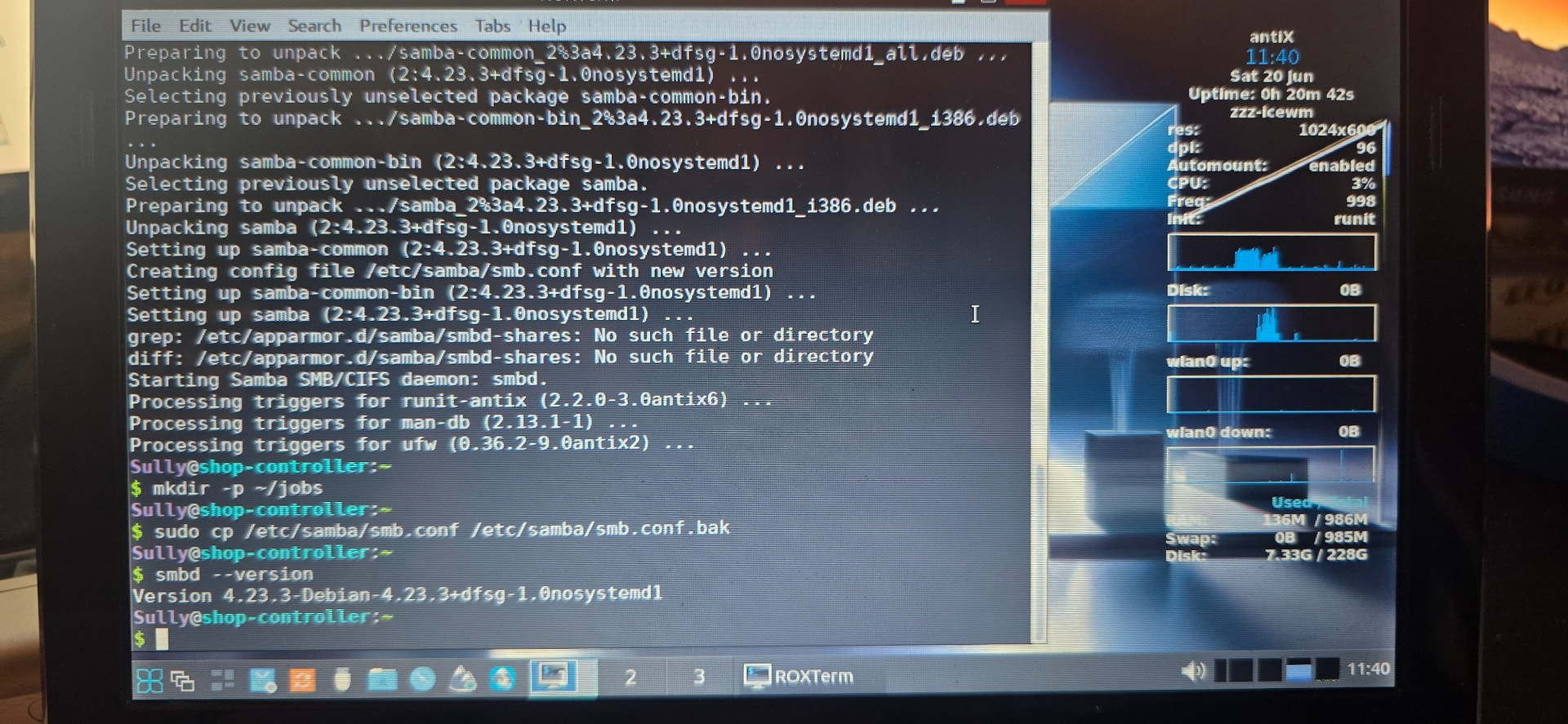
next step was Samba so I can send files to it from my office. look at the cpu usage and ram being used. its less than my watch uses LOL
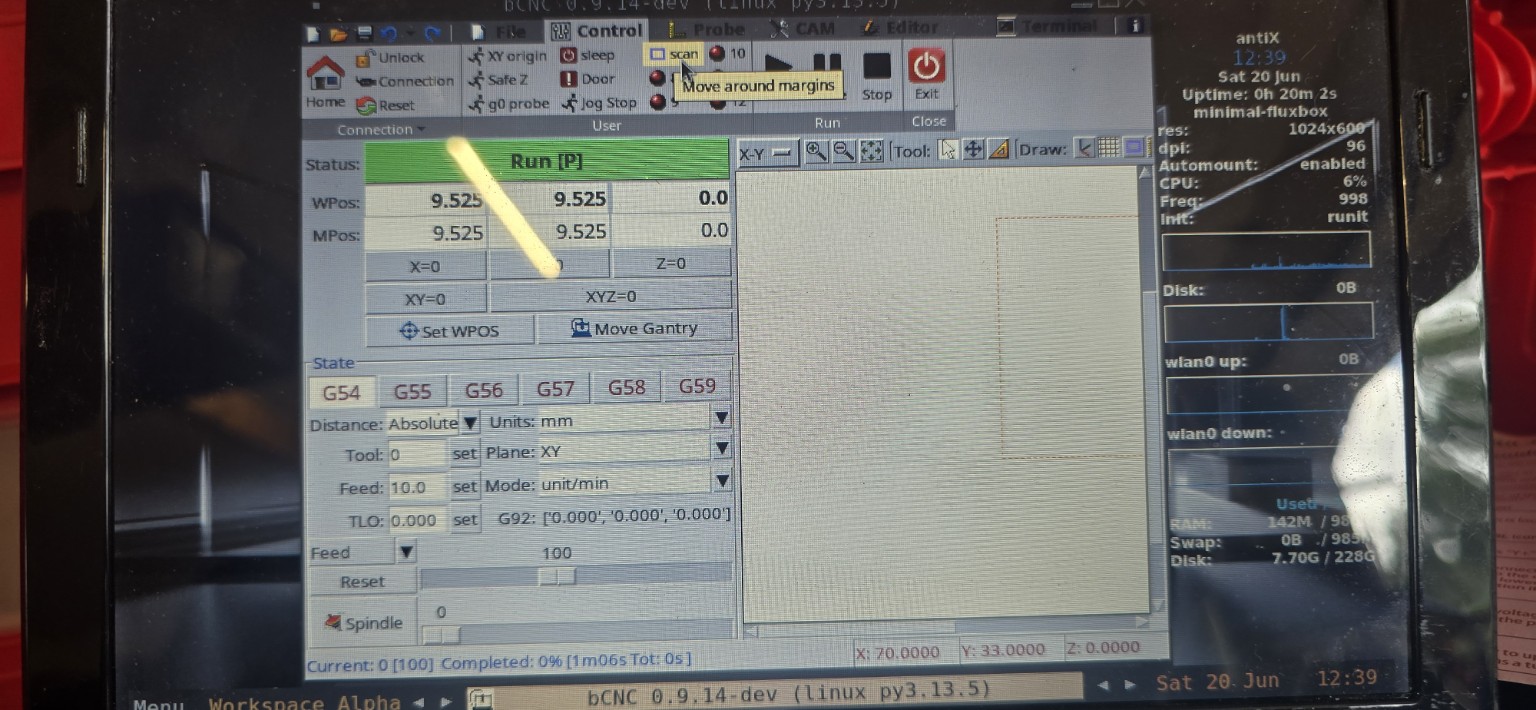
then a quick check in python to see if bCNC is was there already and it “kinda was”. It knew about it, but had to update and actually install. Then I plugged into my little TTS laser and tested. It homed the machine no issues, so I sent it a g-code. Running a gcode is the busiest this machine will ever be. Guess what? Only using 142M or ram and 6% of the cpu. Thats nuts!!!
Thats the end of the good news.

From there, I tried to load laser cam software on the desktop in my office, but it needed to talk to the laser and couldnt. The Laser is USB to the Acer. I could see the Acer, but never be able to see the laser through the acer.

The next issue was a few days later when I tried to boot the laptop and get connected to the LR4. It was dropping out of active sessions and making me log back in. Now its just a big loop. I’m not sure if its that the battery on this thing is completely toast or if the spinning hard drive doestnt want to spin correctly.

I havent messed with it much since, but its a neat WIP that should make life better vs using my tablet. I hate that I have to swap between networks on my tablet and the LR4 just doesnt have good enough connectivity to my wifi. That may change in the future, but I can just leave the Acer looking for FluidN’s network instead of mine.
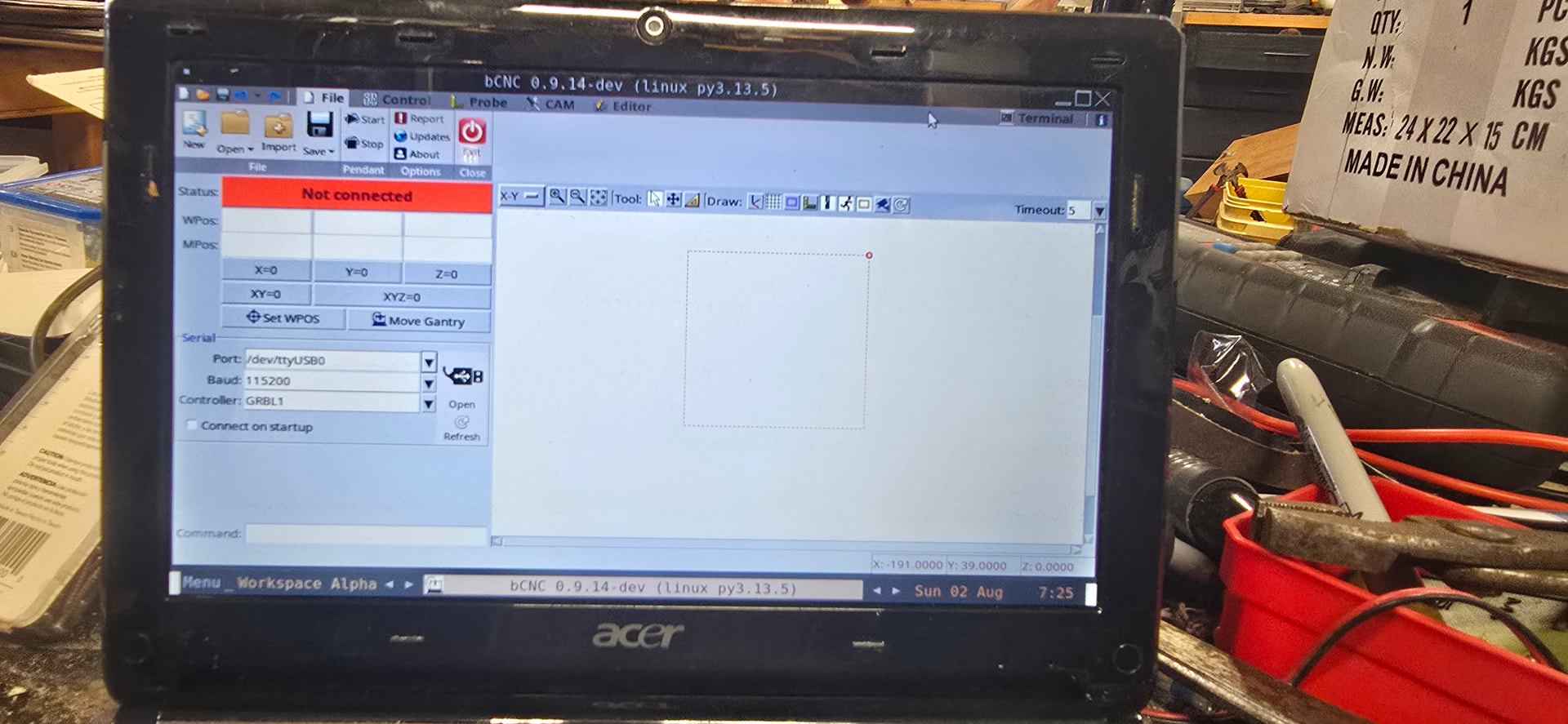
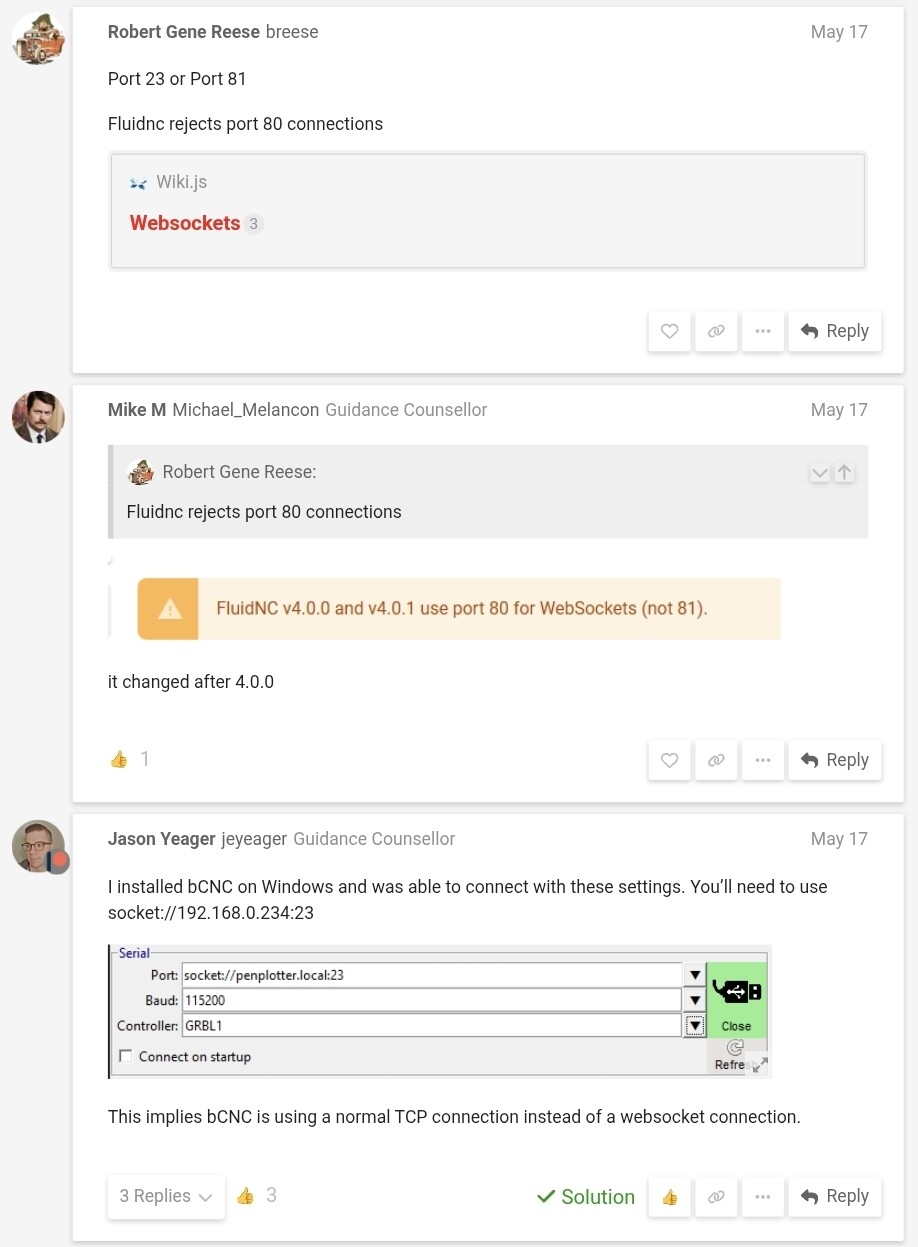
And then today, just digging through old threads I found that @jeyeager had solved the bCNC to FluidNC issue which means, I can run over usb to the LR4 without needing to play wifi games at all. That dude is a legend and we dont deserve him.

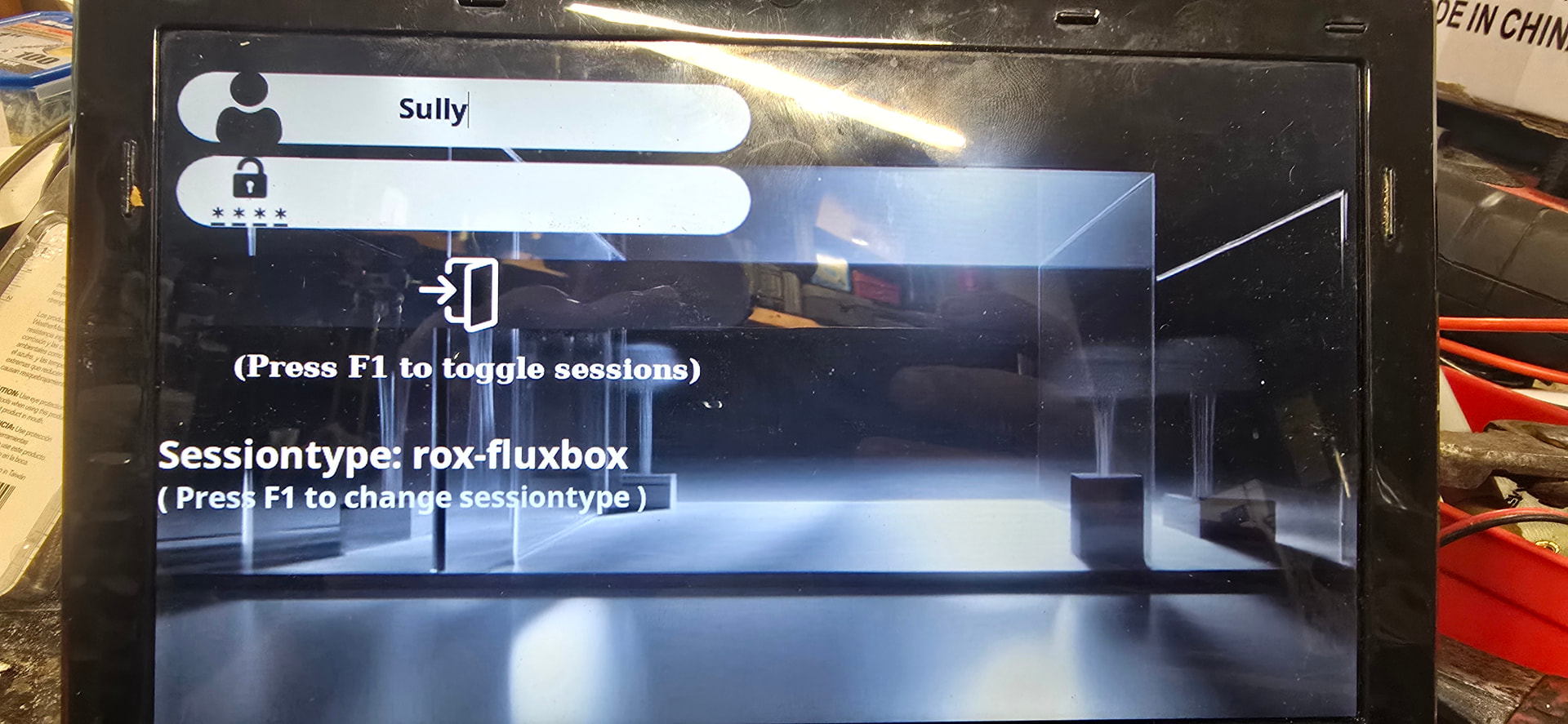
the answer is in this picture…. And it’s DUMB!

The session type was wrong. Not sure if corrupted or what, but switched to the session type I had been running and all my problems went away.

I need to move the laptop back to the workbench, but it’s running bCNC again and Firefox worked… so that’s basically everything lol.

Next will be a slide out shelf for it to live on and probably a mouse.

I may still need to figure out wifi, eithernet, and usb ports and such if the lr4 isn’t happy about the bCNC but the surface scanning and probing of bCNC are actually really good.

This is a small side quest in my bigger project of getting the digital fabrication section in my shop sorted out.

Well do much for that!

I tried to use the settings from @jeyeager but it didn’t work

I got the little acer that could hooked up to my lr4 and moving it with bCNC via usb. That’s fine for the TTS-20 but the LR4’s usb is on the gantry so that won’t work for actual use.

I tried

socket://192.168.0.1: (23,80 and 81)

socket://192.168.0.234:(all the same ports)

I tried local host as well… only the usb worked.

No dice.

I can control the lr4 using Firefox and the WebUI which might actually be better in most cases. But i can’t trick bCNC into using is wifi for serial connections

FluidNC 4.0.3

Telnet enabled port 23

Http enabled port 80

I’m still pretty convinced that this is worth the effort, but using my tablet or building a fluid touch would likely be easier.

To break down the idea instead of the issue:

Laptop becomes central location for files and control of multiple machines.

All machines (only the two right now) are always connected to the laptop so there is no having to switch wifi networks, juggle cables etc.

bCNC is a cam and controller with some very interesting aspects. Gives me a few extra tools if i need them. But it is far less simple and pretty than the webui

Honestly this is almost a waste of time unless I get it working and blended into my workflow in a way that gives me the added function. To just run the webui, I’m better off with my tablet.

Oh…. And if I can figure out how to reliably be on the eithernet for my house, wifi for the lr4, and usb into other machines…. That would accomplish lots of the issues at the same time. I may move my mesh satellite or add another. Anyone know of deco mesh can be daisy chained for hardwired backhaul?

Router - sat1 - sat2

Right now it’s 2 satellites each wired to the router directly.