I have the axes zeroed out and I’ve restarted the jackpot. Is there anything obvious that I’m missing that would prevent the play button from being visible?
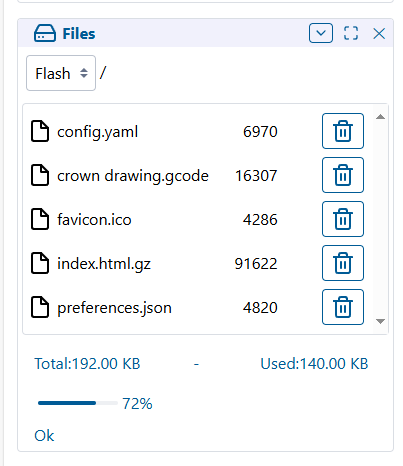
Technically, you can run gcode off the Flash memory, but it’s not really the recommended approach which is why it’s not an option in the WebUI. There’s not much flash storage, so you’ll run out pretty quickly anyway.
If you want to try it now (because of course you do ), you can type this in the terminal:
$LocalFS/Run=crown drawing.gcode
If that doesn’t work, I’m not sure if it likes spaces in filenames.
You want a micro SD card, class 4 or class 6, 32 GB or less like this:
 ), you can type this in the terminal: