I received my new Jackpot control board yesterday afternoon. I plugged it in and got my MacBook connected to it finally. I had to install the CP2012 drivers. It took a few tries, but I got them installed and working. I was able to connect to it over wifi also.
This morning I disconnected my miniRambo and installed the new Jackpot and endstops. I got all of that working. The endstops are a great new addition.
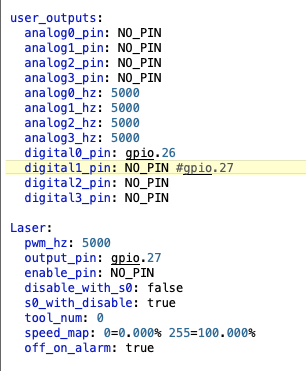
Then I tried connecting to Lightburn and using my laser. I was able to connect and move the laser around without any problems so I enabled the laser settings in the config.yaml. Nothing would work! I couldn’t move the laser or connect reliably. So I reinstalled the default config and everything worked again. I reread @MakerJim 's post about his JL1 laser. I saw where @Ryan said to remove the gpio.27 setting in User Controls. After I did that it was all working!!! Woohoo
Here’s my first laser burn with the Jackpot.
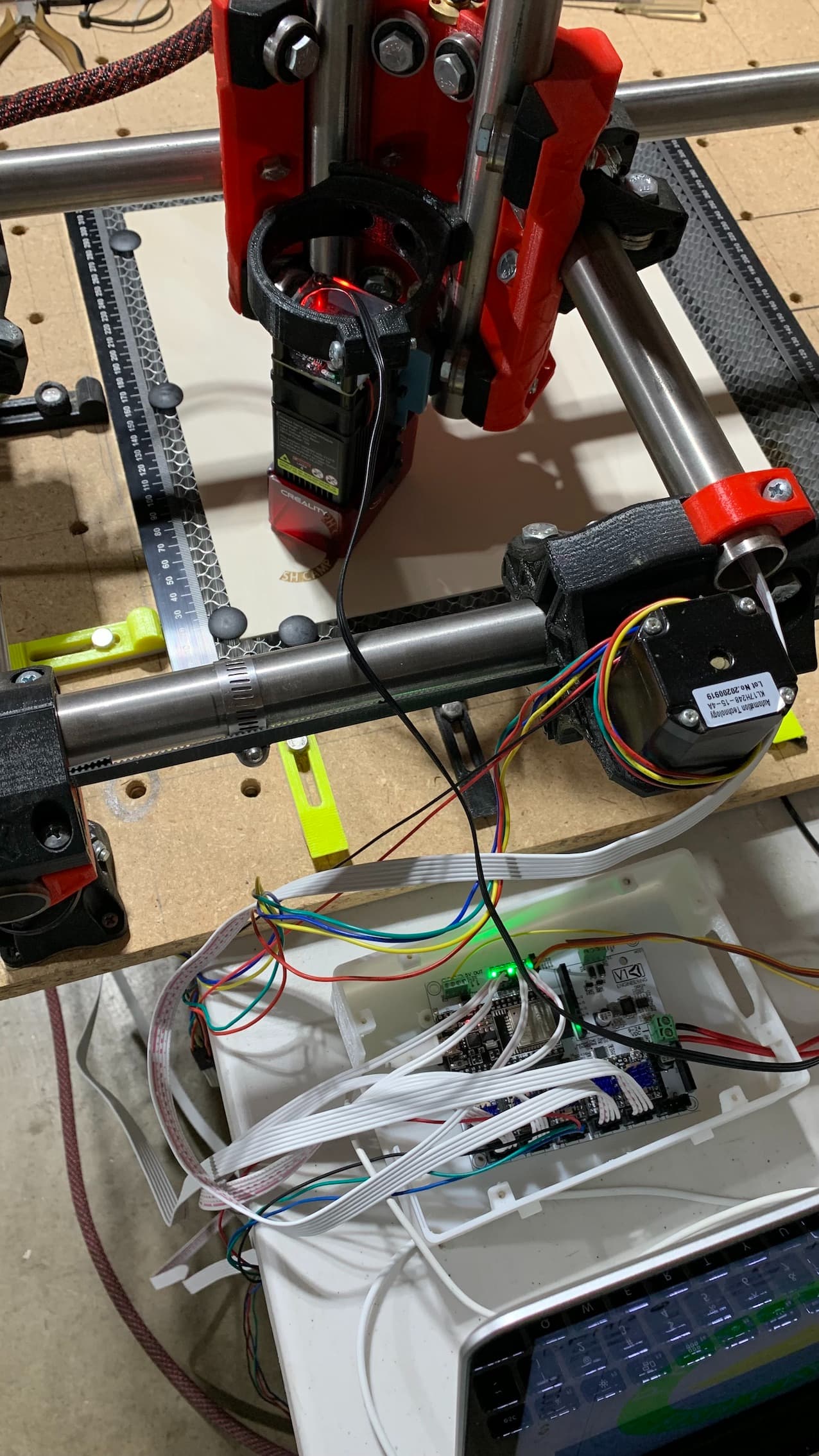
I will have to make a separate laser section in the docs. Everyone is immediately enabling the laser.
That’s the one thing I’d buy it for. As soon as I bought all the other stuff I want, like V-Carve and Osage Orange… 
I have some screen shots if you want to use them @Ryan.
My #1 reason for buying this. Tired of fighting the marlin laser stuff
The laser works much better with the Jackpot @Zashi!
Just need the end of the yaml file, after the steppers.
I’m really happy my posts helped you. Congratulations on getting your Primo running on the Jackpot!
Thank you @MakerJim .
What’s the hose clamp on your tubing for?
@Zashi, I used them for mechanical endstops. Now that I have the Jackpot and dual endstops, I’m using them to trigger the switches.
It seems to me that my stepper motors are running quieter and smoother with the new Jackpot control board. Has anyone else noticed this?
The TMC2209s do that. Very noticeable to me when I switched my JL1 laser over to the Jackpot.
Same result I had on the new printer. It’s silent except for the fans.