I would format the card - if you need to save the contents you can just drag them to your desktop like you can with any other hard drive or USB stick. You will need a card reader connected to your Mac of course, if you don’t have one just a cheapie will do the trick. Follow these instructions. (It’s easy) to format the card and erase everything that’s on it.
The info will show when you mount it on your Mac. You will need the reader to transfer your gcode files to the disk, so I guess that’s the next step, or one of them at least.
Hi. Could a couple guys take a couple different shots so I can see how you set your table up. It should be simple but I want to see something already done to make sure I’ve got the right idea.
Hi. Finally ready to play with the machine. I see the control has options what to use for instructions to the machine. So, do I get all the instructions ready in Kirimoto and send that to the SD card with my computer hooked up? Then the SD card has all the info and the computer isn’t needed? Also, can I just use the computer without an SD card if I want?
I see in Kiri there are two choices on type of V1 machine Lowrider 3 and MPCNC.
Which do I choose and also how do I know 3 is correct? I looked on the controller screen but I didn’t see any specific model. I saw on Youtube there is also 4 version.
All the LowRider models have similar motor layouts (1 X motor, 2 Y motors, 2 Z motors), which are different from the MPCNC Primo, Burly, and 525 models (2 X motors, 2 Y motors, 1 Z motor).
Your link didn’t work but I found documentation online. I wasn’t sure after looking through applicable sounding categories, what I wanted.
Also, the video I found on YouTube about setting up the parameters didn’t have the exact same menu options for some settings and it was for V3 I was watching which is my machine. For example, what is offset on Z axis. It makes sense on X and Y but I wasn’t sure about Z.
Also, option for plunge - “ease down or linear path” was the text in the popup but there was no way to select either option.
I finally got it ready to try out. But the software instructions on YouTube have a different appearance than the Kiri:Moto layout. That makes it confusing for a beginner. How do I find the right software. My machine is supposed tom be V3 and I looked form V3 software online, so would an update change things and still be V3?
I see you’ve been working at this for quite some time, and I applaud your persistence. Which YouTube video are you following? It may be that folks with a setup similar to the one you’ve purchased (Lowrider 3 running Marlin on a BIGTREETECH SKR-PRO-V1.2 controller) can steer you toward a better match, or help explain the differences between your setup and the one in the video.
I’m running an older MPCNC Burly on a non-standard controller and software tool chain, which is almost entirely different from your setup, and from the “yellow brick road” builds the Docs sections try to steer you down, so I can’t provide direct guidance for you. I’m used to having to interpret, adjust, and adapt, but that all relies on some hard-won past experience and hours of experimentation/playing around. I’d be willing to take a swing, but others here may be better mentors for your specific situation.
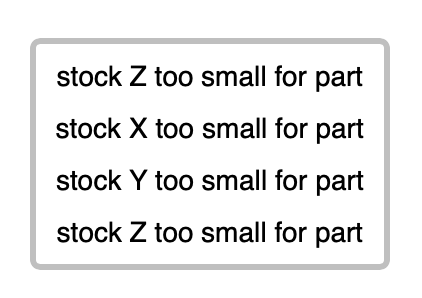
Sorry if this is obvious, but you need to tell the software the size of your stock - if you have done that, check that you are working in the same dimension format for model and stock - if your model has been exported in inches and stock in mm for instance, that can cause issues.
I don’t want to send you away from here but the support on the Kiri forum is great!