Yeah I had a couple of crashes before I figured out how to zero out from the start point on the material. If we are learning we are still kickin!
2 Likes
Looking forward to the grid pictures!!
1 Like
Tonight was a success
I actually filled in the incorrect lines from previous attempts, well mostly. Some of the 1” square grids lines went beyond the 24 inches but no harm there.
Took roughly 20 minutes to carve the whole grid
I have a 24 Inches square of 1 inch grid, 36 in.² of 2 inch grid and 48 in.² of the 4 inch grid, back half or just 12 inch squares.
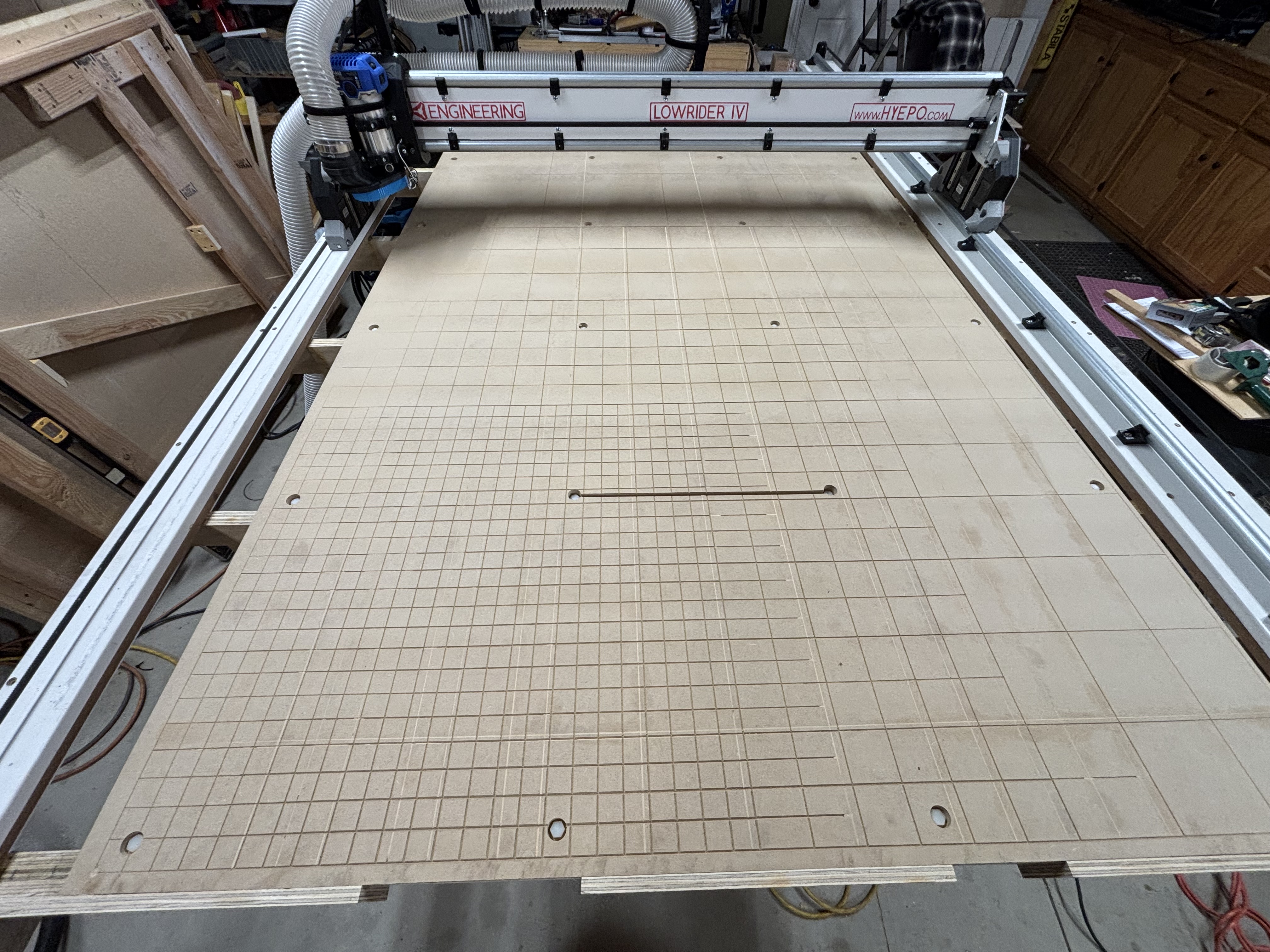
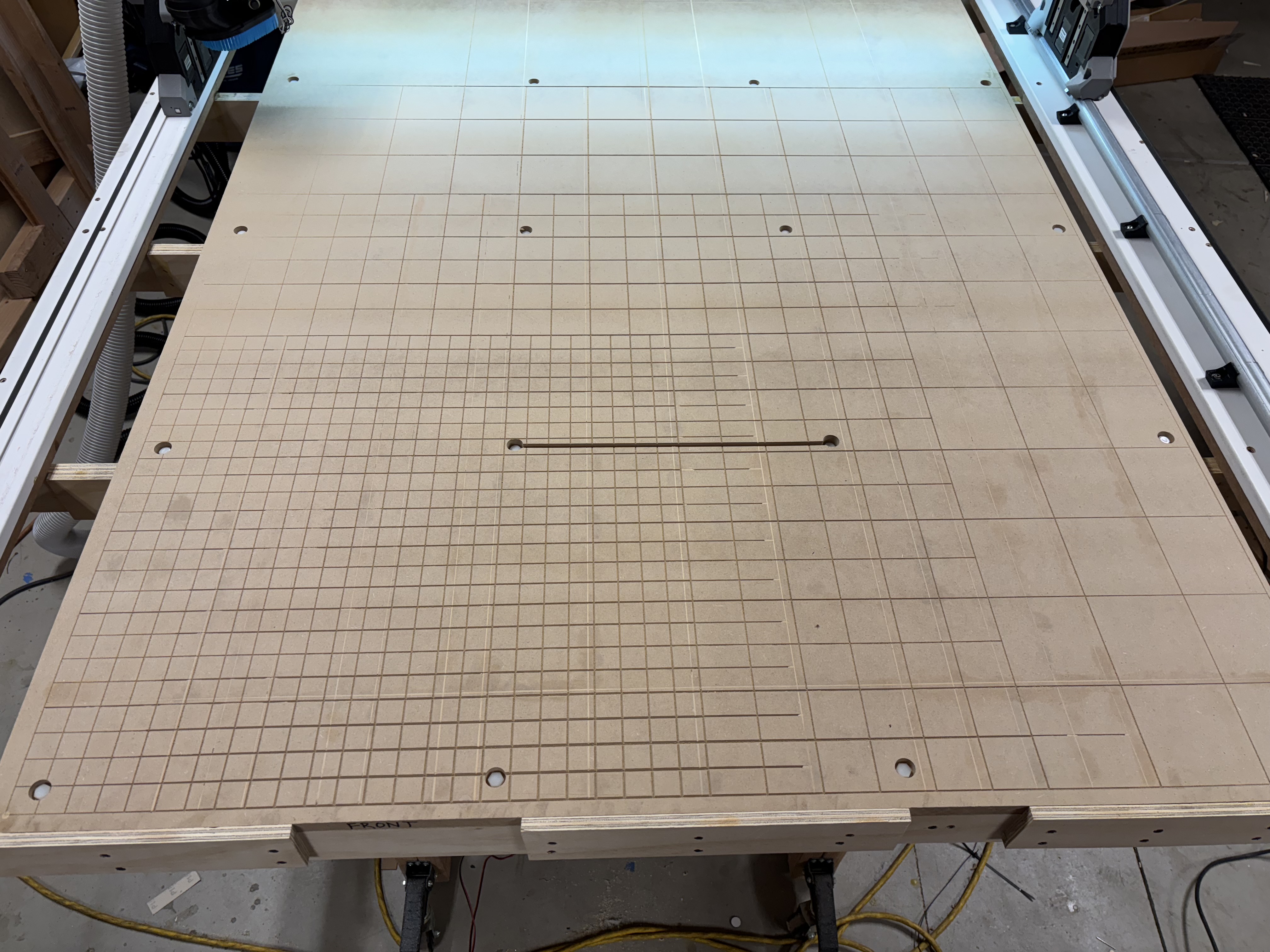
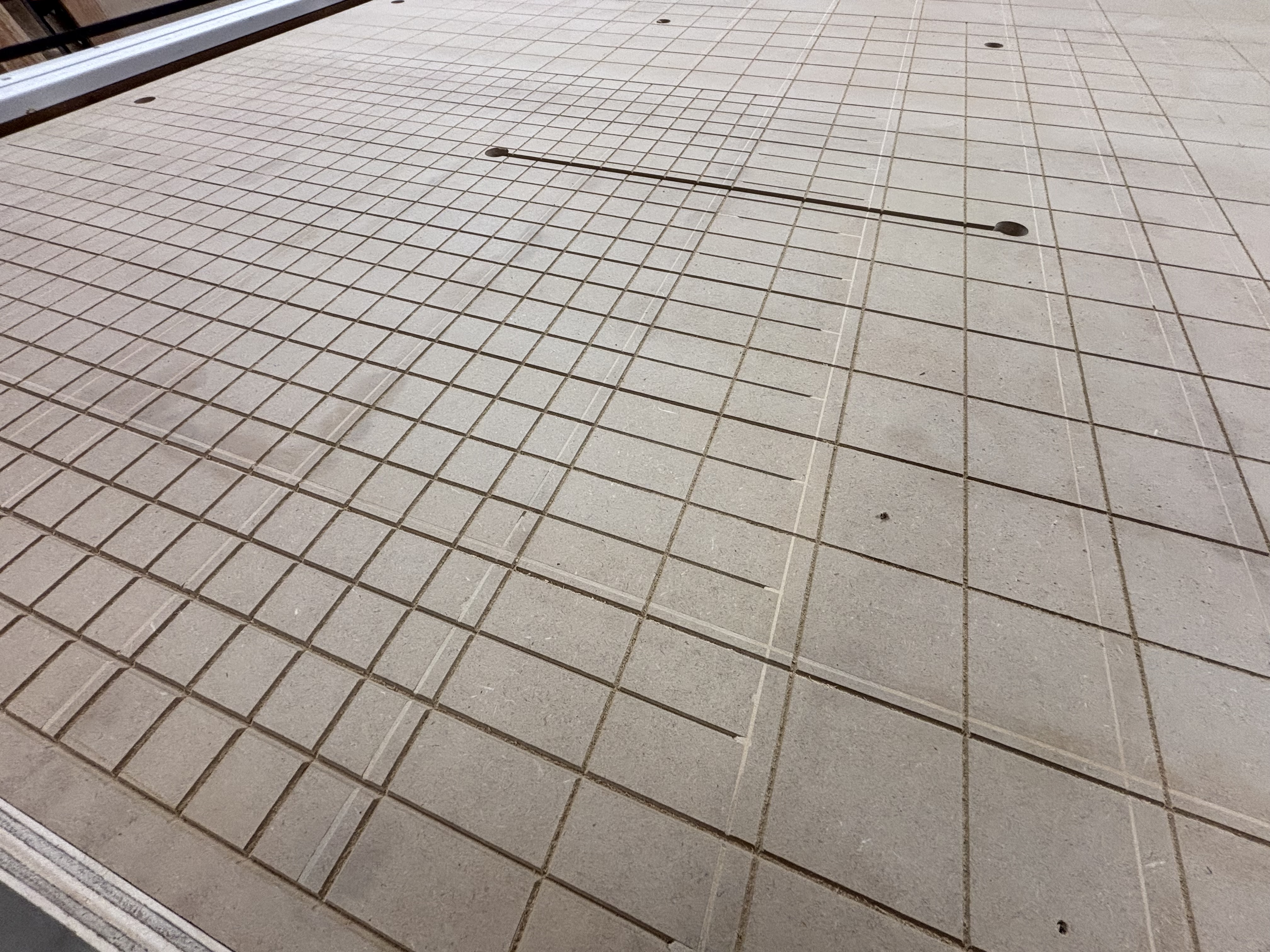
Pretty much the way I have it will cut out cabinets, & any other 2D items. But I think I will at some point try to flatten the spoil board to the table and try my hand at some 3-D carving just for the hell of it.
6 Likes
3D carves, and even just text carving is super fun to watch. We don’t do much with all three axes at once, so when it happens it is extra cool.
2 Likes
Nothing new to report. Did some odds and ends and ordered some 1/4” bits. I created a height map of the Central Valley of California. I will be attempting a 2.5D cutting of that file… I created the stl off gov map thing, and will likely view and adjust in a 3D print slicer and resave as stl. Then to decide on what to use to create the tool paths. Vcarve looks to be the most desirable but is quite pricey. Easel has stl import but limited on file size of 100mb eliminates most of my ideas. LOL.
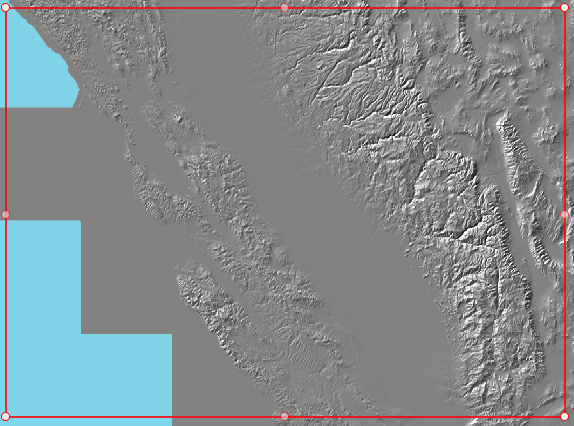
Input? I know I can do 2D carving with no issues (based on the primo and LR4 tests) but I thought I’d jump right in on some 3 axis wood chopping……
ESTLcam can open STL files and do 2.5D carving based on them.
2 Likes
Yup but limited to 100mb stl and does not control the LR4 with the FluidNC. I suppose I can export to gcode and use the WebUI, but would rather just do it all in Easley or Vcarve…
Hard to justify purchasing either (and the cabinetmaker) when we can’t utilize full functions.
Still will give it a go and see what happens. Just waiting on bits to arrive. 
1 Like
What exactly are you trying to control about the machines with that program? If anything seems to be missing we might be able to add it.
It is very odd to do anything other than drive to a starting position and hit go. If you stream commands from a program you have an extremely likely chance of error, I highly recommend against it at all costs. Running directly from a memory card is the only way I would do 30+min plus jobs.
1 Like
I did not know about the 100mb limit, that is new to me but if it is valid did you see what the difference in triangles was on your file? 300million down to like 100million is not ever going to be noticeable. That GIS map could very well have nearly fractal levels of details that will just bog things down for no good reason. If your maps contain data in 1’ increments and your ball end is equivalently carving a 1Mile detail there is no reason to use it. I would argue your exported Map data was exported to high.
I understand all of this seems like things you need, but I am going to argue against it. Being able to pump in a enormous file is convenient but simplifying it is done with one or two clicks in most any slicer these days.
Direct connecting to a program has never seemed great to me. My computers stay far from the work area. I have used lightburn directly but only to use the included calibration files. After that gcode to SD card every time. We worked hard to get wireless controls adding a wire and instability seems a bit backwards.
2 Likes
And that is exactly why I rely on you all for knowing what I don’t know.
I think the fancy graphic interface of Vcarve and/or easel in all those videos I watch trying to learn everything at once causes me to succumb to paralysis by analysis.
So here is my plan. I am going to import a simple 3d relief stl file into Estlcam and create the tool paths, one for rough and the other for finish… export to gcode, upload to sdcard via weUI and push go after homing.
I am literally driving myself nuts… and that is my wife’s job. LOL
Thanks Ryan….
2 Likes
I highly suggest using a couple SD cards and doing a manual transfer. Copy and paste the file to the card, insert the card to the jackpot.
Why easel and not estlcam?
1 Like
I have been following along and you are doing a lot of modding, changes, generally not following the yellow brick road. It really does not need to be this hard. We have been at this for 10 years now. The Easy way is clearly laid out.
I LOVE for people to do it their way, but I highly suggest you start by doing it OUR way for a while. Then when I ask you why you are choosing to do something different you have a serious answer. I have never used easel or vcarve, so I can not tell you if they are any better…but I can say I see no reason for me to use anything other than estlcam, especially for the more than 10X the price.
I’ve never done this so I’m going to ask for clarification on doing that. I’m guessing you need to power off the Jackpot when swapping cards?
Words of wisdom for sure.
I haven’t done a lot of modding as far as the actual technical build goes That I’m aware of Other than cosmetics, I’ve followed the directions exactly And will continue to do so.
I appreciate you keeping me on the path as I wandered off
And I made a correction above I meant ESTLCAM Not easel and my answer was serious in that trying to learn from a lot of CNC videos on YouTube. They’re using the carve and other fancy graphical programs and they made it sound tempting.
I know your way works. I’ve been using it for a couple years on the Primo so that’s what I’ll do here as well.
1 Like
No, I hot swap, you just need to hit refresh.
I’m just saying be careful. I do appreciate you going off the beaten path but this thread reads like a bit of a rough road. If new comer reads this one they might assume it is harder than it is.
I don’t want you to stop doing your own thing, just trying to make it sort of clear of the other way as well.
For example, FusionCAM allows for a much finer control over all the cam operations but for me the time that needs to be spent to make the file has never added up to a net positive for me, so I still use estlcam.
2 Likes
Is there a reason to do it this way? On WebUI 3, I had just been using the upload button. I didn’t see a need to remove the SD card. I can delete and upload from the browser.
I’ve always done it this way too without any issues. I suppose if I was going to process a gcode file created from a 100 MB STL, perhaps I might consider going the SD route.
Side note: If you haven’t noticed, you can actually drag and drop files onto the File panel to upload. I find that more convenient than using the button.
Oh, didn’t notice that. I will give it a try next time.
I’ve had large files fail consistently. There were some complex V-carve toolpaths for some inlay plugs that I never could transfer wirelessly. I also always compare the file size after transfer, since I’ve had some that appeared to transfer, but the entire file isn’t present.
I have installed a power line wifi extender in the garage to see if it helps, and I haven’t tried to transfer anything so large since then, so I can’t yet tell if it has rectified the problem.
3 Likes
“I regret giving the impression that this project of building and using the LR4 is more complicated than it truly is. As a complete novice without local enthusiasts to brainstorm with, I’ve found myself mired in unnecessary ‘what ifs’ that could have been easily resolved through casual conversations. This lack of interaction has led me into a loop of needless confusion and overthinking.”
My apologies to whomever reads this entire build thread… just jump in and build the LR4 according to and exactly like it is presented and everything else will fall into place.
That being said, I did my very first carve attempt last night. The first carve was 50% successful and that was due to my own error of not placing tabs in the project. I learned by doing, and that’s okay, that tabs can be added during tool selection in Estlcam if one knows where to look (and now I believe do).
The second attempt came out as expected and again, learning by doing, on the finish pass I either needed larger letters or smaller bit (i used 1/8” where a 1/16 may have been advised).
All in all, it seems to work just fine and I am grateful for all the help. Now it is a matter of learning by experience…
Both jobs were made in fusion 360 and imported into Estlcam as STL files
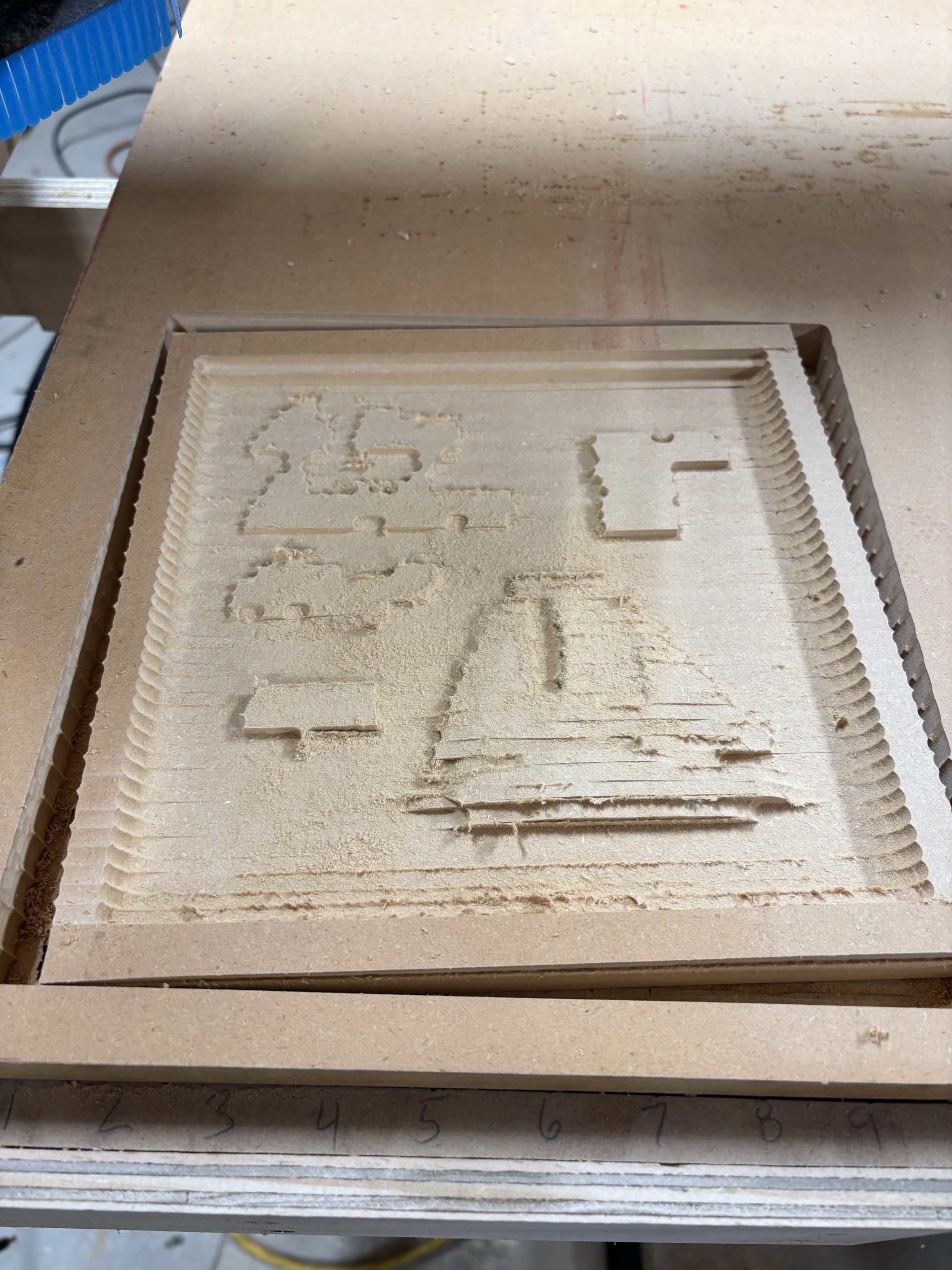
Lost this one on the finish pass because I didn’t put the tabs in - what you don’t know that you don’t know… right?
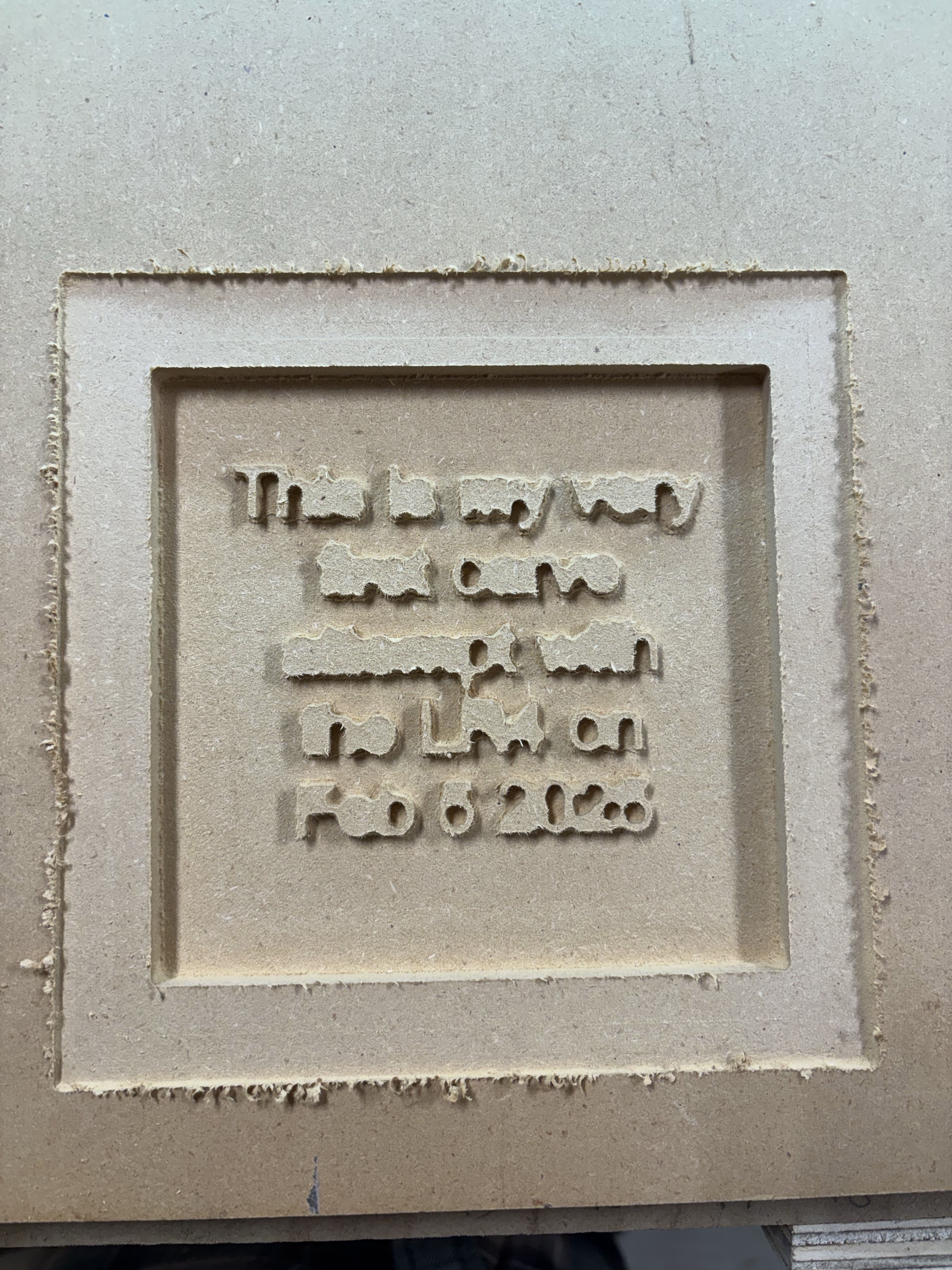
This was the first successful complete job. A bit small because it was getting late but it did exactly what was expected… will need to either make it bigger next time or use a smaller bit to carve such small letters. It was to say “This is my very first carve attempt with the LR4 on Feb 5 2025”
Although not perfect (but it was carved perfectly as programmed), it is still worthy of a coat of varnish and will be hung on the wall in my shop. 
13 Likes