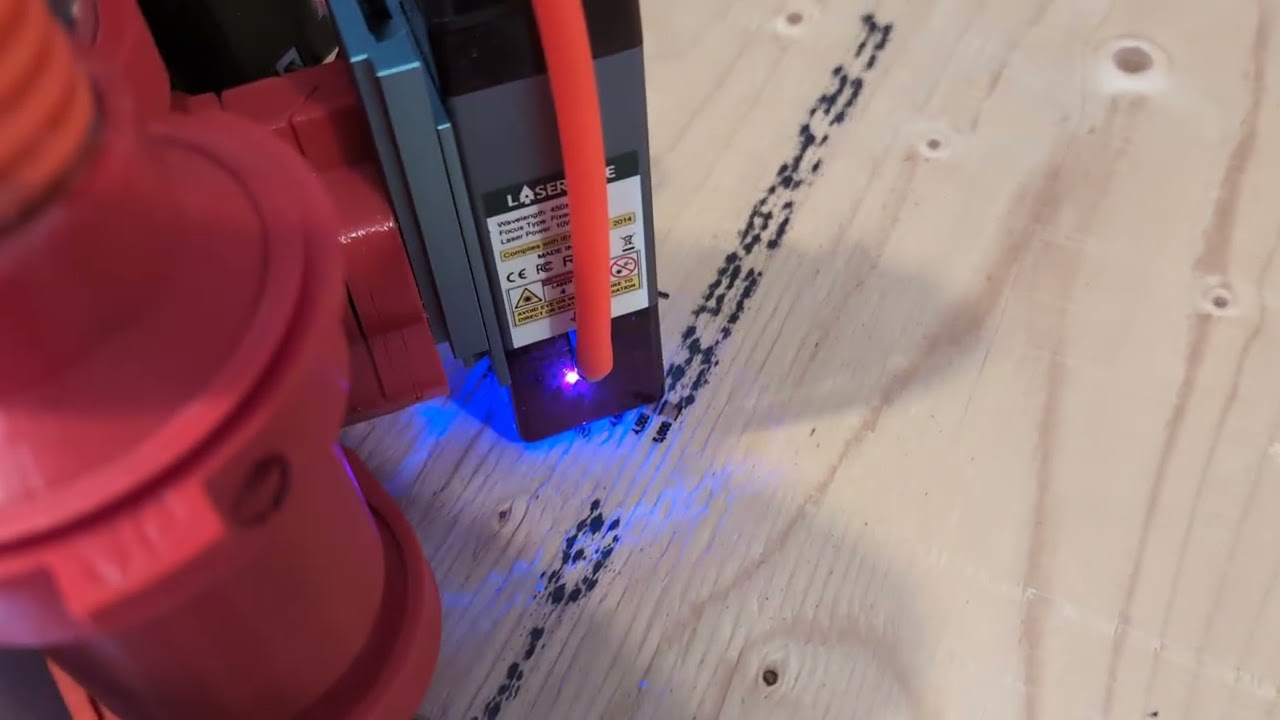
My issue is that controller (SKR Pro v1.2 Marlin) pauses the motion while it processes the M03 and M05 commands. I expected the machine to move through the full range of motion at a constant speed, with the laser turning on and off as it passed the edges.
Machine is a 10W Laser Tree laser module mounted to a Lowrider 3 with SKR Pro V1.2 controller (Marlin). The machine has a lot of mass to accelerate (doubles as a CNC Router), so I bumped up the Overscanning settings in Lightburn (LB) to 10%.
I’m doing a LB Material Test with Fill to test engraving settings on plywood. I’m using a matrix of 10-50% for Power, and 500-5000mm/min for speed.
After bumping up the Overscanning settings, I’m still getting burning on the edges of each line.
During a single line of motion, the machine will:
move to a distance away from the edge (overscan distance, varies with speed),
accelerate to full speed until it reaches the edge,
slow down or stop at the edge while it turns the laser on,
accelerate again and move to the far edge while the laser runs,
slow down/stop again at the far edge while it turns the laser off
accelerate and move to the overscan distance from the far edge.
Looking at the Marlin Docs, that behaviour may be normal in Standard Mode.
" In Standard Mode the M3/M4/M5 commands wait synchronize the planner (causing a momentary stop) before changing the power"
I’m not too familiar with Synchronous Mode in Marlin ( LASER_SYNCHRONOUS_M106_M107). Can I use the same Output Pin (PC9) that is currently defined for laser in my Marlin configuration, or do I need to configure one of the Fan outputs instead?
I know for GRBL controllers LightBurn defaults to not toggling M3/M5 each time the laser goes to 0. I believe there is an option somewhere to control that. Not sure if the same applies to its use of Marlin, but I can’t see them only having the results you’re currently getting.
I would poke around in the device config (under devices) as well as machine settings.
There is a speed limit, I can not find the details. I ran a bunch of tests, so many dots per second. If you go over the machine will hesitate. It is not a machine thing it is a board/processor thing.
Not quite sure why this would be the case. The difference between M03 and M04 is CW vs CCW spindle rotation. Laser on/power level is same for both.
It is happening at all speeds, even as slow as 500 mm/min (8.33 mm/s).
I did a bit of reading through the Marlin docs, and it seems that Inline Mode may be the answer. I set LB output to Inline (from M3/M5), and the laser no longer turns on, so I’m guessing that there are some changes that may need to be made in the Configuration.h and Configuration_adv.h files
Yes, thanks for pointing that out. I later found that in the Marlin Laser Configuration Guide (2.0.9) after I read your post.
What was confusing to me is how you would implement this in LB. It occurred to me that you might have to manually edit the Gcode and replace M03 with M04? Which led me to …
So it turns out that LB Inline mode doesn’t use any M03 I (or M04 I) commands in its gcode output. It puts an Xnnn Ynnn I Snnn string as part of any G0/G1/G2/G3 commands, but it never actually turns the laser on or sets it to Inline Mode.
I added an M03 I start code (and an M05 I end code), and now the laser turns on and off when it is supposed to (more or less - there’s still something odd going on where it seems to turn off briefly mid-pass).
Poorly written software for something they charge for (IMO).
I’ll play around a bit more, and substitute M04 I instead of M03 I in the start code, and see what happens.
I’m not sure at this point. It seems to do it at both higher and lower speeds, and more at higher power levels than at lower power levels. I need to do some more investigation to figure out why.
I was reading some threads in their forum related to Marlin Inline mode. The LB developer seems to think that Marlin is a pile of steaming turd, and based on his questions and comments, he really didn’t understand (and/or didn’t really want to understand) how Marlin Inline mode had been implemented.
I got the impression that writing code for Marlin users wasn’t worth his time. It makes me feel less than warm and fuzzy about shelling out cash to purchase his product.
Yeah, his bread and butter certainly seemed to be GRBL and Ruida controllers. I think it’s partly a reflection of feature implementation timing, and not circling back to it once things became supported. He defintely is, not uniquely, strongly opinionated.
You may have seen this thread. It sounds like you may have to enable fast whitespace and set the speed to 0 if you want to use M4 mode.