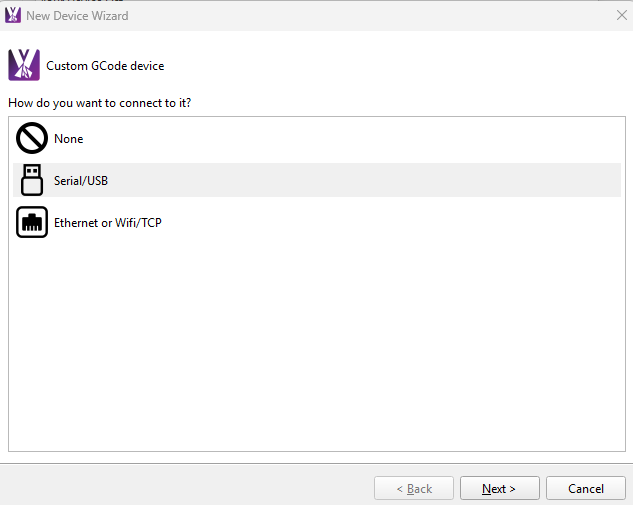
Low Rider with Jackpot connection issues using usb

I am having trouble connecting via USB from lightburn to the jackpot. it had worked via WIFI but lag spikes make it unreliable (not surprised from forum comments) so I dug up a couple of usb cables and started trying.

jumping ahead

I do have what amazon called a long high speed data cable coming just incase my cables were “charge only”.

The back story

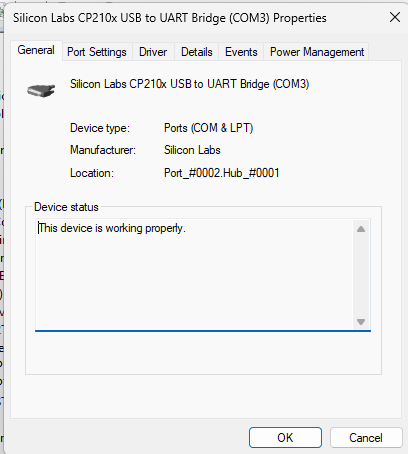
When I plugged in the jackpot I was first greeted with a missing windows driver to get it to recognize that there was something plugged in. before that lightburn did not see anything on the com port.

then I looked around and found a thread about startup sequences

power up an unplugged jackpot then connected to the pc. but no motion.

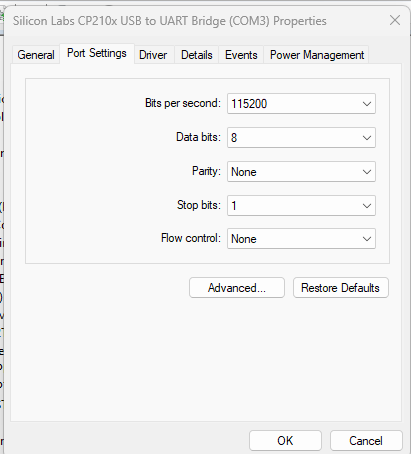
confirmed baud rate is 115200, no motion.

short of the cable being the issue, is there something i missed

Did you install these drivers?

yes, after I had installed those then the software was able to tell something was plugged in

1 Like

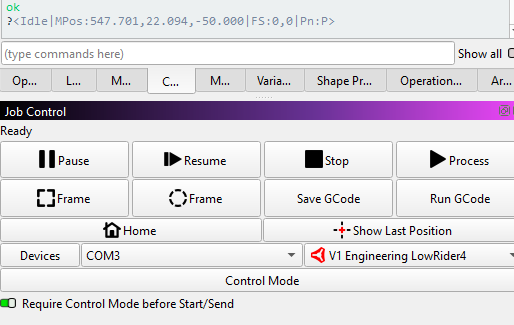
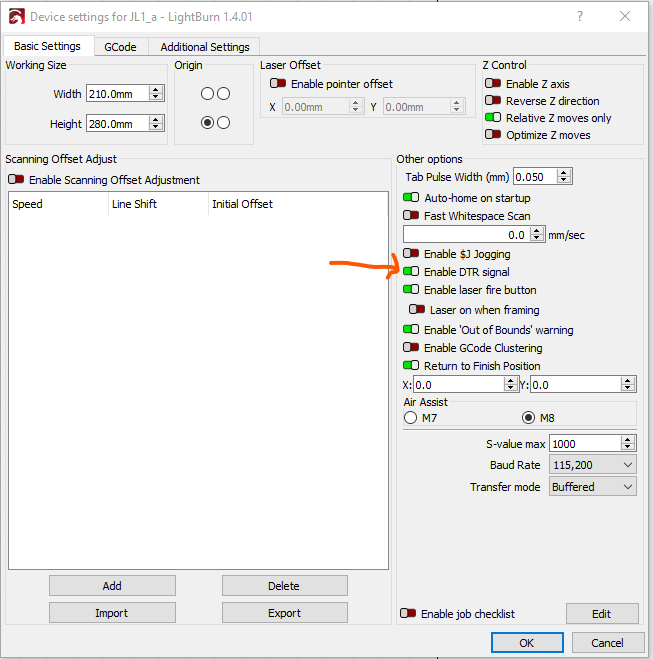
Did you set the DTR option in Lightburn?

If you have a really long USB cable you should be sure it is one that has a ferrite bead in it.

3 Likes

A quick check and no I did not have that checked, after the check the fire button works (a full test after the work day)

Thanks

3 Likes

You may want to tag the post from @MakerJim as the solution, once you’ve completed your testing. Doing so will maintain the high quality of these forums by helping others searching on this same problem.

1 Like

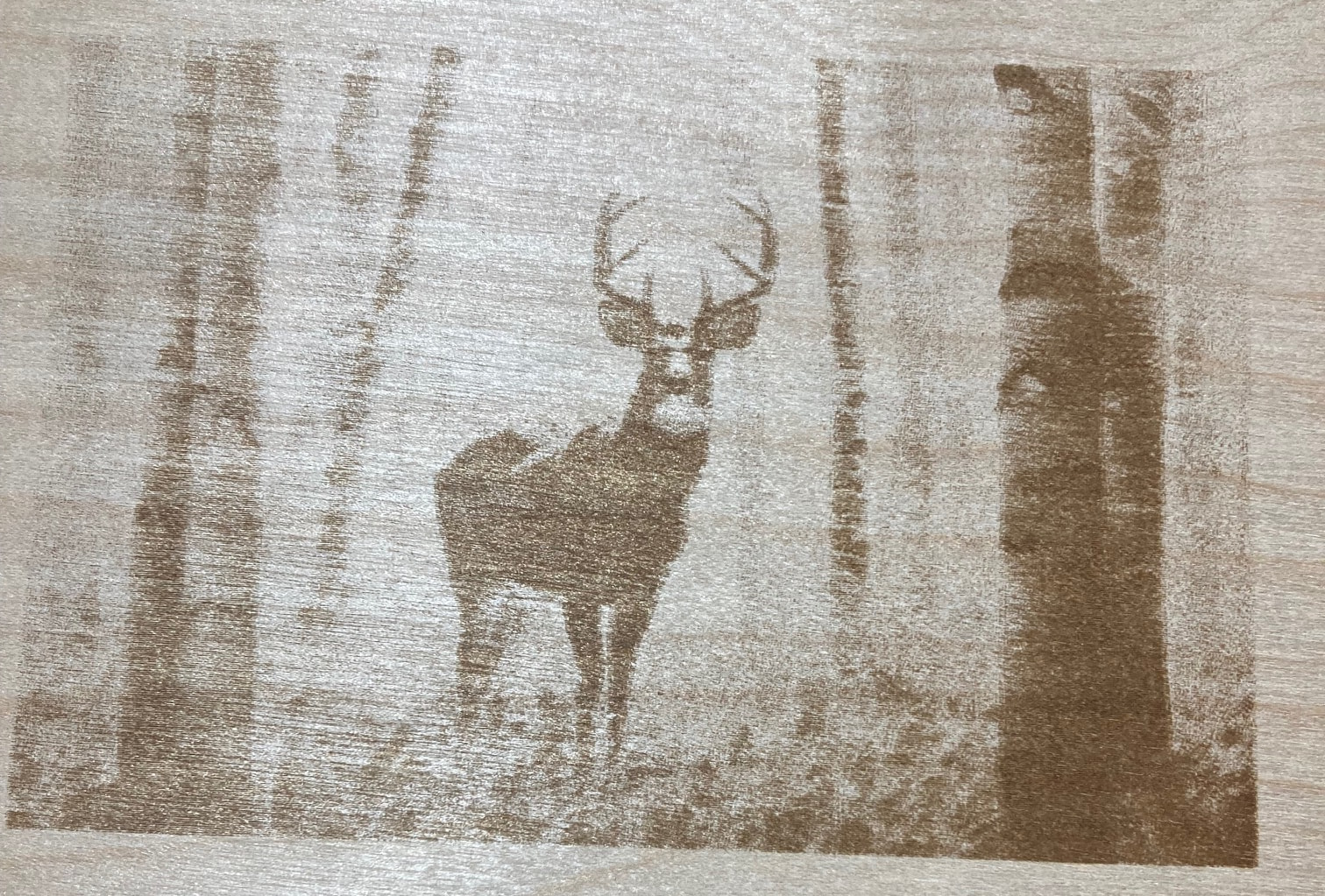
I think I have tagged it correctly. the first greyscale test ran nice no lag spikes with the usb connection.

not sure where to place this but this is probably the best greyscale testing video I have found

Making Progress, going to try an svg version next

3 Likes

Try running fom SD card

I use Lighburn for my Jackpot V1. I only use the Wi-Fi for 3 minute or shorter burns, anything longer upload to SD card and run from pendent. I have ran 8 hour burns successfully many times 15,000KB files. The amount of code is to much for laser engrave on a picture changing power every 0.1mm on a grayscale image it overloads the buffer. your asking the Wi-Fi to send a lot of code for a very short distance

The DTR flag was the fix so I am working VIA usb cable

1 Like

There is a recent driver update that a few staff members have found improved communication. If you loaded the driver before December it’s worth trying to download the newest one.

1 Like

@Joe_S where do we find the newest driver?

It was updated on 12/30/25

1 Like

@vicious1 - we use that driver on Jackpot, so the notice about its update is one we should be mindful of.

@joe_s - what symptoms were you seeing with the older driver?

I’ve been decommissioning my windows boxes so would not have run into this.

Frequent disconnects was the main issue.

Thanks @Joe_S. That’s where I looked. I use a Mac and didn’t see an update for it so I wanted to ask to make sure it was a Windows only update.

Oh shoot, lemme swap the Docs link.

thanks for the heads up/

I am hoping to share my experience to help others with this topic.

I really like using MillMage and hoped to one day take advantage of the control features when running jobs such as increase/decrease feed rates, framing, etc. I have some connection issues in both AP and STA modes when using both the WebUI for FluidNC and with MIllmage. I decided to give a USB connection a try.

I read several posts on the subject and cobbled together some cabling with hopes to get this running. I currently run a Windows computer about 5 feet from my full-sheet LR4. I wanted a long cord so using a Cat6 cord allowed for a longer run (I think). Here is my path from computer to Jackpot 3 on my LR4: (All the components were purchased from Amazon and, after several hours of attempts over several days, I decided to give it one more attempt before sending all the wiring back to Amazon.)

  1. Windows computer with up to date CP210x USB to UART Bridge Virtual COM Port (VCP) drivers
  2. USB A Port (COM 3)
  3. 1500V ADUM3160 Module for Digital Signal Audio Power Isolator USB to USB Audio Signal Isolator
  4. USB Over Cat6,SNLLMZI USB RJ45 Extender Over Cat5/Cat5e/Cat6/Cat7/Cat8 Cable Extension Cable Connector Adapter
  5. Cable Matters 10Gbps Snagless Shielded Cat 6A Ethernet Cable - 25ft, Cat 6A Cable, Cat6A Cord, Ethernet Cord, Black
  6. USB Over Cat6,SNLLMZI USB RJ45 Extender Over Cat5/Cat5e/Cat6/Cat7/Cat8 Cable Extension Cable Connector Adapter
  7. USB A to USB C 10Gbps (1ft, 2-Pack) USB 3.1 Gen 2 Short Data Transfer Type C Cord
  8. Jackpot 3 USB C Port

I am able to control the LR4 over wifi. Currently using WebUI over STA (although connection is sometimes challenging and I frequently get “Internal Server Error” messages. I rarely ever am able to connect through MillMage to the LR4 and if I did then the connection dropped frequently. I have no problem loading the g-code to the Jackpot and initiating the carve via the WebUI but I wanted to see if I could use some features provided by MillMage.

After review of prior posts I adopted the following boot-up sequence:

  1. Power to LR4 including Jackpot 3
  2. Power computer
  3. Plug in USB
  4. Open MillMage

I played with different bits per second settings because of info I found online but knew my 1500V ADUM3160 Module for Digital Signal Audio Power Isolator USB to USB Audio Signal Isolator could manage 115200. Today I checked and made sure both the driver setting and the setting in MIllMage were matching. I believe they were throughout my testing but they were not today so I reset the bps to 115200 in the driver to match MillMage.

MillMage response:

Here are the main issues I encountered:

  1. Needed to install CP210x USB to UART Bridge Virtual COM Port (VCP) drivers
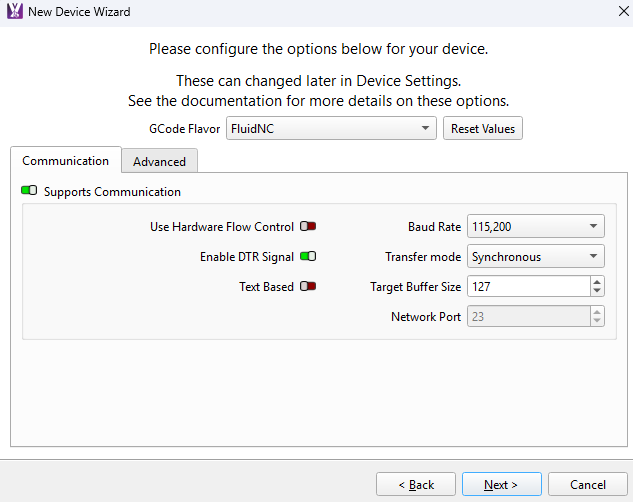
  2. Change machine settings in MillMage -
      1. I typically try to only change one setting at a time but changed three settings on this screen just before it started working for me (I was frustrated and abandoned the scientific method :joy:)

        1. Enable DTR Signal (thanks to another post on the topic addressing using Lightburn over USB)
        2. Switched off Text Based
        3. Changed transfer mode to Synchronous.

        I don’t know enough about these settings and software communication protocols to know if one or all of these contributed to today’s success. Perhaps someone who knows more can chime in.

  3. Just to be clear, MillMage indicated I was connected from the first attempts with this usb cord but I was not able to get it to move the machine.
    1. Waiting for connection…
      MSG:INFO: uart_channel0 created
      MSG:RST
      MSG:INFO: FluidNC v3.9.9 https://github.com/bdring/FluidNC
      MSG:INFO: Compiled with ESP32 SDK:v4.4.7-dirty
      MSG:INFO: Local filesystem type is littlefs
      MSG:INFO: Configuration file:config.yaml
      MSG:INFO: Machine LowRider
      MSG:INFO: Board Jackpot3 TMC2226
      MSG:INFO: UART1 Tx:gpio.16 Rx:gpio.4 RTS:NO_PIN Baud:115200
      MSG:INFO: I2SO BCK:gpio.22 WS:gpio.17 DATA:gpio.21Min Pulse:2us
      MSG:INFO: SPI SCK:gpio.18 MOSI:gpio.23 MISO:gpio.19
      MSG:INFO: SD Card cs_pin:gpio.5 detect:NO_PIN freq:20000000
      MSG:INFO: Stepping:I2S_STATIC Pulse:2us Dsbl Delay:0us Dir Delay:1us Idle Delay:255ms
      MSG:INFO: User Digital Output: 0 on Pin:gpio.26
      MSG:INFO: User Digital Output: 1 on Pin:gpio.27
      MSG:INFO: User Digital Output: 2 on Pin:gpio.0
      MSG:INFO: User Digital Output: 3 on Pin:gpio.2
      MSG:INFO: Axis count 3
      MSG:INFO: Axis X (3.000,1223.000)
      MSG:INFO: Motor0
      MSG:INFO: tmc_2209 UART1 Addr:0 CS:NO_PIN Step:I2SO.2 Dir:I2SO.1 Disable:I2SO.0 R:0.110
      MSG:INFO: Neg Limit gpio.25
      MSG:INFO: Axis Y (3.000,2443.000)
      MSG:INFO: Motor0
      MSG:INFO: tmc_2209 UART1 Addr:1 CS:NO_PIN Step:I2SO.5 Dir:I2SO.4 Disable:I2SO.7 R:0.110
      MSG:INFO: Neg Limit gpio.33
      MSG:INFO: Motor1
      MSG:INFO: tmc_2209 UART1 Addr:3 CS:I2SO.14 Step:I2SO.13 Dir:I2SO.12 Disable:I2SO.15 R:0.110
      MSG:INFO: Neg Limit gpio.35
      MSG:INFO: Axis Z (-147.000,3.000)
      MSG:INFO: Motor0
      MSG:INFO: tmc_2209 UART1 Addr:2 CS:NO_PIN Step:I2SO.10 Dir:I2SO.9 Disable:I2SO.8 R:0.110
      MSG:INFO: Pos Limit gpio.32
      MSG:INFO: Motor1
      MSG:INFO: tmc_2209 UART1 Addr:3 CS:I2SO.19 Step:I2SO.18 Dir:I2SO.17 Disable:I2SO.16 R:0.110
      MSG:INFO: Pos Limit gpio.34
      MSG:INFO: X Axis driver test passed
      MSG:INFO: Y Axis driver test passed
      MSG:INFO: Y2 Axis driver test passed
      MSG:INFO: Z Axis driver test passed
      MSG:INFO: Z2 Axis driver test passed
      MSG:INFO: Kinematic system: Cartesian
      MSG:INFO: Connecting to STA SSID:HomeWifi
      MSG:INFO: Connecting.
  4. I also was getting several alarm codes in MillMage. Most common was:
    1. Grbl 1.1h [‘$’ for help]
      MSG:Check Limits
      MSG:'$H'|'$X' to unlock
      MSG:Caution: Unlocked
      ok
      ?<Idle|MPos:0.000,0.000,0.000|FS:0,0|Pn:Y>
      1. In Grbl/FluidNC, Pn: stands for “Pins,” and the Y means the board thinks your Y-axis limit switch is actively pressed or triggered. I rebuilt my wiring harness for the endstops and never was able to get rid of this.
        1. I believe it was power coming over the USB that was making the Jackpot think the endstop was pressed or triggered. Based on what I read, the boot-up sequence probably was what helped fix this problem. I tried to address the problem with the 1500V ADUM3160 Module for Digital Signal Audio Power Isolator USB to USB Audio Signal Isolator. Apparently a typically USB cable carries data and power. The power is not necessary in this application and it was making the Jackpot (or ESP?) get a false signal(s). This isolator eliminates the power (?). Others suggested cutting that wire in the USB cord. I also read a suggestion to use PortaPow USB Power Blocker - Stops Charging, Allows Data. I guess the isolator does the same thing as this device in this application.

The most important changes I made today that seemed to result in success:

  1. Confirming that the USB to UART settings matched the settings in MillMage
  2. In MillMage
    1. Enable DTR Signal
    2. Possibly - Unselect Text Based
    3. Possibly - Select Synchronized as Transfer Mode
  3. Boot-up Sequence - I think this might have been the key.

As previously stated, I don’t know much (anything) about communication protocols, etc. so, if there are settings you see that would improve upon those I stumbled upon, please share them. Thanks.

1 Like

This is what I use all the time with MillMage. I’ve never had any problems with it.

https://a.co/d/064hON6U

There’s a decent chance the DTR helped. DTR (data terminal ready) tells a connected device that you are wanting to talk to it. Some boards, specifically Arduinos, use a toggle of this signal to reboot them and put them into programming mode, which kind of sucks because every other device uses it to mean “hey, I’m here! Let’s talk!”

Synchronous mode means “send a command, wait for OK, repeat”, instead of “send however many lines we know will fit into the receive buffer of the target controller, wait for OK(s), repeat”.