Long term build coming to the end

Hi all.

I’ve been working on a build over the last 18 months. Which is a long time to learn and forget stuff. Ya’ll have been a huge help to a guy who doesn’t spend a lot of time with micro controllers and the like.

Previous thread:

I’m curious and learning, how do I load the software onto the control board?

I have finally got the table built for my build, and have installed the ZENXYv2 mechanism, and was working last night to get some patterns installed through the FluidNC interface, when I hit the wrong button at the wrong time and deleted a file that is probably more important than I realized.

The file I deleted is

index.html.gz

And now Fluid NC won’t do anything. So I thought I better ask for help before I made one mistake into a dozen; hoping someone can walk me through it, especially since I’m so close to finishing such a long term project.

I think I might need to reinstall the operating system on the board, and then upload the configuration files again?

And for clarification, do people generally load their ‘patterns’ from Sandify onto the microSD card and just run them from there?

Download and save the config.yaml is the most important that tells Fluidnc how your board works with your machine. Then just go to the Fluidnc web and install: https://installer.fluidnc.com/

Then reload your .yaml file. I believe the file you deleted is for the web interface

Yes, they do. Reach out to @jeffeb3 - he configures things so the patterns auto play on power up. I don’t know how he does that :slight_smile:

That’s the Web UI. You could put it back but it’s a pain, or you could…

Use the web installer, as Ron notes.

I’d probably use FluidNC 3.9.9 (my current “normal” build preference) or 4.0.4 (the latest development versions have changed a BUNCH of things and I advise folks to wait a bit more before going to the very latest).

As noted, put your config.yaml back. You may find it hard to download it with the Web UI broken. Do you have a good backup of your config.yaml?

I am almost positive that the config.yaml is in the other thread where ya’ll were helping me, so I’ll double check there before I proceed, and if needed, ask ya’ll if there is a way around the broken UI to download the file.

I was able to get FluidNC 3.9.9 reinstalled. Was able to download the config.yml, uploaded that to the board.

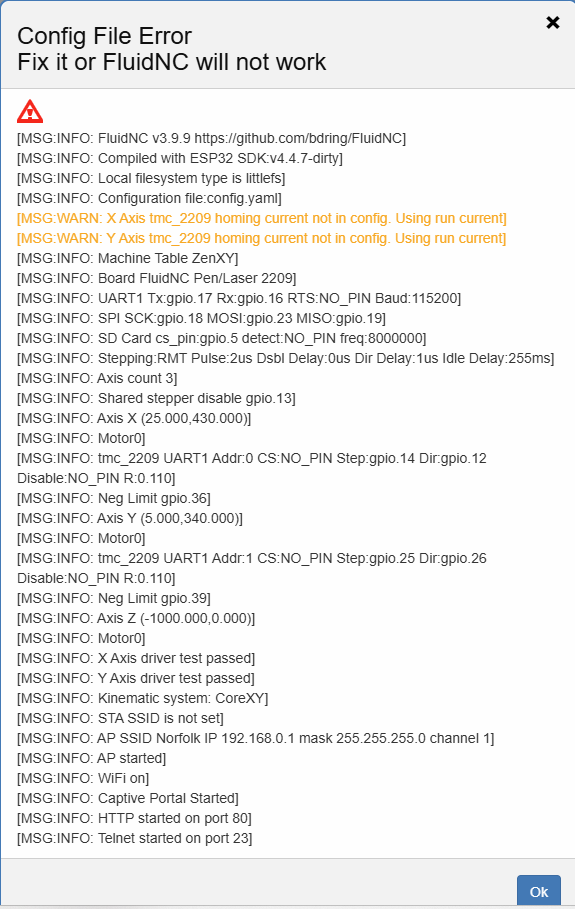
I am getting an error upon logging into FluidNC:

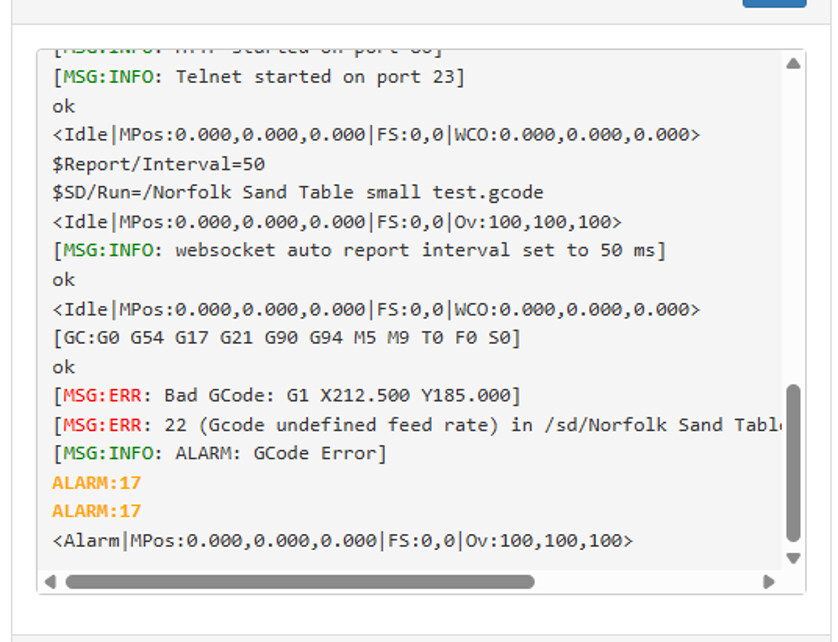
I dropped a small test pattern gcode onto an SD card and tried to run it from FluidNC. Did not quite get success, got another error code:

…but I feel like I’m real close!

Let’s look at your config.yaml file. Paste it here using the preformatted text option.

That option looks like this on the forum editor toolbar: </>

name: "Table ZenXY"
board: "FluidNC Pen/Laser 2209"

stepping:
engine: RMT
idle_ms: 255
dir_delay_us: 1
pulse_us: 2
disable_delay_us: 0

uart1:
txd_pin: gpio.17
rxd_pin: gpio.16
rts_pin: NO_PIN
cts_pin: NO_PIN
baud: 115200
mode: 8N1

kinematics:
corexy:

start:
must_home: false

axes:
shared_stepper_disable_pin: gpio.13:high

x:
steps_per_mm: 100
max_rate_mm_per_min: 8000
acceleration_mm_per_sec2: 300
max_travel_mm: 405
soft_limits: false
homing:
cycle: 2
positive_direction: false
mpos_mm: 25.00
feed_mm_per_min: 500.000
seek_mm_per_min: 1000.000
settle_ms: 500
seek_scaler: 1.100
feed_scaler: 1.100

motor0:
  limit_neg_pin: gpio.36
  #Diag pin is gpio.34
  tmc_2209:
    uart_num: 1
    addr: 0
    r_sense_ohms: 0.110
    run_amps: 0.333
    hold_amps: 0.333
    microsteps: 16
    stallguard: 0
    stallguard_debug: false
    toff_disable: 0
    toff_stealthchop: 5
    toff_coolstep: 3
    run_mode: CoolStep
    homing_mode: CoolStep
    use_enable: false
    direction_pin: gpio.12
    step_pin: gpio.14
    disable_pin: NO_PIN

y:
steps_per_mm: 100
max_rate_mm_per_min: 8000
acceleration_mm_per_sec2: 300
max_travel_mm: 335
soft_limits: false
homing:
allow_single_axis: true
cycle: 1
positive_direction: false
mpos_mm: 5.0
feed_mm_per_min: 500.000
seek_mm_per_min: 1000.000
settle_ms: 500
seek_scaler: 1.100
feed_scaler: 1.100

motor0:
  limit_neg_pin: gpio.39
  #diag pin is gpio.35
  tmc_2209:
    uart_num: 1
    addr: 1
    r_sense_ohms: 0.110
    run_amps: 0.333
    hold_amps: 0.333
    microsteps: 16
    stallguard: 0
    stallguard_debug: false
    toff_disable: 0
    toff_stealthchop: 5
    toff_coolstep: 3
    run_mode: StealthChop
    homing_mode: StealthChop
    use_enable: false
    direction_pin: gpio.26
    step_pin: gpio.25
    disable_pin: NO_PIN

spi:
miso_pin: gpio.19
mosi_pin: gpio.23
sck_pin: gpio.18

sdcard:
cs_pin: gpio.5
card_detect_pin: NO_PIN

coolant:
flood_pin: NO_PIN
mist_pin:  NO_PIN

probe:
pin: NO_PIN

Just checking; is what I did not what was expected?

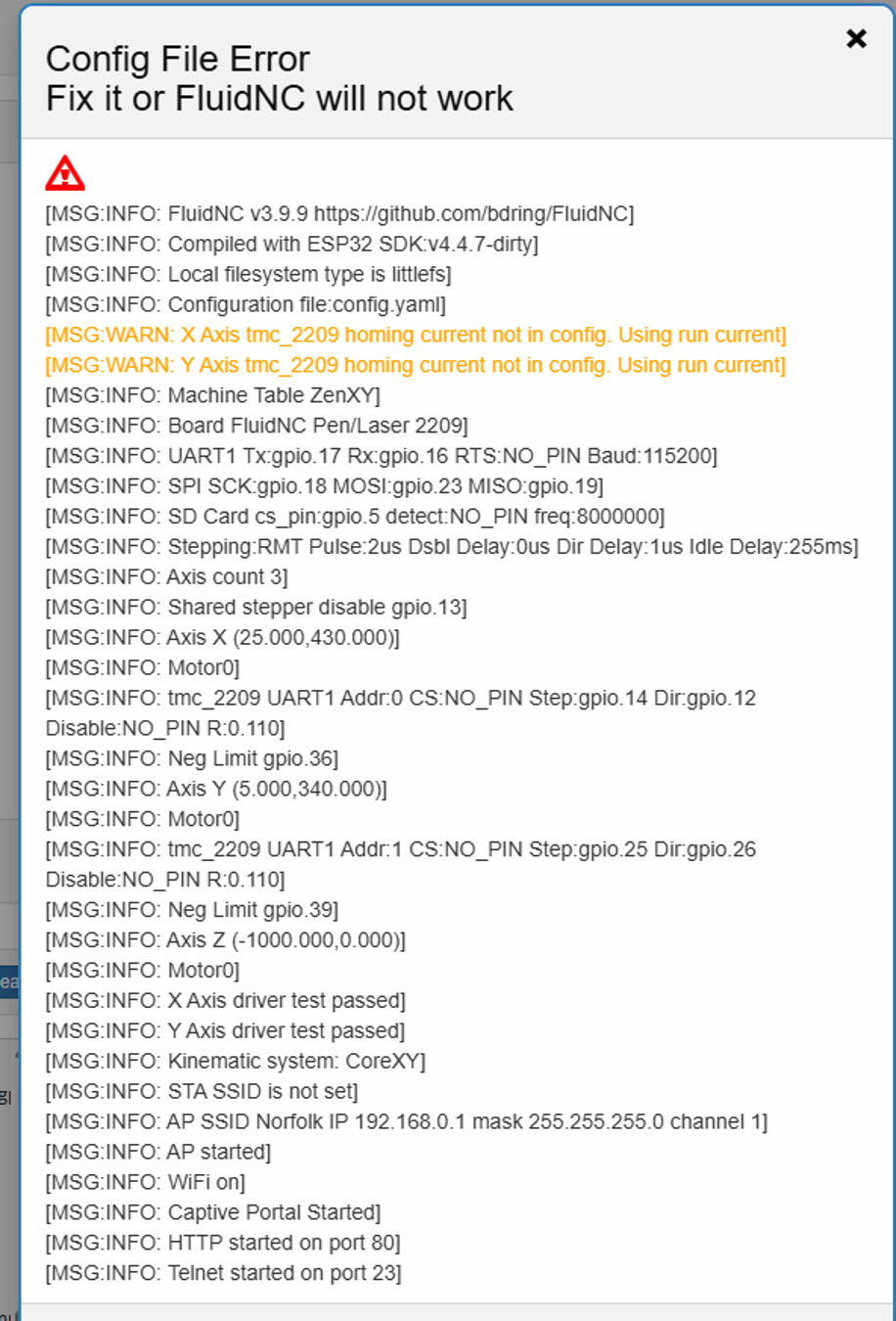
More information. I have been moving the table into its permanent home, and today I logged into the board and got this error message when I logged in: