Screws are solid, Strangely slipping is definitively what’s happening. I’ve slowed the machine down for the curved passes and now it seems to run ok, just a lot slower.
I’m Curious @vicious1 why was this machine not built to run on 2 rails?
Also, the X axis is a bit weak, could I increase the motor size? I saw you all talking about increasing the motor current which would probably make more sense, but that would need to be done in software on my SKR board since I’m guessing the controllers are using UART so the current screws do nothing.
Adding a 2nd rail on the opposite Y axis makes building a properly moving (fully square) machine much more difficult because slight imperfactions in the tube, builder technique, tolerance stack ups, etc. all work together to overconstrain the machine. The result would be a poorly performing machine compared to the present design.
The belts and stepper motor/pulley are what do all the work anyway, so there isn’t a benefit to the LowRider machine from a 2nd Y rail. Once you exceed the capabilities of the belt and motors you’ve also exceeded the capabilities of the rails and bearings and the machine would no longer be a LowRider at all.
I believe TMC2209 current settings can be queried / set with M906 in Marlin firmware, and there’s a bunch of other stepper current diag stuff in the M900 family of commands.
I recommend testing with this before trying to swap motors.
What makes you say that? What bit are you using, what spindle, material, what feeds and speeds?
If you are just going on hand feel…that doesn’t really count.
Remember this is all a balance. We can put a 5hp lawnmower engine on each axis but then something else is the weak link. This machine can mill aluminum easily, and steel with some practice. Much more power and you run the risk of pulling the machine apart.
Bigger isn’t better here. The speed its moving has more to play than size. It’s a torque curve. There is a long thread somewhere on here that purple with more brains than me discussed just that. The short version is that curve isn’t linear and it’s not as easy as just picking the bigger number. Cost is a huge factor in the design by from what i was trading you basically need to spend the same amount as all 5 of these to get each of the ones that person settled on a being the no price limit best for his machine. Key wired there is HIS MACHINE. It was not a standard build. So even if you found that thread you wouldn’t want to copy his motors anyway.
Like @vicious1 said, these machines are very much a balance and really do perform above their weight class.
@MakerJim That makes a lot of sense regarding the alignment.
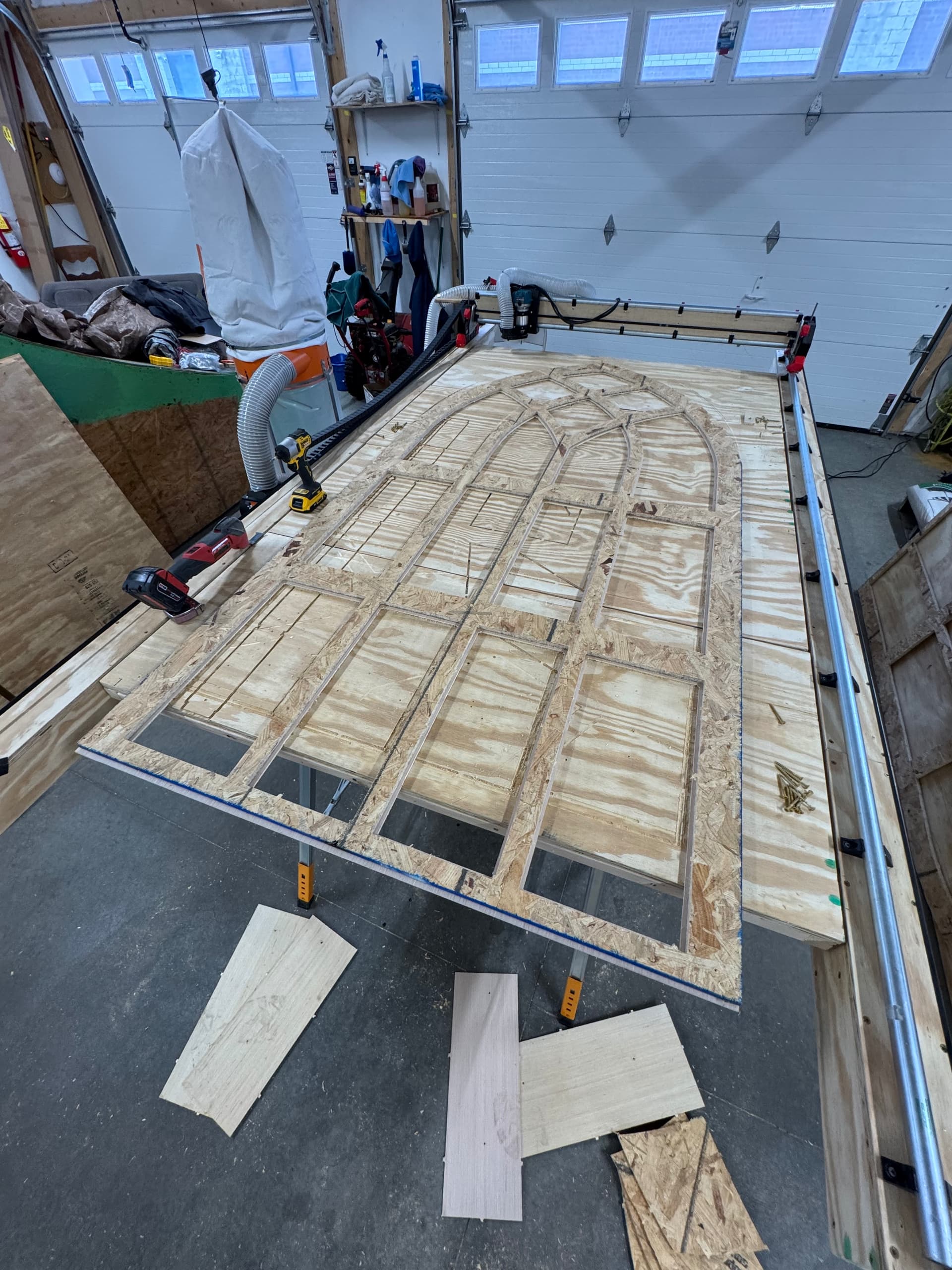
@vicious1 I’m cutting 1/2" OSB straight lines at “1000 mm/min”, 5mm per pass with the Router on 2-3 so (~12,000 - 15,000 RPM). Then I’ve got an arch I’m cutting out of the same sheet at “700 mm/min” and 4mm per pass. I was cutting faster before and the results are in that video I shared above (the other day), the router went rogue. So I’m thinking the X axis motor was either not strong enough at that speed and it skipped steps, or the motor needed more power. But I’m cutting slower now and it’s working much better. Regarding the larger X axis motor, I was thinking if it worked more like SkyCam at the NFL, where the motors are on the ground and pull the camera around. Probably isn’t necessary though, This Machine is super well built. BTW.
@jeyeager Threadlocker sounds like a smart idea, I’m guessing those will vibrate themselves apart over time. Not like they need to come apart anytime soon.
That should be fairly light work. What endmill are you using? How new is it?
OSB, MDF, Particle board tend to have trash in them. I have ruined at least 3 endmill son pebbles in my particle board.
I can assure you that is not normal, that would be a light duty cut (exactly how I would run production) for an appropriate endmill.
You need to use a single flute for wood and most plastics in our RPM range.
Compression bit require you to even slower, not worth it.
What happens with a two flute is to be able to get the chips out fast enough is you need to move fast and shallow, with the lowest RPM. A single flute lets you cut much deeper, with the setting the same.
Fast and shallow for a multiple flute endmill, not a great combo for wood. The machines are just built for single flutes unless you get a very low RPM spindle (in wood and plastic).
I just got the 1 Flute Bit, It does cut really well. But I’m still observing what seems to be skipping causing cuts to fail after becoming mis aligned. I slowed it back down to 4.5mm per cut, 900 feed rate. I can probably go slow and make it work still. BUT I’m seeing mis-alignment issues over multiple attempts to start the file. I think this might be some of the root issue with those skipping issues that I’m having.
I’m squaring the LowRider V4 to the end of the table, then manually aligning the endmill to the edge of the 4x8ft sheet of plywood, probably getting it +/- 1mm. But when the machine starts and the head moves over I’m seeing the cut 1/4" off from where it had just been cutting. The previous pass could not have been off by that much, The belts are tight, end mill is brand new. Both Y axis are aligned when it starts from 0.
I’ve got 40-4x8ft sheets to cut in the next 2 weeks and I’m becoming stressed. I’ve appreciated your helpful information so far.
Check the grub screws, belt tension, tension of the core on the rails, whether the connection between beam and side plates is good. That’s all that comes to mind at the moment.
If you’re cutting 40 full sheets of the same thing, that would be way faster to cut one with the CNC and then use that as a template with a normal router.
Yes the Wires are taped on each axis. Doubtful anything is coming loose, I also zip tied the Wires at the SKR Board (with slack) so nothing should come loose.
I just completed checking the set screws and hardware, everything seems tight. With the motor engaged, it probably takes about 20LB of pushing force to get the X axis to slip. Definitively feels like it takes a little bit more force to get the Y axis to slip when the motor is engaged. Maybe 35LB.
I just watched the X Axis Stepper Motor Skip, like: not enough current getting to the motor skipping. Not the belt slipping, the end mill was going in a straight line towards X- and the X stepper started skipping. The X Carriage stopped moving (Skipped for the time it should have used to move 5 inches) then turned 90 degrees towards the Y- axis before I unplugged the machine. The 90 degree turn it took, it was supposed to go another 5 inches then turn left. The Stepper was NOT slipping on the grub screws.
I messed around with tightening the X Axis Carriage bolts, but that did nothing except maybe make it even harder for the Stepper Motor to move the carriage on the X Axis.
Could I have gotten a Bad SKR Board? I’ve observed this a few times now, but I just ran a cut, I started the end mill at the corner of my 4x8ft board where I programmed 0 to be on all 3 axis to be. It went over to start the cut and its first pass is 1/2" above the surface. Now I realize this was my 13 attempt to start a cut with newly exported GCODE just today, so I could be going crazy. That part is weird, but the issue is this. I hit stop on the screen, but the machine kept moving. Sometimes when I hit stop from the screen, the machine stops immediately, but the other half of the times it does this and just keeps going until I unplug the machine sending the end mill through my board RIP. While the machine was supposedly stopped, I was even able to restart the cut.
I’ve not re-uploaded firmware on this SKR. The wiring is all taped and zip tied, there is a fan blowing continuously in the 3D SKR board case. I’m wondering if this is the cause of some of my problems. I increased the current on the X axis this morning from 900 to 1000. The rest are still set at 900, like I shared before.
@vicious1 Update: I just ordered a JackPot Controller, Order #26882 because I’m out of ideas except that I have a controller issue. The Limit Switches might even start working with the new board. Any chance you can overnight ship it to me. Or get it in the mail tomorrow. I appreciate what you do for this community you are building. I’m not trying to be a problem lol!


 You just need to move even faster!!!