I am using an SKR Pro board, Repetier Host, and Estlcam.
I have my MPCNC fully assembled, and I am able to run the crown test gcode normally. However, when I try to slice my own gcode and run it, I get an odd problem. The job starts normally and the CNC moves to the start position, then it just stops there. No error messages, nothing.
The gcode I generate is significantly different from the crown test gcode, so I suspect the problem is with my Estlcam configuration. I’ve gone through the setup guide multiple times and can’t find any differences, however.
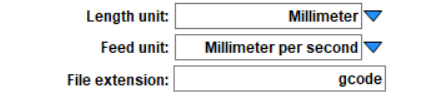
Estlcam can set different units for gcode and in the UI. I like setting the UI to mm/s and the file has to be mm/min. It will do the conversion for you. You either have the UI set to mm/min and you entered 15 or you have the file spitting out mm/s.
That fixed the issue I was having, although now I’m dealing with a new issue.
Whenever a job is finished, the machine doesn’t stop properly. Instead, it powers towards one of the corners (maximum Y, minimum X) and slams into the Y-axis if I don’t react quickly enough to cut the power. Note that it does NOT return to the origin.
I thought this was a gcode issue, but I don’t see any commands at the end of the gcode file that would cause this.
How are you running the gcode? Some programs have gcode scripts they run at the end of sending a gcode file. They also often have ones for cancel or pause.