It sounds like you are not actually connecting all the way. You need to tell the device to “connect to this network as is”, and/or go to 192.168.0.1. Shown here, Jackpot3 CNC Controller - V1 Engineering Documentation
If you do not connect all the way the device goes back to the last source that had an internet connection. The jackpot does not have an internet connection so it kinda panics unless you tell it otherwise.
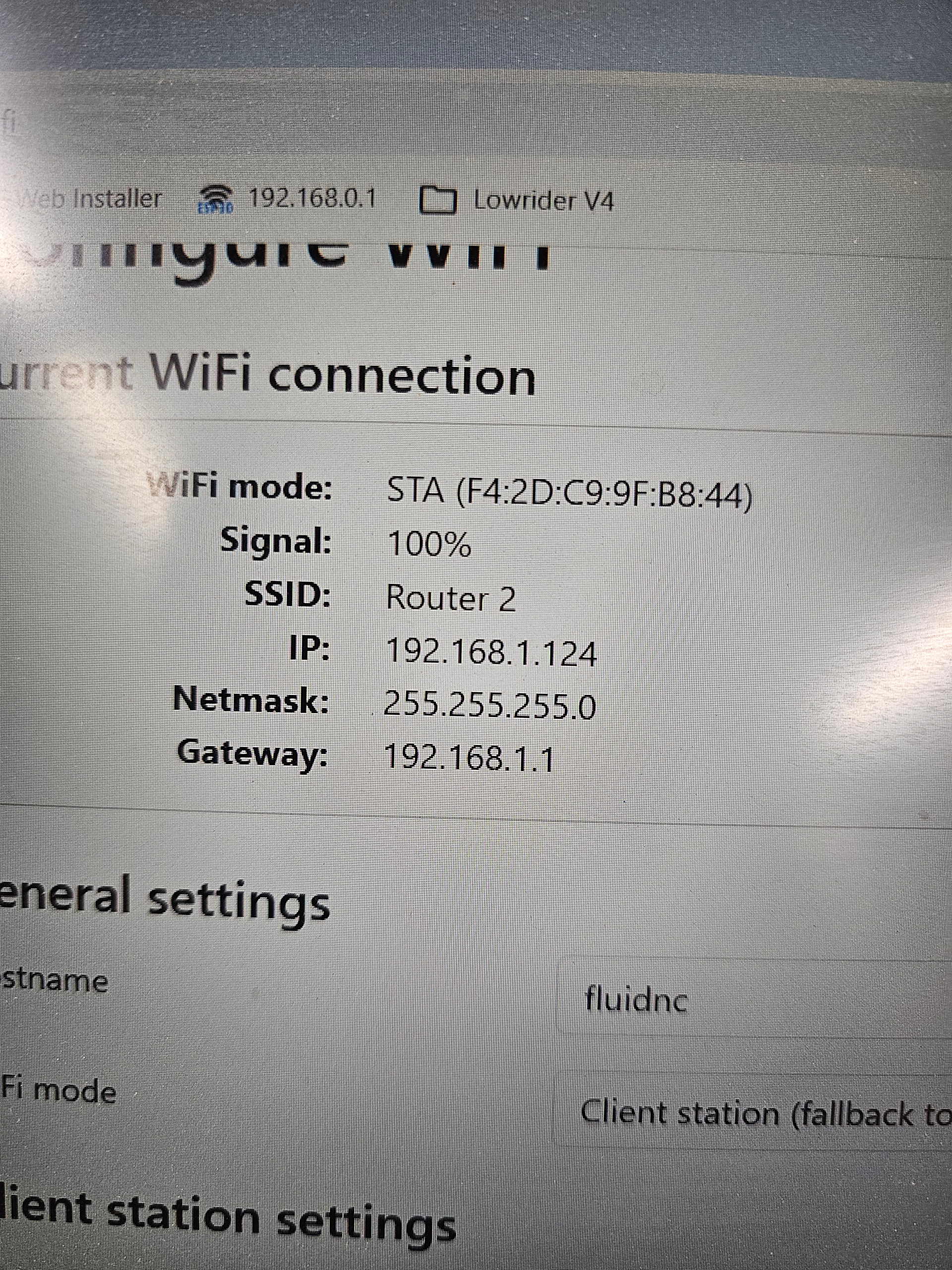
I have no idea how this could be the issue. I have changed to AP Mode, same issue with dropping connectivity. I have a very strong wifi signal in my shop. The router is 15 feet away with a clear shot to both the CnCs. I have them setup with a static IP, one is 192.168.1.120 the other is 192.168.1.124. When I do a clean install of Fluidnc I setup the connection at that time. I am including a picture of the connection as reported by Fluidnc Web Installer page.
For history sake I have been using this setup for over a year with no issues at all. I have been using MillMage for 4 months with the Jackpot 1 streaming everything with no issues. I did make sure the setups are exactly the same other than the IP address of course.
My tone is wrong, frustration rising to the surface, for this I apologize.
What I need to ask is what else is there for me to test or try.
I have reloaded Fluidnc multiple times, including downloading a fresh set of files from Gethub for the Jackpot 3.
Checked wiring, checked network strength, had Jackpot 1 connected and running alongside just to insure the network is solid, it is.
switched to AP mode, the dropping of connection behavior did not change, it did seem to have a quicker response time to inputs before it dropped out, found that to be interesting.
switched back to STA mode as this is my how I have always used my Jackpot 1 machine and want them both to operate the same.
Again I want to apologize for the tone I have set, one of the pleasures of being a part of the V1E community is this forum because it is always so positive!
Wondering if there’s a way to check “up time” and narrow down whether controller restart is happening when network connection is lost. Then, figure out if restarts are happening due to software faults, or stray metal (sharp eye @Joe_H) on the board, or loose power wiring.
In the past, I was chasing down “network issues” that turned out to be a loose power adapter cord going into the power adapter brick. That connection on my adapter brick felt loose (from use/abuse and insufficient strain relief in the past). I fixed by kinking the cable slightly, and then used some zip-ties through holes drilled into bottom strut to provide strain relief. That, and securing the adapter brick from moving, has helped prevent power cord from being jostled/yanked. Power has been solid ever since. i.e. less unexpected “network” drops for me.
Sorry if checking power cable, and checking if controller is power cycling was covered earlier in the topic already.
On another non V1E machine, I make the Steppers “sing” different audible frequency notes for a few seconds on boot up. Intent being to help me audibly detect unexpected resets/power-cycle.
What a set of eyes! The black line on the board was actually a strand from a wire sleeve that I trimmed off.
I went out and fired it up, then wiggled and pulled on all the power connections but it just stayed connected. After about a minute of this I stopped and was just looking at it and it dropped out.
I will package the board up and get it on its way back to California.
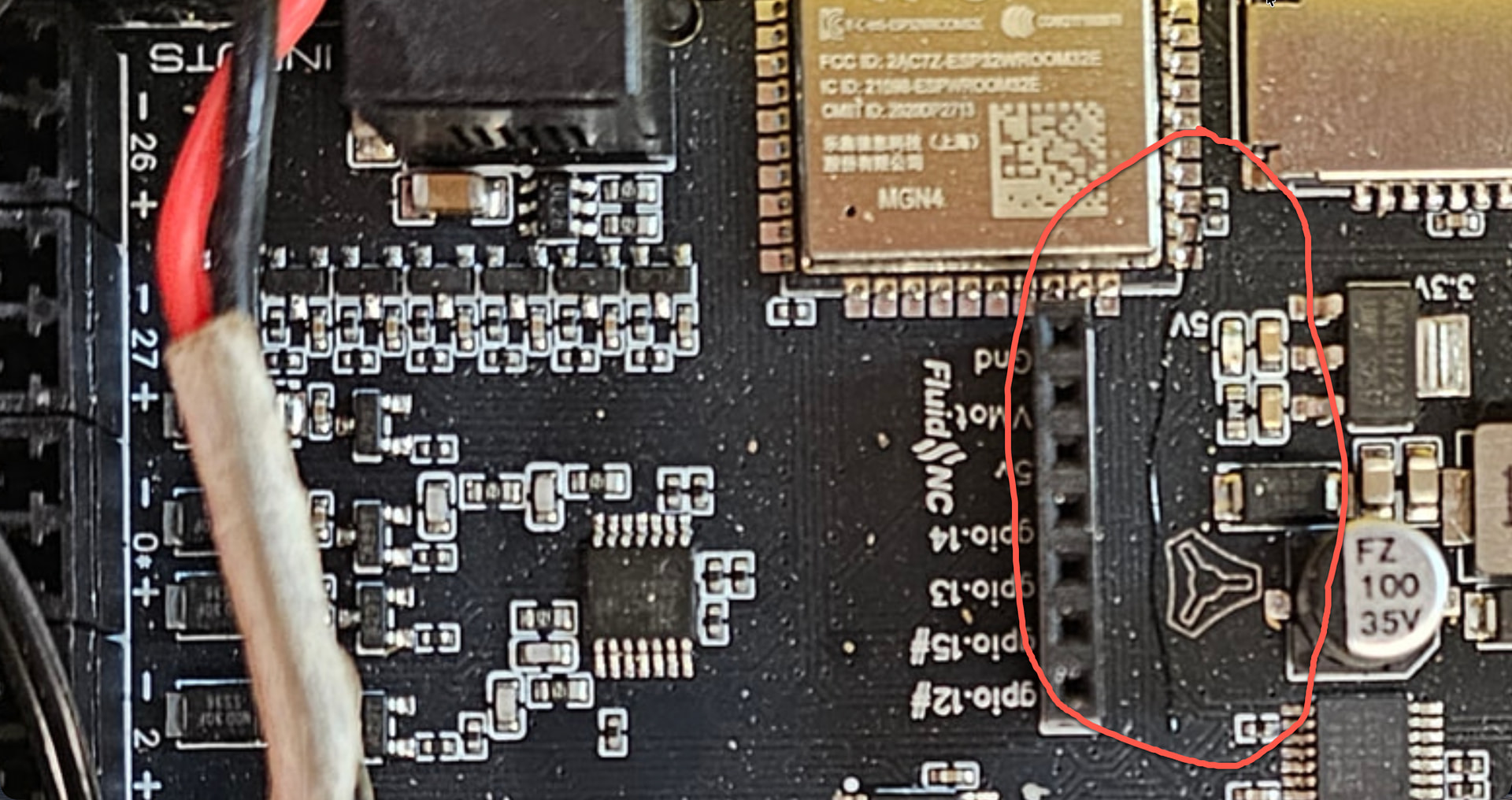
 ) on the board, or loose power wiring.