Well - objectively, Teams work better on a windows machine. I’m not saying that the tool Teams is good in itself!  I’ve had the camera suddenly not working, because driver changes in Linux. That’s quite unfortunate, if you’re meeting with a possible client. Speaking from under the tin-foil-hat, I’m sure that Microsoft doesn’t mind that Windows has better Teams integration than Linux. (even though Microsoft is a huge player in the Linux field as mentioned)
1 Like
Welcome to the dark side  !
!
I have been using Linux as a desktop since 2007 or so. I stopped using windows entirely not long after that. My wife only uses windows, so I have been able to bail myself out when some manufacturer only provides tools in windows. I specifically remember updating the nav maps on my 2015 subaru with her computer.
What really blows me away is the work steam has done on proton (wine). The fact that I can run Cyberpunk on my linux laptop with zero configuration and the developers never thought about porting it to linix once amazes me.
I do have a $100 laptop from microcenter I use for estlcam in windows. I haven’t tried hard to make it work again in wine.
Every system has trade offs. You’re just used to working around the problems in windows and you’re not as well versed in working around problems in Linux.
As a developer that develops programs on and for Linux, WSL is garbage. I honestly think it was designed to keep people from going to Linux. You get a taste from windows and it is difficult, slow, and limited. You can also say, “Windows has Linux” and try to convince me that I should use Windows for Linux development. But in reality, a build that takes seconds in Linux literally takes 30mins in WSL.
I am happy it exists because things like running a one off python program is so much easier in WSL than bash. Same with git. It gets people a doorway into a new world. I just have a very skeptical view of microsoft and I don’t think they did that with altruism.
This is basically what flatpacks and snap programs are. I am running a version of Linux called Bluefin and it basically only runs programs that are containerized. It updates them frequently and their dependencies don’t clobber each other because everything is in a container. It is awesome for 95% of the stuff. But the last 5% gets very hairy. It will be a great distro for beginners in a few years.
Linux is the most popular operating system worldwide. Mostly because of android phones and servers. It still hasn’t gotten very far into desktops. My current laptop is a system76. But it was a premium price vs an equivalent dell that comes with windows. I could have installed Pop OS on the dell and been just as happy, but I paid a premium to get system76 support and to support their mission. Most people aren’t gonna do that. Chromebooks are a great place where it does take hold. My kids both have chromebooks from school. I wish they made more high end ones and loosened the security a bit.
4 Likes
I think it was driven much more by cloud and other multi-platform development stuff.
They needed a way for the .NET ecosystem to remain relevant with cloud, and WSL enables Docker for Windows to work with Linux based containers.
They invested a lot in enabling cross-platform development and allowing companies that have large code bases tied only to Windows to have options moving forward.
So it was less about trying to convince Linux developers to use Windows, and more about allowing Windows developers options to test their multi-platform code in an efficient manner.
Linux vs Windows cloud costs are massively different. WSL and Docker for Windows supporting Linux containers made it possible for my company in a very short time frame to be able to convert our application that was Windows only to be able to run in a Linux container.
Without WSL, this would have been a massive pain.
So from a Windows developer, WSL has been great.
But I would never attempt to use it as “Windows has Linux” or for pure Linux development.
I have used it for testing some commands, OpenSSL stuff, etc… and that has also been convenient
3 Likes
Hi,
Very very unlikely.
Besides having to learn a new programming language and its environment:
The thing with Windows is that it provides a very consistent and backwards compatible environment as long as you stick to Microsoft standard tools and don’t make yourself dependent on 3rd party components. The Estlcam 11 binary for example runs on anything from Windows XP SP2 up to Windows 11 without any OS specific changes. The Estlcam 12 binary still on any Windows 10 and 11 computer. So 1 single binary gets you let’s say 95% of your target audience.
For a “one man show” closed source niche application this is vital - you simply don’t have the time to care about OS fork specifics and want to focus on the main application.
But the Windows desktop PC seems to die with my generation and a lot of “the new generation” only uses tables and smartphones. If Estlcam were ever to change its platform putting its core on a server and making the UI browser based would seem the most reasonable approach.
Christian
9 Likes
This would probably be not as hard as one might think with Blazor letting you re-use the majority of your .NET code.
You wouldn’t necessarily even need to split it up and host the back-end anywhere, but could still have it run in-browser
6 Likes
I knew if I mentioned linux I would get some good details! 
7 Likes
Yeah, you are right there I guess, but for work etc. PCs still get used quite a lot. I have AutoCAD and Shapr3D for tablet and it’s just not great to work with those on those tiny screens without mouse and keyboard.
I plan on getting my children Raspberries with Linux as computers, because they are cheap and can do everything they need… 
2 Likes
You Pot Stirrer! 
2 Likes
This is what I thought until I realized the miniPC’s in the $120-$150 range were about as cheap as the RPi5 plus all its required/desired accessories… SD, power adapter, case, cooling fan, etc. The miniPC can be had with far more ram and storage and runs most programs smoothly and without the lag I see with RPi4/5.
An added “benefit”: I always get a warm fuzzy from blowing away the… uh, installed OS before it ever boots, to install LMDE or other Linux. I’m still changing the world one PC at a time…

6 Likes
Oh, right. I never considered a mini PC for Linux. I am an idiot…
5 Likes
There are also a lot of mini pcs used for a song. Huge businesses buy thousands and then they end up in auction and people are still selling them one by one. Add a new ssd and you’re golden:
I run proxmox on one of these and it runs all my home server container nonsense, including home assistant.
3 Likes
An it tech at (my old) work carried a stack of mini PCs. I asked him where they were taken. “To the trash” he said. It was during a period where they didn’t have any refurb/return contract, so all old clients where put aside for throwing away. I asked if I could have them.
“Sure”, he said. It’s never wrong to ask!!

7 Likes
I do miss getting free old tech.
1 Like
Since I’m using these minipc’s primarily as a RPi4/5 replacement, I’m partial to the smaller form factor of some of the newer units, such as this GMKTek unit I bought off Amazon… and the HDMI dummy plug is required by LMDE for headless operation.

For some unknown reason, I generally avoid Ebay unless I “buy now”… I hate to bid/compete for stuff. But I followed your link and did find this little Larkbox Pro unit (new) for less than $90 including taxes and shipping… which of course is still far better than the $120-$150 I quoted in my previous post.

I know the 6G ram and 128G ssd specs are not terribly impressive but, as a RPi4/5 “replacement”… it’s far more capable (based on video reviews and similar unit experience) of smoothly running a full LMDE remote desktop and GSender, UGS, or Lightburn than the RPi5.
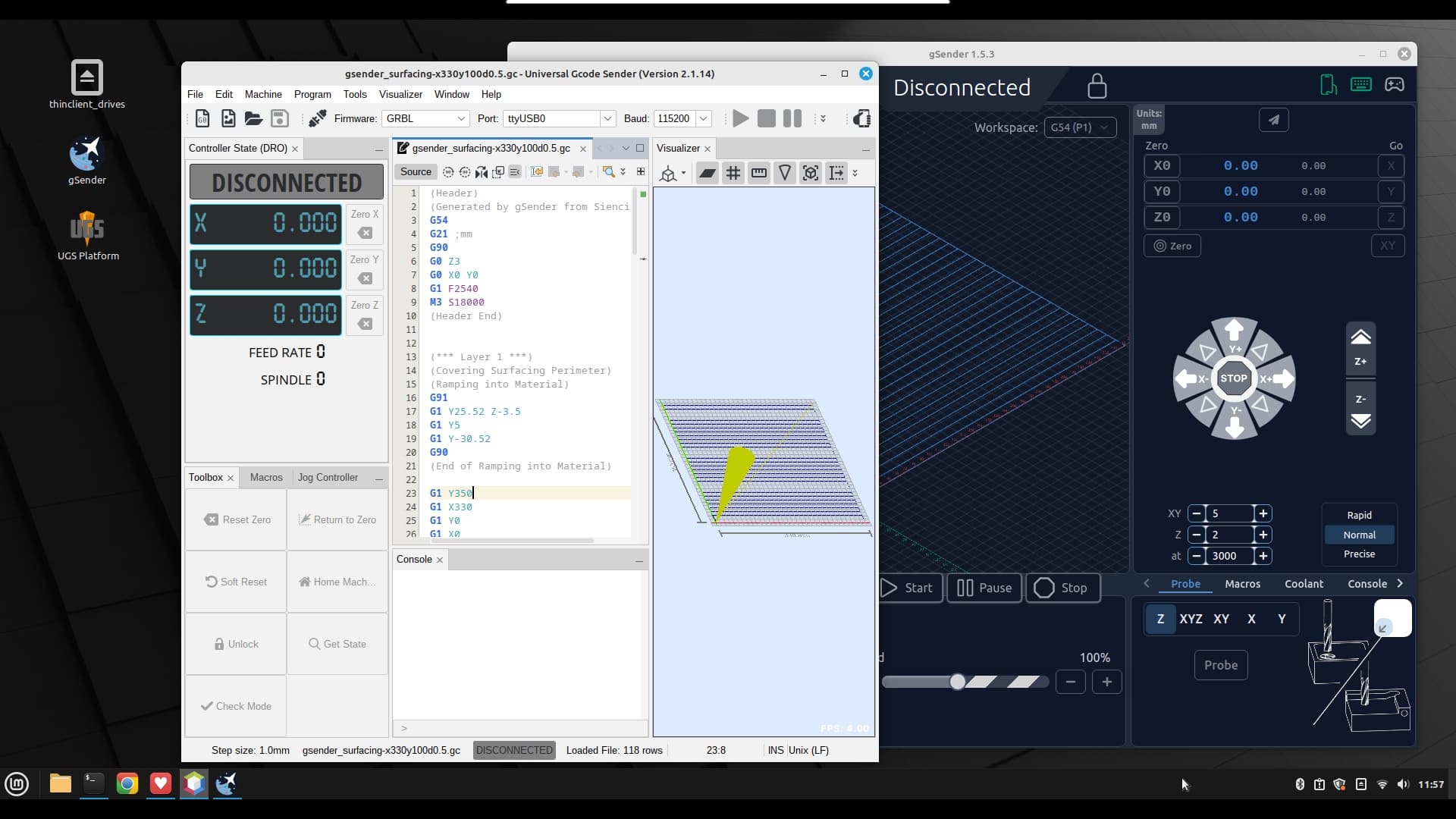
And it’s actually cheaper – and of comparable size – to the RPi5 and its accessories.
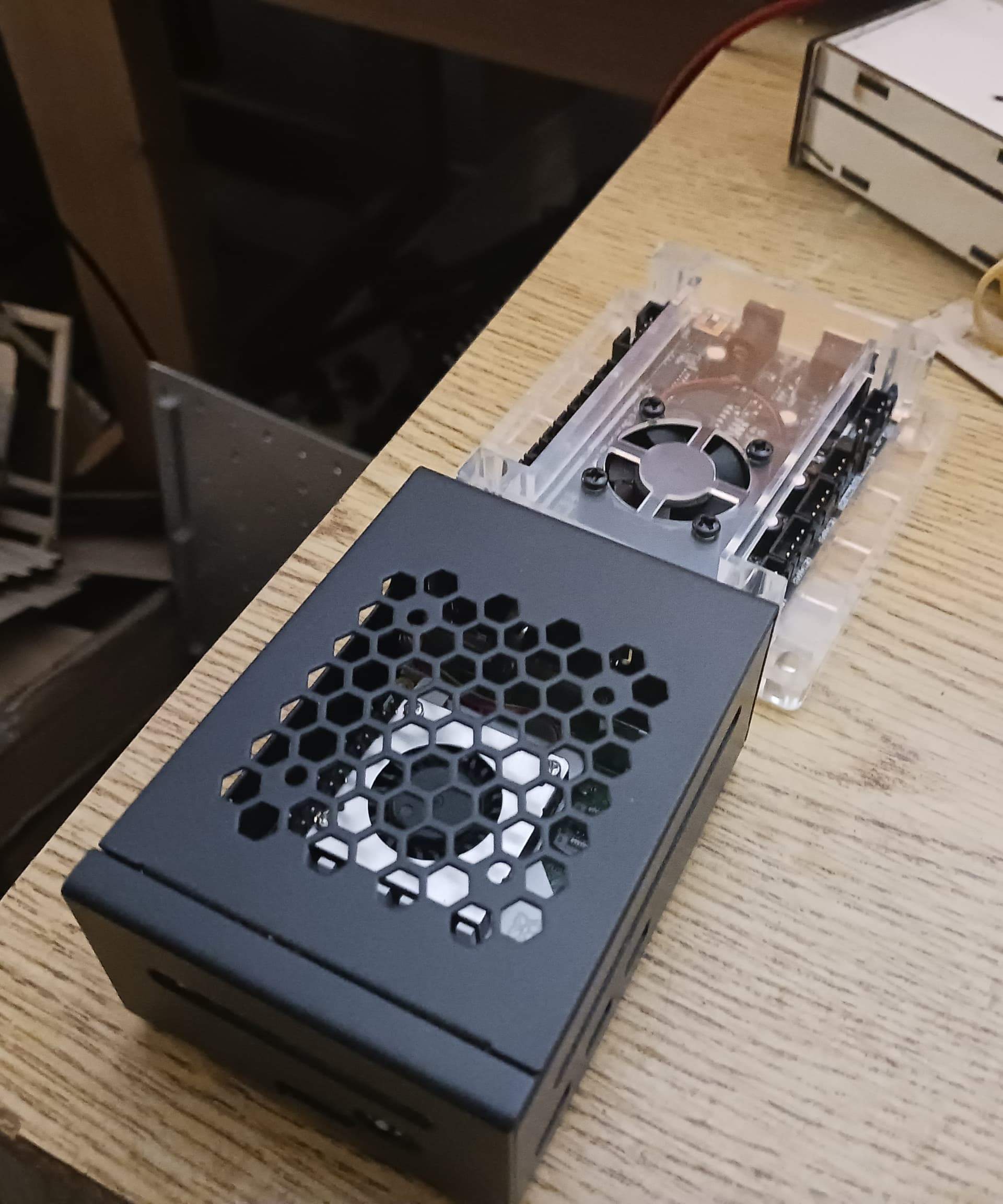
Thanks for the link, Jeff!
3 Likes
And it probably doesn’t need the silly power standard of the rpi5: 5v/5a. Super annoying!
Yeah I’ve bought a couple of those mini pcs from beelink and found them very useful. Even if they are slightly more than a pi they tend to be about the same or cheaper if you need various accessories or upgrades on the pi and are less fiddly. I love the tiny all in one form factor but still able to easily open them up and service unlike a laptop. I had an ancient laptop I was trying to keep going as my cnc station but swapped it to a mini pc that’s embedded in my workbench far from any dust and it’s been great.
Currently I’m still running the default windows install but it’s been a headache with it constantly updating and wanting to integrate into a bunch of online crap I don’t want it to bother with. Over the decades I’ve piddled with linux desktops every few years and always found some pain point that sends me back to windows but maybe it’s time to give it another shot. Linux as server is always fine (my unraid server on another mini pc is awesome) but often there’s some peripheral or app on desktop that ends up the sticking point.
2 Likes
As a Linux advocate/adopter since the early 1990’s, I’ve always taken the mantra “changing the world, one computer at a time” maybe a bit more seriously than many/most… that’s where my screen name @dkj4linux originated. Even today, rushing headlong toward 79 years old, it still gives me a “warm fuzzy” to blow away the installed OS and put Linux of some flavor on a computer… especially so, if I can do the Linux install without ever booting into the originally installed OS. It’s a bit risky perhaps but I’ve not bricked one yet… and I’m finding Gemini helpful nowadays to recall/explain the minimal and various BIOS edits needed to get it set up to boot from USB.
I’m finding these little miniPC’s happily run LMDE (LinuxMint-DebianEdition, my current favorite) quite nicely as replacements for the RPi’s that I’ve been using for years to send gcode to my laser and CNC machines… originally using Jeff’s V1Pi/CNC.js images on RPi3’s and more recently GSender, UGS Platform, and CNC.js. I also had a RPi4 dedicated to running Lightburn v1.7.08 to directly control my Roly laser engraver… it was a little bit “laggy” when making minor edits but fine to reliably connect across USB and it never went to sleep in the middle of a job. And being so low-power, I was comfortable letting them run 24/7 so they are always ready to go. Often I’ve been able to come back weeks later and find them exactly where I left them last time I used it.
The miniPC’s with their huge RAM and SSD storage, relative to a Pi, are nice in that I can load up any/all of the gcode senders and applications I might want to play with on every machine… and then simply use whatever is appropriate and suits my mood at the time. And setting them up with Xrdp allows me to run an entire LDME desktop and application(s) on every machine from my recliner… with “room left over” for a little bit of Spider or Mahjongg.
I’ve yet to spend more for a miniPC, even new at ~$130, than for a RPi 5 and all it’s pretty much required accessories. MiniPC’s are a relatively new thing for me since I retired before they became so common… but with Jeff pointing me to the “used/refurb” market for these, I’m now confident that my RPi’s are gonna be relegated to a drawer/box for a pretty long time.
4 Likes
I have more linux machines than I can count…not that I have THAT many…just…I forget about them because they just go on doing their jobs
My main desktop is still dual boot linux/windows but admittedly spends most of it’s time in windows because it’s mostly a gaming machine these days. I do have WSL on it but all the negative things said about that above are way too true. Still…it beats rebooting if I have something I need quick access to a linux shell for and remoting into a real linux box isn’t a great option for some reason.
I actually just found a stack of Linux journals from issue 1 through the first 2.5 years as I finish cleaning out my old house:
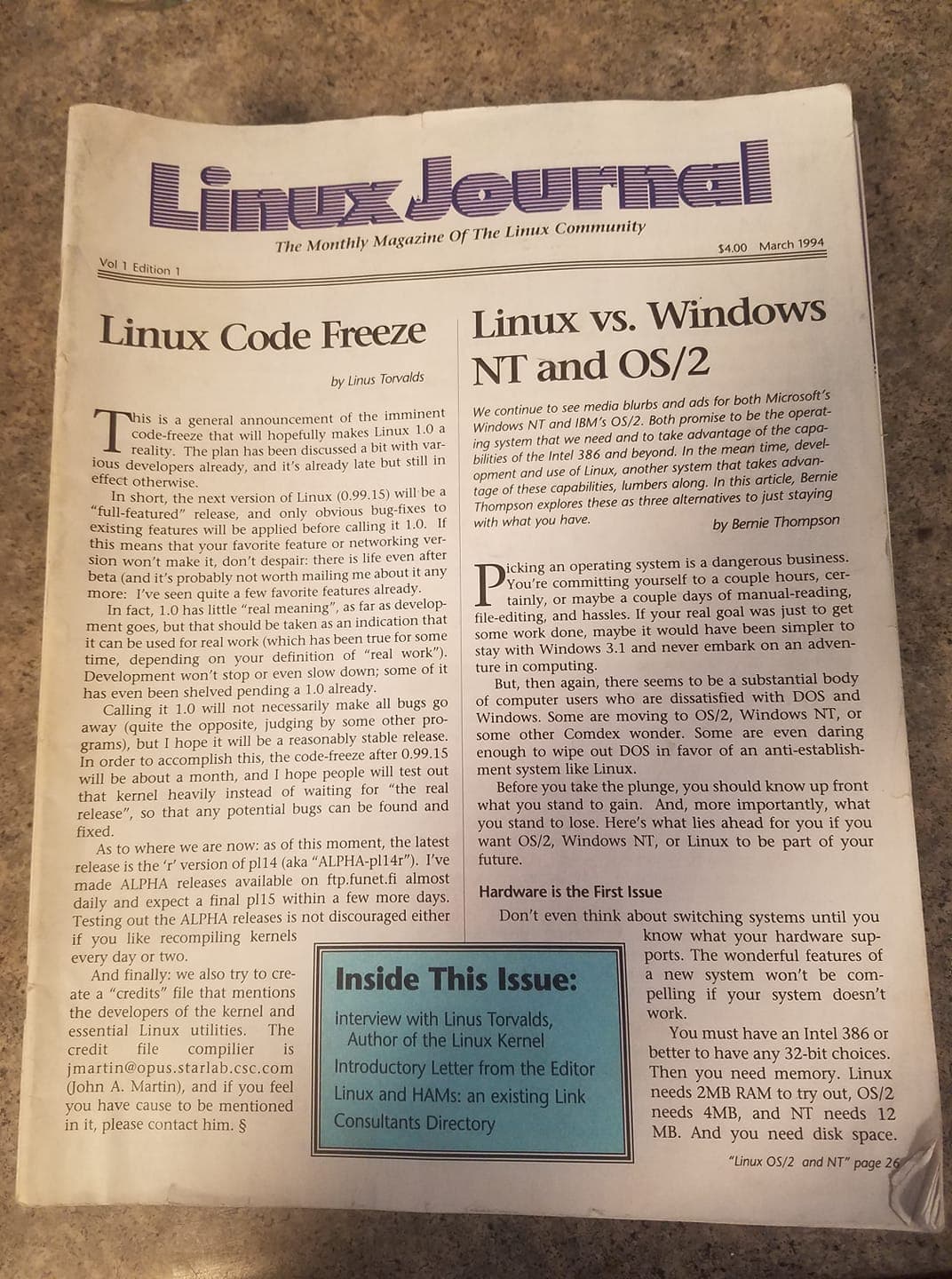
Bit of a long shot…but if anyone is interested in some Linux history and wants them let me know, would rather see them go to someone who would find them interesting than wind up in a landfill.
FWIW - my work machine is a mac…mostly because I work with a bunch of creatives so our whole office is mac. But I spend the majority of my time ssh’d into linux machines. And to be honest while I really hate the mac desktop (finder and I have NEVER got along) at least in a terminal window it’s a lot closer to what I’m used to than powershell or gitbash on windows. (though also just different enough to be really annoying sometimes.)
Funny thing though - for awhile my wife almost became a Linux promoter after her college macbook died and I let her use an old outdated windows laptop I’d put linux on after it would no longer run current versions of windows. She was so blown away by how much easier it was to use than windows and how much quicker it was than her old mac despite being on completely outdated hardware she became a bigger evangelist for linux on the desktop than I ever was
2 Likes
I’ve mentioned before that I’m OS Agnostic. You can put pretty much any OS in front of me and I can get my work done.
My desktop at the house is Windows. Mostly for gaming. Not all of the games on Steam will work in Linux and I’m too lazy to try to figure out which ones will and which ones won’t.
Work provided Windows laptops, but we just about have them convinced to let us put linux on them. All of the people on my team do 99% of our work in wsl. While WSL is horrible for doing linux builds, it’s great for devops work. All my terraform, opentofu, python runs out of it. I even launch vscode from inside the wsl. When they first hired me, I asked for a Mac. That was a firm ‘no’ 
I have Linux on a few machines here at the house. I run a Linux Mint VM in proxmox that I installed simplify3d on and use VNC to access so I can get around their new licensing scheme. Although my OrcaSlicer experiment has been going well and I may be able to stop using s3d completely.
I have a dozen other Linux VMs for various stuff. I also have a few CoreOS VMs doing work.
The wife and kids are either on Mac’s or Linux.
In college I would bounce between Linux and Windows depending on the app requirements for my different classes. Some of the engineering apps had Linux versions, some didn’t. I think the first time I booted Linux was 1998 or 1999. I ran a headless FTP server for team mates to share files through. Trying to get Linux running on laptops back then was fun. Usually required compiling drivers to get various hardware bits to work. Gentoo was a dark time for me. Although at one point, it was the only Linux version I could get to compile and run on a much older 486dx after all the other distros dropped support for the older CPU.
I’ve never made the full switch to Linux. I’ve just never had any of the Windows problems most others seem to have or anything to push me over.
You and I have different definitions for the word ‘fun’…
I used Linux as my only OS in college because our university had a Sun OS running all of our infrastructure, and it was much easier to submit all of my work remotely without dealing with file ending problems.
Trying to get Fedora Core 3 to run on a Dell Inspiron 5150 and connecting to WiFi over a PCMCIA card because it was before those things were built-in… was not my definition of fun…
I kinda wish I could use it more nowadays…but everything I do is far too Windows related to switch
1 Like