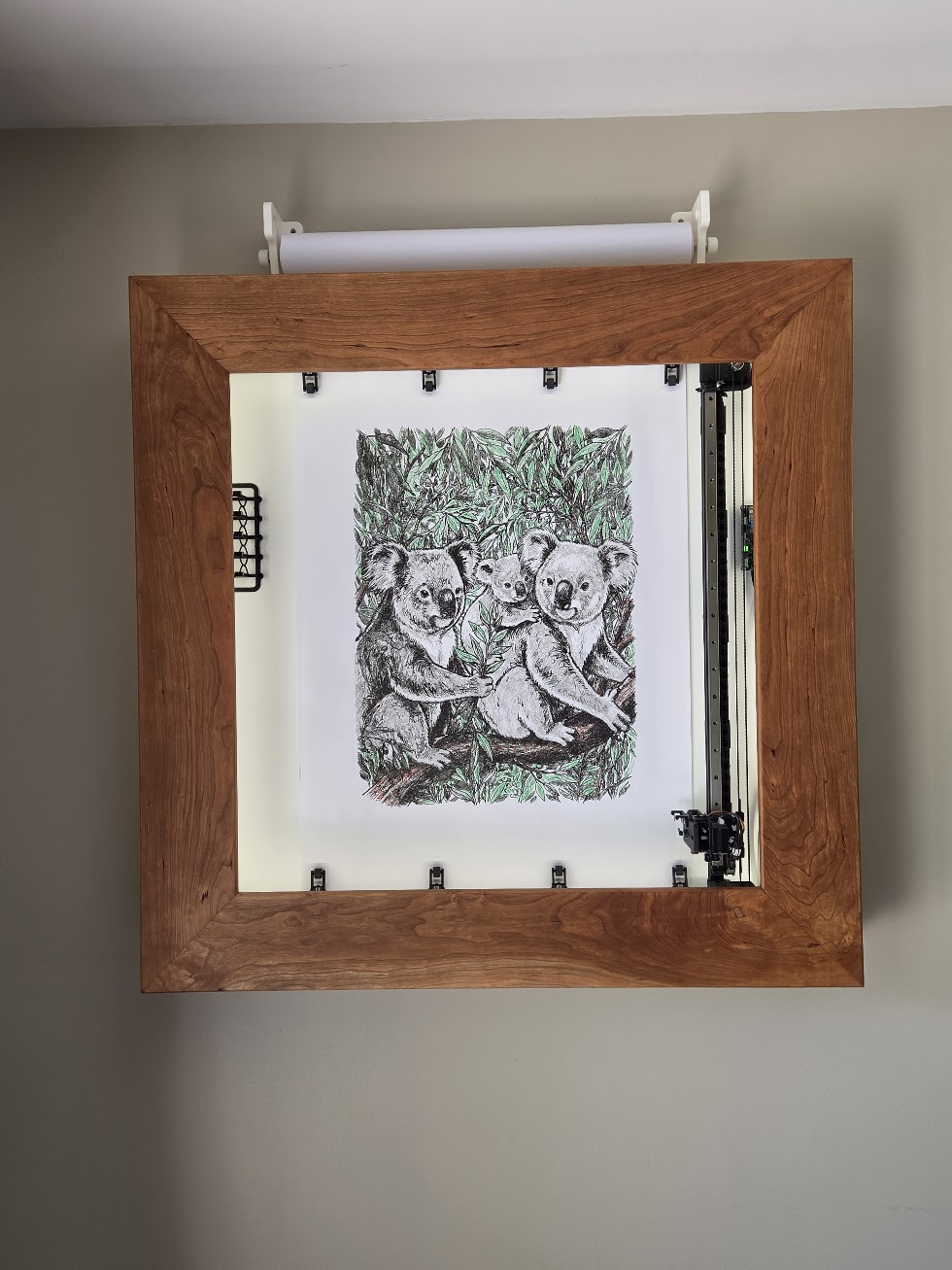
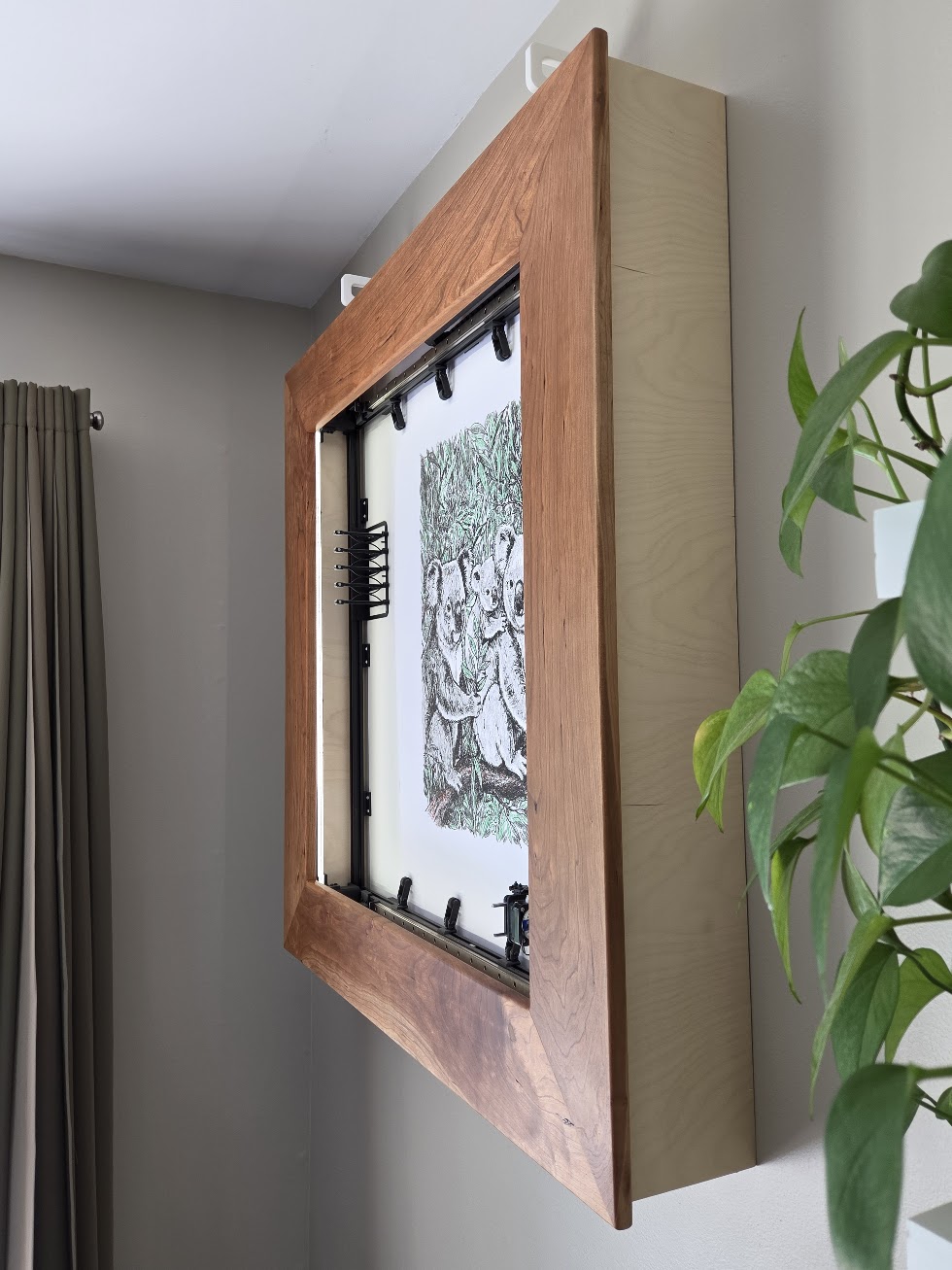
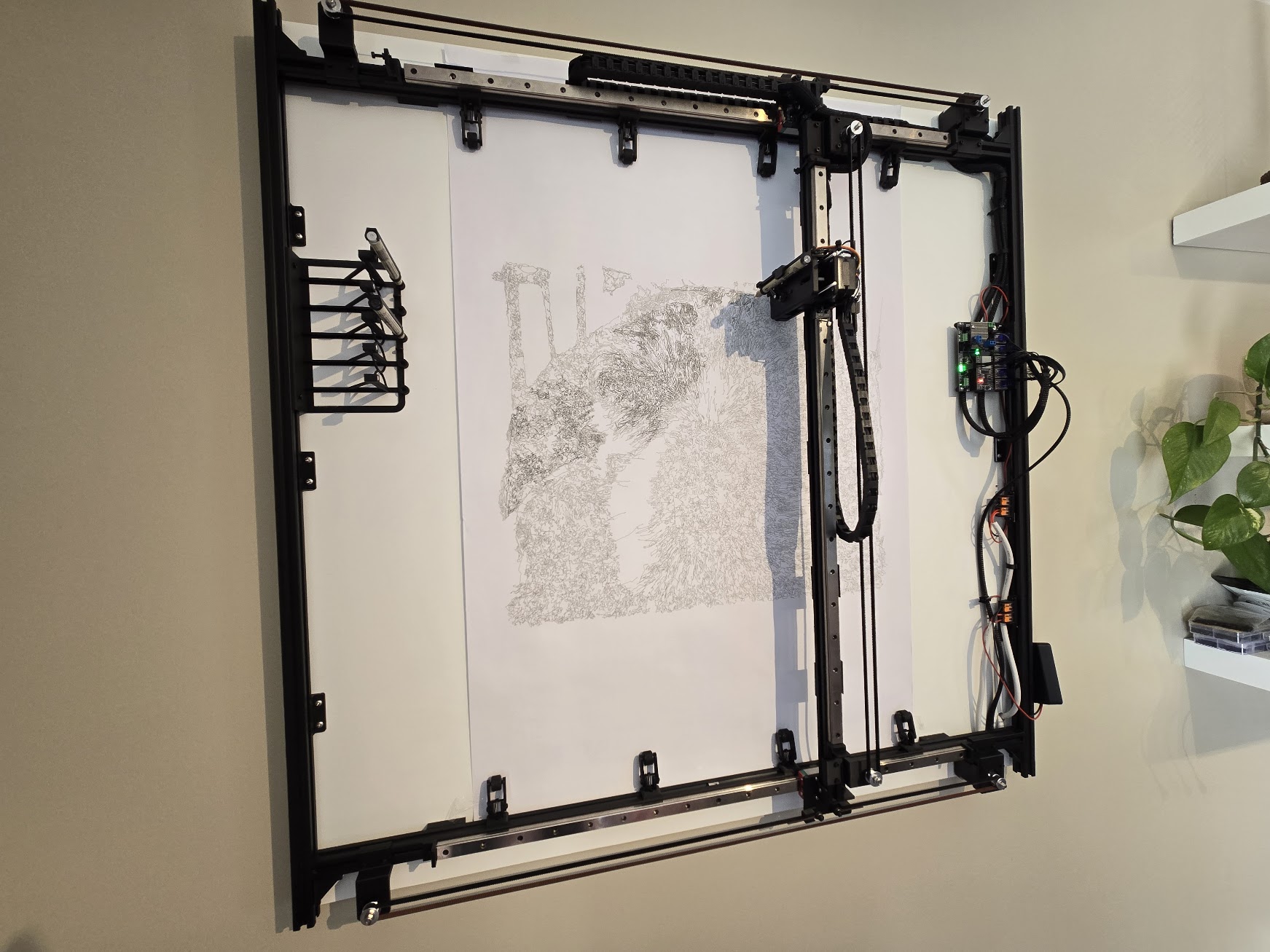
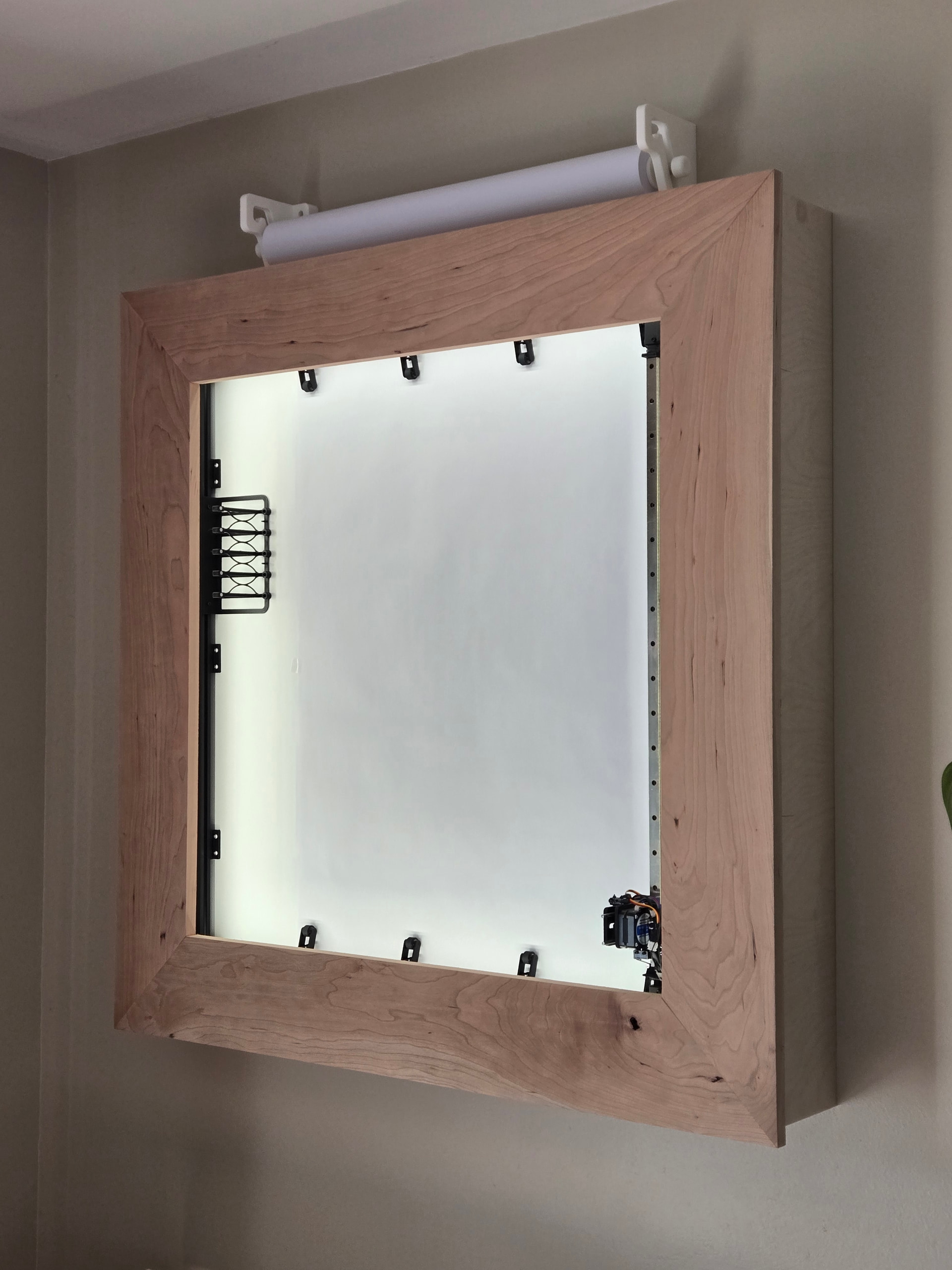
This is my build of the Wall Mounted Pen Plotter by @Stoli . I’ve had it functionally working for over a year, but I’m terrible at actually finishing projects but I finally finished the wood frame.
I built it as designed with a few modifications:
It’s smaller but it is not small. The useable drawing area is 550x625mm (roughly 22x24 inches). The largest part of the wood frame is roughly a meter square.
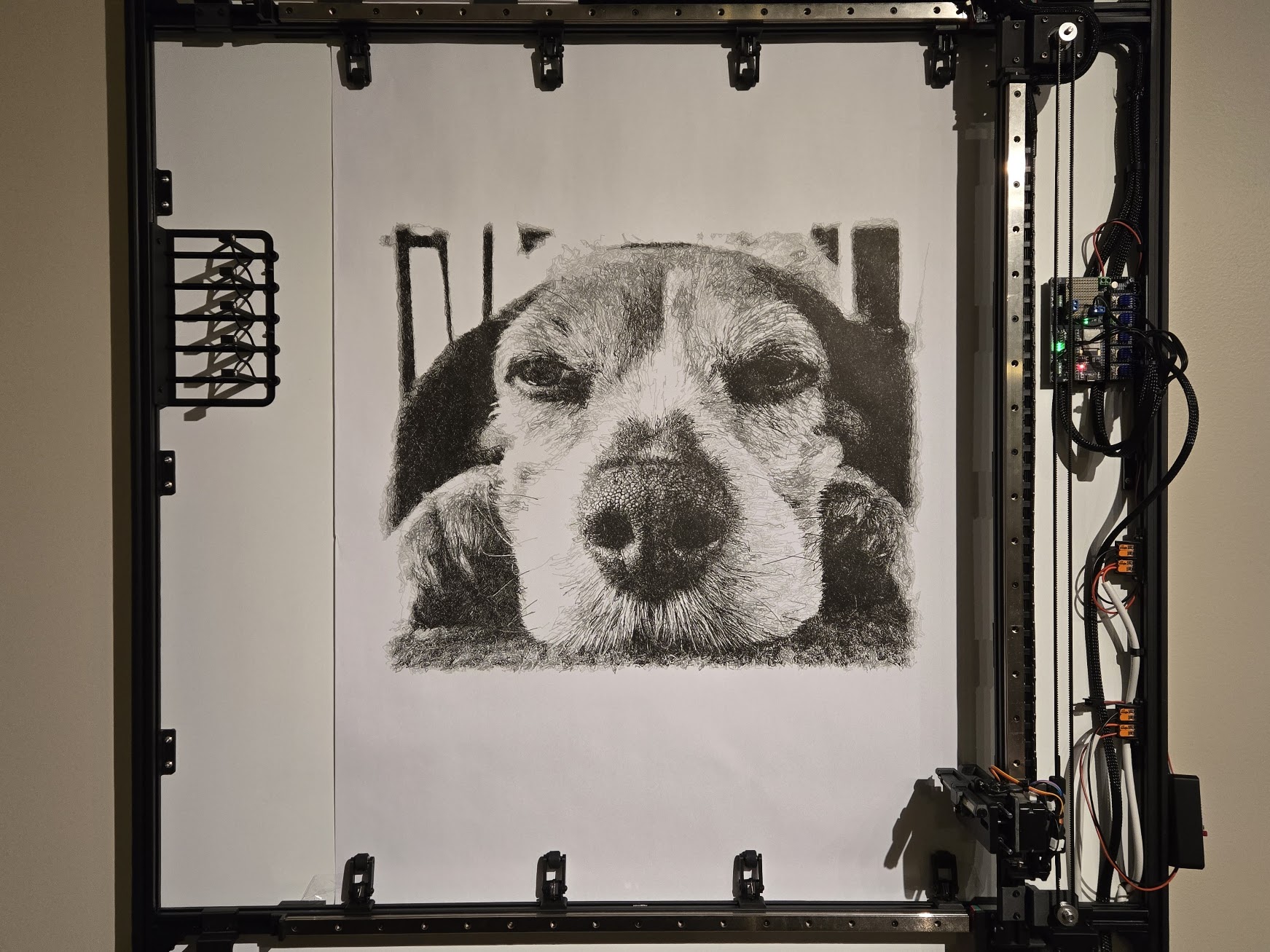
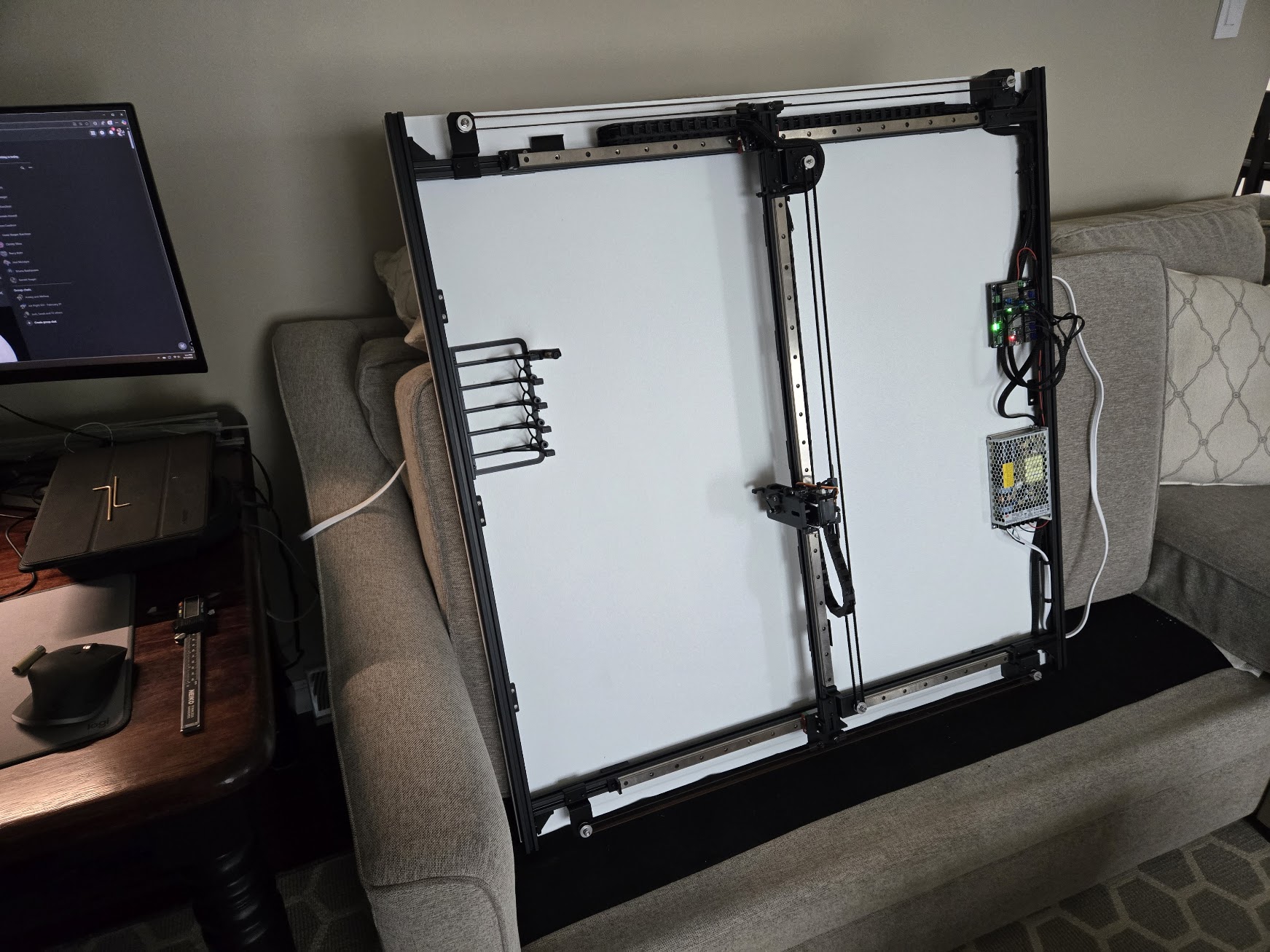
I have a separate WLED controller for the lights which I made custom mounts attached to the aluminum extrusion so the wood frame can be removed.
I made a holder for the roll. It doesn’t use a motor. Gravity keeps the paper from unrolling.
The sides of the frame is made out of birch plywood and the main part is cherry. I’ve been ad targeted for awhile for Rubio Monocoat. It looks good but I’m not entirely sure what I think of it (other than it’s expensive).
I shared the picture in another thread, but it was a request from my daughter, generated with AI, converted with DrawingBotv3, and drawn in 7 colors with Pigma Micron pens over a week and a half.
Originally, the power supply was mounted to the board but it made a bit of a high pitched noise, so I moved it to the basement and ran wires through the wall.
I learned a ton working on this project. This sent me down a whole wire connector journey. I love the pen changer and learned about M6 macros. It helped progress my 3D design skills. I learned more about what the Jackpot was capable of. It gave me some confidence to go try some other things out (like an Eggbot and whatever my weird desktop zen garden thing is). It was a fun build.
I’ll add some more details as I think of it but I am so happy with how this turned out. Thanks again @Stoli
Is that cherry bare? The grain is beautiful. If it is unfinished, it’s really going to pop when you put something on it. I still haven’t finished mine yet. It’s a condition I have. A process that can’t easily be undone… very difficult for me to pull the trigger. Anyways, I’ve seen that Rubio Monocoat as well. I think it costs more than the wood. They must have to extract the oil from some endangered tree frog in a South American rain forest. I’d be interested if you went that route.
Fortunately, the wood was free. My dad and grandfather have a collection of wood from trees they had cut down and run through a sawmill. It’s mostly red and white oak but there’s some cherry and walnut and some others too.
That’s finished with Rubio Pure. It has a really nice matte finish. I actually bought some SheenPlus to make it have more of a satin finish but both my wife and I liked it as is so I skipped it.
I bought some samples off their website to try before committing to it. They’re $2 each.
For the sides I used 5% White since Pure has a bit of yellow.
I feel better about my incredibly expensive cherry frame now that I see your before and after. I think the wood on my home plotter cost more than the rest of the machine combined. I like the matte finish. Wood needs just enough finish to show off the grain without making it look unnatural.
Yep. There’s a bit of a process to it but it’s not bad. I was a little stressed because I was doing both sides of the frame at the same time. I was putting it off because I was trying to sort out how I was going to do that, but in the end I just said screw it and went for it. There’s enough working time that it’s ok. I will say that while it says no VOCs, it definitely has a smell for a few days.
My wife is having a yard sale this weekend. I am not a fan of yard sales. I’m going away to the mountains for a long weekend without cell service.
Anyway, my daughter is going to sell orangeade and cookies during it. She was starting to make a sign. I’m like, I have this giant thing on the wall that can make a sign. So, I had my wife make a sign in Canva. The DrawingBot app I use didn’t like Canva’s SVG export, so I exported it as a PNG and ran it through another SVG converted which worked fine. I just did outlines so she can color it.
My go to for SVG to GCODE has been GRBL-Plotter. The line conversion is perfect and for thicker lines and larger solid areas, it has a hatch fill option which typically works well. I found that DrawingbotV3 (the paid version) to be extremely cumbersome for most conversions. There are just too many settings, and I found it difficult to get everything dialed in for what I wanted to do. In the end, I only used it for a couple of drawings and have been using the open-source version for all the JPG/PNG to GCODE conversions. I took advantage of Anthropic’s free trial of Claude Fable (for Pro subscribers) last month and had it code a custom drawbot using the open-source code as a foundation. Now I can go from JPG to machine movement in about 5 minutes. It will take care of difficult images with a lot of dark areas (and extreme contrast) by lightening up those areas without washing out the lighter ones. I found that I was only using a handful of the Path Finding Modules and only two pens (Microns and Uni ballpoints), so I limited my drawbot to those. The settings only include things like canvas size, pen width, speed, accel and border options. Each PFM has a few parameters to tweak things, so those can also be changed, but the defaults tend to work 90% of the time. It also knows how long the different pens last, so it breaks up the gcode files if necessary so a pen will never run dry. My next update will probably include an SVG import option. I have been trying to use the Polargraph more but one problem that keeps coming up with SVG conversions is the number of pen lifts will often be 5000+ and my battery is only good for around 3500. I haven’t found any existing software out there that will address that issue without seriously affecting the overall drawing.
Cheers. Hope you got a good recharge last weekend. I dropped my phone (accidentally) into the deepest part of the lake a few months back. Miraculously, I survived a few days without one. It was an enlightening event. Highly recommended.
 I’d be interested if you went that route.



 …
…