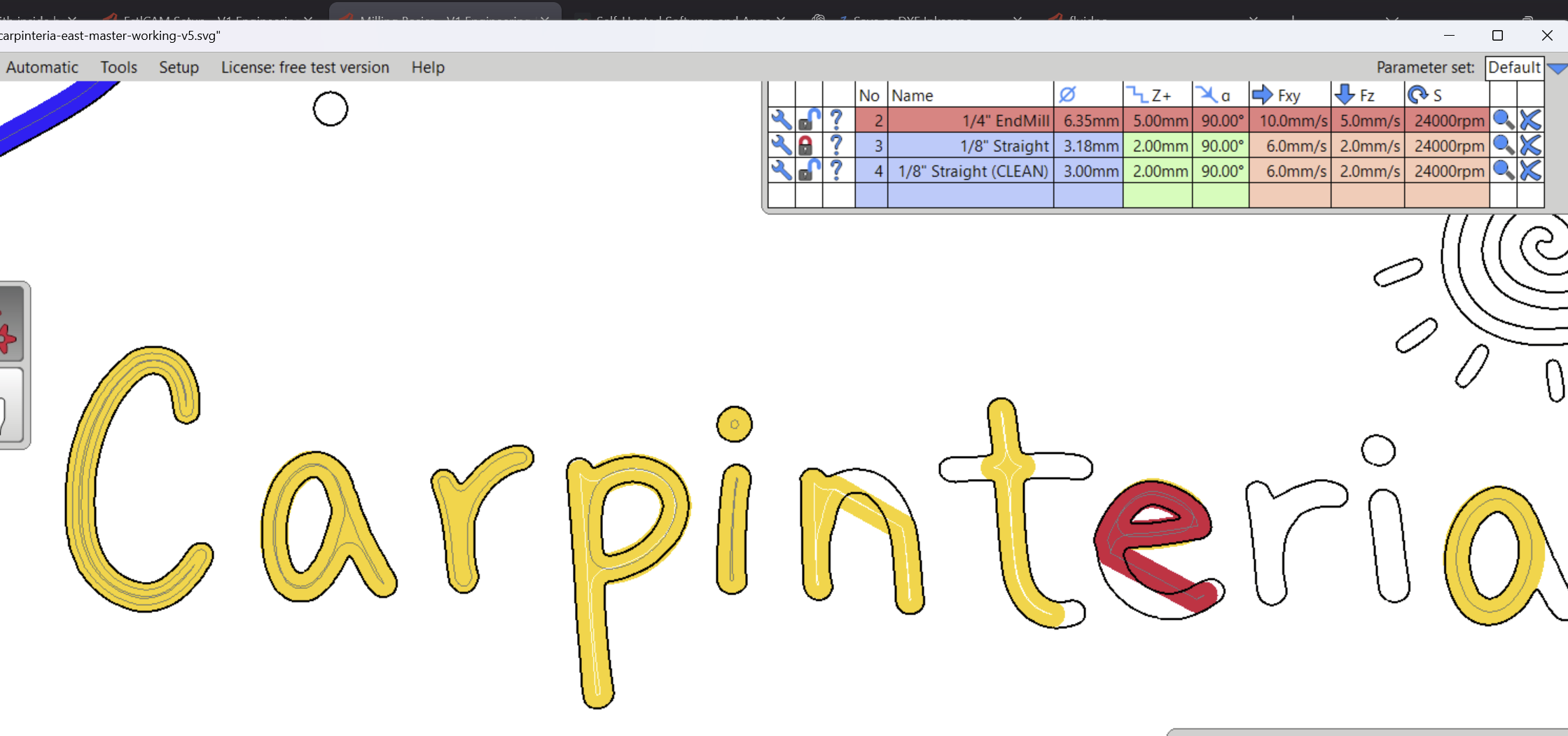
I’ve got a sign I’m trying to make and it has lettering, and any time I try and cut a lower case “a” it doesn’t seem to work the way I want it to.
I spent all last night (which means once someone explains it will probably take 3 seconds) trying to figure it out without much luck. I’ve tried using part→hole, part→pocket, and hole→pocket all with variations of island thrown in there without much luck. I’ve also tried using hole→pocket at 0.1mm for the center section of the “a” and then using hole→pocket 2.5mm for the rest but it seems like the software cut it out at the same depth for some reason?
Select “part” and click the inside loop that you don’t want to cut.
Select “hole” and click the outer letter shape.
In the tool dialog, the option for “pocket” will cut the whole thing including your inside shape, but there should be an “island” selection which will exclude the inner piece.
I swear I absolutely tried that (obviously I did not, but I thought I did). I also solemnly swear that I really did read all the documentation before I tried it and then again after I failed at it. But yes, that does work.
Thank you for making me RTFM again when I’m not so tired (this happened last night after a few hours of trying to get it )
No it isn’t you. I wrote that section because I kept getting it wrong. Those are basically personal notes to myself to get the exact right order of operations.
These are all with the 1/8” straight bit. Why does it work on some letters and on other letters, it seems to completely ignore the outline? The “t” was done as just “hole→pocket” and the “e” was done by clicking part and then clicking the inner open area. Then I clicked hole, clicked the outside outline of the “e” and then clicked island.


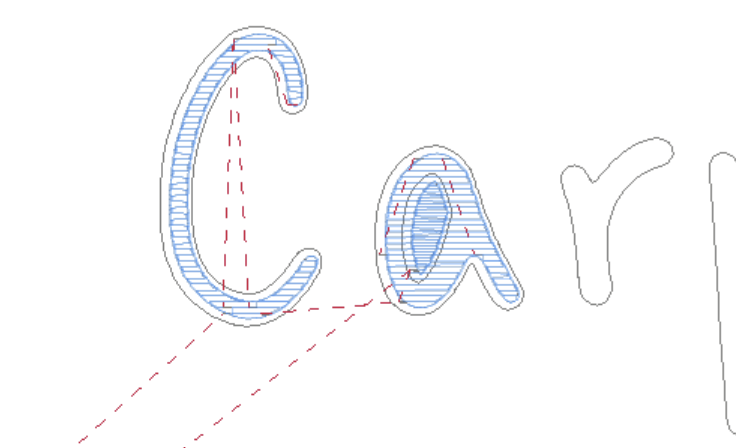
 )
)