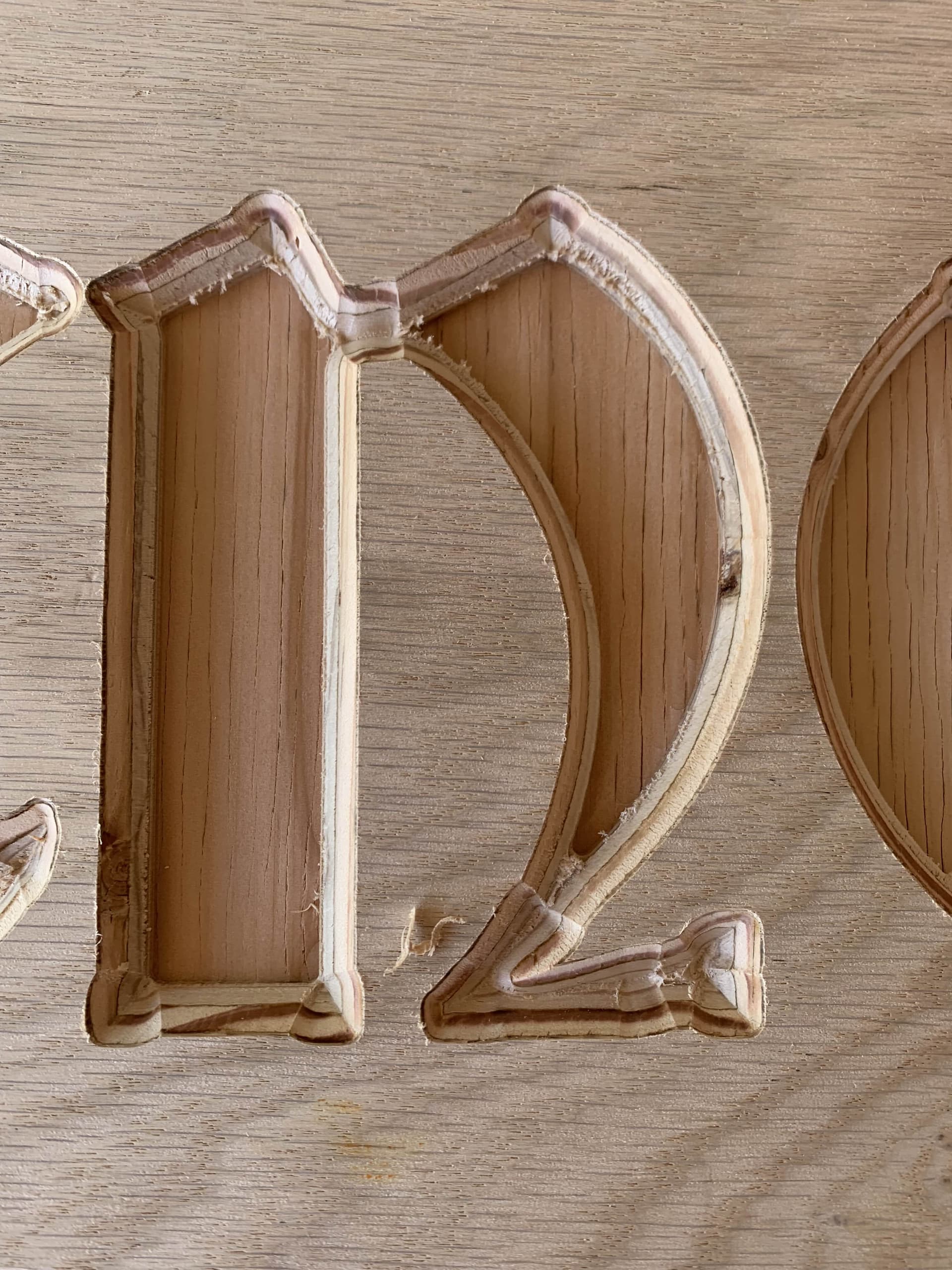
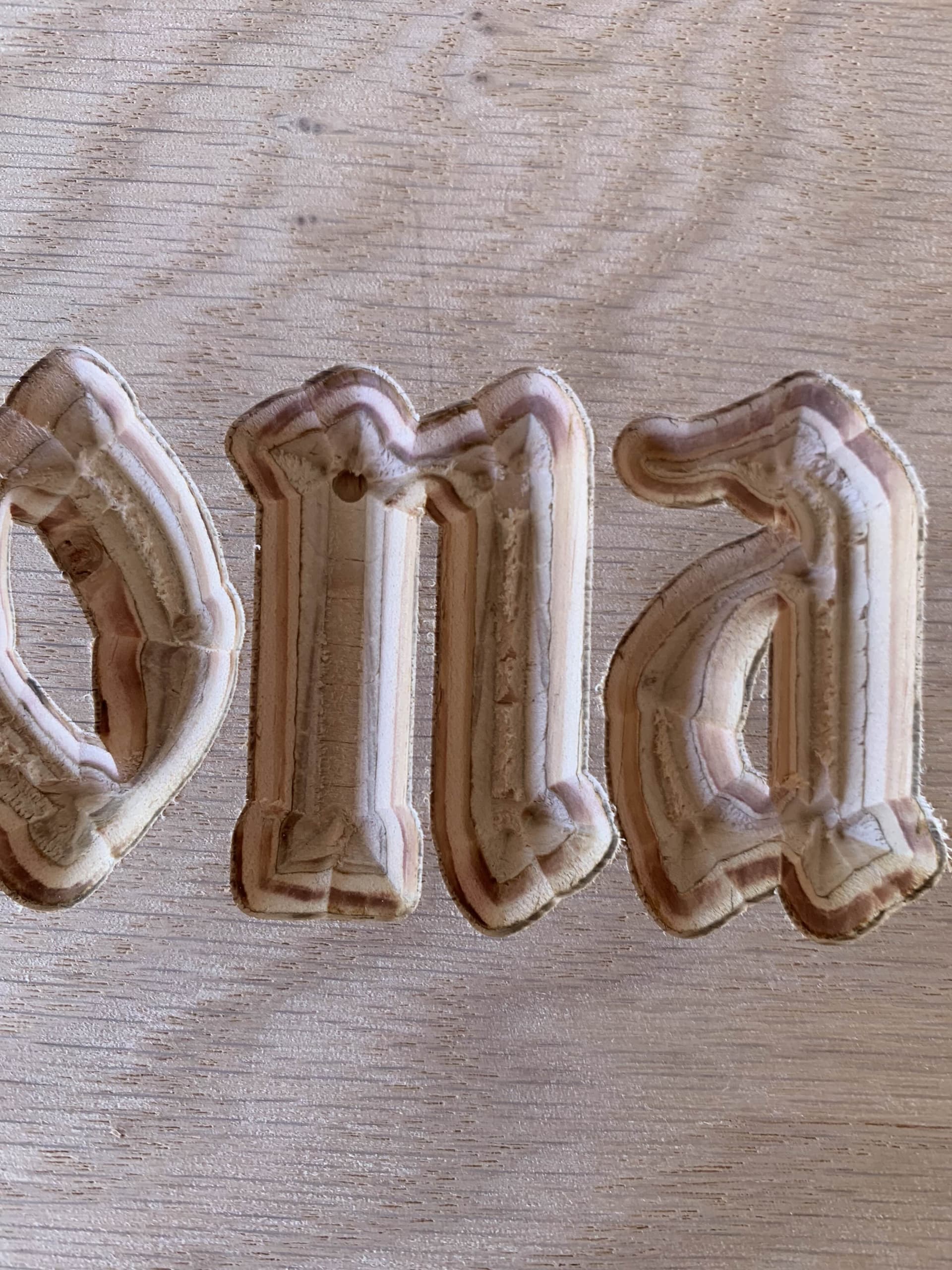
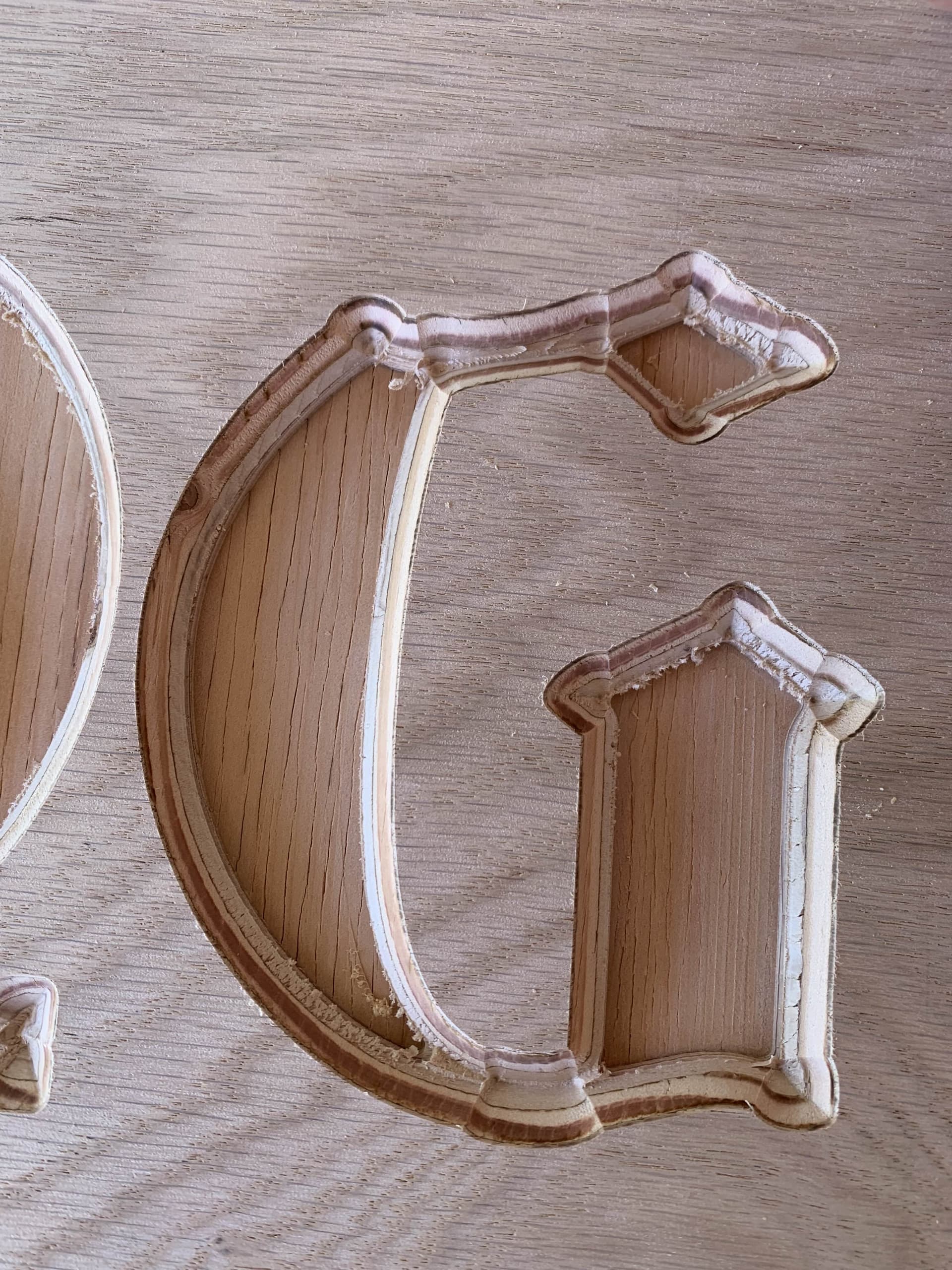
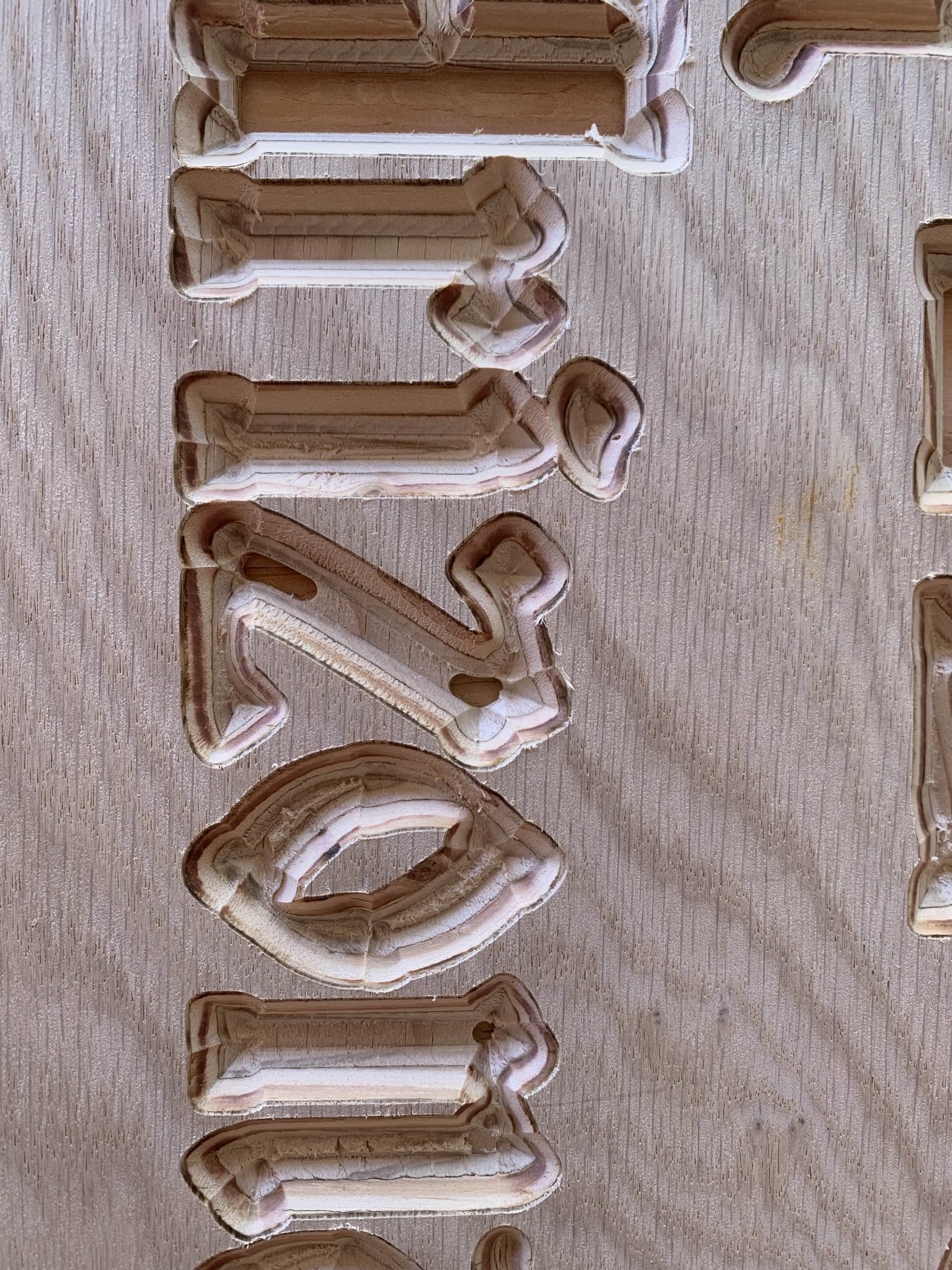
So I am still new and having an absolute blast with my Lowrider V4 (ill post pics of it later), but im running into an issue while carving.
I am using Estlcam, and have it set up to carve some letters out that I made in inkscape, and it does fine… mostly, except when it comes to the corners, it bulges out my corners every time. There is also another issue with the depth of cut as you can see, but im more focused on the bulging corners right now
I have a touchplate and am using that at 50mm/s to set the tool height with a 0.5mm touch plate depth of cut during the in-cut tool change so it should be fairly accurate depth wise and have it set to pocket using a 1/8th single flute and then to have it set to carve using a 90 degree V bit, but I have tried it using the 45 degree V bit bought from the v1e store with similar results, it bulges out all the corners. it is more pronounced on the 45 degree bit but ive already scrapped that piece so i dont have it anymore for pictures.
I have attached pictures to show what I am running into. From what I am thinking is that its cutting too deep when its supposed to cut the corners, I have noticed the DRO on the fluidnc interface reading 4.26 when it should be reading 4 and I saw it reading 4 earlier in the cut.
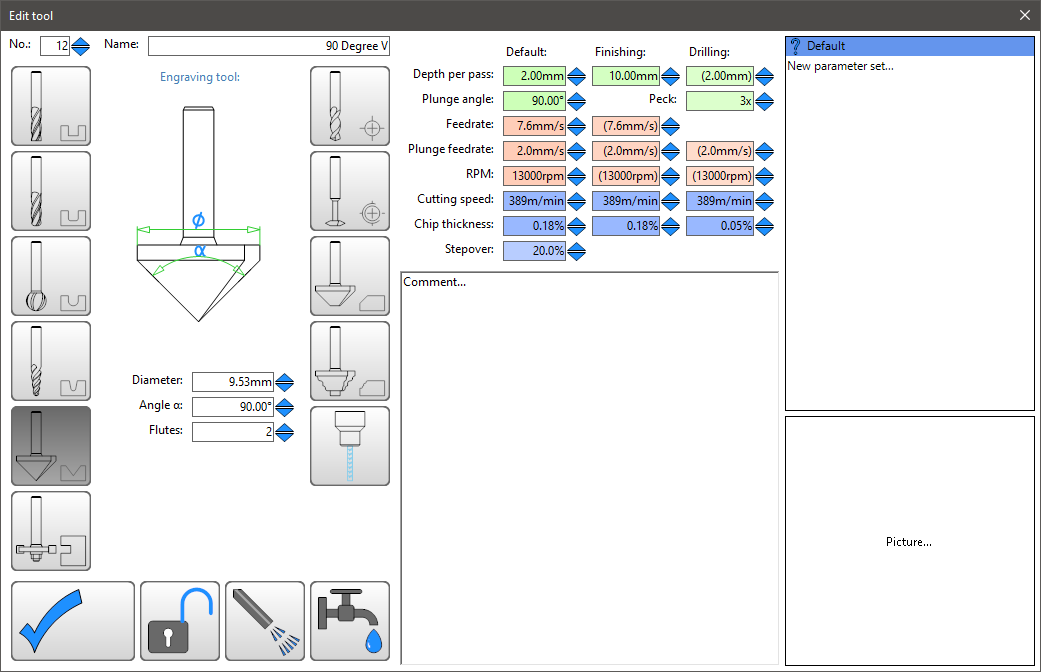
its 90 degrees between the cutting surfaces, and no, the top diameter appears to be closer to 13 now that i measure it again, i thought I updated that previously, could that be the issue?
I assumed that was so that it knew how wide the bit was for really wide/deep carvings, im telling it to stop at 4mm
Sure, it is part of a half sheet that im slowly cutting out and set to home on the corner. This file only has the big carve on it which is all that I was having it do on that cut path anyway. I also included my tools so you can see those
I dont really have a good way to check to make sure they are truely 90 degrees to the point. I have been considering that as an option though, whats odd though is that the other angle bits have similar issues.
When watching the cut, it seems to blow out the corners when it makes a downward cut into the corners to square them up, and then it over shoots (maybe), up until the final corner cuts it looks fine (just not sharp corners) and it doesnt seem to change when i have it just cut it with the bit and have it use the V bit for pocketing too.
Also, I did also tighten up the belts after yesterday, I just havent had time to run a carve cut yet to see if that helped yet. They dont strum, but they are tighter.
I do, I have been doing about .5 to 1mm finishing passes on pretty much everything I cut.
It might be the z depth, I have noticed that sometimes if I move the bit to zero after using the touch plate to find zero that it will still take a skim pass off of the wood, but thats around .2mm typically.
Thanks for the tip on how to check. I checked the angle on a couple of the inside corners of my Swanson combination square and its pretty close to if not exactly 90 degrees.