That means you will be able to do any skew correction found with the Calilantern.
out of curiosity, where is the printer located? is it near a heating duct in the house or a window? Does your home go to a much lower temp at night when people aren’t up? I have a neptune3 and yours 4 should be nicer and faster than it.
I will second the need to verify system calibrated print dimensions and make sure your extruder is calibrated and not overextruding, that your filament temperature is optimized, and the system is reliable. However, notwithstanding all of that being incredibly important for the useability of the produced part, the breaks in your part on those specific layers says that the print head or filament is catching on something. That could be the filament is knotted or the extruder is slipping or the nozzle plugs which leads to missed material where there should be something printed. I’ve had rolls fall off the holder, filament be knotted on the rolls and the filament get wedged so it couldn’t pull more to print. That is what I see in your photo. Verify the upper frame of your printer is secure and not flexing or moving as that could cause some deflection and cause problems. Also, verify the bed wheels/slide are secure and the bed doesn’t wobble at all.
As far as the PLA+ vs PLA. the plus is supposed to help it print easier and not be as brittle. It can/will work fine. As a new cnc user, if you can print the part correctly, it will work. I’ve printed LR4’s with matte, plus and silk and they all still work fine. The difference is slightly slower top end speed. If you are building this for production throughput, then get plain PLA. While using something other than plain PLA is a compromise in ultimate rigidity, the blessing of being new is you won’t know the difference for quite some time and by then it won’t matter. Of greater concern is getting the infill, dimensions, and print quality to a point where the parts are structurally sound. I would encourage you to focus on the printer and not on the PLA at this point unless the pla input dimensions are off enough to cause slippage.
Make sure in your slicer filament settings that your volumetric flow rate is not over 27-30 mm^3/s (according to google - verify this) for the Neptune 4 pro.
I’ve just downloaded and am getting set up to print this. Will circle back with results.
Thank you for all this, I appreciate your input! As far as location, the printer is simply set up on a sturdy end-table in my dining room - temperature is at a pretty stable 20°c. There shouldn’t be any wobble or other environmental variance (and I do not think my cats would be brave enough to touch it / if they did the results may look far different).
Do you (or others) have any suggested guides on tuning a klipper-based 3dp? As mentioned above, I’m looking at printing/using the calilantern tool.
As far as volumetric flow rate, do you know where that setting may be in the software? Orca or fluidd?
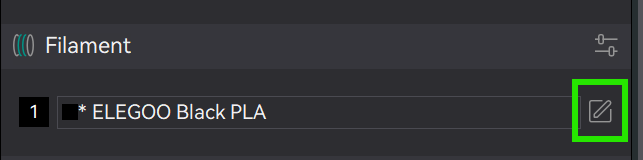

I have an Elegoo Neptune 4 Pro, using Orca Slicer to make the gcode. I have found that on the Neptune 4 I need a bit higher extruder temperature, and I often turn off the extra part cooling fan on the X gantry.
I’m not home at the moment and won’t be until next weekend, but I’ll check my settings and let you know what settings I have in my slicer.
Mike B.
besides everything listed above to calibrate the machine, did you manage to find, why your print failed? It is not a layer shift, nor a problem with calibration. It looks like your filament got tangled somewhere and released after the printer put enough tension on.
Before printing again I would make sure that this can not happen again. Did you use the normal spool holder or something selfprinted?
Good idea. Personally… started with Z Stub and Nut to check clearance/fit, check captured nuts seat without too much of a fight. Fix print issues, then… braces one by one, carefully observing print quality and tuning between each print, other parts, YZ plates, then the Core.
I appreciate folks with tuned printers they trust will print batches of plates full of parts.
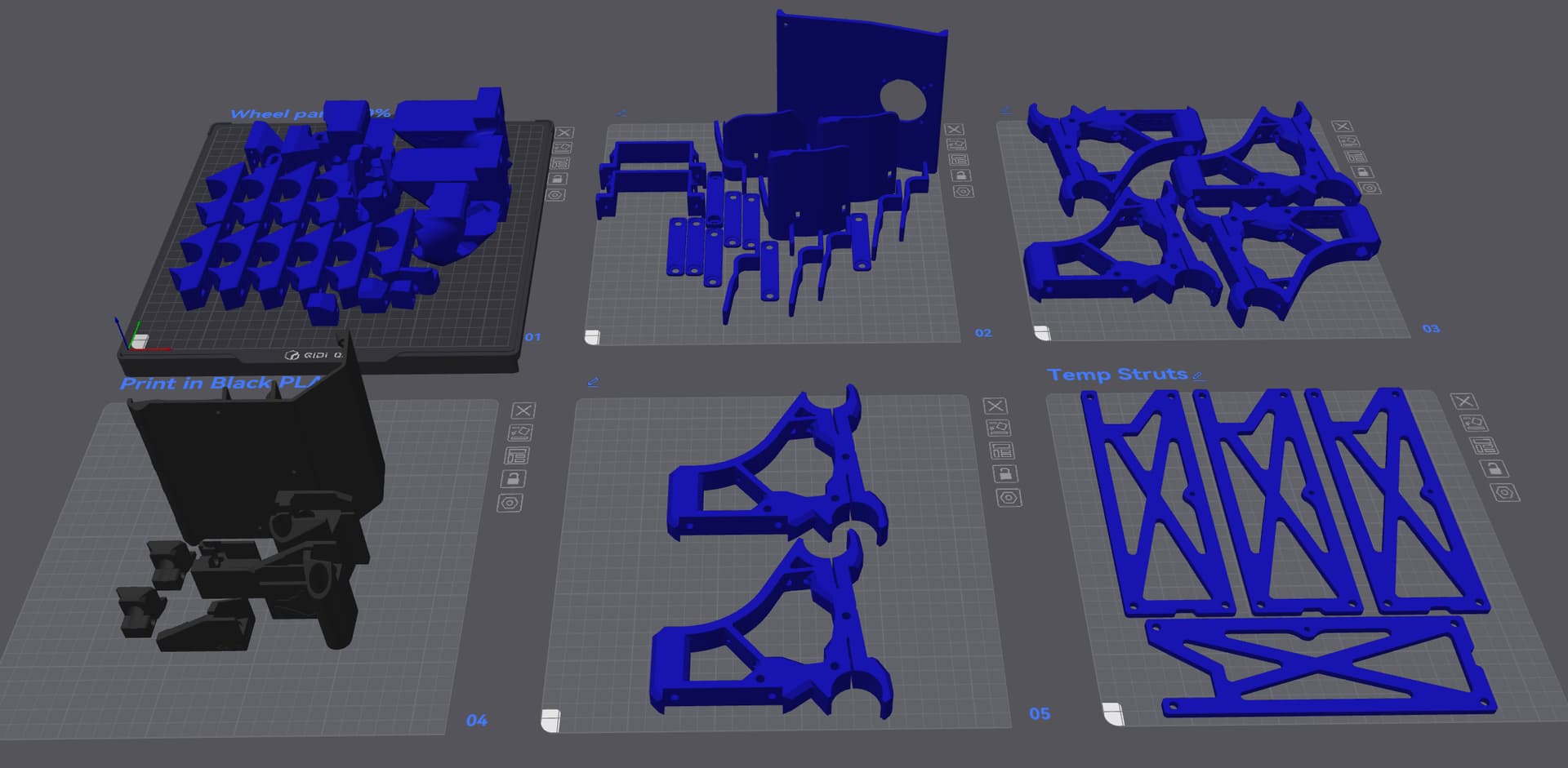

Quite possible - I can’t confirm, as it ran overnight, and the spool looked fine at the end of the print. It was a brand-new, fresh out the bag 1kg spool, but these things happen.
Everything in my setup is/was stock, so avoiding any undesired filament tension may require troubleshooting. To this end, I may consider setting up a webcam in klipper and recording at least timelapse videos.
I’ll yet have to look at this and do some testing
Thank you, I’ll check this as well..
Thanks everyone for all the support, I just reset and recalibrated my machine and am currently printing the calilantern. I’ll update here on my results.
Do you manually swap plates between jobs, or do you have some form of automatic setup? I presume you use larger spools for this kind of batch work..
Speaking of filament, is there a ‘best-practices’ method to splice filament?
Life is much easier if your printer has a runout detectror and supports parking for filament swap (or has multi material capability and firmware support for swapping to an alternate tool.)
How is the layer adhesion in the areas that don’t show the obvious problem? If those are good, I would look into filament feed issues rather than slicer changes. It could be the filament got “pinched” along the edges of the spool then released, leading to under extrusion in the problem areas.
I suppose a partial clog could also account for under extrusion, but in my (luckily limited) experience, those don’t tend to clear on their own.
Not that fancy. I just manual swap. I have them all loaded on the 2 printers I use 99.9% of the time to print the PLA parts. Just start the print from the screen and when its done I start the next one. I can see on the screen how long each print takes and try to time it to let the longer prints run over night or first thing in the morning and the shorter ones during the day when I can easily swap them around.
All 1kg spools for PLA. I run 2 Qidi Q2 printers with the Qidi Box so I just load up enough spools to make the color batch and one spool of black for the black parts. It will move to the next color spool as one runs out.
I am looking at going to larger spools for the PET-CF parts. I use 2 Qidi Q1 pros to print those on and they are not the best at stopping on time when filament runs out so looking at going to a 3kg spool for those so I don’t have to babysit them so much.
I have one of those sunlu filament splicers but I don’t think I have gotten a successful splice yet the few time I have tried it. I watched a video on it recently where they printed out a few things to help hold it better. if you splice 2 pieces not on a spool it works great. But what’s the point in that?? Doing one spool to the end of another is where the problems come in because its wants to twist. Apparently the assist prints help with that but I haven’t tried it yet.
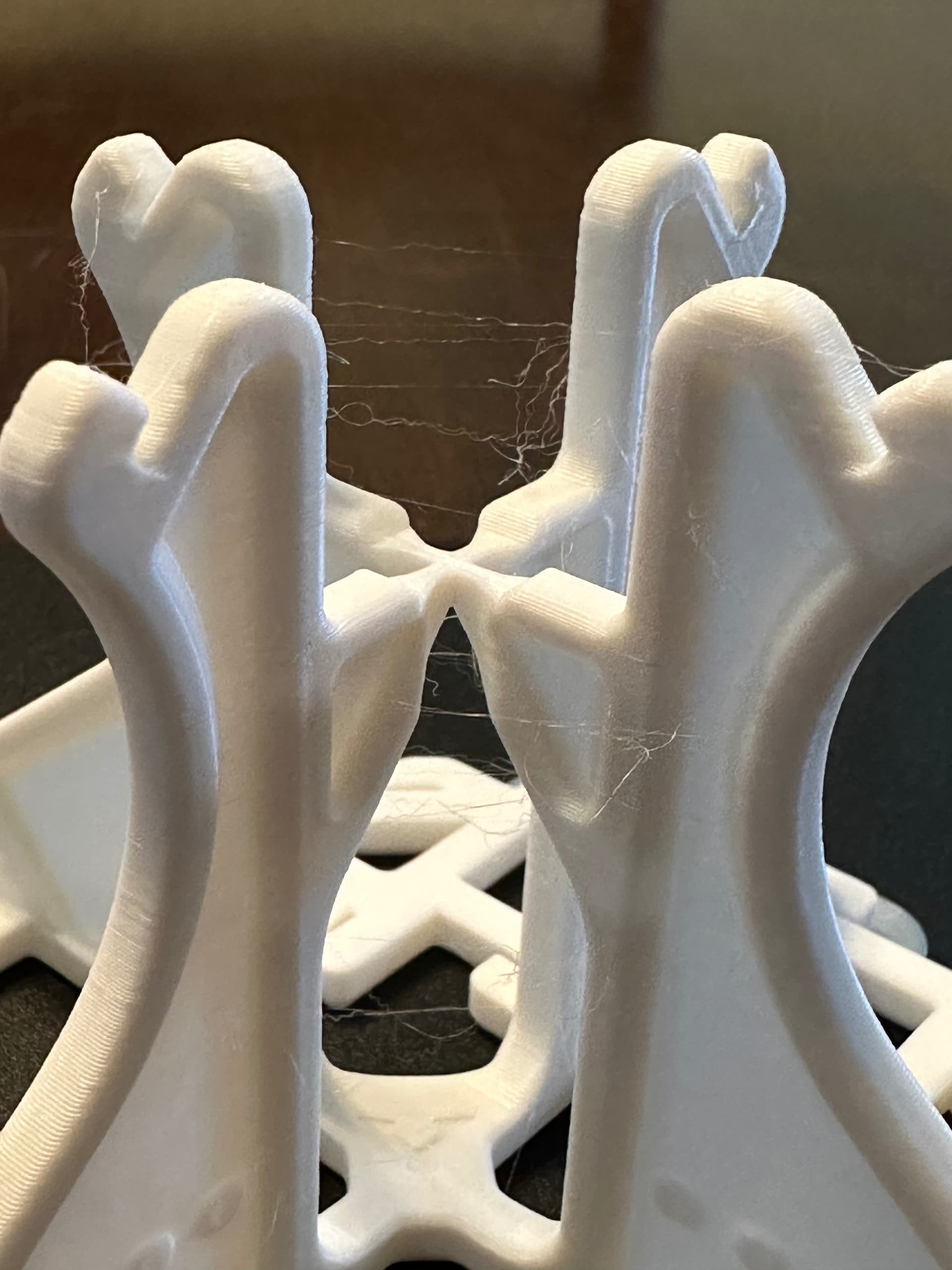
That’s stringing. Most likely from the filament being wet. But could be from bad retraction settings as well. But on a newer printer I would say dry your filament first off before I would try changing anything else.
Have you done the measurements on your calilantern yet??
No measurements yet; I’m multitasking with my real job 
For drying filament.. I guess I wasn’t aware how serious it is - I’ve kept my filament in the bags they came with (though not sealed). What’s the best means to dry a spool?
Most of the time the filament comes wet brand new. Personally I use a dehydrator to dry it. for PLA a good 12 hrs at 50° C works good. Now a days true filament dryers can be had for around the same price as a food dehydrator.
Once dry, how best would I keep it dry? Hanging on the printer, I don’t see much means to seal it while printing..
In the bags with a descant pack work if you have a small amount of filament. I use large totes that have a seal on the lid but I have more filament to store than most 