Have you thought about hosting it on github.io? That’s where sandify is, and it’s worked well. Whatever node toolchain I used let me run npm build deploy and it goes right up to github.io.
1 Like
Honestly, I’ve never hosted anything on .io. To be fair though, I’m using the process object to call bash on windows. It’s all pretty hardcoded. I’ll have to look into it…or turn it into an electron app 
Aaah! Can’t unsee!
Kidding aside, kudos on a neat hack.
Lol; Single Minded Code is the best kind (for job security)
ive seen similar stuff done in matlab but none that look as good as this!
ive almost made it to the end of the write-up but when i generate the gcode it just sits in the folder at 0kb, i left it over night… still nothing. when i hit apply it gives me a message saying no errors occured but the output may be different than id expect. any ideas? Is the file too big this is whag im working with
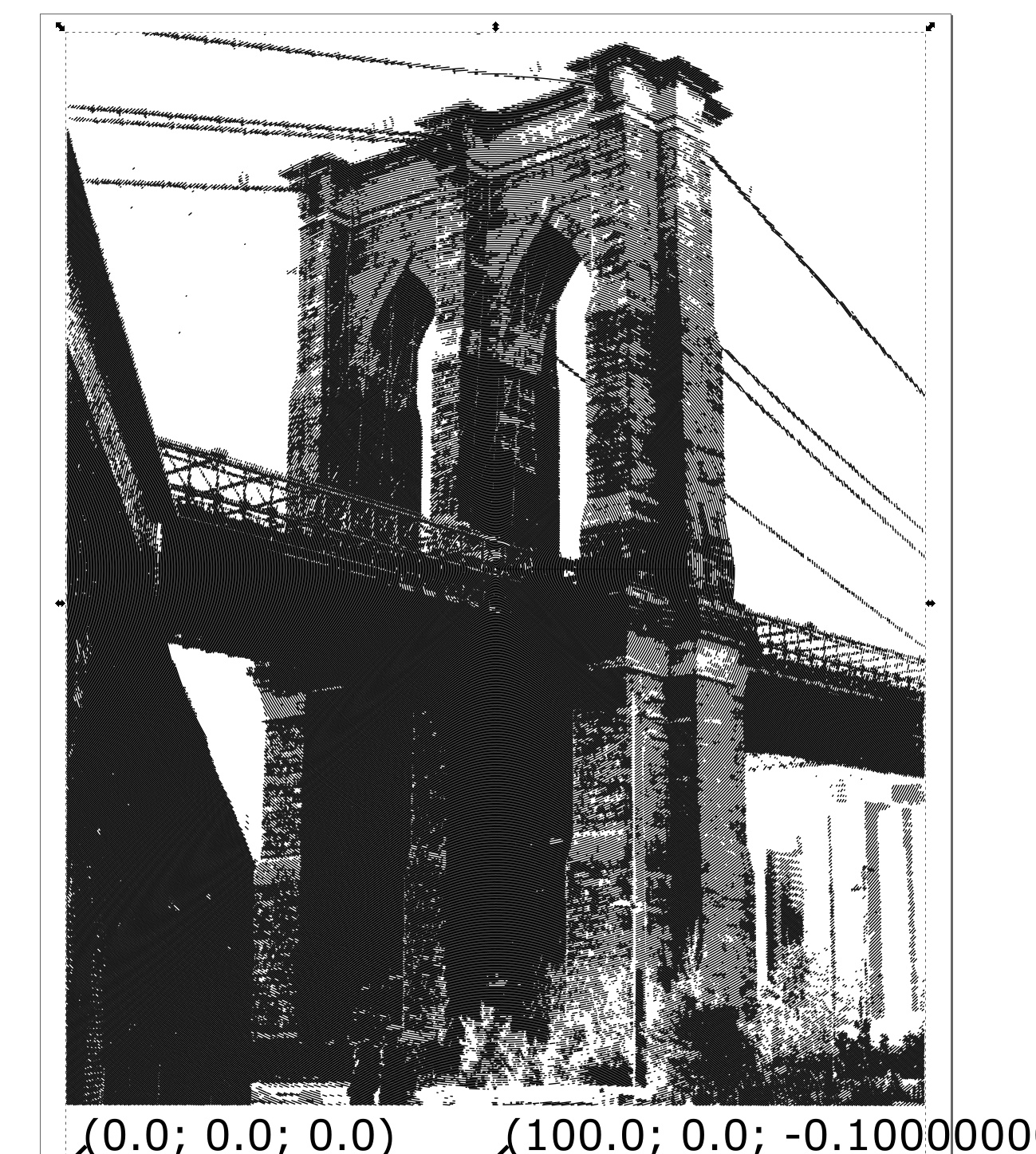
Its hard to diagnose completely but it looks like you got output from the black stripes tool. In general if you get a 0kb file it means one of two things from my experience. Either Inkscape is still chugging along, or more likely there was an error in the processing.
Something that does look a little off to me is how small your canvas is compared to how dense your image is. Thats a ton of super small lines for inkscape to deal with and it may honestly be processing, or it may be running into an issue such as limited RAM.
I would try making a very sparse version that would be easier to process to make sure you get the work flow down.
ok thanks adam, ill try some easier ones first. The canvas size is a normal piece of paper the lines are 1mm thick, but youre right it is pretty dense. It is a shame though, it would be cool to output something with this much detail to the mpcnc.
ok, I tried a simpler shape by tracing a bitmap of a jpeg from the internet then using the gcode tools and it worked. but now when I go back to try the svgs created by blackstripes it always gives me this error message:
Im using my smallest file size svg too, around 80kb.
I think it doesnt think its a path even though i can select each one.
This extension works with Paths and Dynamic Offsets and groups of them only! All other objects will be ignored!
Solution 1: press Path->Object to path or Shift+Ctrl+C.
Solution 2: Path->Dynamic offset or Ctrl+J.
Solution 3: export all contours to PostScript level 2 (File->Save As->.ps) and File->Import this file.
This extension works with Paths and Dynamic Offsets and groups of them only! All other objects will be ignored!
Solution 1: press Path->Object to path or Shift+Ctrl+C.
Solution 2: Path->Dynamic offset or Ctrl+J.
Solution 3: export all contours to PostScript level 2 (File->Save As->.ps) and File->Import this file.
Traceback (most recent call last):
File “gcodetools.py”, line 6751, in
gcodetools.affect()
File “inkex.py”, line 283, in affect
self.effect()
File “gcodetools.py”, line 6675, in effect
self.path_to_gcode()
File “gcodetools.py”, line 4559, in path_to_gcode
csp = cubicsuperpath.parsePath(path.get(“d”))
File “cubicsuperpath.py”, line 163, in parsePath
return CubicSuperPath(simplepath.parsePath(d))
File “cubicsuperpath.py”, line 150, in CubicSuperPath
csp[subpath].append([lastctrl[:],last[:],last[:]])
IndexError: list index out of range
Keep in mind that the minimum resolution is dictated by the minimum size your marking implement can make. There isn’t much point in making a tracing with 0.1mm width lines if you’re using a Sharpie Marker.
A few things to try
Make Sure youre Importing your SVG dont Open it.
Make sure before you go to the Paths To Gcode extension that youve actually selected the paths/ group of paths youre interested in I played around with the workflow tonight and i was able to replicate your error make sure youve slected ONLY paths anything else will cause an error, ive edited this post to add directions at the bottom
Also before you press Apply make sure youre on the Path to Gcode tab in the Path to Gcode Window. For some reason if you arent it will throw an error
Try increasing the Biarc Interpolation Tolerance. This controls how far each gcode line segment can deviate from the true vector path before a new line segment is made. Having this too small will drastically increase processing time. Try something really coarse to start and get more and more fine later if you need to. This may be especially true in your case where youre trying to generate a very dense image. If there is a 1mm long arc in your image and your interpolation is set to something super low like 0.01mm then youre possibly breaking that tiny arc into dozens of separate Gcode line segments. multiply this by the thousands of paths you have and it can quickly cripple Inkscape
Finally make sure you are trying to output to a directory that Inkscape will absolutely have Read/ Write Permissions.
If this doesnt help leave a reply with an output svg from your BlackStripes and Ill try to run it through inkscape and get some Gcode.
-Adam
(edited below)
To select ONLY paths make sure that youve IMPORTED the svg not open. Go to objects tab at the top and select Objects. A new windows will pop up that shows all the objects in the file.
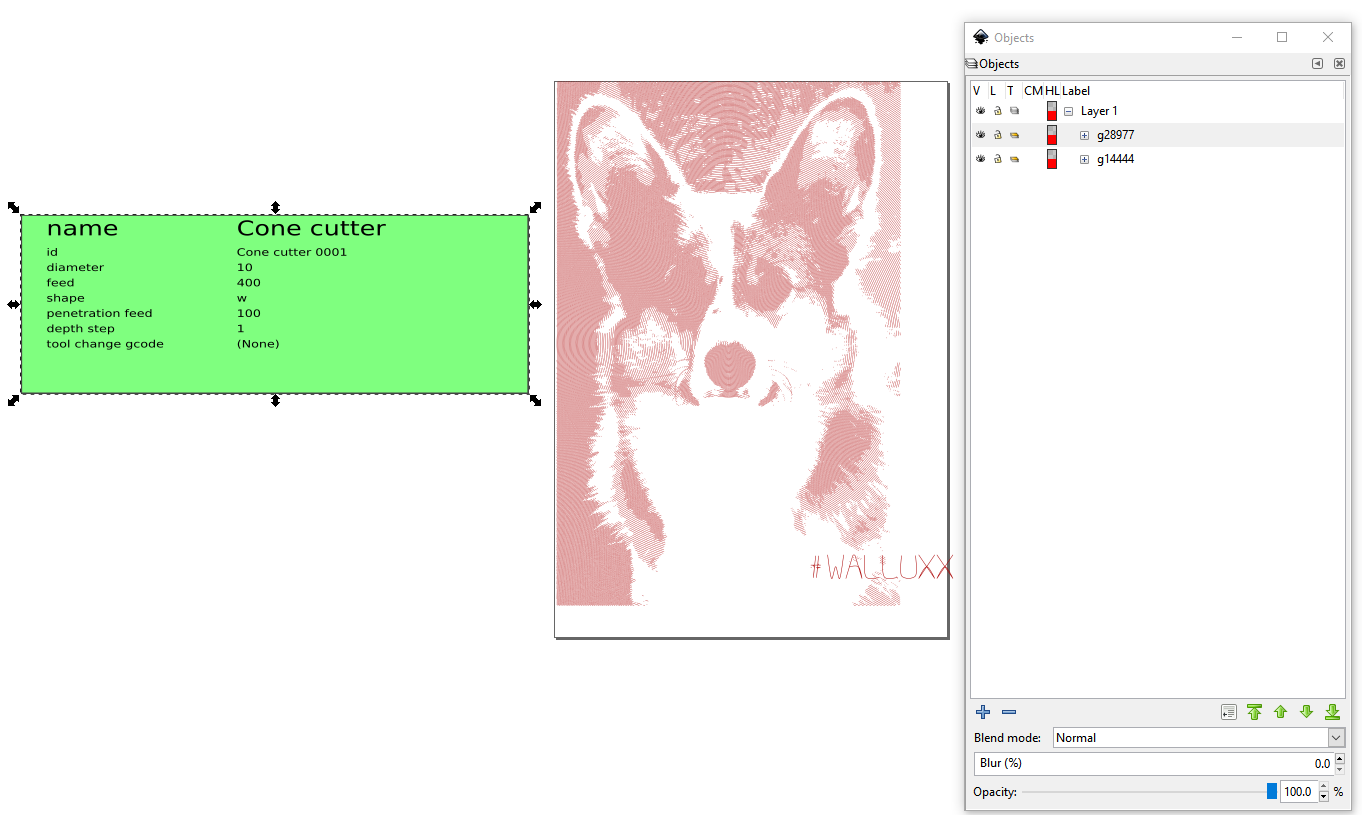
Expand the groups (the items that start with G) and try to find the one that has a lot of paths in is. For me there is a sub group (g14442 for me) that has the logo in it. Im going to delete that so one of the top level groups has only paths in it. just highlight the group and hit delete
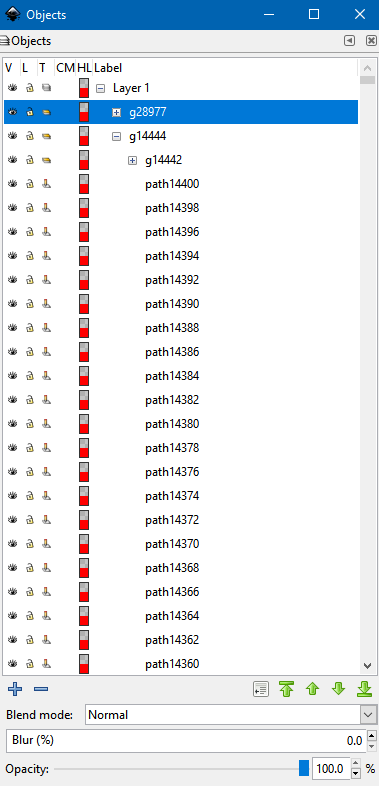
to select all the paths just highlight the top level group and youll get a selection box.
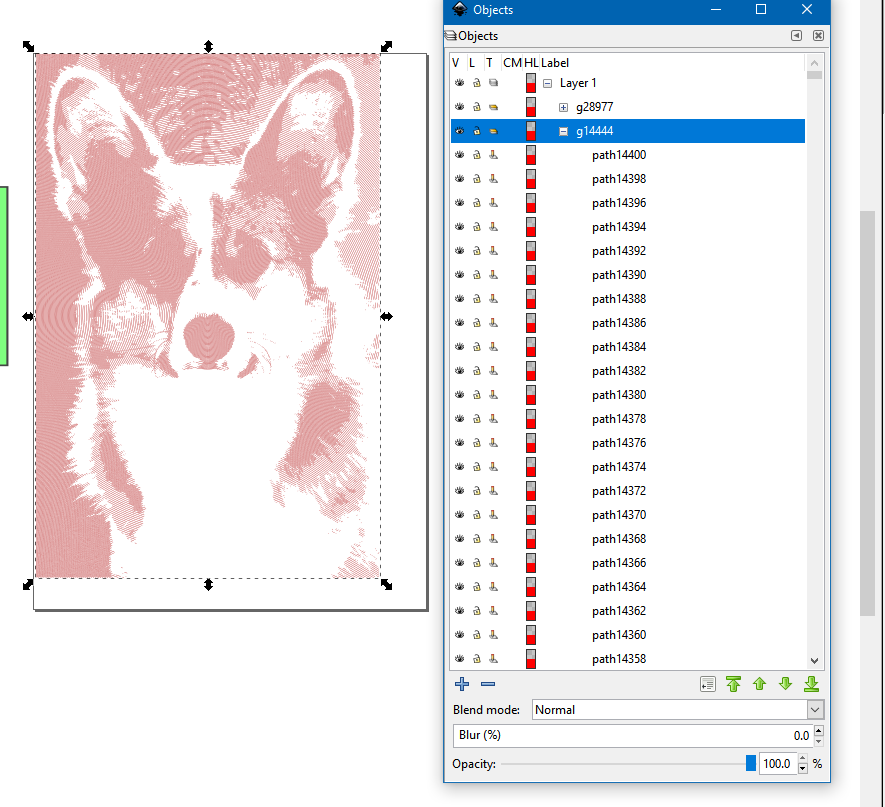
make sure you have orientation points and a tool defined and then use the Path to Gcode menu item as described in the the Guide. This will hopefully fix your error