The post-processor, by default, enables no option that would not align with your F360 license. As the user, you need to determine what is enabled and how this aligns with your license.
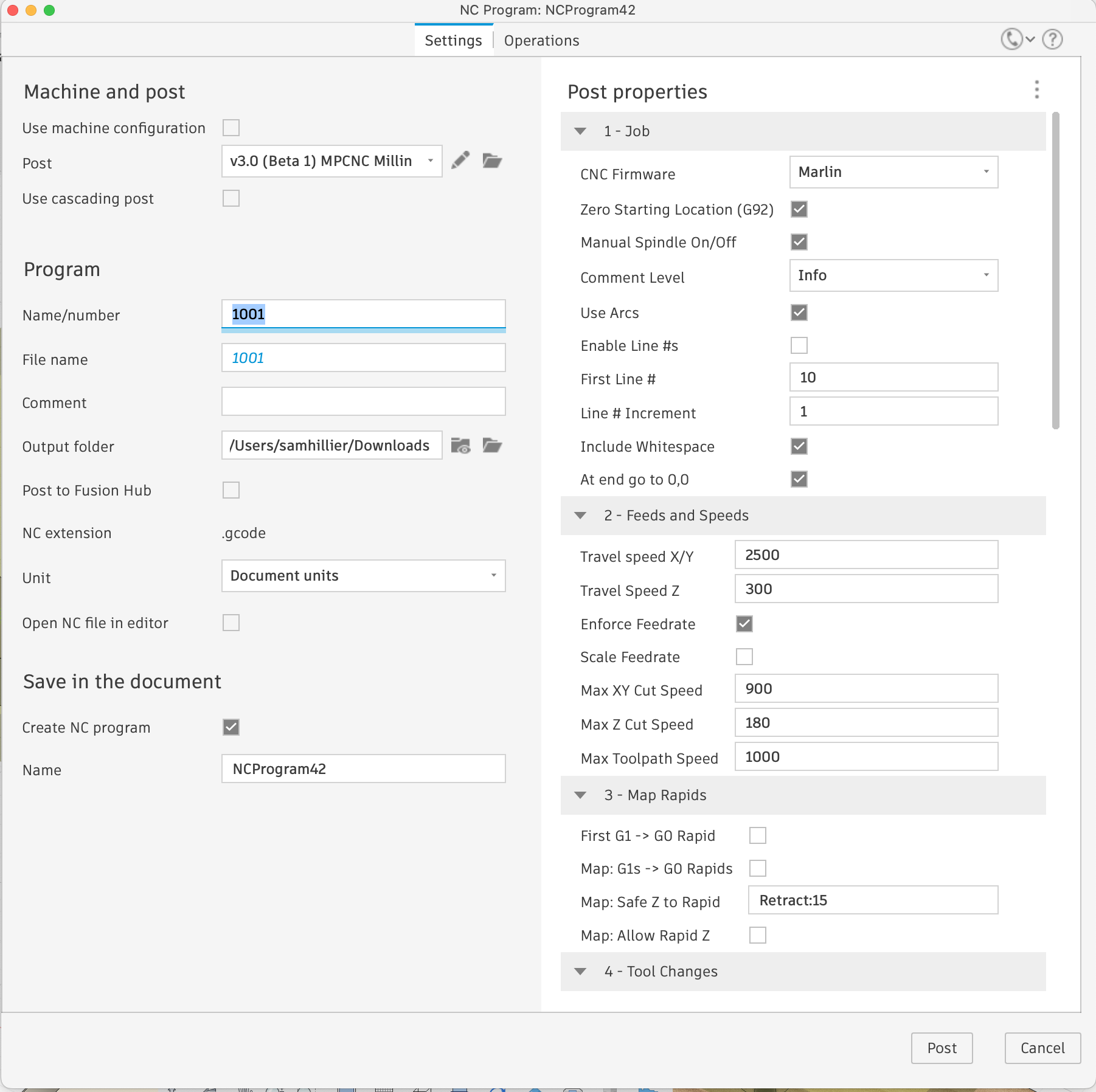
Scale Feedrate should scale the Z feedrate, and for your configuration, I recommend setting it on. I would carefully check your GCode after making the change, as I would have thought the Max Z Cut Speed or the Max Toolpath Speed should have placed hard limits on the Z5 F3000.
I have now reviewed the code and with Scale Feedrate disenable there is NO Scaling or Limiting of the feedrates. This is why the F3000 is making it through in the GCode.
I have not updated the GitHub with the latest Betas. Since the code is JavaScript, the single file is inside the post-processor zip file. Just unzip and you can review the code.
enables no option that would not align with your F360 license** . As the user, you need to determine what is enabled and how this aligns with your license.
I’m on basic hobby fusion licence. I’ve notice my travel speeds in-between cuts are quite slow. Is there an option in the post processor or in Linking I should change?
Im having great results with fusion. But I’m a bit overwhelmed with the amount of settings. If you have any tips on settings that would help that would be amazing.
Yeah, that’s a limitation of the Personal Use (Hobby) license. I use EstlCAM for creating the gcode. If you have your heart set on using Fusion for creating gcode, you may need to manually edit the output to increase the travel speeds.
In the hobby version of F360 all moves are G1 (slow cutting moves), F360 sends no fast G0 (rapid moves) to the post processor. This results in very slow overall performance.
As a developer I have respected F360 defaults and pass G1s from F360 as G1s, and G0s from F360 as G0s. This creates a GCode file as F360 intended and as aligns with your license.
That said, if you are a hobbiest there are options in the post processor that you can enable that greatly increase overall performance - but you should not be enabling these if you are doing production work. If you are doing production work with the hobbiest version of F360, these options were not intended to bypass the need to be licensed correct - you should instead buy a production license for F360.
That said, as I hobbiest I do enable these option as my work is limited to small personal projects and nothing I create is sold or given to others.
The post processor can’t change the hobbiest output into the same as the production output of F360, but it can sure help. For clarity, get a production license if you need production speeds.
Options that help are:
converting G1 cutting moves to G0 rapids, if the Z position is above a defined Safe height
Convert G1 cutting moves to G0 rapids, if the move is only vertical, is going up, and the target is above the defined Safe height
Convert the first G1 cutting move at the beginning of a cutting sequence to a G0 rapid - as a cutting sequence always moves to the first location before a cut occurs.
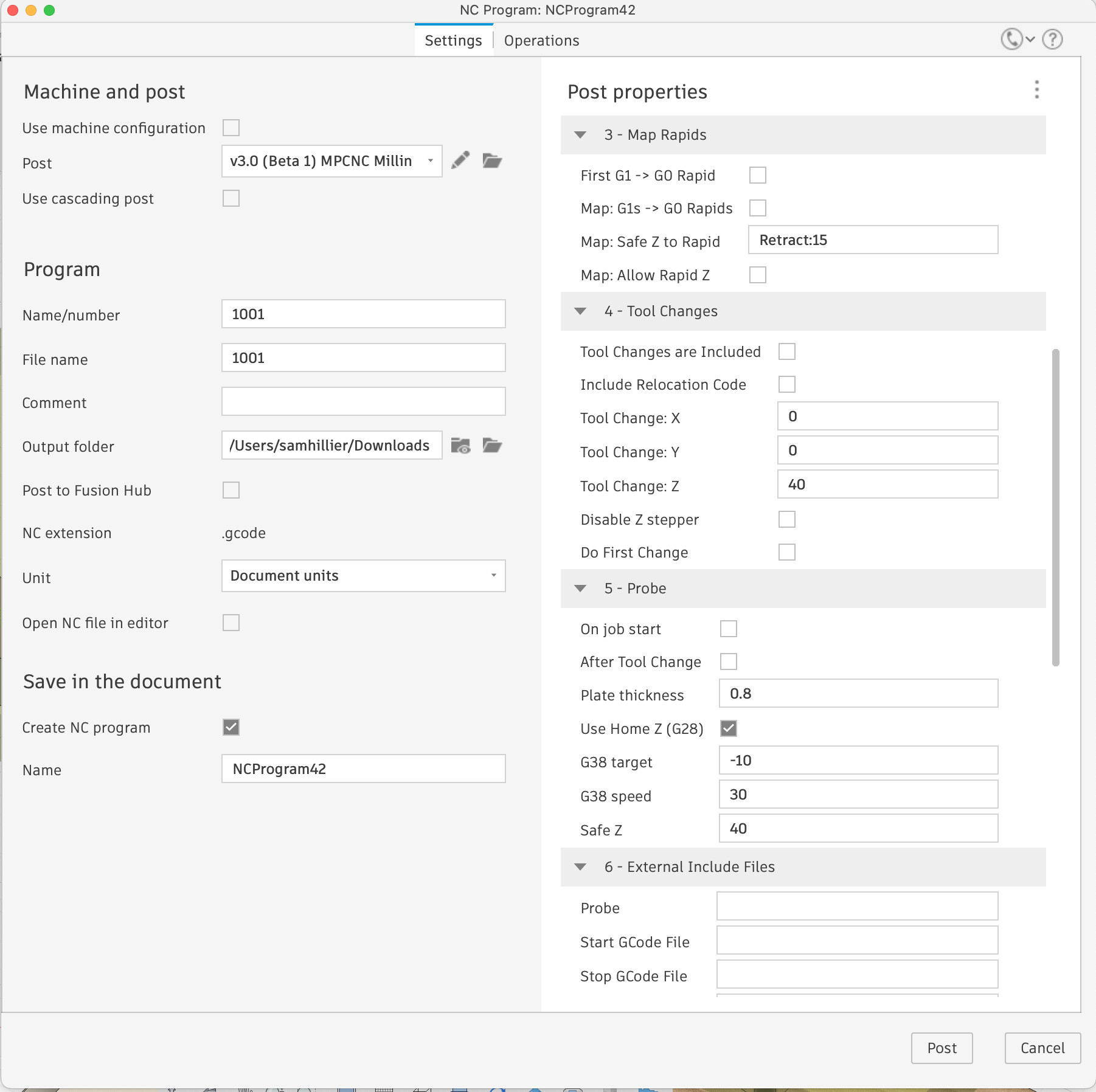
For these to work you must ensure your Safe height is set to align with the clearance heights you used in F360.
As a hobbiest I consider enabling these to be within the spirit of how I’m using F360. If I was doing production work then I would purchase a production license, in which case these options would result in no conversation of G1s to G0s as they would all be correct prior to reaching the post processor.
I hope this helps explain what options are available to hobbiests who are playing around.
IMHO, adding these features are great and should be used by everyone using the hobby license. There’s no legal reason to worry (that I know of) for you or the user. I conpletely disagree with Fusion’s choice in making everything G1 in the hobby license too, so I think you’re free of any moral objections.
If someone is signed up for a hobby license and making production parts (at least, over a few trinkets for a side business that is struggling to pay rent), then that is a problem and the G0 isn’t the reason that is amoral.
Hobbiest should consider enabling all options in Section 3, but only if they are not doing production work. Safe Z to Rapid takes a layer name where rapids are safe (“Retract”), if this is not defined within the F360 environment for some reason then 15 mm is used. Users need to ensure this value is set correctly in their F360 setup.
I won’t comment on the other options as my use of F360 for milling has been extremely limited. The other options are material and machine specific.
I wrote the post processor during Covid, mostly as a challenge to myself. My early career was as a software engineer building CAD tools. Having used F360 and built an MPCNC I hated the fact that I couldn’t drive the MPCNC effectively from F360.
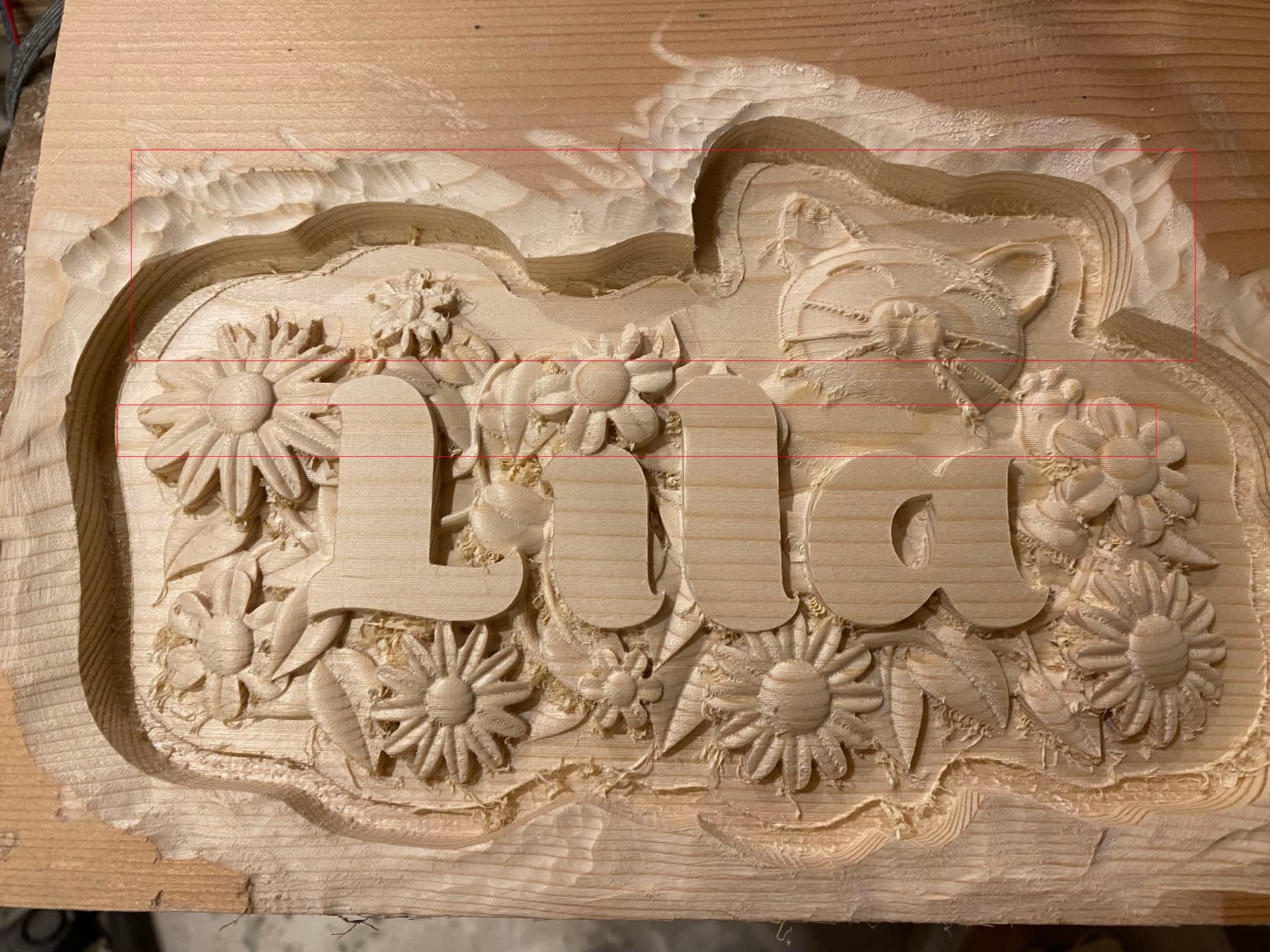
Hi there Im a new MPCNC user and Im using V3 pp with Fusion on the mac. I have a couple of issues with the a parallel pass. I would have put it down to an issue with slip on the machine but while watching i noticed a couple of moments where CNC seemed to just stop moving. Im new so Im not able to read or understand Gcode yet unfortunately.
the second image is a test pattern I did, and you can see a similar depression. on both parts I had two passes, an adaptive clearing, which seemed to work perfectly, then a fine detail parallel pass which both seemed to have issue.
Please see the discussion here FluidNC running 2d Contour too high - #13 by CesarH Maybe this is a post processor issue. I am using Beta 3. When doing 2d contour FluidNC seems to put the bit too high by the thickness of my stock. Everything looks OK in Fusion when running the simulation. I have the hobbyist version. When I put a G92 Z5.0 (thickness of my stock) at the top of the gcode, it worked.
Shopman, you will need to review the resulting GCode that is produced. You will also need to consider the options you have enabled in the PP. Since it starts wrong, the first few lines should indicate the issue, but you will have to carefully consider where 0,0,0 is when the GCode plays. The PP has an option to probe to determine the origin point. The origin point must correspond to the same origin as in F360 model. For example if your origin in the model is bottom of workpiece then you will need to probe to the table surface.
GCode is relatively simple to read. The commands for GRBL GCode are all well documented online. If Z is off by 5mm this feels like an origin definition issue.
Don, yes, you are correct. I used a feeler gauge to determine how far off the bit was and realized it was off by exactly the thickness of the stock. When I added G92 Z5.0 (thickness of the plywood) to the Gcode it worked. But I like your idea better of probing the bottom of the stock as it is more exact and does not require adding Gcode.
I had no problem with 2d pocket clearing or drilling with Fusion because they set the model origin at the top of the stock. So I will just remember to probe the bottom for 2d contour
Curious?
Is this also for the LR4? I have JP card.
I built a Primo that I want to convert at some time to a laser but that’s for another day.
I built a LR4 I am loving, been using EstleCAM V12 but just would love to maybe try my beloved Fusion for CAM. I used it for my Primo but use EstleCAM also on occasion.
So when I see MPCNC I think Primo but technically isn’t Lowrider also MPCNC?
Don, I use a separate probe macro I got somewhere in the documentation or forum. It has a few pauses and I think I am more likely to remember to add the plate and clip and to remove them if I have that as a separate operation rather than turning it on in the PP.
Craig, I am using FuidNC on a Primo using Jackpot V2.