Hello, I got my Lowrider v4 working after some back and forth. All in all a smooth progress with some small hickups during building.
Software wise i also got most of it to work. I managed to cut my first piece out of 12mm MDF. Skipped the crown and got straight into a Letter But I have two problems with Fluid NC.
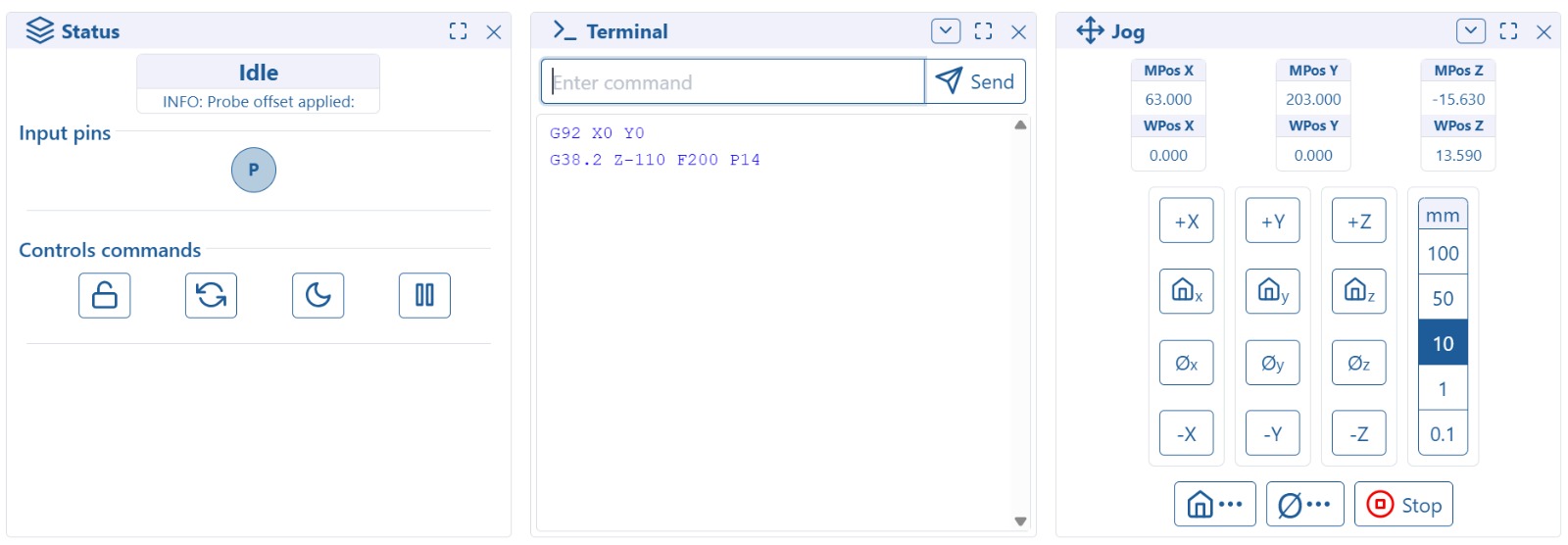
The Terminal keeps scrolling with “<Idle|MPos:63.000,203.000,3.000|FS:0,0>” Which is really annoying when trying to read mesages send by “M0”
I copied the start and endcode from the Milling Basics But when I want to Probe the spindle lowers slowly unti it touches the probe then quickly lowers further skewing the whole gantry.
I checked my steppers, Z- is correctly wired down. When i press Home Z the Gantry moves up. I tried changing G1 Z10 F900 to Z-10 which made it worse….
any ideas what i need to change? For now i just deleted this part and set zero manually.
Tomorrow I will try to cut the struts and maybe the holes for my Wasteboard.
When you probe, it will set Z0 based on the location where the probe initially touches. However, it still has to decelerate, so it will actually move a little bit past where it initially touched. If you move to Z14, it should be at the top of the touchplate.
If your probe is 14mm thick, you need to change where it moves at the probe.
G1 Z10 F900
M0 (MSG Remove probe)
You are setting the position to Z+14, and this line says move to Z+10 which is 4mm lower. Set that to at least Z18, but you really need to get a thinner probe or you will run into issues on larger stock.
Thanks i will try this in the morning. at the moment
I’m not planing of cutting anything beyond 21mm and I thing for that it will work. And if i will run into some issues in the future i will modify my probe and witch the 14mm baseplate for some 1mm sheet metal.
 But I have two problems with Fluid NC.