I just purchased a full kit and have spent some time assembling.
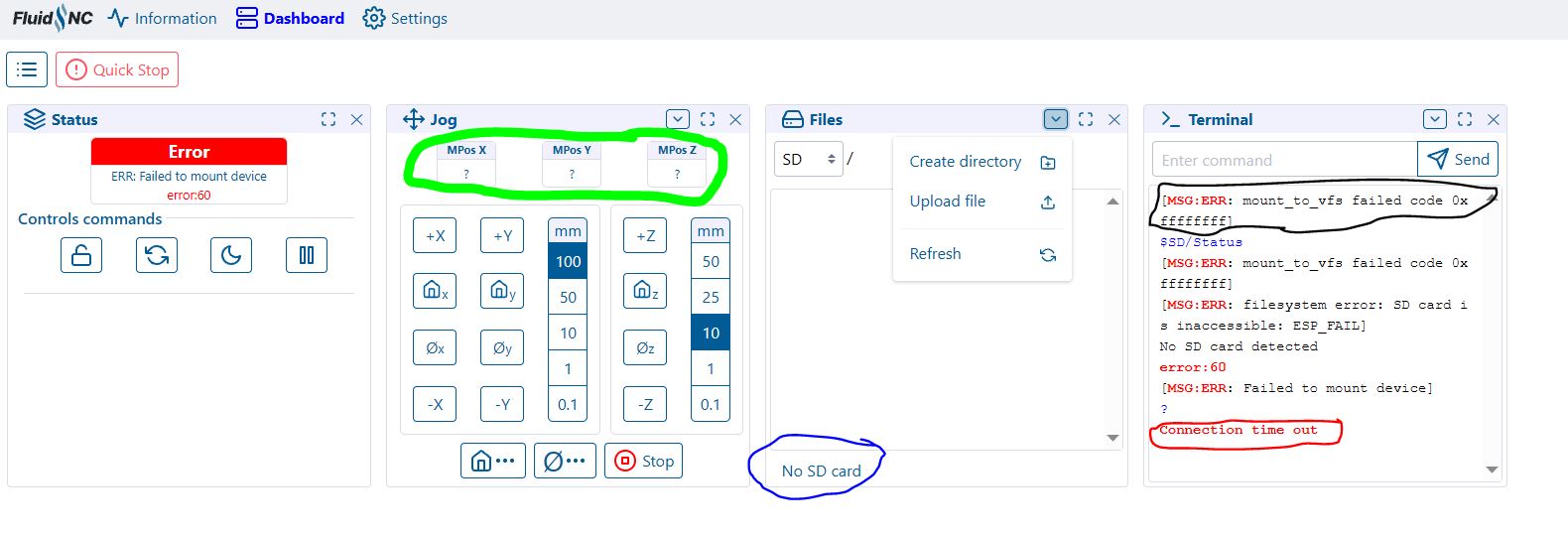
I’m having the following issues (screenshot attached)
Often I have a connection timeout (Red Circled) When this happens, the machine wont home axis individually, and fails to report It’s position. (Green Circled)
This can be resolved by rebooting many times until it loads properly, or sometimes switching to another browser.
Machine has never recognized an SD card in the slot (Blue Circled)
Tried card that came with the machine & a v60 lexar card
I had previously been able to upload the squaring G code from the instructions, modify and run it through the SD dropdown/upload through wifi option. I’m not sure where it saved to since there was no card. This work around is no longer working so I am unable to upload any programs ([MSG:INFO: Upload filesystem inaccessible])
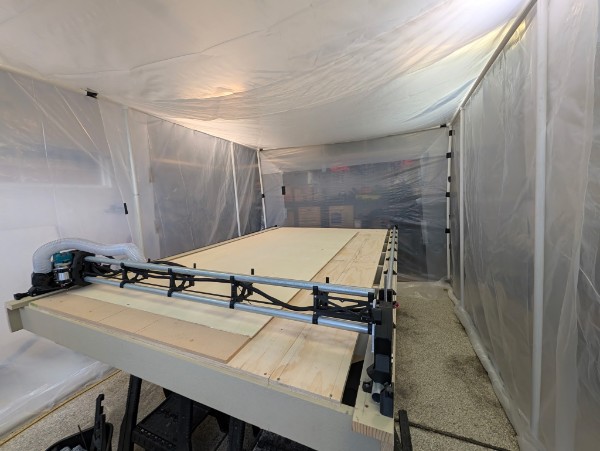
Other than some troubleshooting the build has gone well, machine is squared and ready, some practice files have been made and I’m ready to get cutting! (Build photo is attached)
Really appreciate any help or thoughts people might have.
Did you follow the part of the jackpot page on “use this connection as is”? I am guessing this is it, the board isn’t dropping the connection the device is.
You can also try STA mode if you have a good wifi signal.
3rd option is doing an over the air OTA update to 4.1.1.
Have a look at the jackpot page regarding memory cards, new fancy fast cards can have issues, fat32 formatting can help but not always.
JP3, probably 3.9.9, this was from a recent order but before we went to 4.1.1
Card that came with the machine has now been reformatted to FAT 32.
As of this morning I’m now having an issue connecting to the board at all:
I click the wifi, arrive at the first terminal page, hit the redirect link, and get “192.168.0.1 refused to connect.” This persists in chrome and firefox
Did you follow the part of the jackpot page on “use this connection as is”? I am guessing this is it, the board isn’t dropping the connection the device is.
I follow this flow, but I do not get a prompt for “use this connection as is”
Any ideas on how to get back to having a connection?
I had really problems with my SD card and some problems with Wifi too.
The problems with the SD are completely gone after upgrading from FluidNC 3.x to 4.x.
I’m not sure about Wifi, but it looks more robust with FluidNC 4.x too. I’m in STA mode, but opened up a own Wifi for my Lowrider and it’s computer the web interface. No other devices in the Wifi.
Update: Connection has been re established by berating chatgpt.
Here’s what it had me do:
Open Firefox.
Type about:config in the address bar.
Accept the warning.
Search for network.captive-portal-service.enabled.
Set it to false using the toggle button.
Restart Firefox and try http://192.168.0.1.
This temporarily disables Firefox’s captive-portal detection. It won’t change anything on the Jackpot.
Tell me whether that works. If it doesn’t, we’ll move on to checking the browser’s actual connection requests rather than continuing to guess at settings.
I’m hopeful this could fix some timeout errors, now I’m back to my base error of when booting, no SD inserted: