I’ve done two different carving projects involving text and both have had an issue I can’t figure out.
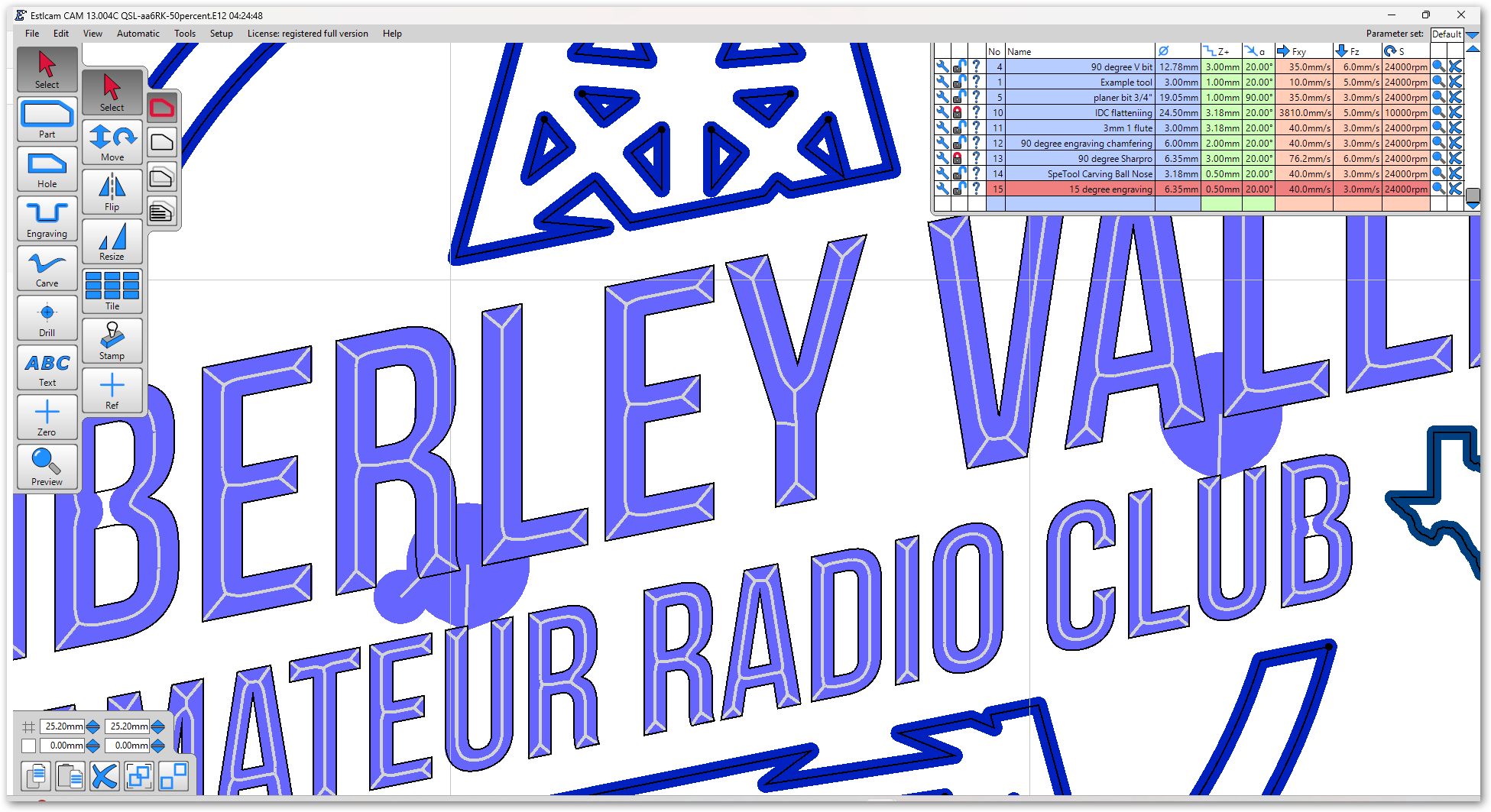
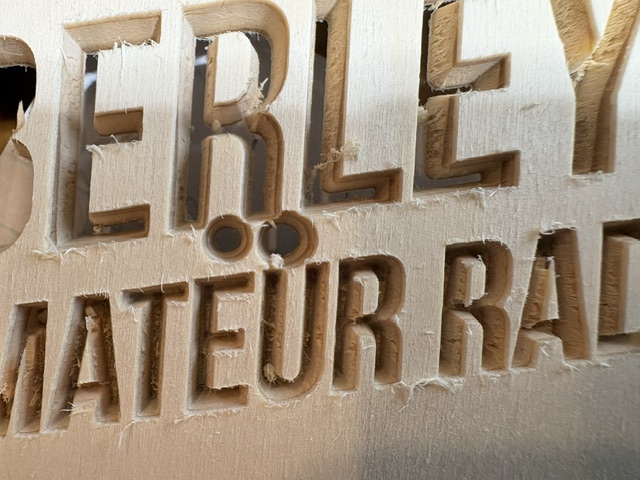
For some reason, some letters give me a little something extra… a deep circular carve off the apex of some serifs. You can see the blobs in the screen capture on the bottom of the “R” and the tops of the “U”s. And the result of a test run in the photo. They just magically appear when I select carve, and click on the letter outline. If I click on the blob, the letter itself gets selected as well. To work around this, I’ve had to load the gcode in ncviewer and scroll through, watching the preview and then commenting out the sections that would otherwise create these holes.
The original Inkscape file looks clean. No superfluous vectors.
Estlcam 13.004C. I’m carving with a 90 degree bit, only a few mm deep.
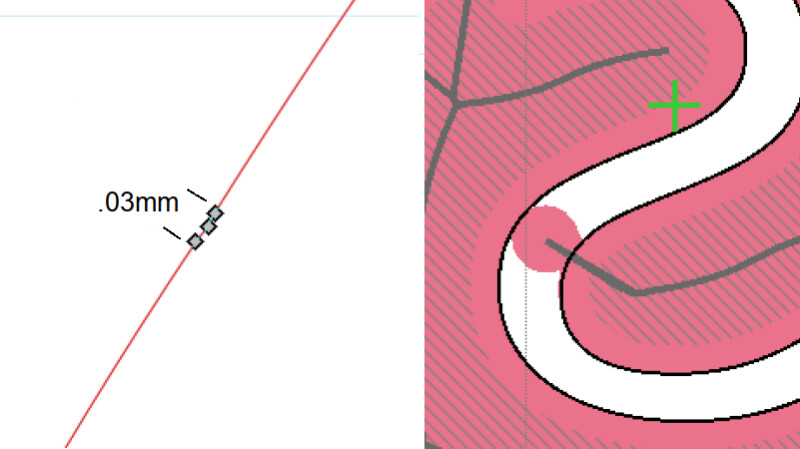
That usually means that there is a gap in the path. Have you zoomed all the way in to see if there are any gaps or tried manually setting a point to point path, e.g.
I had a similar issue with a downsized (- offset) path that had three really close nodes, deleting one fixed it.
When I followed your suggestion and looked. For all of those areas, I didn’t see anything amiss until I moved a node and found there was a second node under it at the exact same spot! Easy to miss since they were stacked. Deleting the dupe fixed the issue. I’m going to need to get a message to the artist (not me) and ask him to be more careful.
Thanks very much. I owe you a beer… or two. Now I just need to figure out how to glue back on the hair I pulled out….
Excellent. My bet is that the extra nodes issue is pretty rare, that it will never? happen with (Inkscape) text objects sized to suit before they are converted to paths.
I saw the fellow who passed the svg file on to me this morning and showed him the issue. I’m pretty sure he will in turn pass it on to his son-in-law, who drew the graphic.