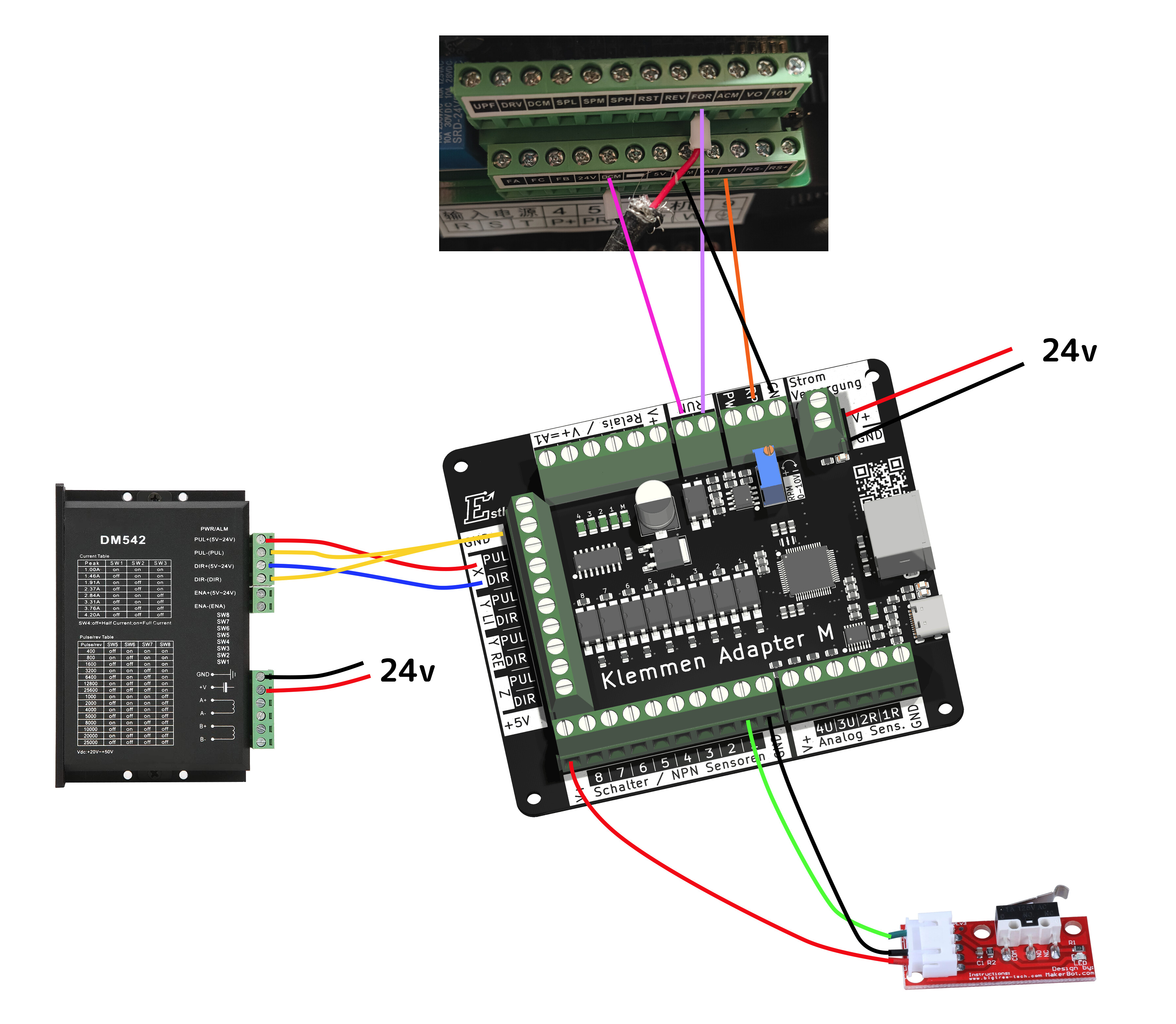
I been working on my CNC for a while now. Glad-fully I also made some cool stuff. But I decided to replace my hand-router with a 2.2kwh water-cooled spindle, which I bought a year ago. And I got it working finally. Except the 0-10v rpm, for which I bought a pwm to voltage convertor.
Which blew up my octopus pro board because I by accident switched the positive and negative….
So that was fun.
And now since I am done witch Chinese crap, I bought a ESTLcam board from Germany.
But I read that the manual isn’t ready, and I am missing some connectors to wire it all up one-by-one.
Now while the board is on it’s way I am preparing my connections and I think I figured it out but would like to ask if this is correct:
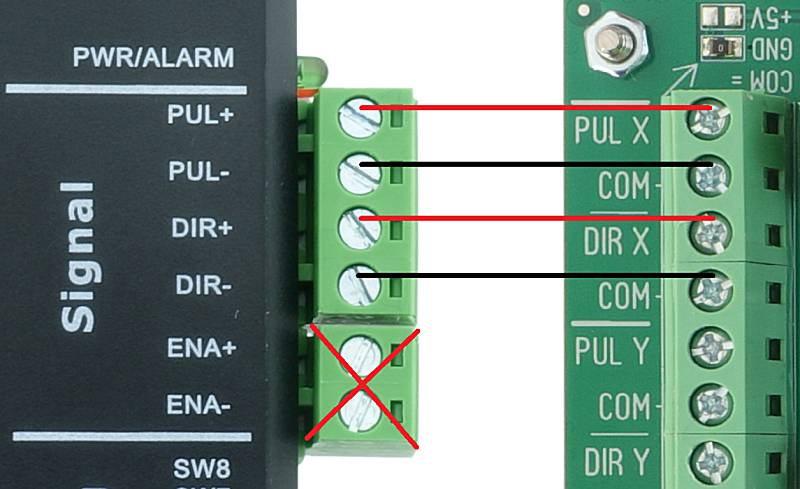
I think Philipp (@tokoloshe) is using the Open CNC Shield 2, while I’m using the Open CNC Shield 2 Mini. The connections should be pretty much identical when using the Estlcam terminal adapter.
The OpenCNCShield is funtionally the same as the Klemmenadapter XL (not the M you ordered). I have no experience with it therefore. The rough basics should be the same though.
Thank! I had seen that info, although it does not explain into detail on how to wire it. Weird that the expansion board has an ENA pin, while I also found this:
And you need to tune the RPM voltage to 10V by entering “PWM100” in the Estlcam command line, then turn the potentiometer until you get 10V between the RPM and GND terminals.
Alternatively turn it until the spindle reaches max rpm.
I am new here so cannot edit my post or post links but the text is from the klemmenadapter_en.php from the EstlCAM website.
Also if people want to know why I didn’t get an openCNCShield, it’s because I don’t want to f around with my machine anymore I just want too use it. And the Klemmenadapter is what I need to use it.
The OpenCNCShield is the Klemmenadapter but with removable terminals for the cables. That’s the only reason I bought it. The included ESP with autosquaring does not matter for a 4-driver CNC, but you are going to need it for one with five (e.g. the LR4). You won’t be able to square the machine with your board.
I’d also always leave out the ENA. Just makes you get a headache.
Any here got any tips on this issue: I have set my stepper drivers DQ542MA to 1600 pulses and I am using Openbuild TR-8 trapezium which should do 2mm per rotation.
But I need to set ESTLcam too 1600/1mm or 3200/2mm. (factor 2 error)
So ether the drivers are set too 3200 or ESTLcam is outputting the wrong steps. Or something else.