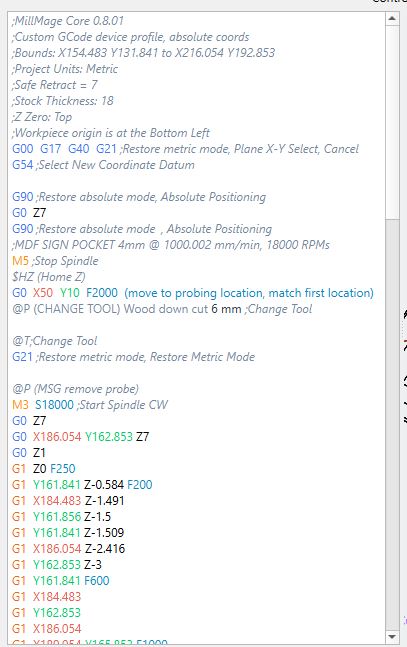
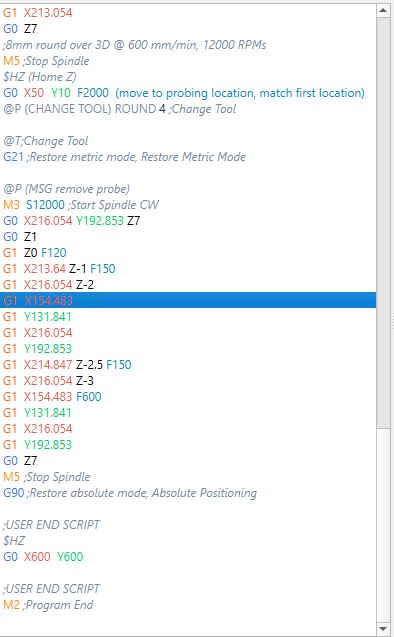
been having some issues since latest MM update with cutting depth after tool change of it cutting air .
have been working with light burn to sort it, as always there support is awesome, but thought would throw it out here for another perspective also, and see what other setting you are all using or if having same issue or am i only the lonely haha
originally right from MM RC1 I took the milling basics settings from docs and had them in tool change box and it worked didnt use MM probing tool
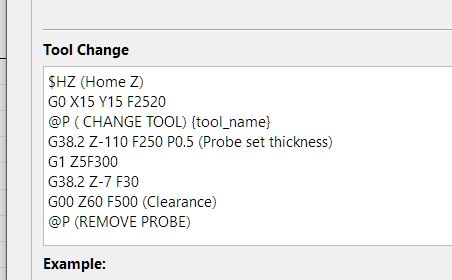
MM dev team says im handling tool change diff than they planned
they wrote me a new code , which didn’t work it would go down touch probe and just freeze
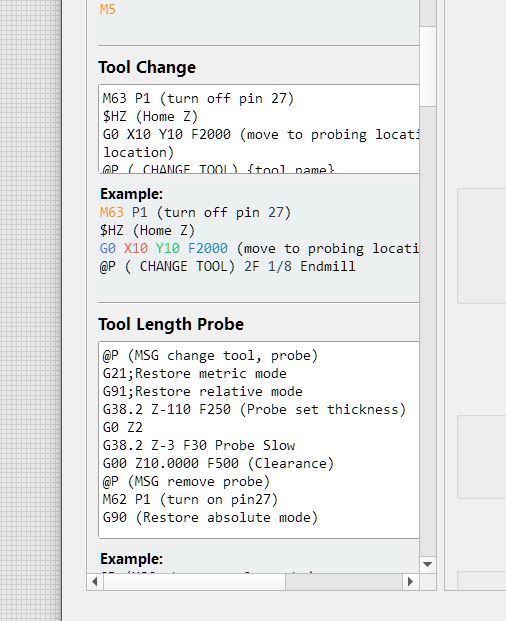
i compared the V1 milling basics and MM and changed it a bit to this , had to put pause in opp start box as it doesn’t like @P in probe command and if i didn’t have it in opp start box , as soon as probe done it raced off with probe still attached
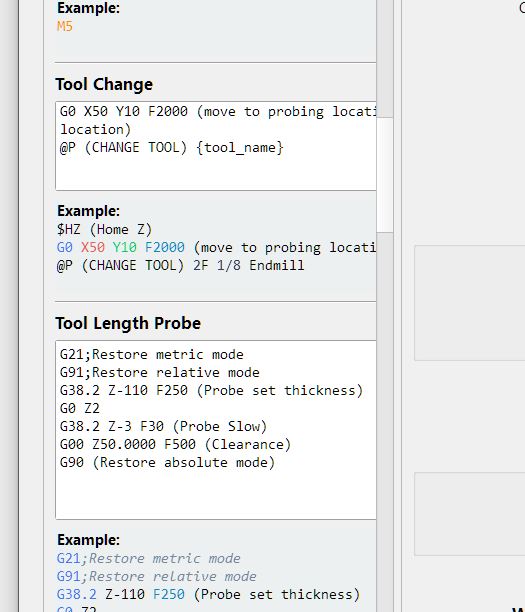
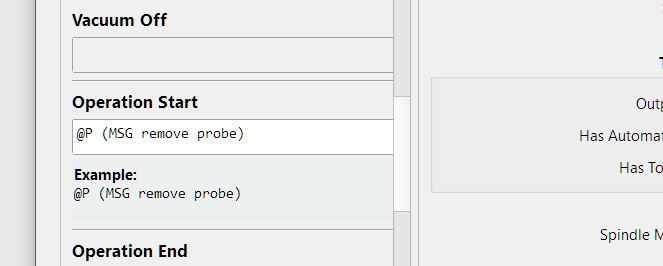
and got it working sort of, randomly
1: after probing it moves up 50mm for me to fit dust shoe, now when i click continue it lowers tool to MM safe clearance height than travels across work piece , prior it would move over at the 50mm above
than other times it travels at 50mm to start point than lowers, next it will gradually lower as traveling to start point , its so over the place
2: ran about dozen test jobs over couple of days , it looked like new codes had it sorted  (spoke to soon )
started running jobs again 1st day sweet , no issues
than yesterday 3 jobs everyone of them after tool change it cut air
on one occasion it cut air. i stopped job rehomed machine turned off all other active tool paths restarted job cut air again, did this twice , in end had to shut down MM to get it to cut
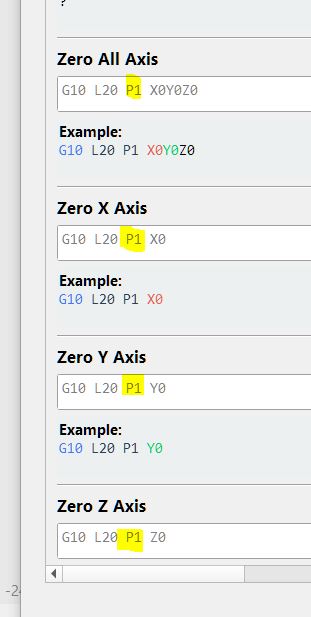
I did read a post somewhere about fluid NC and think it said G92 issue and ryan had updated codes, could this have a factor , I don’t have any of this in MM custom g code nor have i ever , but should I ? if so where
G21
G90
G94
G10 L20 P0 X0 Y0 Z0 (set current location to zero, survives reboot)
G0 X10 Y10 F2000 (move to probing location)
M0 (MSG Attach probe)
G38.2 Z-110 F200 P0.5 (probe down set thickness )
G1 Z10 F900
M0 (MSG Remove probe)
M62 P1 (If used start spindle pin27 )
I guess it worked in early days so I just rolled with it , now that im at my machine every day theses issues are doing my head in , doesn’t help i took another knock so codes are just gibberish to me again
i can send screeds of MM log txt , if anyone wants to see it
if not what do you need to look at , , my board is LR1 its still on the firmware it came with , i know i prob should update it , but with my fuzzy brain I’m liable to fry it
every time i start my LR i open fluid NC , check text box make sure its all green text , home all axis re check text , if all good close fluid nc , open MM and rehome in MM check MM console for any errors
cheerss for any help in advance