Hey folks, I’ve been messing around setting work offset and saving to eeprom. It’s nice being able to return to my fences automatically.
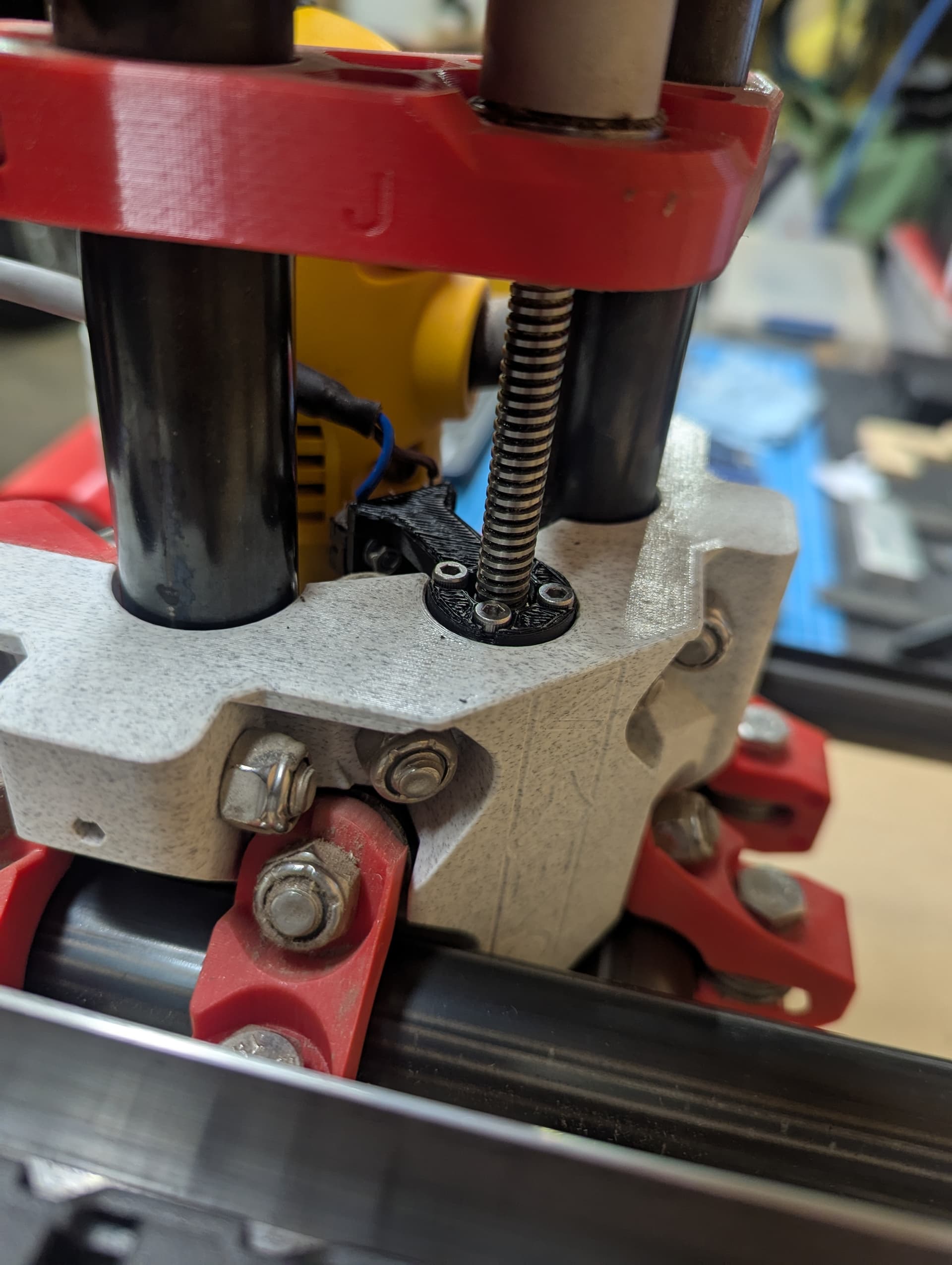
My Z axis switch works just fine during homing, but I discovered that while operating from a work offset, I refracted to high and broken my Z switch mount.
Movement isn’t being hauled when switch is triggered.
What setting should I be looking at in config.h?
Please let me know I you require more information to assist me.
The LR series is designed to be robust to most travel into the limits. If you have a workflow that requires the end stops be active then you would have to recompile.
I’m Curious- what happened to the end stop that broke?
The 3D printed mount bent/broke. I just had to reprint the mount. My retract setting from fusion was too great from where I set 0,0,0 for a ghost run of the gcode. So the 25mm retract when I was only 10mm from the switch was my own fault.
I just assumed I should be able to program the switch to haul the motor during movement.
As an aside, I understand the concern about nuisance trips of limit switches during use, but I’m not sure why the use of soft limits isn’t a thing. About the only downside is that you can’t move outside of the soft limits, so if the machine starts up anywhere off the limit switches, you can’t move towards them without homing first. Soft limits have certainly saved me from crashing into the end of my table at 1 meter per second a number of times.
Edit: Just realized this thread is about a MPCNC, so homing (and soft limits) would be less relevant than it would be than with a Low Rider.
In the settings for each axis including Z, you can specify exactly how far (in machine coordinate system) each axis can travel without bumping into anything. This setting is what the Soft Limits system uses to prevent crashes, so be sure to measure them and set them carefully. They are always active if you enable them.
So I picked up a touch plate. I am hoping to use G38.2 for multiple work offsets. The command is not currently working, so I have been looking around in the code to enable G38 probing. I ended up with a compiling error and will need to revisit that when I have a fresher mind.
Am I barking up the wrong tree with an SKR board and Marlin for the these function. It seems like most documents centre around the Z28 command. Is G38.2 even achievable?
I have the z_max set as upper switch I have installed, and inverted so it homes up, homing the machine in G54. The probe is hooked to z_min and Triggers properly when I use M119.
I have set some work offsets (saved to eeprom) for the corner of my vac table on G56, and marks on my self healing mat for drag knife cutting on G55.
Any links would be appreciated, my searches are coming up off topic mostly.
This tells the machine to lower the Z axis until it either reaches Z=0 (will never occur, as it will reach the end of travel first) , or until the touch plate circuit completes.
If G38.2 Z0 doesn’t work for you (gantry doesn’t lower), it is either because the gantry is already lower than Z=0, or because the probe circuit is already asserted.

 homing?
 I am bound to have challenges when my touch plate arrives and I start playing with it. I’ll definitely reach out