Getting familiar with my LR4 and latest version of EstleCAM.
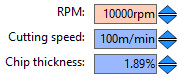
I watched Christian’s helpful Youtube but need a verification. I believe he said in his tool table specifications “IF” you do not have a controllable spindle the RPM you enter is not important? To test this I put in 10 RPM and 10,000 RPM the sample job was the same exact time to complete.
I confused as I thought all speed and feed calculations centered around the tool edge speed as well as tool speed, DOC, etc.???
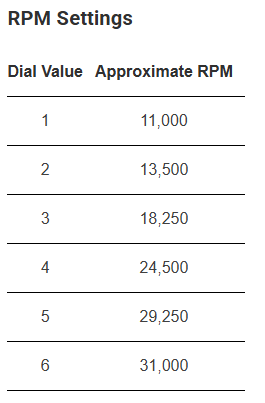
I have a Carbide 3D router I am impressed with but would like to get comfortable with which speed should be my initial go-to to try.
Any help would be appreciated.
ALSO SIDE QUESTION: I have a workstation in the shop/basement area where ll my toys live. But would be nice to have EstleCAM on my notebook Mac or PC just to play with when watching TV or whatever. Can I load my paid license on both?
You give estlcam the feedrate, RPM and tool data. It then calculates the resulting chip load. It does not calculate it’s required feedrate from your rpm and desired chip load.
If your spindle speed is not gcode-controlled, setting the wrong RPM just makes estlcam display the wrong chipload to you.
Thanks to you both especially Jason. Always appreciate the concise and detailed answers.
I am happy with the Carbide 3D spindle. I still have my Makita on my Primo but honestly, I have not used the Primo since the LR4 came into the picture.
BTW I think that Jason is the one that turned me onto the marked down Carbide 3D?