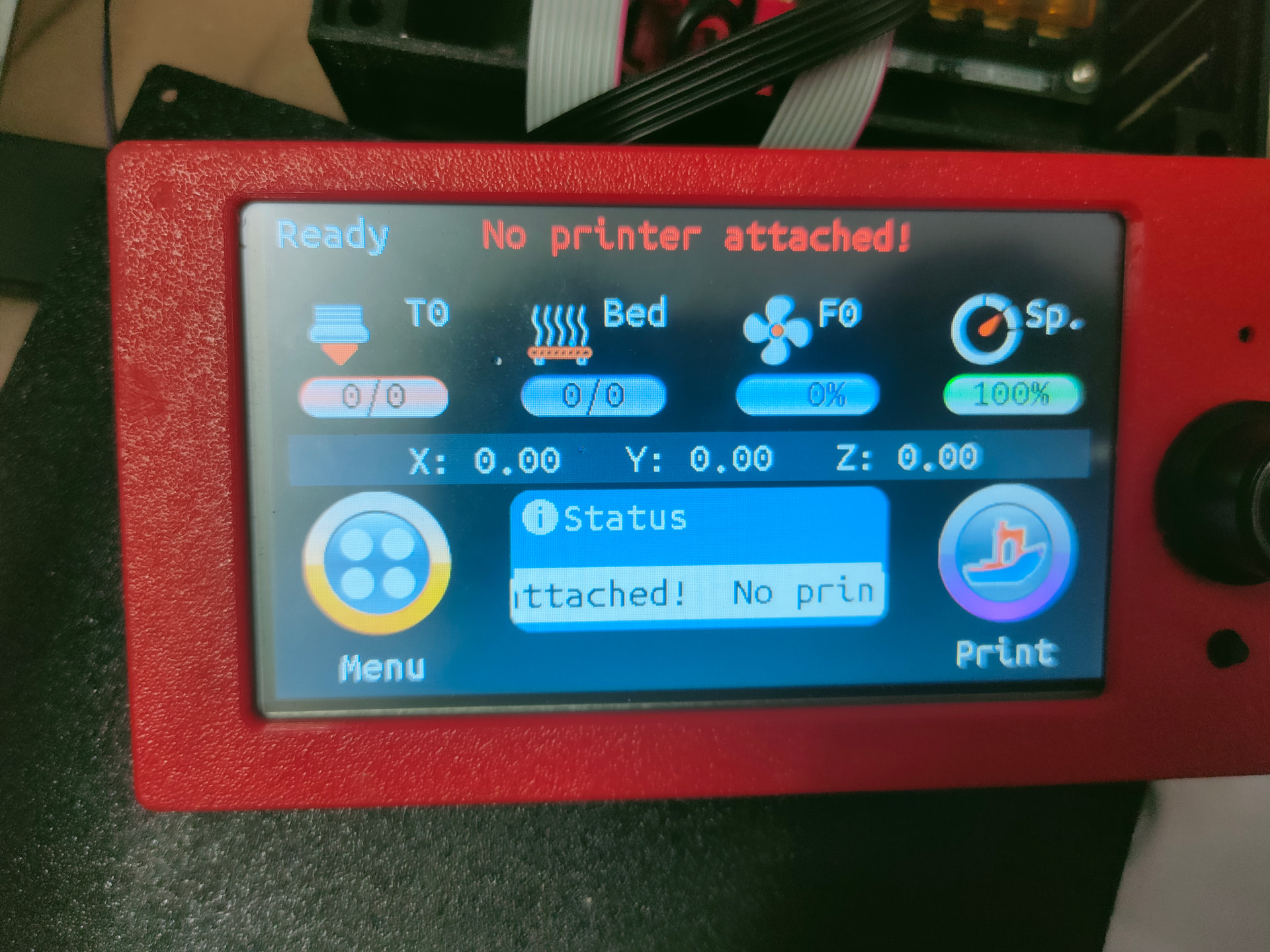
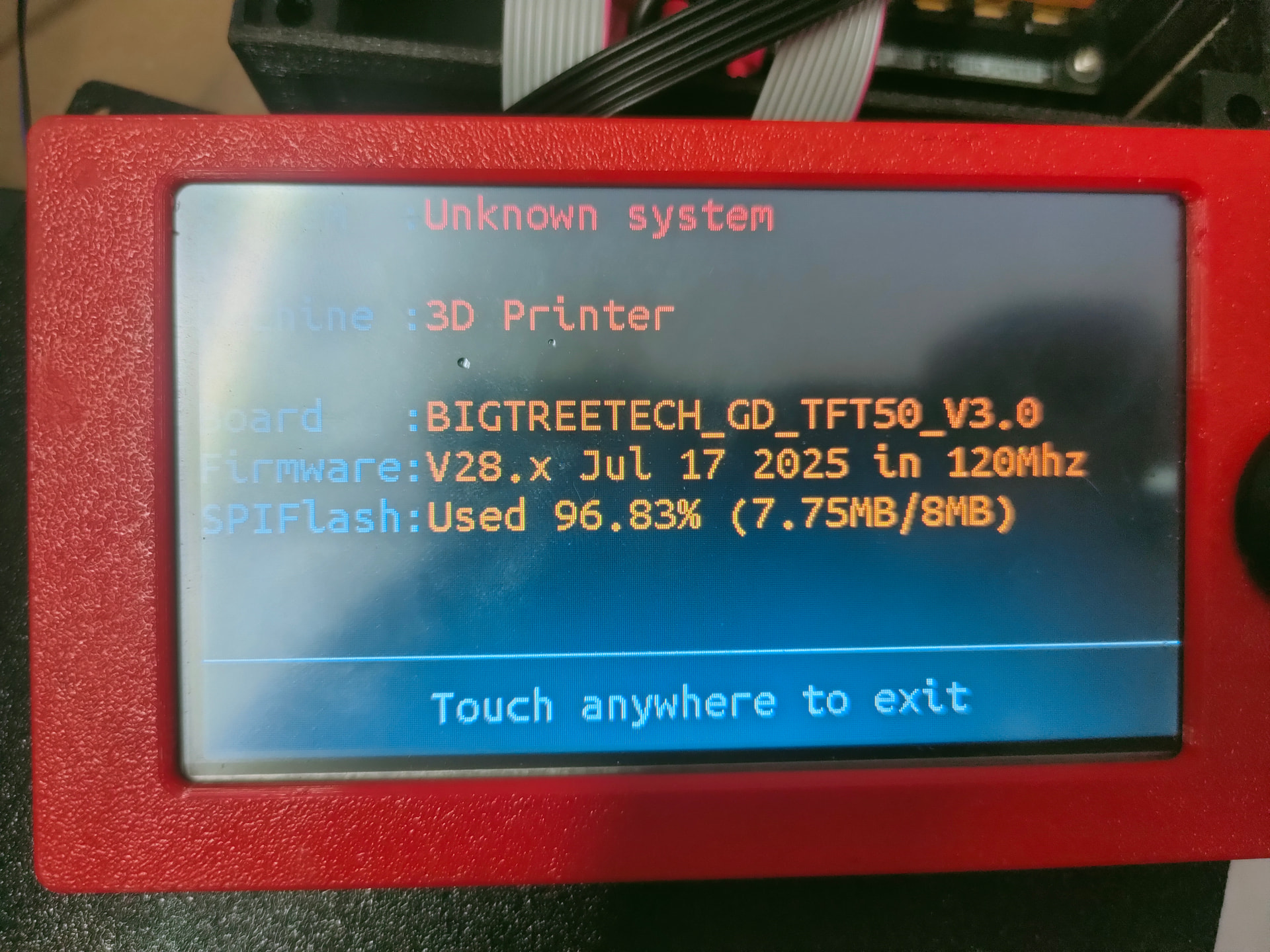
BTT SKR Pro V1.2 + TFT50 – “No printer attached”

Hi everyone,
I’m having an issue with my setup and I’m running out of ideas. Maybe someone here has experienced the same thing.
:puzzle_piece: Hardware
Board: BTT SKR Pro V1.2
Screen: BTT TFT50 (same behavior as TFT35)
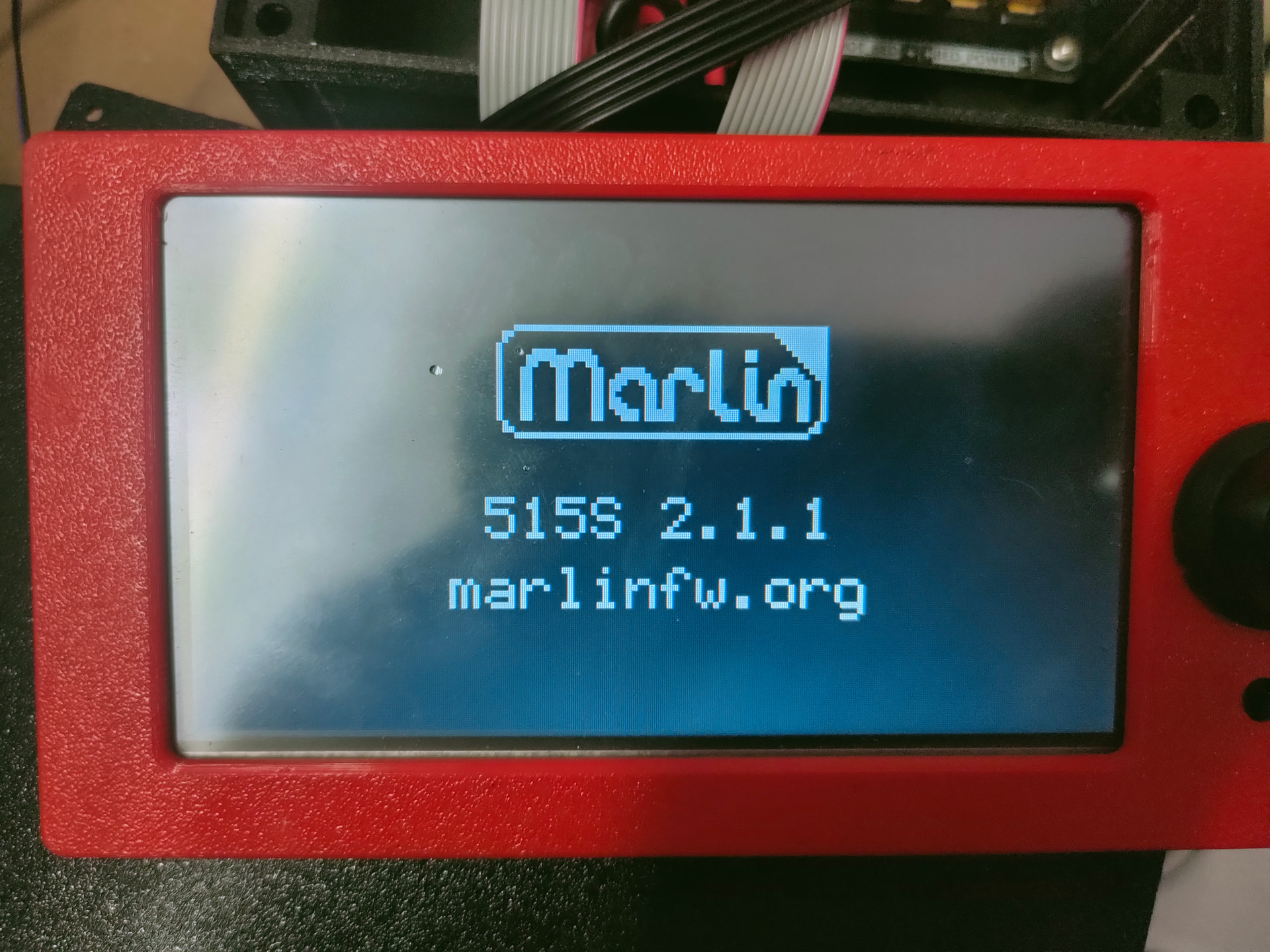
Firmware: Latest Marlin (self-compiled)
Connection: 5-pin cable from TFT (RS232 port) → TFT port on SKR Pro
:red_exclamation_mark: Problem
When using Touch Mode, the screen shows:
:red_circle: “No printer attached!”
However:
:white_check_mark: In Marlin mode (EXP1/EXP2) everything works perfectly
:white_check_mark: Motors move correctly
:white_check_mark: Firmware compiles without errors
:white_check_mark: Board responds normally
So the board itself is working — the issue is only in Touch mode (serial communication).
:electric_plug: Wiring
I am using:
5-pin flat cable
RS232 port on the TFT
TFT port on the SKR Pro
:warning: I understand that despite being labeled RS232, this is actually TTL UART (3.3V).
EXP1 and EXP2 are not crossed. The machine works fine in Marlin mode.
:brain: Marlin Configuration Tested
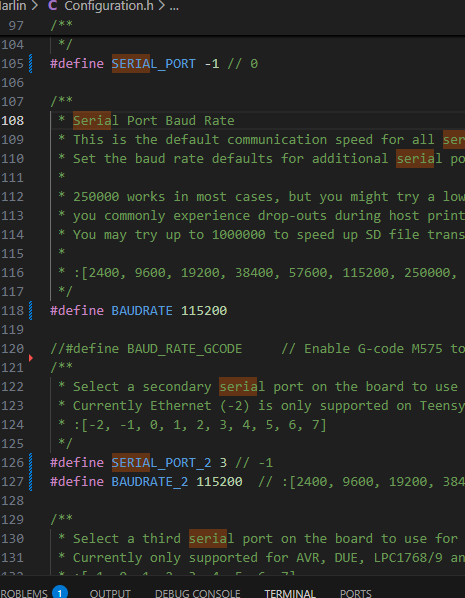
Current configuration (compiles successfully):
C++
Copiar código
#define SERIAL_PORT -1
#define BAUDRATE 115200

#define SERIAL_PORT_2 3
#define BAUDRATE_2 115200
I also tried:
C++
Copiar código
#define SERIAL_PORT -1
#define SERIAL_PORT_2 0
Other combinations caused compilation errors like:
Copiar código

template argument 2 is invalid
SerialOutputT {aka int}
With the current configuration, Marlin compiles fine.
:gear: TFT config.ini
In config.ini:
Copiar código

serial_port:P1:6 P2:0 P3:0 P4:0
Where:
P1:6 = 115200 baudrate
I have also tested:
250000 baud
Matching baudrates on both sides
Reflashing TFT firmware
:television: TFT Settings
Touch → Settings → Connection → Ports:
P1 (Printer) enabled
115200 selected
Still shows:
:cross_mark: No printer attached!
:magnifying_glass_tilted_left: Strange Behavior
If I unplug the 5-pin cable completely:
The TFT still shows activity under:
TX gcode bytes
Scan rate
So it seems like the TFT is transmitting, but not receiving anything from the board.
:test_tube: What I’ve Already Checked
:check_mark: Cable is straight (not crossed)
:check_mark: Baudrates match
:check_mark: TFT firmware updated
:check_mark: Marlin recompiled from scratch
:check_mark: Board works in Marlin mode
:check_mark: Connected to TFT port (not EXP1/EXP2)
:red_question_mark: Questions
Is SERIAL_PORT_2 3 correct for SKR Pro V1.2 TFT port?
Could the TFT port be mapped to a different UART?
Could USB (-1) be conflicting?
Is there something that must be enabled in pins_BTT_SKR_PRO_common.h?
Does anyone have this exact setup working in Touch mode?
:bullseye: Goal
I want Touch mode to properly connect and control the machine instead of showing “No printer attached”.
If someone has this board + TFT working, I would really appreciate if you could share your exact:
SERIAL_PORT
SERIAL_PORT_2
BAUDRATE
BAUDRATE_2
Marlin mode works perfectly — only Touch mode cannot communicate.
Thanks in advance :folded_hands:

That message will always show up for about the first 30 seconds or so upon power up.

If it doesn’t clear after a minute or so, it probably indicates either a wiring issue or a configuration issue.

You said that you self compiled the Marlon firmware. Did you define the screen as TFT35 or TFT50?

1 Like

Hi everyone,
I’m having an issue with my setup and I’m running out of ideas. Maybe someone here has experienced the same thing.
:puzzle_piece: Hardware
Board: BTT SKR Pro V1.2
Screen: BTT TFT50 (same behavior as TFT35)
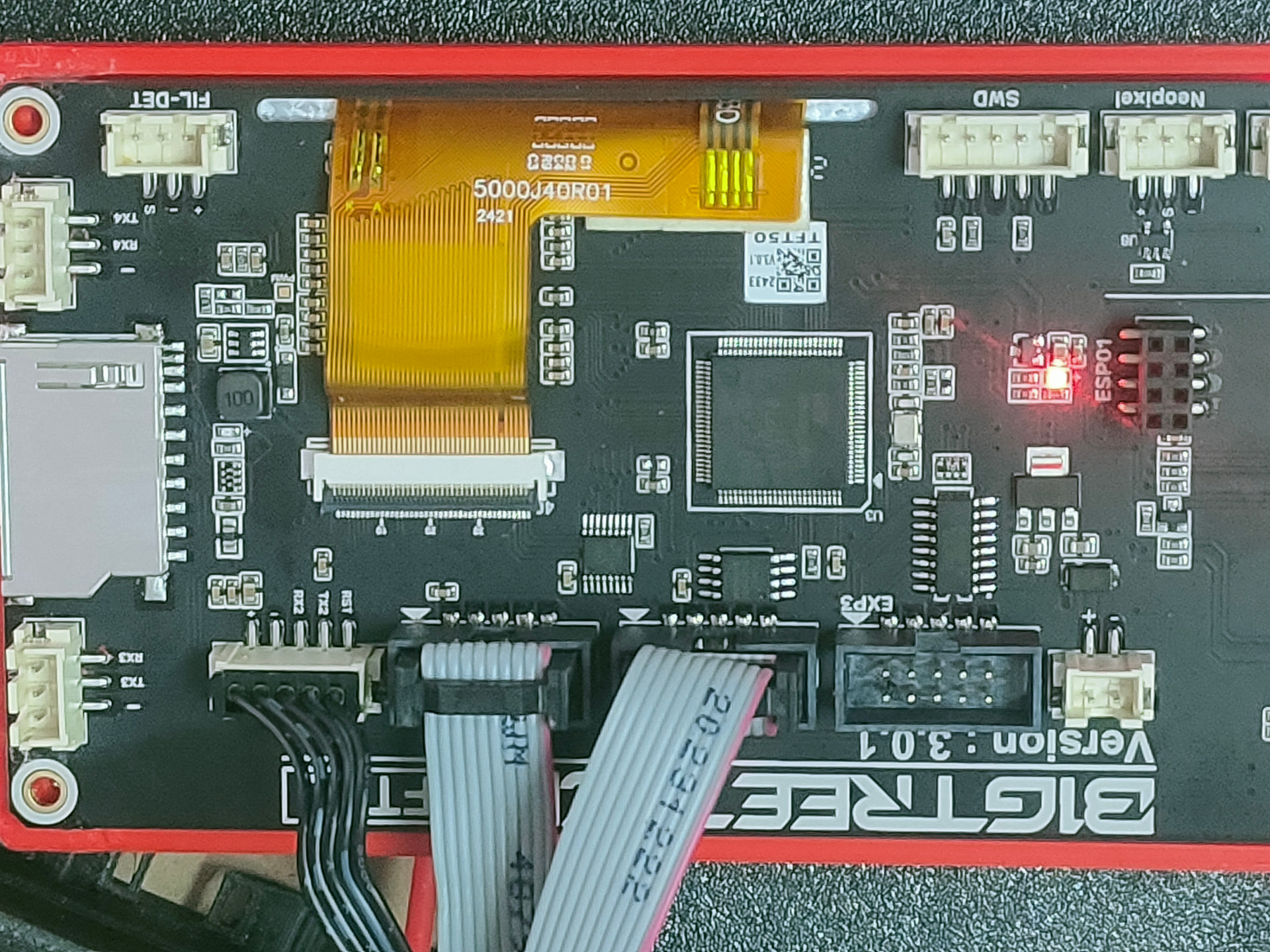
Firmware: Latest Marlin (self-compiled)
Connection: 5-pin cable from TFT (RS232 port) → TFT port on SKR Pro
:red_exclamation_mark: Problem
When using Touch Mode, the screen shows:
:red_circle: “No printer attached!”
However:
:white_check_mark: In Marlin mode (EXP1/EXP2) everything works perfectly
:white_check_mark: Motors move correctly
:white_check_mark: Firmware compiles without errors
:white_check_mark: Board responds normally
So the board itself is working — the issue is only in Touch mode (serial communication).
:electric_plug: Wiring
I am using:
5-pin flat cable
RS232 port on the TFT
TFT port on the SKR Pro
:warning: I understand that despite being labeled RS232, this is actually TTL UART (3.3V).
EXP1 and EXP2 are not crossed. The machine works fine in Marlin mode.
:brain: Marlin Configuration Tested
Current configuration (compiles successfully):
C++
Copiar código
#define SERIAL_PORT -1
#define BAUDRATE 115200

#define SERIAL_PORT_2 3
#define BAUDRATE_2 115200
I also tried:
C++
Copiar código
#define SERIAL_PORT -1
#define SERIAL_PORT_2 0
Other combinations caused compilation errors like:
Copiar código

template argument 2 is invalid
SerialOutputT {aka int}
With the current configuration, Marlin compiles fine.
:gear: TFT config.ini
In config.ini:
Copiar código

serial_port:P1:6 P2:0 P3:0 P4:0
Where:
P1:6 = 115200 baudrate
I have also tested:
250000 baud
Matching baudrates on both sides
Reflashing TFT firmware
:television: TFT Settings
Touch → Settings → Connection → Ports:
P1 (Printer) enabled
115200 selected
Still shows:
:cross_mark: No printer attached!
:magnifying_glass_tilted_left: Strange Behavior
If I unplug the 5-pin cable completely:
The TFT still shows activity under:
TX gcode bytes
Scan rate
So it seems like the TFT is transmitting, but not receiving anything from the board.
:test_tube: What I’ve Already Checked
:check_mark: Cable is straight (not crossed)
:check_mark: Baudrates match
:check_mark: TFT firmware updated
:check_mark: Marlin recompiled from scratch
:check_mark: Board works in Marlin mode
:check_mark: Connected to TFT port (not EXP1/EXP2)
:red_question_mark: Questions
Is SERIAL_PORT_2 3 correct for SKR Pro V1.2 TFT port?
Could the TFT port be mapped to a different UART?
Could USB (-1) be conflicting?
Is there something that must be enabled in pins_BTT_SKR_PRO_common.h?
Does anyone have this exact setup working in Touch mode?
:bullseye: Goal
I want Touch mode to properly connect and control the machine instead of showing “No printer attached”.
If someone has this board + TFT working, I would really appreciate if you could share your exact:
SERIAL_PORT
SERIAL_PORT_2
BAUDRATE
BAUDRATE_2
Marlin mode works perfectly — only Touch mode cannot communicate.
Thanks in advance :folded_hands:

En cual parte se define?

En cual parte hay que definirlo? En configuración .h?

Hello. I've found the communication problem with the TFT and the SKR Pro. I tested a TFT35 and it works perfectly. The fault in the TFT50 is the GD chip. I've already ordered it from AliExpress. The problem is the TFT's TX and RX. Thanks.
1 Like