Hi, I have just installed Fluidnc on a new cnc machine and all is going well except that, if an axis runs into one of the end limit switches it stops with the switch still active ( this is not while homing which works perfectly) and the Fluidnc goes into an alarmed state. It seems the only way I can move the axis away from the limit switch to regain control is to switch the machine off and manually rotate the ball screw to move the axis away from the end stop and release the limit switch. Is there a way I could say to Fluidnc " Ok, you’ve had your fun, now ignore the limit switch and let me reset the alarm and command the axis to move off the switch" without having to switch everything off and delve into the mechanism? Thanks.
Machine is standard cartesian with Pibot 4.9 control board and using latest Fluidnc over wifi.
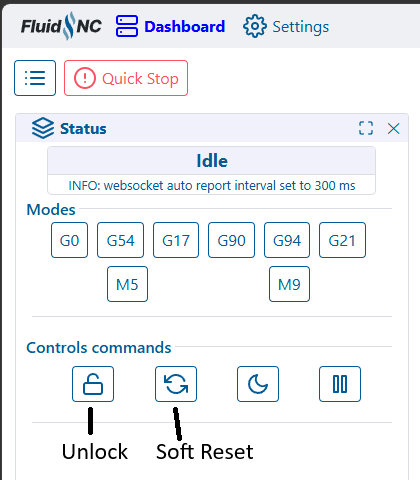
Did you try the Unlock command? Or unlock followed by a Soft Reset? Or maybe that order is swapped. Usually with a combination of those 2 commands, I can get it out of alarm.
tried both but as the axis is still sitting on the limit switch it won’t reset. It needs some way to make fluidnc ignore the fact that the limit is tripped to let you reset it with $X and then move the axis away from the limit switch.
Pulloff doesn’t seem to work when a limit is tripped - only on homing when the paperwork says it ignores the tripping of the limit as an alarm while it is homing. When a limit is tripped in normal operation by an axis overrun, the machine just stops dead and triggers an alarm which locks the axis and communication.
As Ryan noted above, we don’t normally turn on soft limits.
Normal operation of the machine does not hit a limit. If you’ve driven the machine that far that you hit a limit, you’ve done something wrong, and your job is already failed.
We run our machines attended as it isn’t safe for the operator to not be present and supervising the job at all times.
You can turn on the soft limits by changing the config.yaml if you choose.
Note that although a LowRider makes horrible sounds if it exceeds the physical limits of the machine, it generally cannot damage itself from this. One of the great features of the LowRider.
The horrible sounds are the motors skipping steps. In general, the motors specified for the V1 machines don’t have enough torque to damage the structures, they’ll skip steps first.