What do you think about this modified 3d printed version of the ATEZR KR Pro? I have been looking for the Atezr KR PRO to come back in stock in the US warehouse for a month & still not there. I came across this design on grabcad which led me to this Atezr KR PRO It is a $20 download for the model.
Atezr has the 24W model on sale for $799 right now. Any idea how it compares to the 36W?
Stafford,
Note that this thread starts with the P20 20W Gen1 machine I purchased… and then I rather unexpectedly sprung for the L2 36W Gen2 machine in post #26. So I would expect the L2 24W Gen2 that’s on sale to be quite similar in capability to the P20 20W Gen1 I described… but with the same nice Gen2 features that convinced me to buy the 36W machine described in post #26. It wasn’t the additional power of the Gen2 machine that was the main draw for me… but, now that I have it, I must admit it is nice to have.
The first thing I realized after getting that initial machine was that you must have good smoke extraction. Fortunately, their AS foldable enclosure is also on sale and I would highly recommend getting it when you order the machine.
I like these machines very much and they are both in almost daily use. I loaned the 20W machine to a buddy who is using it in his woodshop and the 36W is my daily use machine.
I don’t use some of the features they bring to bear however… auto-focus, motorized Z-axis, touchscreen, or builtin wifi. I use RPi3B+/RPi4 and Jeff’s V1Pi/CNC.js vs. Atezr’s built-in wifi… and use it to send Lightburn-generated gcode remotely over wifi from my recliner (in the same room as the laser) and control the machine. I’m happy to have the motorized Z-axis but really don’t use it for laser work… I’m not usually cutting thick enough materials that I need to lower focus during the job; i.e. I keep the focus on the top surface of the materials I’m using. I never use Lightburn’s absolute coordinates (machine coordinates) but use current position (job coordinates) exclusively with the irregular materials (bandsawn planks) that I prefer to work with. Auto-focus is slow and, after it probes the material, it automatically runs “home” and returns… with the risk of collision with tools and materials I have strewn around the worksurface but outside the actual laser job extents. I instead prefer to manually focus and position the laser head above my material and keep it there… the red laser pointer is quite handy for that and Lightburn’s pointer offset setting (measured during setup) is inserted into the gcode file to position the laser properly at job start. Finally, I don’t even connect the touchscreen to the engraver… it works fine without being connected so it stays in the box.
I’m sure I’ve missed something… but hope this helps.
– David
1 Like
Thanks, great info.
1 Like
@dkj4linux @staffordj et al…
I just received an Atezr P20 Plus, and I must say, I really really like it so far. I had played around with the Cenzo JL1 a bit, and made a few things with it, but I need to get David’s “lift mechanism” installed on it so I can do a better job focusing it ( I have learned so much on laser capabilities over the last week or so while waiting on the Atezr. I have plans to put it in a DIY enclosure with what is hopefully a pretty good extraction system. Time will tell on that. I have only done a few tests with it, and did an engraving on Basswood for a friend of mine who was in a pinch as his Omtech went on the fritz (he’s waiting on a new control board for it) and has a plaque due out on Monday. I think it came out pretty good:
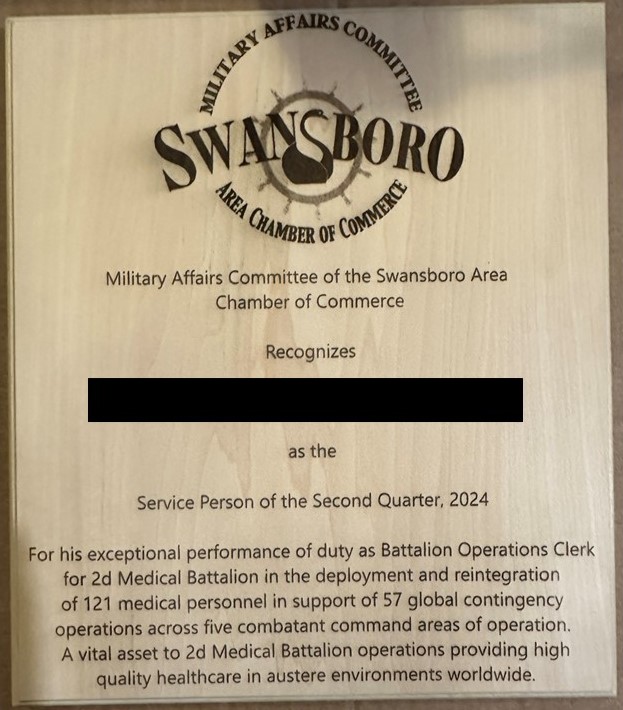
Can’t wait to get the enclosure done so I can really start to cook with this thing!! But first I have to finish my table saw outfeed table that will double for the table for my LR3. Too much to do and not enought time to do it. This whole W.O.R.K. thing keeps getting in the way of my fun time!! HA!!
Rick
3 Likes
Fantastic! Glad your enjoying your new machine. That plaque looks great!
If interested, I think the foldable AS enclosure for that machine is still on sale for $159. I initially thought about a DIY enclosure but finally decided that any materials I’d need would probably cost close to what the AS enclosure did… so opted for the easy way out.
– David
Thanks! I can say that my laser journey started due to you and your creations you have shared here, as well as the Cenoz link you provided. So again, Thank You!!
I did seriously contemplate getting the enclosure they sell as well, but I also have some sheet scraps lying around that I have been trying to figure out what to do with, and well, an enclosure sounds good for them. I go the fan and acrylic for about $45 USD total. I have some LED lights already, so it is just a matter of getting it all put together. The table though is the issues as it is just sitting right in the middle of everything, so all the stuff that would be stored on the bottom shelf of that is all over the place, not to mention my Craftsman 113 table saw is siting on the floor as well…just need to get working to finish it. I’m just about done with it, though. Just need to make the shelf the saw sits on, and then skin the top and put the casters on it. should have it finished in the next day or so…depending on how the “honey do” list comes about.
Rick
4 Likes
Nothing major… Just piddlin’ around and eye-balling several extra catalpa planks (from my knick-knack box projects)… and wondering what I might do with them. With super-manly effort, I finally came up with a few test pieces to run past my kids and grandkids…


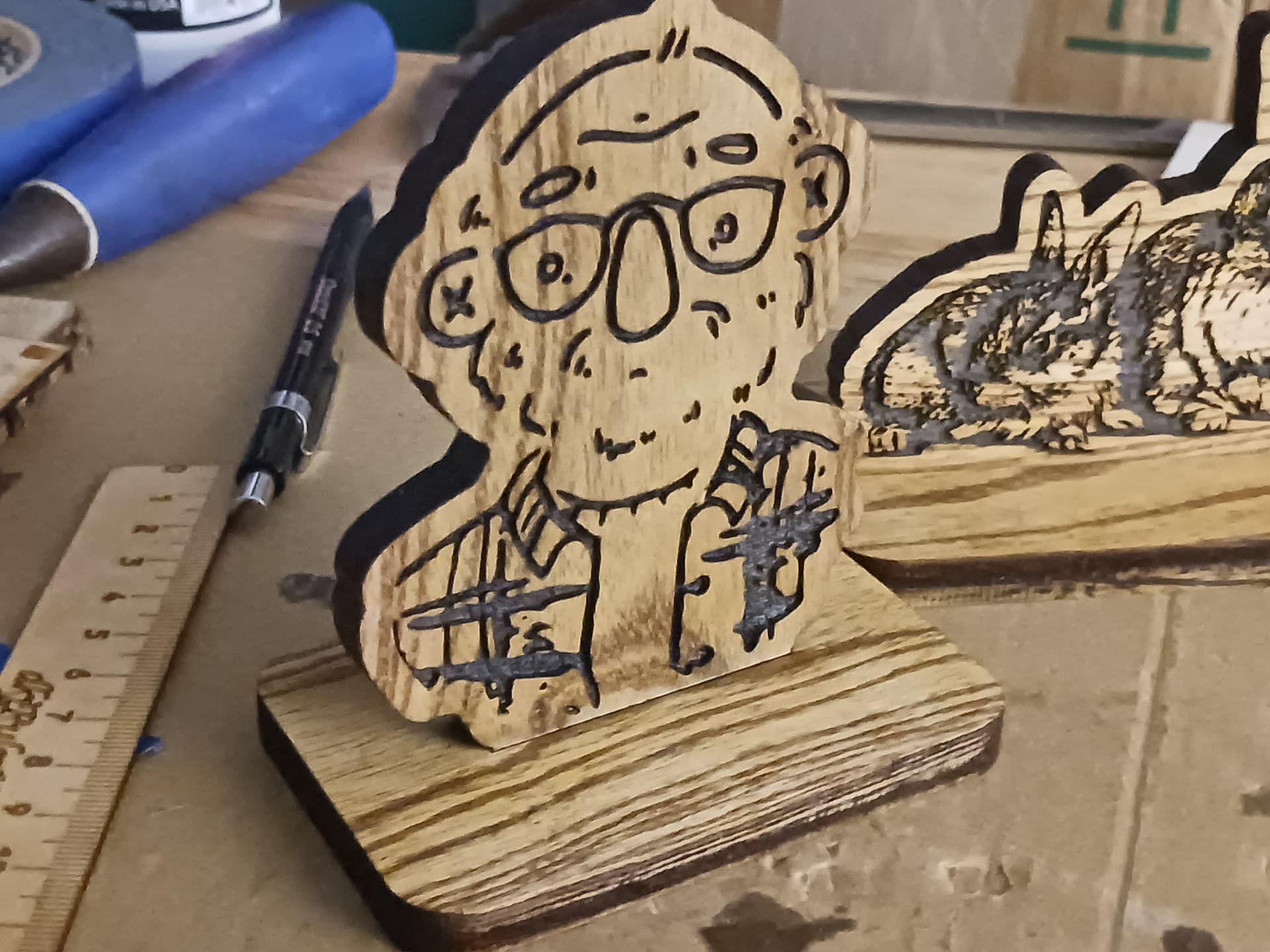

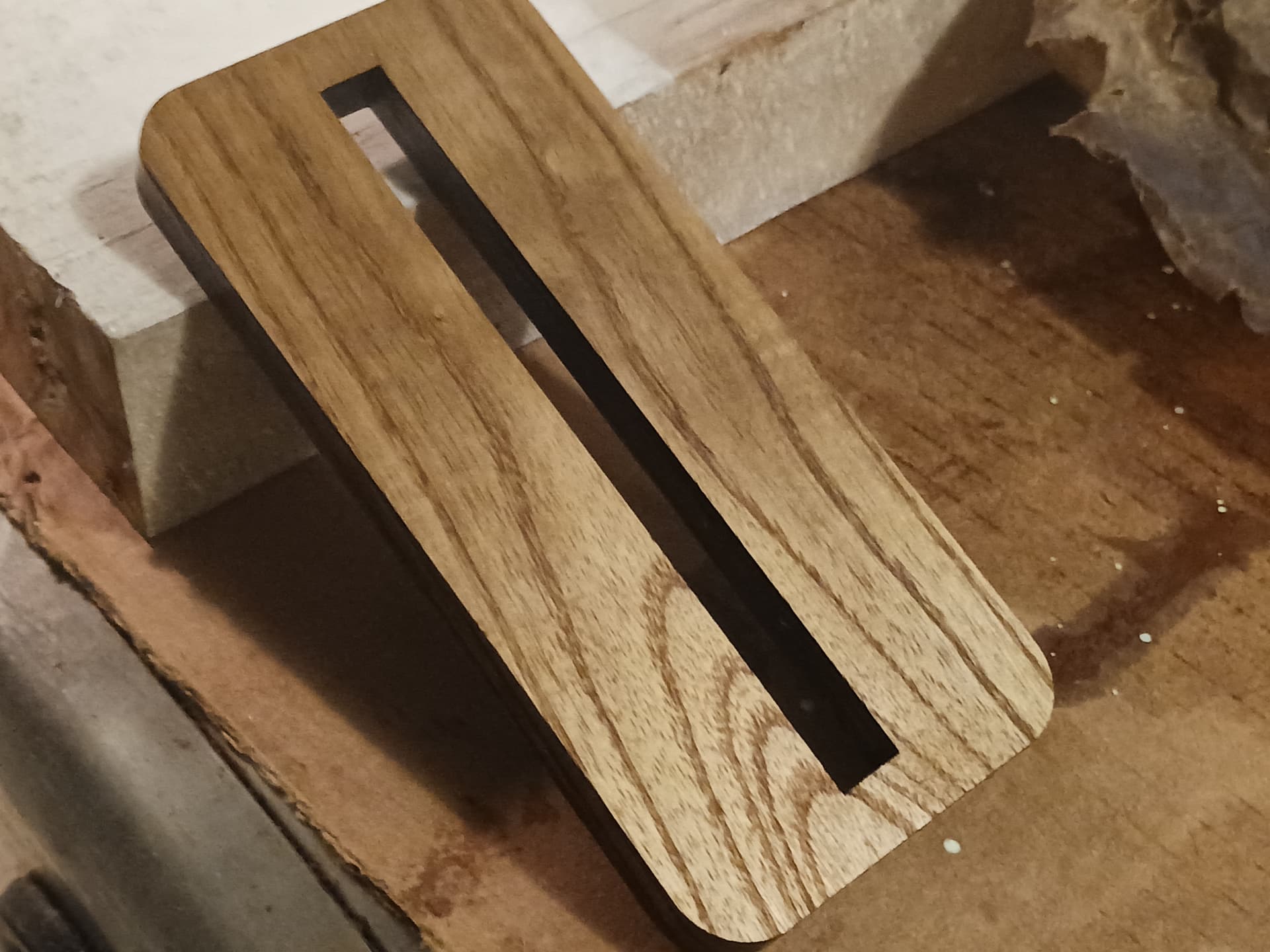

This was an all-Lightburn and -laser project… and ~9mm thick planks of catalpa. I was pretty proud of myself, coming up with the idea of using the profile cuts… and had in mind it being a way to show off my grand-daughter’s caricatures, ala the old man piece (me!). While the kids all thought it was “nice”… they seemed to think it might be more suitable for a custom nativity setting. TBH I like my idea better. I just need to “steal” a few more drawings from my grandkids…
Later.
– David
7 Likes
My favorite for sure.
Those are some thick cuts!
3 Likes
Thanks, Ryan. Mine, too.
It turns out that catalpa laser cuts beautifully. These cuts are made with 10 passes at 2000 mm/min and 100% power with my 36W (optical output) Atezr laser… and there’s no hint of charring or burning. All those nice tight box joints I did were with those same settings.
– David
3 Likes
I think I lack the patience for that, but they look amazing!
Thanks. It’s a bit deceptive… recognize that you can make 10 passes at 2000 mm/min (10x) the speed in about the same time it would take to make a single pass at 200 mm/min. And the beauty of making more and faster passes is the beam is not lingering in a small-ish area as long… and prevents the burning and charring associated with going slower. Also, the through-cuts are all relatively simple profile cuts that really don’t take long anyway… compared to the engraving.
Oh, and you really don’t want the jobs to take so little time it doesn’t let you get settled into the recliner to rest from your labors for a bit.

– David
5 Likes
Well, the price kept dropping, so I finally picked up the L2 36 W machine. I have set it up and done two tests so far. Have you compiled a list of recommended speeds and power settings? I searched the web, it looks like Atezr has not updated their list recently as the L2 machines are not listed in their material settings page.
Check out post #49 where I recommend going to LaHobbyGuy’s website and setting up a free account to access his “members only” download area. There are many .clb files to download… though I don’t see one specifically for the Arezr 36W machine, only 24W. You might download it and the Ikier 24W/48W and do a bit of interpolation… these files really only serve as starting points, anyway. Follow the instructions to get them in the proper location for Lightburn to see them.
Yeah, Atezr has been dropping their prices dramatically recently and bundling accessories that I paid considerably more for… not sure what’s going on. I have a friend who just got his Atezr L2 36W machine a couple of days ago… and I’ve actually sprung for a couple of refurbs during these sales as well. Only major complaints I’ve heard is poor customer service, though I’ve not personally had to rely on them. It might explain the lack of updated material settings, etc… however I’ve been very happy with the machines, themselves.
– David
1 Like
close older topics to help with spambots, and faster new user questions.