Good idea! I’ll try now
ok, so what is going on here. you have had this problem before?
have you had successful projects?
When I powered up my machine it was in an alarm state, but restarting the board cleared that (soft resetting didn’t help). Then I ran the GCODE and it ran all the way through with no issues. (Router was off)
Yeah, I have made 3 or 4 things. But I am constantly getting an alarm every time I boot up, and maybe 50% of the time in the middle of running a program.
So its been a frustrating process, but when the machine works, it cuts so nicely.
Try it with your router on in the air.
What kind of router are you using?
I am using the Carbide ER-11 Compact Router.Carbide ER-11 Compact Router - Carbide 3D
Will do!
Just came back to me machine to start the test cut and found it alarmed out again.
I didn’t touch anything after I ran the program
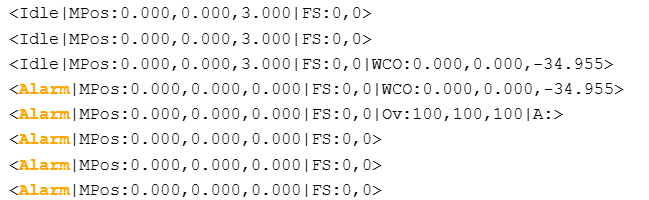
I have a bunch of thoughts here. First off, what is your $SS output?
- I saw in a previous post that you have dust collection that is grounded. I’m curious how it is grounded. If not properly grounded, it can cause odd behavior.
- When the alarm won’t clear, what happens if you do a soft reset followed by unlock ($X).
- When it boots in alarm, send the
$SSoutput. I’m think it’s booting up with the default config. - You could try enabling debug messages:
$Message/Level=DebugThis will provide additional info in the terminal. Be sure to set it back to normal when you are done:$Message/Level=Info - Can you share your config.yaml? Do you have soft limits set up?
- I’m wondering if you have a power wire that isn’t secure.
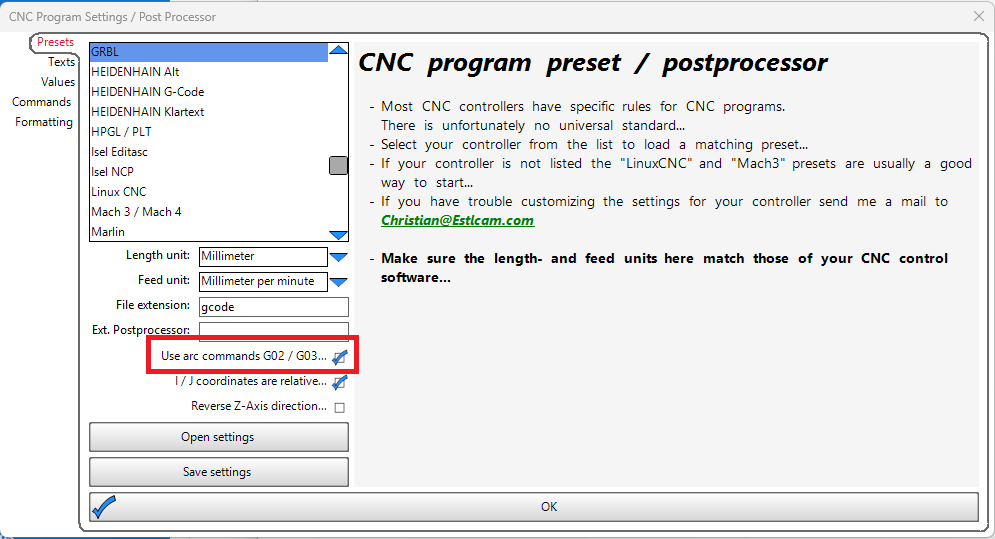
- What happens if you try this file without arcs (G2/G3)? In Estlcam, go to Setup → CNC programs / “post processor”. Uncheck “Use arc commands” and regenerate your gcode.
Just ran the program with the router and dust extractor turned on, and the program finished no issues.
Well, still curious about 2, 3, 4, and 6 then.
So of course, since I’m trying to troubleshoot, my machine suddenly wont alarm out. I did check the power wire connections and they were secure.
1 Like
I’m going to wait a bit, then boot up my machine and see if anything changes.
1 Like
Intermittent problems are always the most “fun” to figure out. 
3 Likes
Hmmm, Really might want to double-check that solder joint if it errored out just sitting there.
Sorry for the delayed follow-up, was out of town for the week!
I got back to my machine this morning and when it booted it up, it wasnt alarmed out. But once I tried to home it, I got an alarm. Luckily, I had debug messages on!
The videos in the following Drive Link should address thoughts 2 and 3 from Jason.
Link: LR4 with JackPot V1 Troubleshooting - Google Drive
Thanks for the help everyone!
@vicious1 There was a post here today that disappeared. I saw it earlier then it was gone. Where did it go?
That post was mine. It had a google drive link in it, so I think it was removed by a spam bot maybe?
Yup, just found this message.
Drive Link
Sorry for the delayed response, was out out town for the week.
I booted up my machine this morning and it didn’t have an alarm. But once I tried to home it, it made it part of the way through the process before alarming out. The included link has the terminal output with Debug messages.
Hopefully this post doesn’t get removed!
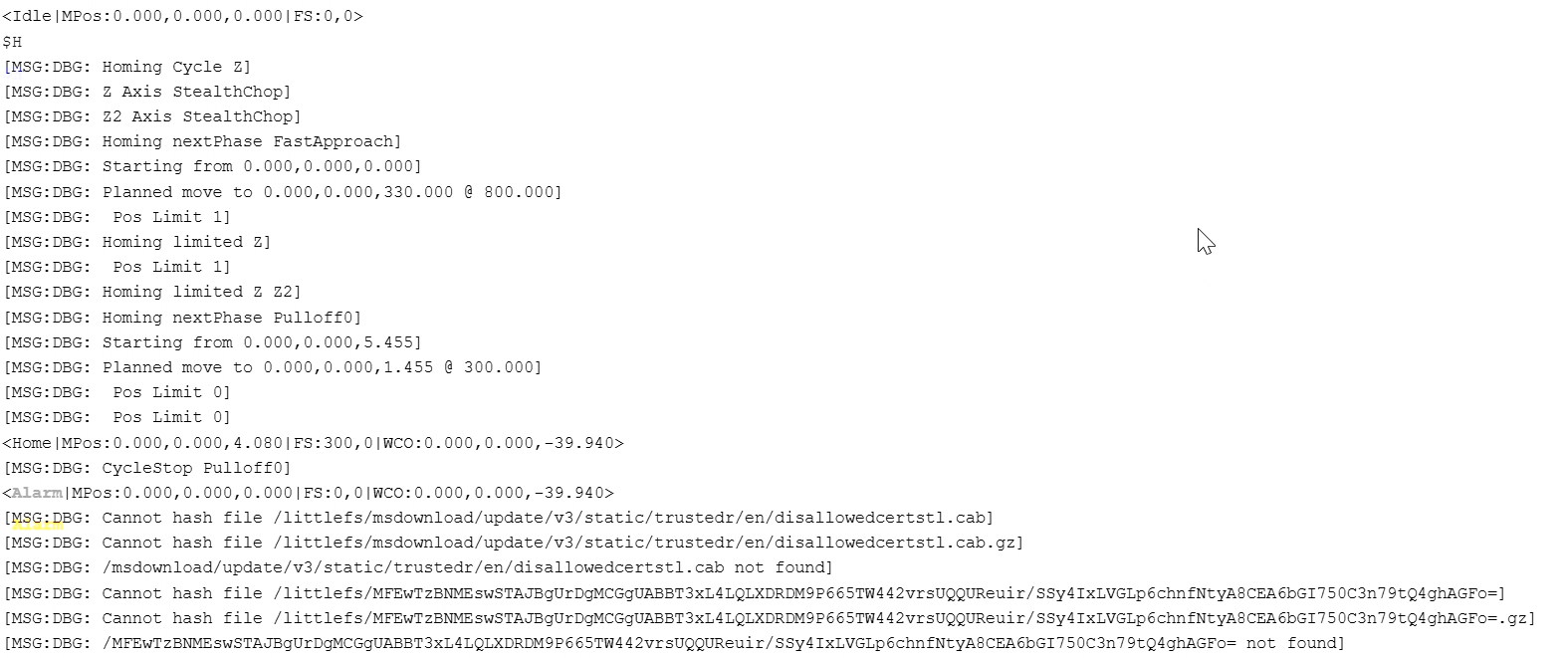

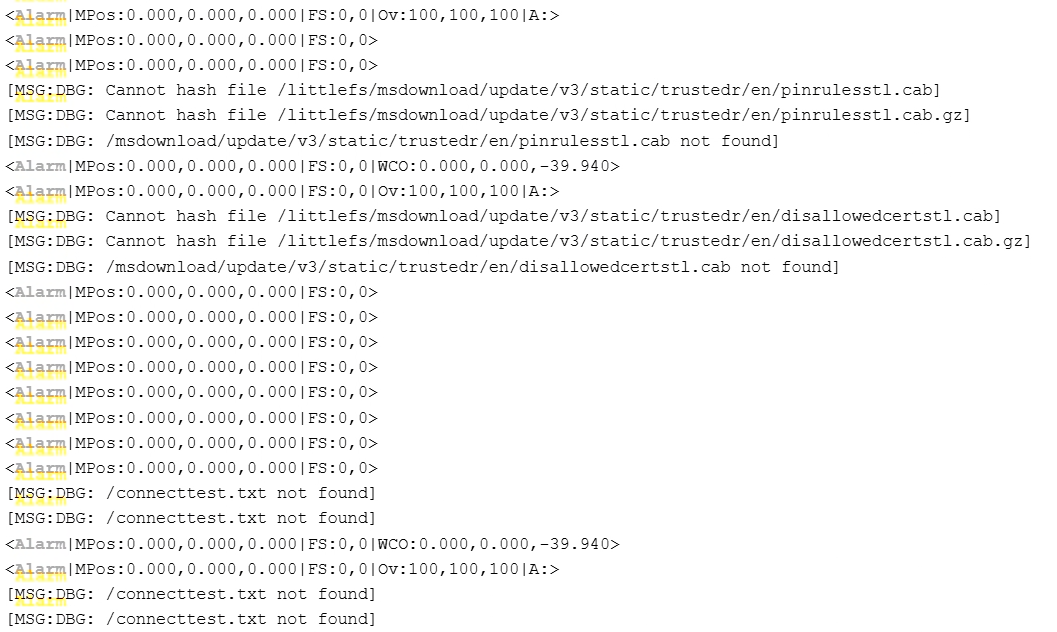
Here are some screenshots of the relevant terminal messages in the meantime. This is what happened during homing, shortly after turning my machine on.
What the heck is all that??? None of that is normal.
Let’s see if Jason agrees but I think you need a full erase and reflash. That is bizarre that it is looking for files like that.