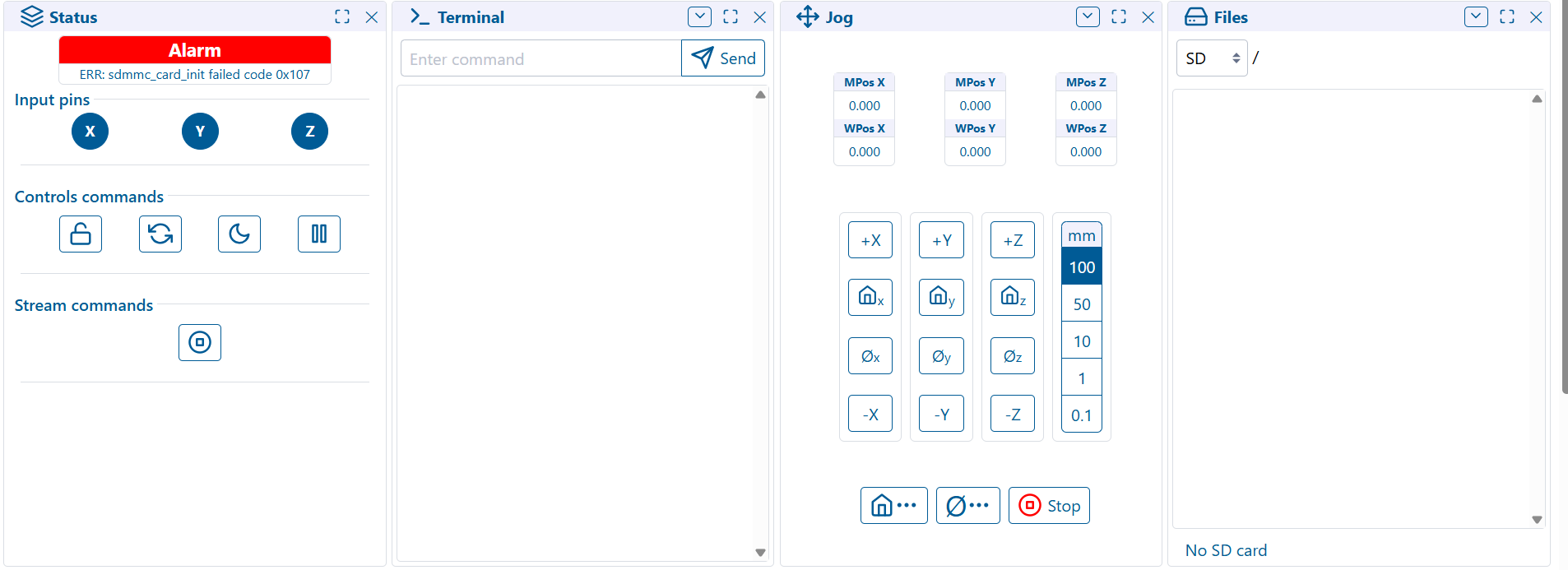
3 different controllers and 6 different ESPs showing [MSG:ERR: sdmmc_card_init failed code 0x107]

First off, I am not running a jackpot, but the hardware is very similar.

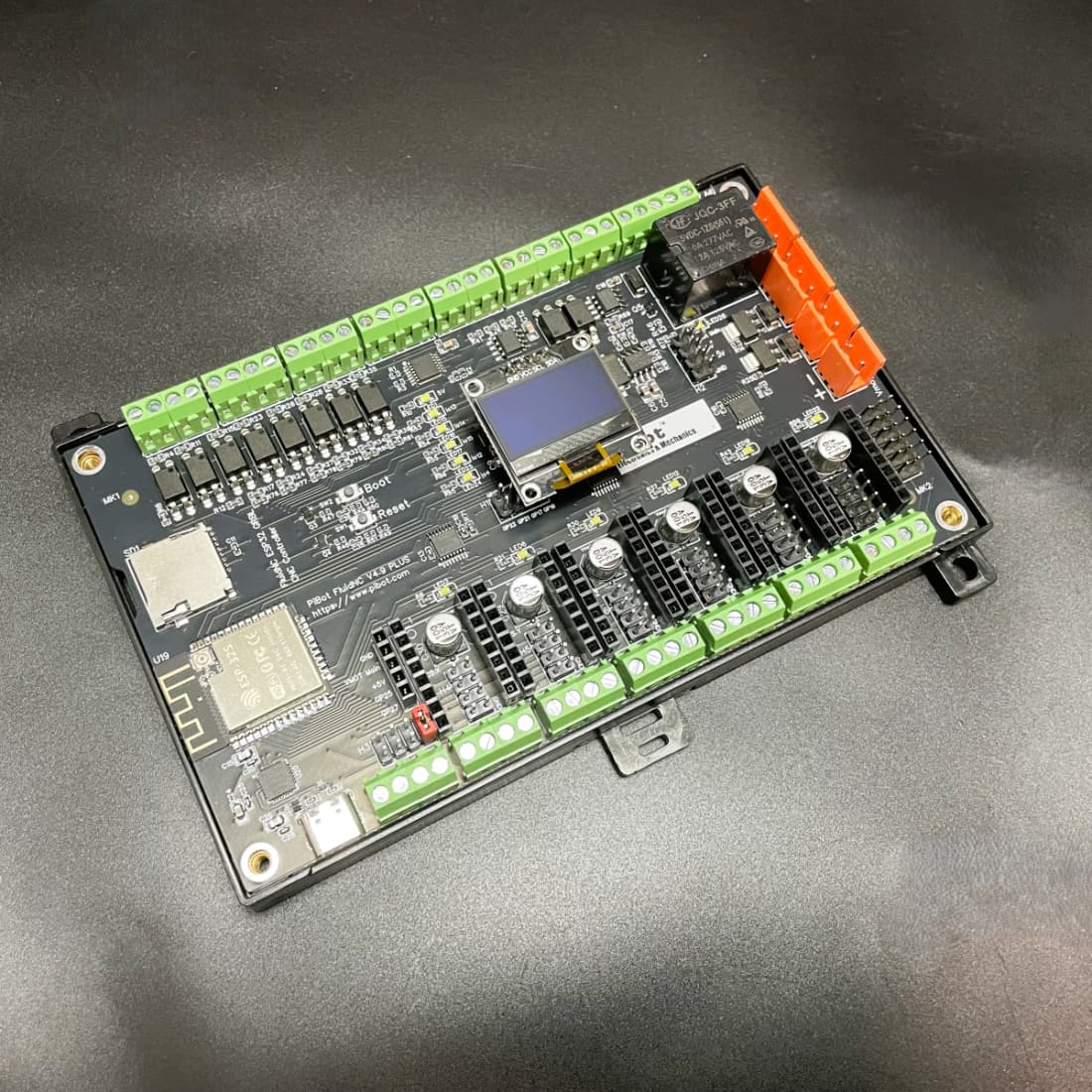
My primary controller (PiBot 4.9B plus) was up for about a year until I dropped my fluidial and killed it.

Got a replacement and had it up for a month before I dropped the fluidnc and killed it again…

soldered a new esp module on the board and it worked fine, except the push-push no longer worked on the sd slot and so I had to jam the SD in place to get it to stay. I suspect I got flux in the mechanism while replacing the module.

I decided I wanted to upgrade my control cabinet from the 3d printed one I had made to a full steel industrial cabinet. The hope was that this would help with ESD, give a little more room to minimize EMI, and give me a chance to add a safety stop and industrial grade panel disconnect. While swapping everything over, I decided to replace the SD slot as well. I accidentally made contact with the small capacitor behind the sd slot and it came loose. I managed to get it back in place, but can’t be certain it’s not shorting.

Booting up, it didn’t recognize the SD card, and the steppers are enabled but won’t move.

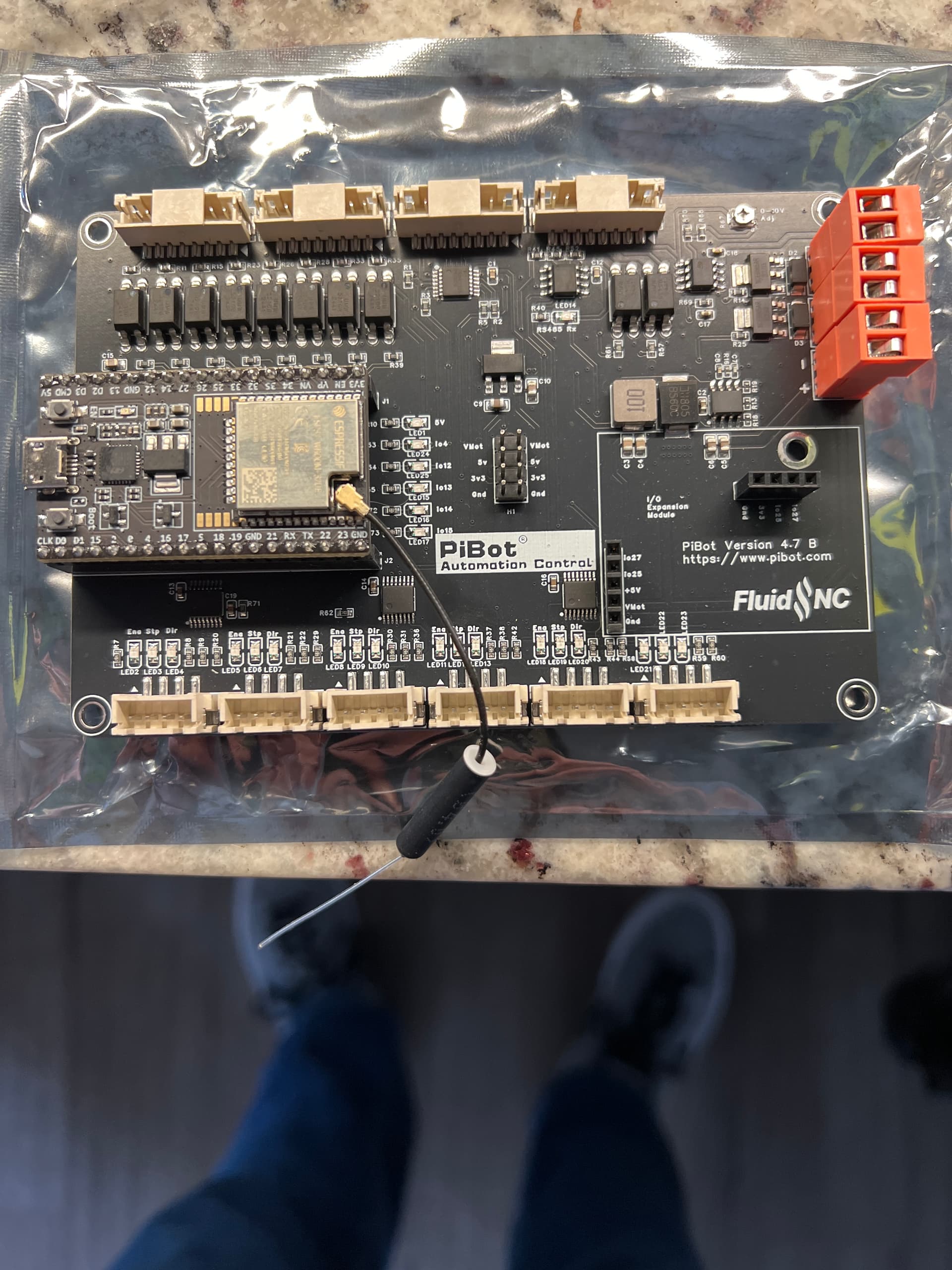
Assuming I broke the board when I repositioned the capacitor, I decided to try on a couple of pibot 4.7B boards I got when the first board died. These are stamped with “modified from 6X CNC controller external stepper drivers V1.2”.

I have tried using:

two different ESPRESSIF branded ESP32 modules (wroom 32E and Wroom 32 UE), and two generics from amazon. I loaded them with fluidnc 3.9.8 from the webinstaller, uploaded my last working config.yaml backup, set up wifi, then installed them on the controller board and booted.

I get the 107 error with higher hz settings(20,000,000 or no hz setting in config), or 108 if I set the hz very low, like 1,000,000 or lower, but no initialization either way.

I tried all 4 ESP modules on two different pibot 4.7Bs.

I have tried with the same sd that was in the original working setup, another identical card (PNY Elite 32Gb U1 A1 V10), A gigastone 32GB camera plus A1, A no-name 512MB card I got with a 3D printer from china, and a patriot 16GB U1 C10 card. I have tried formatting each of them with windows to FAT32, then GUI formatter.

I’ve tried all these SDs in both pibot boards with all 4 ESP32s, all with no luck over the past two weeks. I’m at my wit’s end. Any help would be appreciated. I’ve scoured the forums, but it looks like most of these issues faded away in ‘24 and most were related to bad ESPs, which seems unlikely for all 4.
In the Jackpot (and I assume the same applies here), your best bet is a 32GB or smaller class 4 or class 6 card. The faster cards have all kinds of problems in these boards.

The slowest I have been able to find is the class 10 u1.

Since I posted:

I did get a brand new 16gb sandisk ultra Class 10 u1(no A no V) to try and that also gave the same error with factory FAT32 format, and trying DiskGenius formatting as FAT32

The one that worked originally was the U1 A1 V10 32GB PNY card. I bought these to use on my Phecda laser which uses a MKS esp32 based controller and handles them both with no problem. I can’t imagine the 512Mb card is any more than a class 4 though.

I also tried bumping back down to 3.9.7, which was what the old controller was originally running, but still no luck.

https://a.co/d/96558FQ

I’ll try that tomorrow when it comes in, but I can’t imagine it’s the card when I had this same card working before.

I have another controller laying around, so I tried with that one, and it recognizes the PNY elite just fine. It’s an MKS Tinybee. I’m more confused than ever.

Same install method, same config file, same sd card, same wifi ssid.. I can’t figure out why this is the only one that will work recognize an SD card.

The interface is marginal with the faster cards.

That’s why the recommended card is class 4 or class 6.

Faster in this case means “will have interface issues “ , not “better”. Faster cards are worse for this application.

anything you do to make the interface worse- bad retention, flux on pins, bad caps- all will exacerbate an already marginal to crappy set of margins

I completely understand that, but the elite worked on the 4.9 for a year, still works in the tinybee and my pc, but now none of the 3 other esp controllers are recognizing it.

In the 4.9 that makes sense with the flux, but the two 4.7s are fresh out of the box. I guess the esp dev kit modules i’m using could have something unique that doesn’t apply to the tinybee integrated module and is interfering? They’re all wroom modules though, just different antenna setups on a couple of them.

I’ll verify in the afternoon tomorrow when the class 4 comes from amazon, but I’m skeptical, since the pny class 10 hasn’t had issues in any other esp projects i’ve done, including the 2 pibot 4.9s

I am now using the SD card you linked above. Sandisk, class 4, 32GB, FAT32 format. It also failed to initiate.

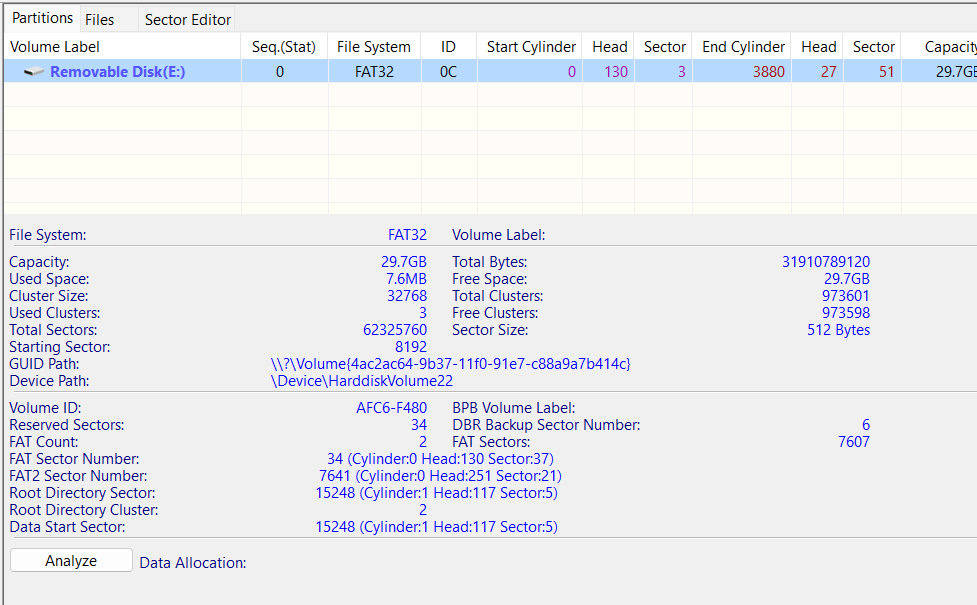
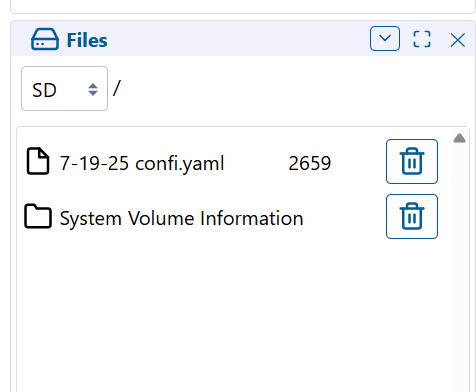
Below is the disk info from disk genius, a ss of the error, and the contents of config.yaml. I also tried the .yaml on this card without the SD frequency as well with the same result.

board: PiBotV48A
name: Factory_Test
stepping:
engine: I2S_STREAM
idle_ms: 254
pulse_us: 4
dir_delay_us: 1
disable_delay_us: 0
axes:
x:
steps_per_mm: 125
max_rate_mm_per_min: 5000
acceleration_mm_per_sec2: 100
max_travel_mm: 536
soft_limits: true
homing:
cycle: 2
positive_direction: false
mpos_mm: 0
feed_mm_per_min: 100
seek_mm_per_min: 800
settle_ms: 500
seek_scaler: 1.1
feed_scaler: 1.1
motor0:
limit_neg_pin: gpio.34
limit_pos_pin: NO_PIN
limit_all_pin: NO_PIN
hard_limits: false
pulloff_mm: 1
standard_stepper:
step_pin: i2so.2
direction_pin: i2so.1
disable_pin: i2so.0
y:
steps_per_mm: 200
max_rate_mm_per_min: 5000
acceleration_mm_per_sec2: 100
max_travel_mm: 800
soft_limits: true
homing:
cycle: 2
positive_direction: false
mpos_mm: 0
feed_mm_per_min: 100
seek_mm_per_min: 1200
settle_ms: 500
seek_scaler: 1.1
feed_scaler: 1.1
motor0:
limit_neg_pin: gpio.39
limit_pos_pin: NO_PIN
limit_all_pin: NO_PIN
hard_limits: false
pulloff_mm: 5
standard_stepper:
step_pin: i2so.5
direction_pin: i2so.4
disable_pin: i2so.7
z:
steps_per_mm: 200
max_rate_mm_per_min: 5000
acceleration_mm_per_sec2: 100
max_travel_mm: 300
soft_limits: false
homing:
cycle: 1
positive_direction: true
mpos_mm: 298
feed_mm_per_min: 100
seek_mm_per_min: 800
settle_ms: 500
seek_scaler: 1.1
feed_scaler: 1.1
motor0:
limit_neg_pin: NO_PIN
limit_pos_pin: gpio.36
limit_all_pin: NO_PIN
hard_limits: false
pulloff_mm: 1
standard_stepper:
step_pin: i2so.10
direction_pin: i2so.9:low
disable_pin: i2so.8
i2so:
bck_pin: gpio.22
data_pin: gpio.21
ws_pin: gpio.17
sdcard:
card_detect_pin: NO_PIN
cs_pin: gpio.5
frequency_hz: 400000
probe:
pin: gpio.35:low
toolsetter_pin: NO_PIN
check_mode_start: true
hard_stop: false
start:
must_home: true
10V:
forward_pin: gpio.14
reverse_pin: NO_PIN
pwm_hz: 5000
output_pin: gpio.13
enable_pin: NO_PIN
direction_pin: NO_PIN
disable_with_s0: true
s0_with_disable: true
spinup_ms: 10000
spindown_ms: 0
tool_num: 1
speed_map: 7200=0.000% 15000=45% 24000=100.000%
off_on_alarm: false
uart1:
txd_pin: gpio.25
rxd_pin: gpio.27
rts_pin: NO_PIN
cts_pin: NO_PIN
baud: 1000000
mode: 8N1
uart_channel1:
report_interval_ms: 75
uart_num: 1
spi:
miso_pin: gpio.19
mosi_pin: gpio.23
sck_pin: gpio.18

When it worked before, was that on a different FluidNC version? I see you are on 3.9.8. I don’t remember what but there was an issue with that version. For the Jackpot, the current tested recommended version is 3.9.5.

Otherwise, I don’t know anything about the PiBot. I know the vendor is on the FluidNC Discord page sometimes as ```@abc PiBot```. You may have better luck with the vendor of that board.

It was on a different version. I can’t remember which. I think I set it up in February of 2025 in it’s last good configuration. The pibot is very similar to the jackpot,(the 4.7B looks almost like a jackpot v1 with the removable ESP dev module) It was based on the 6 pack with a few more IO pins exposed. I’ll look back at the versions and see what the latest was then. I thought it was 3.9.7, and did try that at some point in this escapade, but maybe I need to go further back and try with the theoretically better card for this board.

I have now tried 3.9.1 and 3.9.5 and they still show no SD. 3.9.5 definitely behaves better when it comes to saving wifi settings. 3.9.8 kept hanging and I had to reconfigure 3 or 4 times to get it to stick without weird issues like it would place the hostname in front of the ssid after saving.

config.yaml goes on flash, never on SD card.

Understood. Thank you.

I meant that I used the same .yaml, then when it didn’t work, tried again without the line for SD frequency. The config has been on the flash in every case.

I did also copy the .yaml file to the SD card on a couple of tries, just to see if I could see a text file in the web installer file browser.

Also tried 3.9.4, because I found an old download of 3.9.4 that was from around the time I originally set up the controller. This time, I left the default config, but updated thesd card lines:

spi:
miso_pin: gpio.19
mosi_pin: gpio.23
sck_pin: gpio.18

sdcard:
card_detect_pin: NO_PIN
cs_pin: gpio.5
frequency_hz: 8000000

Still nothing.

At this point, I’m about ready to go ahead and get the jackpot. There seems to be a huge following and better support.

I’m looking at the specs though, and it doesn’t look like there’s a 0-10v output for the spindle? I think I can use PWM on my Huanyang vfd, but haven’t had tried that without level converters.

Would need an expansion module for 0-10V on jackpot.

I’m confused why the current board is having so much difficulty.

Does it use a module or soldered ESP-32?

Edit: I see it uses a module.

Have any other modules?

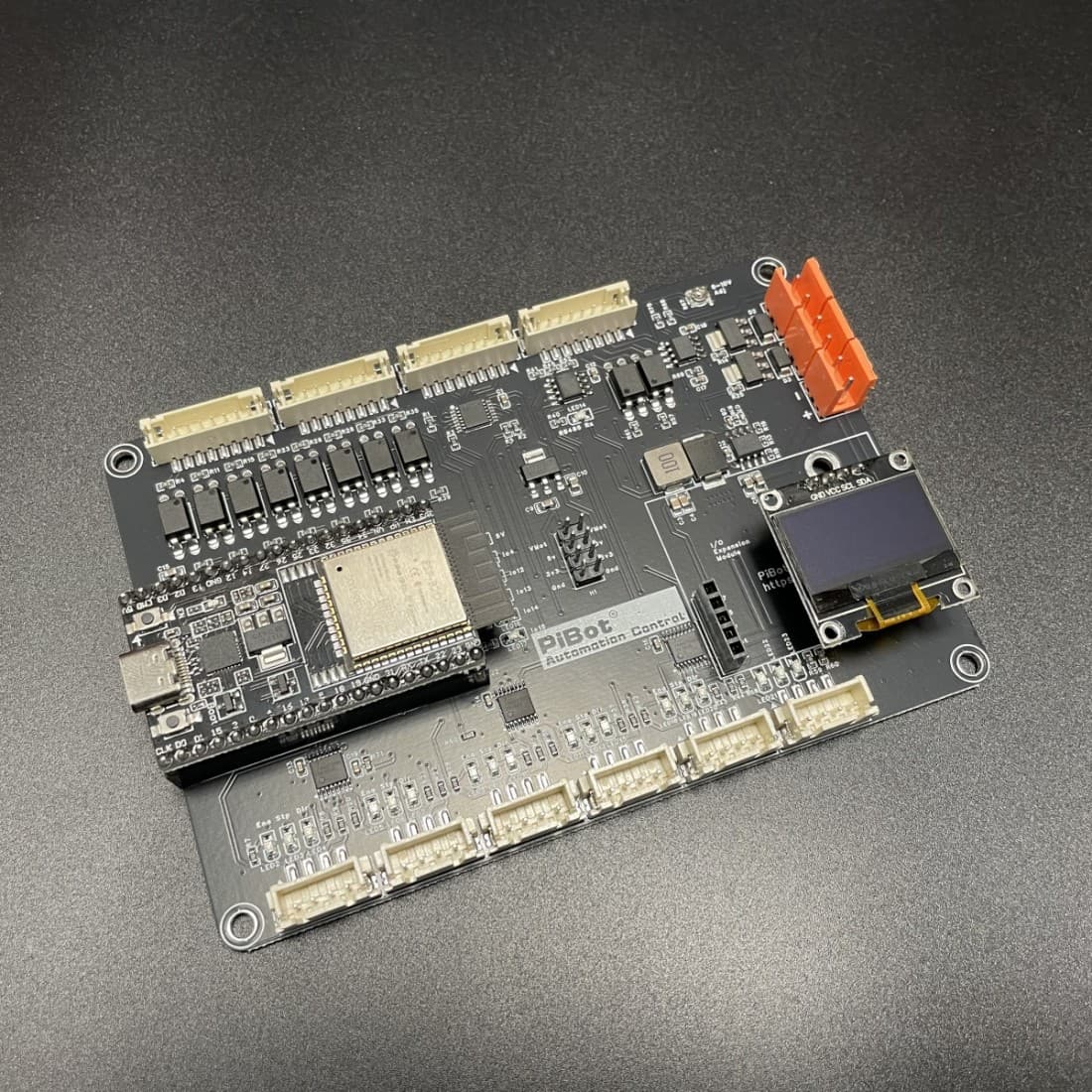
The 4.7B uses a plug-in dev module. I included a photo of it in one of the earlier posts today. I’ve mostly started focusing on getting one of these going wince I think I screwed up the 4.9 when I dismounted the small cap next to the sd slot.. Are these small rectangular caps polar? maybe I reversed it getting it re-mounted.

This is the 4.9B

I’ve contacted the manufacturer to see if they have any suggestions. We’ll see how sick of me he is.

Thank you all for your help and suggestions so far. The board has lots of great features, when it works..

I hate searching all over and finding forums with no solutions, so here was mine.

After much hair pulling and swears, the crucial difference i missed between the 6pack-like 4.7 and the 4.9 is, the 4.7 requires the board have vcc power before it will recognize the sd card.

2 Likes