1 hot stepper

I was cutting foam last night, rather sedately, and rather poorly as well. My machine, not making me happy for a few different reasons. It’s about to get torn apart really.

Anyway, while it’s running, cutting foam, at a speed that is basically not working at all, I do a quick touch/ temp test on the steppers. 4 feel totally normally but my rail side Y, is HOT. Like will leave red marks if you keep touching it hot. Belt side Y, normal.

When it was done I checked the bearings, they’re all running smooth, belt runs smooth, nothing is dragging. I can’t find anything physically wrong with it.

Stepper going bad?

Did you check current? steppers do not usually go bad? what drivers do you have? this just started happening? any changes lately?

If I recall correctly, you have an LR4 with a Jackpot?

What’s in your config.yaml for that motor?

What does your $SS output look like?

If you measure the coil resistances for that stepper, what values do you get?

1 Like

The mystery deepens! It was cutting fine until a few months ago, and then it just started sucking. I walked away from it, I was not happy so just left it alone. I’m working on a custom guitar case, figured that I’m just cutting foam for the insert and CERTAINLY it could handle that little task… and boy have I spent a good 20 hours just plain pissed at it :laugh:

Config files are unchanged, Ive not been doing anything creative.

I ran the most recent failure/file design today and just stood there, like a zombie, watching it with my hand hovering over the kill switch. Everything was going fine until the 3rd or 4th z move. My rail side z1, didn’t lower. I’m doing very very gentle cuts today because my sanity can only take so much failure, so it wasn’t super obvious. I let it run that layer and when it went to the next I left my hand on the screw, 0 movement. Stopped the cut, and my belt side Z, holding firm, my rail side 0 hold whatsoever. It’s dead.

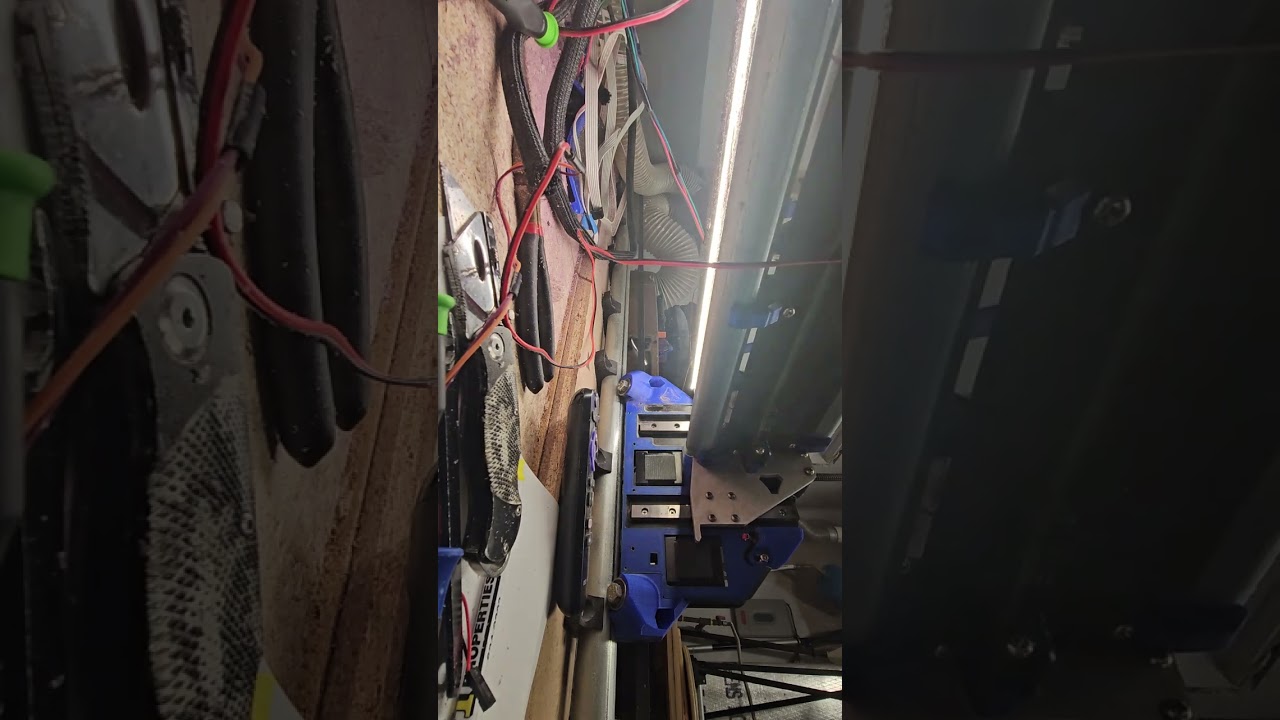
Powered down and on again Z homes, doing 10mm up and down, works just fine, 4 or 5 times. Then it’s dead. Power down/up, same thing. I pull all of my wiring out of the sleeves because I have an extension on there. All looks good, retest, same result. By touch, 4 of the driver heatsinks are warm, Z1, about room temperature.

I pulled the Z1 driver and swapped it with Y1. Retest, problem does NOT follow the driver, unfortunately. That would have been awesome really.

I need to find a instructional to test a stepper, I’m not sure which pairs of wire to be testing at a time. But since the problem clears as soon as I power cycle, and only with a power cycle I’m thinking it’s unlikely to be the stepper. And I’m thinking the initial hot Y might have been from dragging an off vertical bit, basically that was the symptom of the actual Z issue.

I didn’t count the moves on each test, but on the video I get exactly 6 moves before it quits working. Probably a coincidence.

Need to see FluidTerm output

I’ll have to go back and find the instructions on that. I haven’t used it in at least a week. And find a micro usb cable. They really need to upgrade the board to the C’s :laugh:

I had one almost like this. the motor plug on the board had one pin not in the plug all the way and it eventually melted the wire - between times it would work and fail super frustrating. Sounds somewhat similar.

I ran one on a fresh boot, machine working and then again after the stepper stopped responding.  The tests in both cases show 5 passed drivers.  So assuming the issue is between the card and the stepper, or the stepper itself.  I guess time to break out the MM.


$H
[MSG:INFO: WebUI: Request from 192.168.0.2]
[MSG:Homed:Z]
[MSG:Homed:XY]
ok
[MSG:INFO: WebUI: Request from 192.168.0.2]
$ss
[MSG:INFO: FluidNC v3.9.1 https://github.com/bdring/FluidNC]
[MSG:INFO: Compiled with ESP32 SDK:v4.4.7-dirty]
[MSG:INFO: Local filesystem type is littlefs]
[MSG:INFO: Configuration file:config.yaml]
[MSG:INFO: Machine LowRider]
[MSG:INFO: Board Jackpot TMC2209]
[MSG:INFO: UART1 Tx:gpio.0 Rx:gpio.4 RTS:NO_PIN Baud:115200]
[MSG:INFO: I2SO BCK:gpio.22 WS:gpio.17 DATA:gpio.21]
[MSG:INFO: SPI SCK:gpio.18 MOSI:gpio.23 MISO:gpio.19]
[MSG:INFO: SD Card cs_pin:gpio.5 detect:NO_PIN freq:20000000]
[MSG:INFO: Stepping:I2S_STATIC Pulse:2us Dsbl Delay:0us Dir Delay:1us Idle Delay:255ms]
[MSG:INFO: User Digital Output: 0 on Pin:gpio.26]
[MSG:INFO: User Digital Output: 1 on Pin:gpio.27]
[MSG:INFO: Axis count 3]
[MSG:INFO: Axis X (3.000,1223.000)]
[MSG:INFO:   Motor0]
[MSG:INFO:     tmc_2209 UART1 Addr:0 CS:NO_PIN Step:I2SO.2 Dir:I2SO.1 Disable:I2SO.0 R:0.110]
[MSG:INFO:  X Neg Limit gpio.25]
[MSG:INFO: Axis Y (3.000,2443.000)]
[MSG:INFO:   Motor0]
[MSG:INFO:     tmc_2209 UART1 Addr:1 CS:NO_PIN Step:I2SO.5 Dir:I2SO.4 Disable:I2SO.7 R:0.110]
[MSG:INFO:  Y Neg Limit gpio.33]
[MSG:INFO:   Motor1]
[MSG:INFO:     tmc_2209 UART1 Addr:3 CS:I2SO.14 Step:I2SO.13 Dir:I2SO.12 Disable:I2SO.15 R:0.110]
[MSG:INFO:  Y2 Neg Limit gpio.35]
[MSG:INFO: Axis Z (-297.000,3.000)]
[MSG:INFO:   Motor0]
[MSG:INFO:     tmc_2209 UART1 Addr:2 CS:NO_PIN Step:I2SO.10 Dir:I2SO.9 Disable:I2SO.8 R:0.110]
[MSG:INFO:  Z Pos Limit gpio.32]
[MSG:INFO:   Motor1]
[MSG:INFO:     tmc_2209 UART1 Addr:3 CS:I2SO.19 Step:I2SO.18 Dir:I2SO.17 Disable:I2SO.16 R:0.110]
[MSG:INFO:  Z2 Pos Limit gpio.34]
[MSG:INFO: X Axis driver test passed]
[MSG:INFO: Y Axis driver test passed]
[MSG:INFO: Y2 Axis driver test passed]
[MSG:INFO: Z Axis driver test passed]
[MSG:INFO: Z2 Axis driver test passed]
[MSG:INFO: Kinematic system: Cartesian]
[MSG:INFO: STA SSID is not set]
[MSG:INFO: AP SSID FluidNC IP 192.168.0.1 mask 255.255.255.0 channel 1]
[MSG:INFO: AP started]
[MSG:INFO: WiFi on]
[MSG:INFO: Captive Portal Started]
[MSG:INFO: HTTP started on port 80]
[MSG:INFO: Telnet started on port 23]
[MSG:INFO: Flood coolant gpio.2]
[MSG:INFO: Mist coolant gpio.16]
[MSG:INFO: Probe gpio.36:low]
ok
[MSG:INFO: WebUI: Request from 192.168.0.2]
[MSG:INFO: WebUI: Request from 192.168.0.2]
[MSG:INFO: WebUI: Request from 192.168.0.2]
[MSG:INFO: WebUI: Request from 192.168.0.2]
[MSG:INFO: WebUI: Request from 192.168.0.2]
$J=G91 G21 Z-10 F1000
ok
$J=G91 G21 Z-10 F1000
ok
$J=G91 G21 Z+10 F1000
ok
$J=G91 G21 Z-10 F1000
ok
$J=G91 G21 Z+10 F1000
ok
$J=G91 G21 Z-10 F1000
ok
[MSG:INFO: WebUI: Request from 192.168.0.2]
$ss
[MSG:INFO: FluidNC v3.9.1 https://github.com/bdring/FluidNC]
[MSG:INFO: Compiled with ESP32 SDK:v4.4.7-dirty]
[MSG:INFO: Local filesystem type is littlefs]
[MSG:INFO: Configuration file:config.yaml]
[MSG:INFO: Machine LowRider]
[MSG:INFO: Board Jackpot TMC2209]
[MSG:INFO: UART1 Tx:gpio.0 Rx:gpio.4 RTS:NO_PIN Baud:115200]
[MSG:INFO: I2SO BCK:gpio.22 WS:gpio.17 DATA:gpio.21]
[MSG:INFO: SPI SCK:gpio.18 MOSI:gpio.23 MISO:gpio.19]
[MSG:INFO: SD Card cs_pin:gpio.5 detect:NO_PIN freq:20000000]
[MSG:INFO: Stepping:I2S_STATIC Pulse:2us Dsbl Delay:0us Dir Delay:1us Idle Delay:255ms]
[MSG:INFO: User Digital Output: 0 on Pin:gpio.26]
[MSG:INFO: User Digital Output: 1 on Pin:gpio.27]
[MSG:INFO: Axis count 3]
[MSG:INFO: Axis X (3.000,1223.000)]
[MSG:INFO:   Motor0]
[MSG:INFO:     tmc_2209 UART1 Addr:0 CS:NO_PIN Step:I2SO.2 Dir:I2SO.1 Disable:I2SO.0 R:0.110]
[MSG:INFO:  X Neg Limit gpio.25]
[MSG:INFO: Axis Y (3.000,2443.000)]
[MSG:INFO:   Motor0]
[MSG:INFO:     tmc_2209 UART1 Addr:1 CS:NO_PIN Step:I2SO.5 Dir:I2SO.4 Disable:I2SO.7 R:0.110]
[MSG:INFO:  Y Neg Limit gpio.33]
[MSG:INFO:   Motor1]
[MSG:INFO:     tmc_2209 UART1 Addr:3 CS:I2SO.14 Step:I2SO.13 Dir:I2SO.12 Disable:I2SO.15 R:0.110]
[MSG:INFO:  Y2 Neg Limit gpio.35]
[MSG:INFO: Axis Z (-297.000,3.000)]
[MSG:INFO:   Motor0]
[MSG:INFO:     tmc_2209 UART1 Addr:2 CS:NO_PIN Step:I2SO.10 Dir:I2SO.9 Disable:I2SO.8 R:0.110]
[MSG:INFO:  Z Pos Limit gpio.32]
[MSG:INFO:   Motor1]
[MSG:INFO:     tmc_2209 UART1 Addr:3 CS:I2SO.19 Step:I2SO.18 Dir:I2SO.17 Disable:I2SO.16 R:0.110]
[MSG:INFO:  Z2 Pos Limit gpio.34]
[MSG:INFO: X Axis driver test passed]
[MSG:INFO: Y Axis driver test passed]
[MSG:INFO: Y2 Axis driver test passed]
[MSG:INFO: Z Axis driver test passed]
[MSG:INFO: Z2 Axis driver test passed]
[MSG:INFO: Kinematic system: Cartesian]
[MSG:INFO: STA SSID is not set]
[MSG:INFO: AP SSID FluidNC IP 192.168.0.1 mask 255.255.255.0 channel 1]
[MSG:INFO: AP started]
[MSG:INFO: WiFi on]
[MSG:INFO: Captive Portal Started]
[MSG:INFO: HTTP started on port 80]
[MSG:INFO: Telnet started on port 23]
[MSG:INFO: Flood coolant gpio.2]
[MSG:INFO: Mist coolant gpio.16]
[MSG:INFO: Probe gpio.36:low]
ok

And MM, tested both sides of the Z and compared it to the Y stepper. I’m getting about 9ohms on every coil.

I pulled and reseated the stepper plug, no change. A few moves and then nothing. I pulled the board to check the solder joints on the plug. Maybe a have a cold joint that’s opening up when juice flows.

EDIT**

It’s definitely board side. I reflowed the wire socket pins, no change. Then swapped stepper motors and the problem recurred, so it’s not following the stepper. I’m going to take a look at the driver pins, and last shot just see about reloading the firmware. I don’t think that would be an issue either, but it’s the last thing I can think of before shopping for a new controller. This is the original jackpot so it’s been around a while.

But there is 1 unused socket on the board, could I just swap everything over the ‘C’ socket somehow?

Yes, just change the config to reference the 5 IO locations for the C driver position instead of the A(?) driver position.

That is, change A’s (I think your problem is with A) values to C’s values in your yaml.config:

Disable Pin: I2SO.15 → I2SO.23
Address: 3 → 3
CS: I2SO.14 → I2SO.22
Step: I2SO.13 → I2SO.21
Dir: I2SO.12 → I2SO.20

Note that I2SO contains the letter ‘O’, not a zero.

1 Like

It looks like it’s the B that I’m having issues with.

The pins/addresses are marked on the bottom of the board, so I see where to get the #s.

Nevermind here, I found it going through the installer and was able to edit the config to switch sockets. It worked, and now it’s getting weird :laugh: If I leave everything powered up and just disable the motors momentarily after it stops working, it works again for a little while.

I’m going to wipe and reinstall the firmware.

Wow, that’s an unexpected turn of events. After you reinstall if it continues we may need to see actual FluidTerm output from the times when it stops (and when it restarts after a driver disable/enable).

Very weird.

This is with a Jackpot V1?
Do you have any spare steppers and/or a spare ESP-32?

I don’t have any spares steppers, but I’ve been mixing the ones on the machine around to see if the problem follows one of them. Any stepper I have as my z1 does the same thing. When I switch sockets, it did it on the new socket as well.

I flashed 3.9 this morning and copied my pre-existing yaml over, powered up and it’s just scrolling error 17 which on the list is " * 17: Laser mode requires PWM output" I’m going to try an older release but I thought 3.9 was ok.

As @MakerJim has mentioned twice, you really need to take a look (and post) the FluidTerm output. It may tell you exactly what is happening.

Posting your config.yaml and/or using the stock config.yaml provided by V1E may also help. But, really, take a look at and post your FluidTerm console output before, during, and after this happens.

So firmware wasn’t the issue either. 3.8 has it running, until it doesn’t.

How do I save the output from the terminal? I’m using the terminal in the web install, Right now it’s in failure mode, terminal $SS is showing 5 good drivers but I’m not sure what I’m looking for.

Since your problem occurs well after booting and load of the WebUI, you can probably just use the WebUI “Terminal” rather than FluidTerm. You should be able to copy and paste from that terminal.

You may need to change the message level to debug, if you’re not seeing any errors in the terminal now, by issuing the following command in the terminal:

$Message/Level=Debug

You can restore the default message level by issuing:

$Message/Level=Info

Also, I saw that your driver heatsinks are rotated from square a bit in one of your videos. I don’t think they’re rotated enough to be shorting a pin, but make sure that none of your heatsinks are touching or are close to any of the driver module pins.

1 Like

The only problem with this approach vs FluidTerm is if the errors are sufficient to take down FluidNC, they’ll never make it to the web terminal. They generally do make it out the UART interface that FluidTerm uses when directly connected over USB cable to the ESP-32.

1 Like

Ok, I’ll put it back together again and see if I can find the how to for fluiterm. I’m starting to wonder at this point if I’m not just killing time. If it’s not firmware related, it’s not hardware related, even if I find the problem how fixable could it be? AFAIK the only things I can do is adjust the config file and keep reloading the firmware.

Do this check! (wanted to call it out since it would be easy to miss just scrolling through)

1 Like