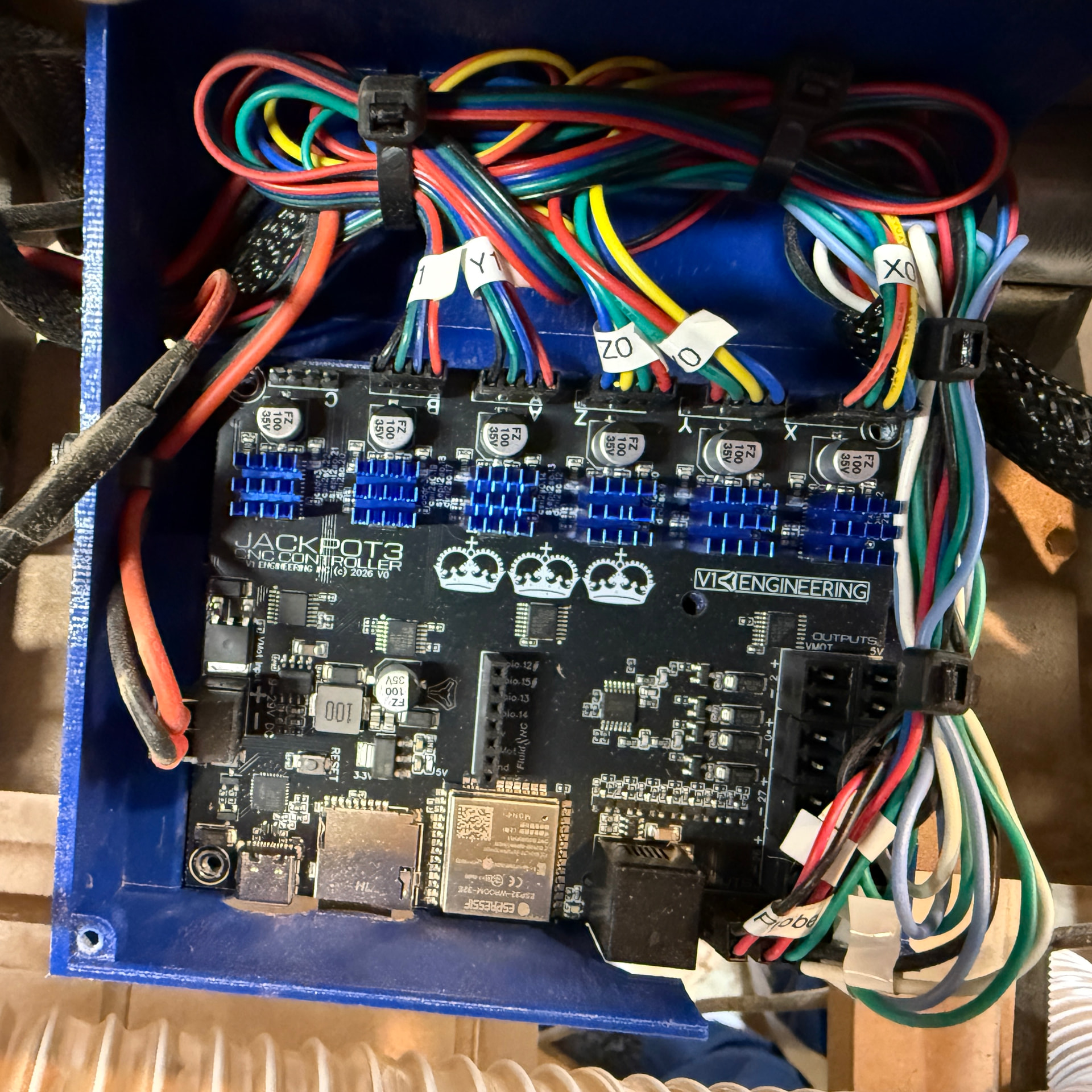
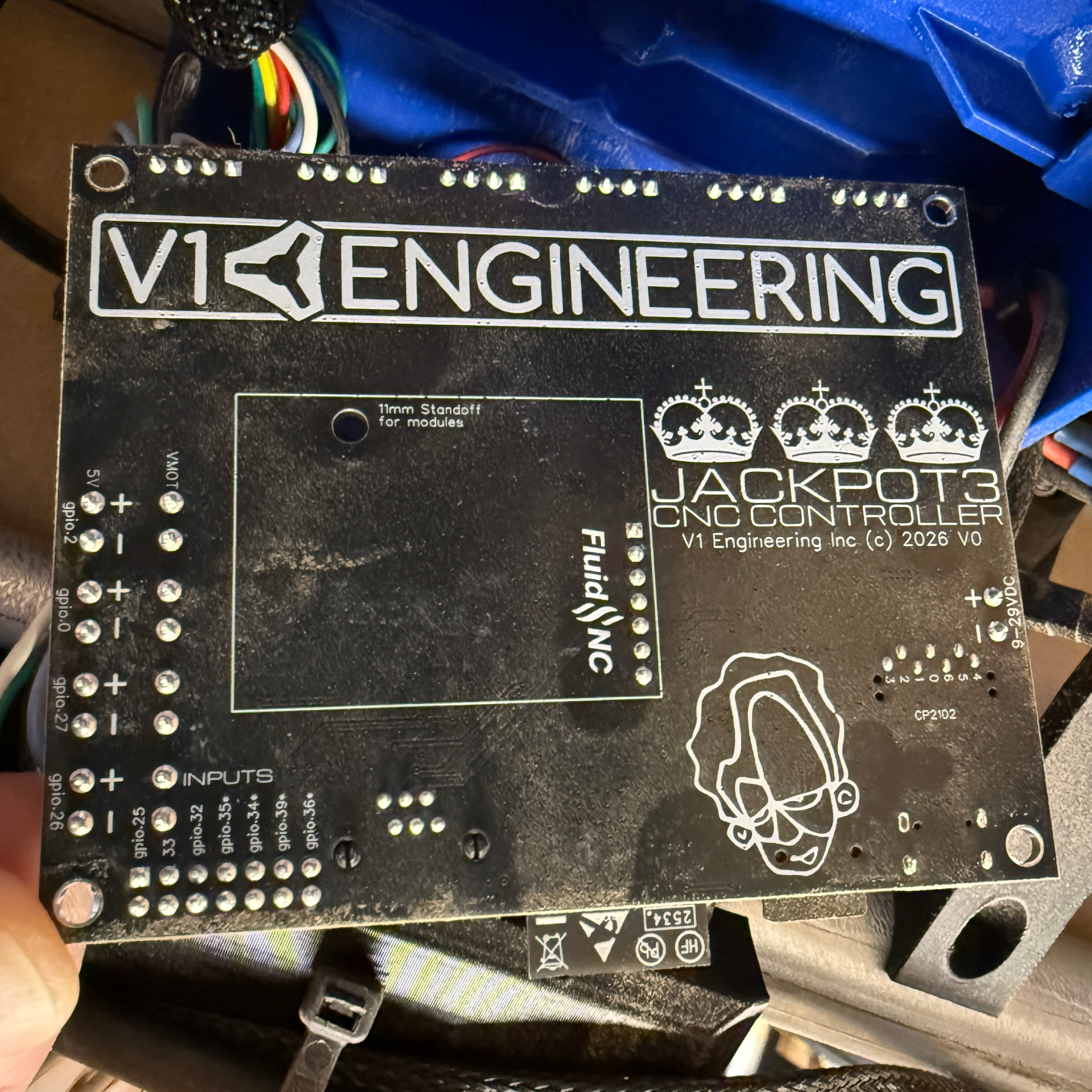
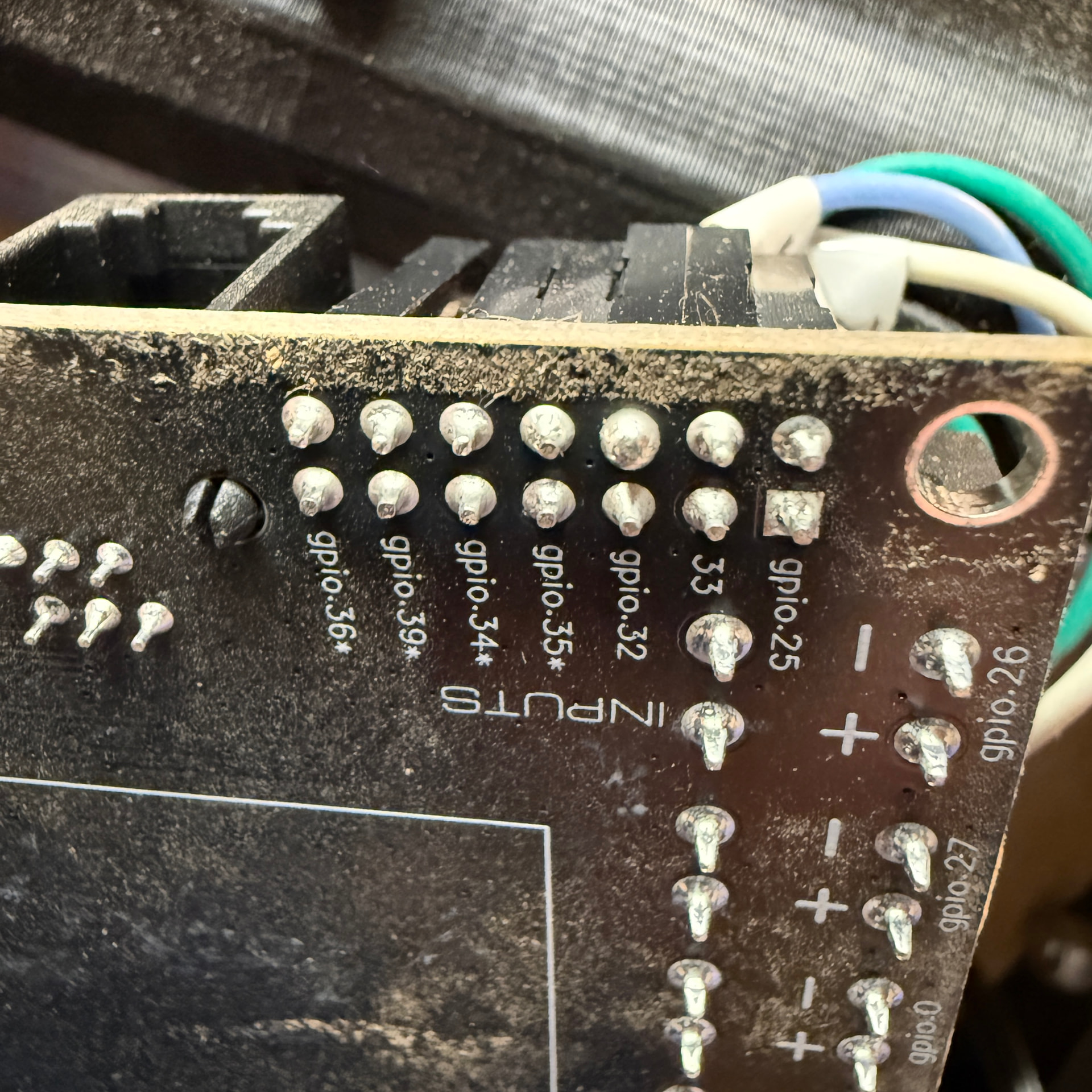
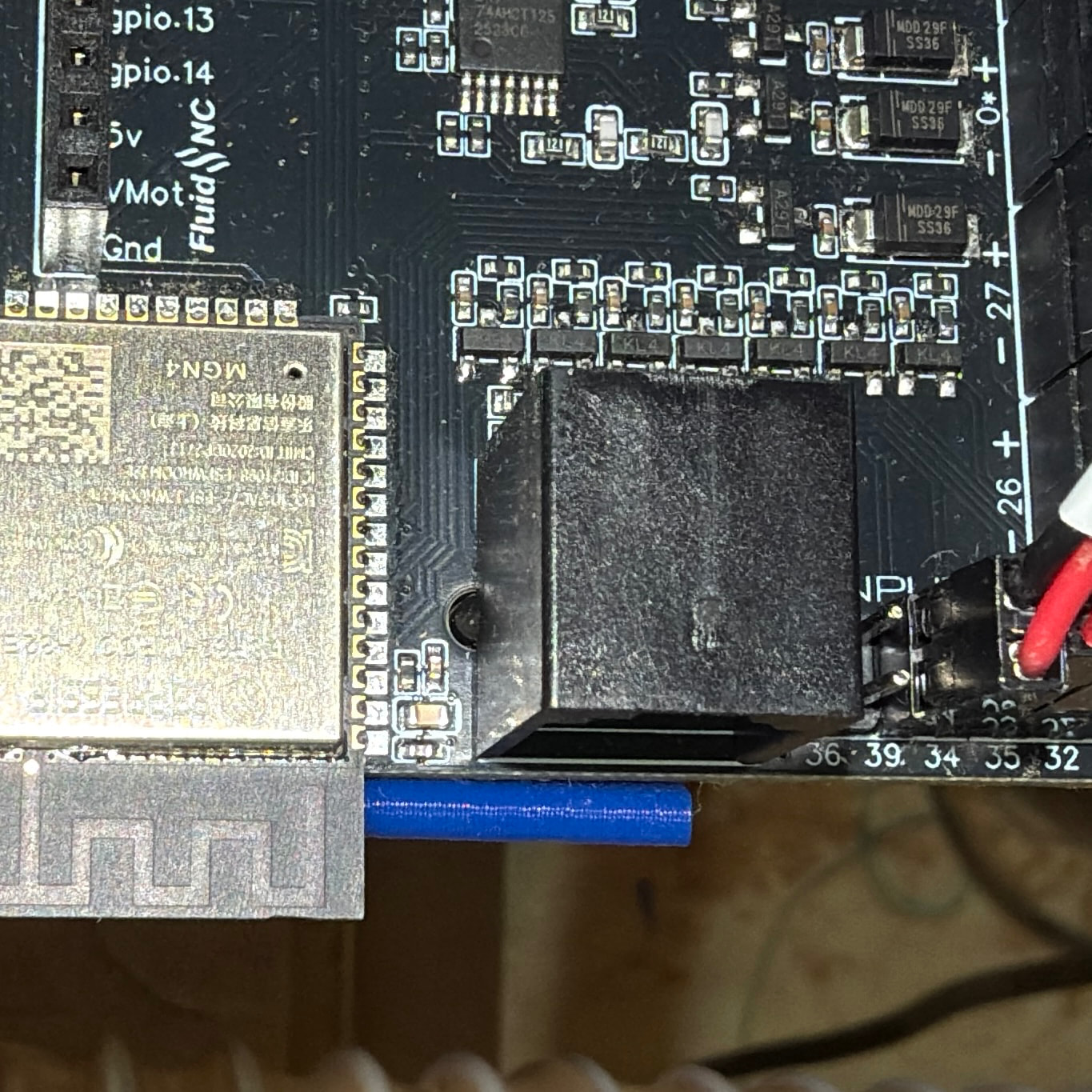
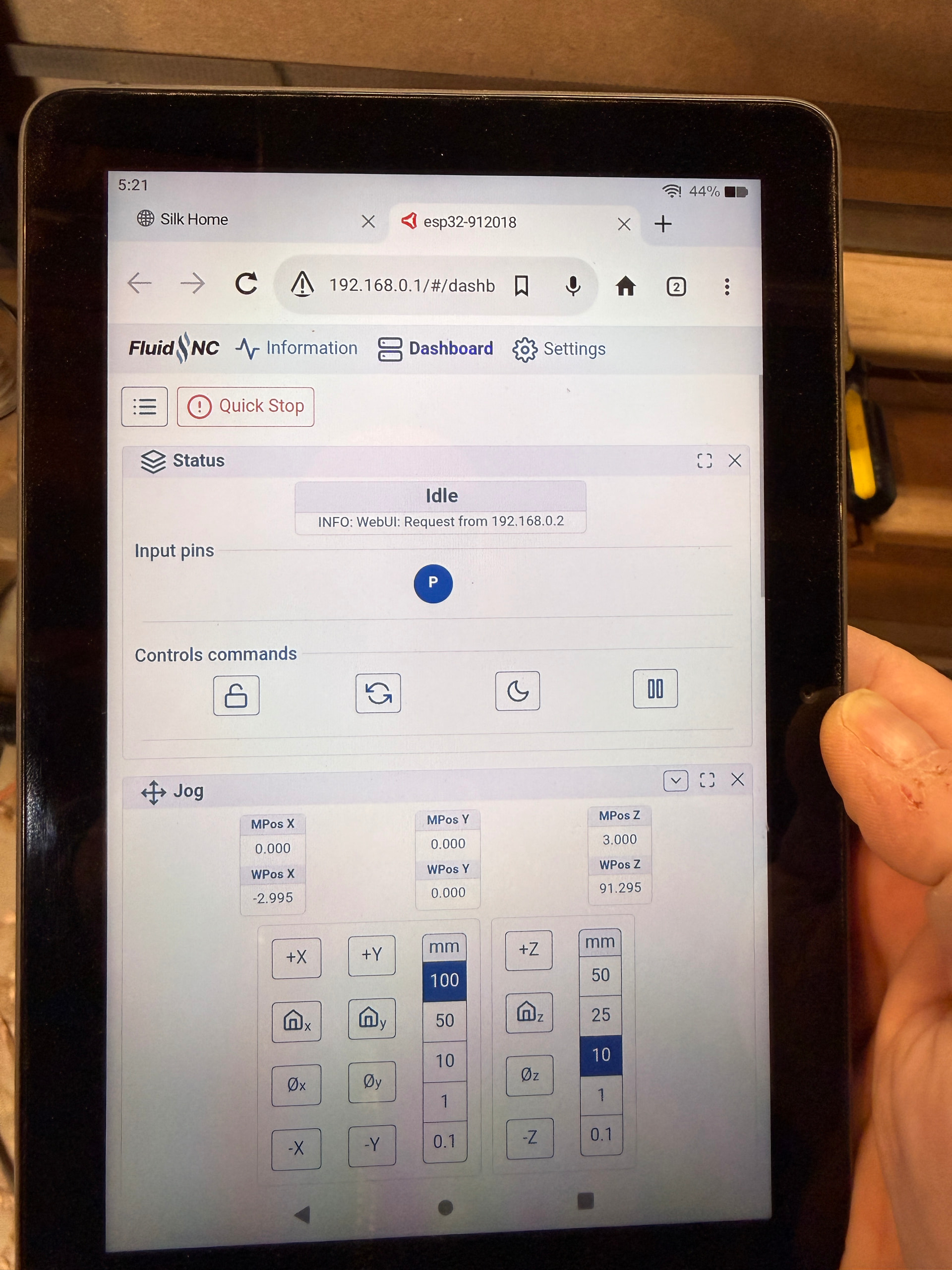
I swapped out my Jackpot1 controller for a new Jackpot3 for my LR4 after the power connection became loose and it would power off randomly. With the new controller all motion works fine and all the end stops triggered correctly. I squared the table and then trammed my Z axis. I loaded gcode and successfully ran a program to cut the holes in my new spoilboard. I then ran a longer program to cut the relief slots for the Matchfit dovetail slots. After the relief cuts finished perfectly I changed tools to the dovetail bit and had an error that the probe was in an unexpected state. The webUI shows that the probe was triggered even though the magnet (Doug’s print to replace the clamp with a magnet) and the plate were not touching. I turned off the power to the controller and waited a minute and turned it back on. When I logged into the webUI the probe was still in the triggered state. Turned it off. Unplugged the probe wired Aron the board and plugged them back in. Powered on, still triggered. I removed the board and checked the top and bottom of the board and didn’t see anything strange. Reinstalled the board on the machine and still in triggered state. I switched the probe to GPIO 39 and updated the config file and it all worked as expected. Ran a surfacing job and when it finished the probe was again in the triggered state and I cannot get it cleared.
So far I have verified continuity in the clamp wire and plate wire and visually inspected them for torn insulation. They are fine. The clamp side is on the negative pin on the Jackpot3 and the plate is on the positive pin. My dust collection hose has a wire in it and that is grounded to the electrical box the power for the router and controller are plugged in to. The Jackpot3 is powered by a 24v power supply from Amazon that was linked from the V1E store.
This is driving me nuts. Any help is greatly appreciated.
The Z probe is different from the end stops. The end stops are configured for normally closed, and trigger when the circuit opens. The Z probe is configured for normally open and triggers when the circuit closes.
Try:
Touching the plate to the magnet and see if that registers as untriggered, which would indicate that the logic is backwards.
Touch +3V3 or +5V to the trigger line (NOT the ground line) and see if that handles it. If so, that would be a problem with the pullup resistor being open. The logic here is that if the input is left floating, once it is grounded, it won’t rise to logic high again on its own. Connecting to +3V3 or +5V (Maybe through a 1k resistor would be safer) will raise the pin to logic high and clear the triggered state. Note that if you use a different voltage supply, the voltage supply must have ground connected to the Jackpot ground.
Check with a multimeter that you get voltage across the plate to the clamp. This is probably the easiest if you have a multimeter.
Looking through it some more I see a lot of extra “stuff” has been added. You should download Ryan’s config and upload it. That should fix your issues.
This is what was on the Jackpot3 when I bought it from Ryan. I took it out of the box and used it. I updated pull offs and stuff in the settings interface of the webUI. When I changed to on 39 that was the first time I opened the file.
I will download and try the file you linked and try it all again tomorrow. I am done with technology for the day. lol
Well. I tried it tonight. Loaded a fresh copy of the config file from the link posted here, and moved the probe wires over to pin 36. And…the probe is showing as triggered in the webUI, and I get the same error message that it’s in an unexpected state.
Start with my fresh config file, move it back to pin 39 with a text editor and re-upload it to your board and reboot. see if pin 39 works for you.
You have a non-standard config file now but I think that is from saving it in the WEBUI, it changes a few things around. To be safe Let’s try in manually.
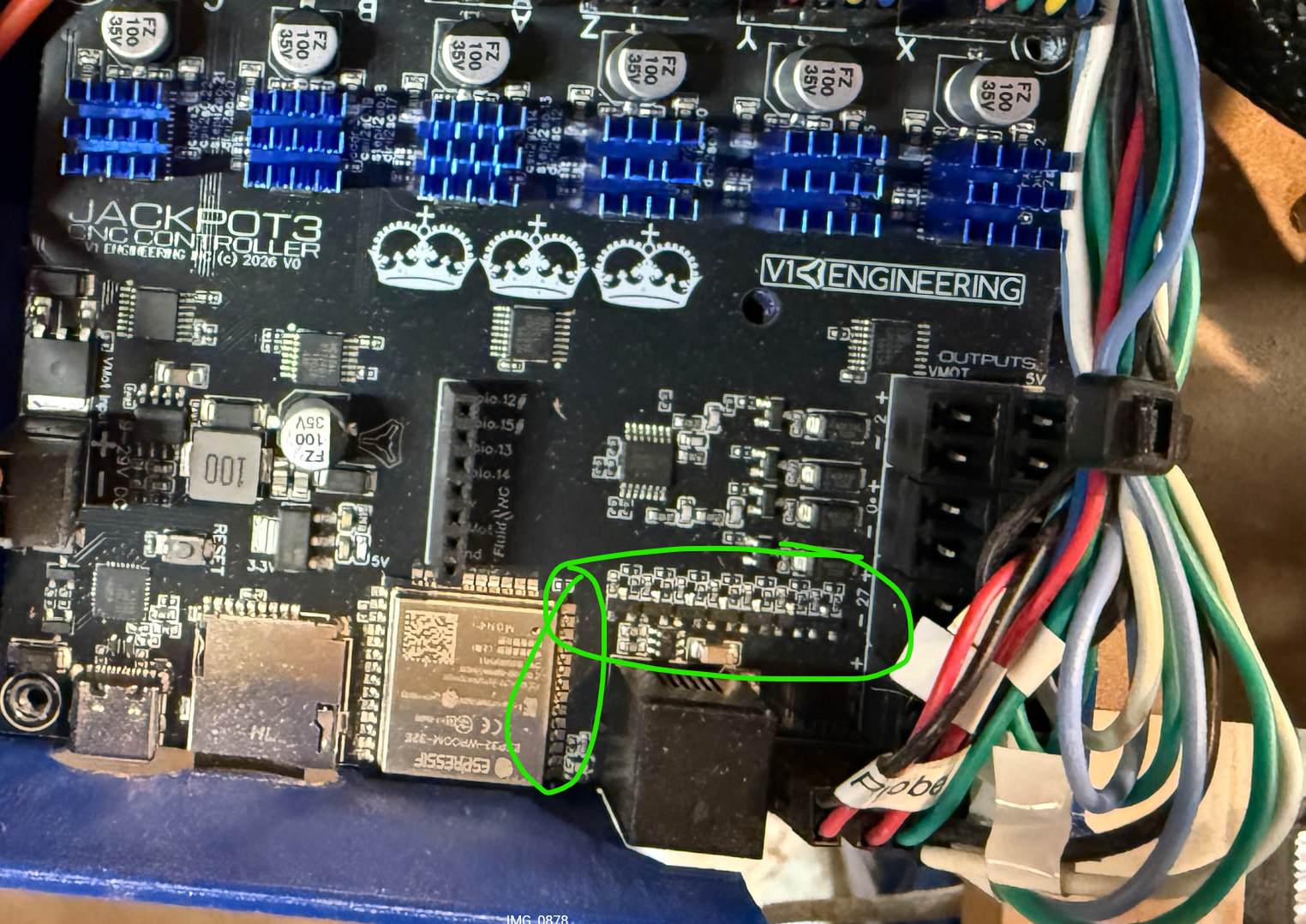
Looks like it might be really humid there, I have not seen a board that coated in dust before. Maybe try brushing off the top of the input mosfets real quick with something soft.
I can not imagine how you would have two bad ports and one of them never have been used before. They are completely separate circuits.
I am using the Bauer trim router (Makita clone). I have only cut MDF since I received this board from you on 2/7. It was a lot of 1/4" wide cuts, 48" long, to make the relief cuts in the spoilboard for the Matchfit system. The humidity is at 39%, but MDF dust gets on everything, even with the vacuum running the whole time. I will blow the board off with some canned air and see if that helps at all. I have also only run the machine with the Jackpot3 box and cover on with the fan running.
I appreciate the time you and everyone else is taking to help me with this.
Yeah, I am at a loss. This is the third iteration of my CNCs. I had the Primo with the mini-RAMBO, then upgraded to the LR4 with the Jackpot1, now just a larger version of the LR4 running it with the same Jackpot1 until the power connector came loose from over tightening the power wires and I just replaced that controller with this Jackpot3. Just when I feel confident in how I am using these machines this happens. lol