It appears that primo doesn’t have a z end stop and relies on the probe to set the z height. I’m building a primo at the moment and have ordered a jackpot 3. I’m used to the concept of a machine having machine coordinates and work coordinates. I don’t see how you can have a machine coordinate system without a z end stop. Am I missing something? Am I correct in thinking that the Jackpot 3 board and a suitable yaml file supports a z end stop?
You’re missing something.
When you use the probe, the probe establishes the work piece height. (e.g. Z=0).
Until you probe the work piece, Z is essentially undefined. You can probe Z anytime you like.
It’s also possible to use the machine without a probe by jogging to the top of the material and then manually setting the Z axis to 0.
There isn’t a Z+ entstop in the MPCNC design, so homing up to top of machine travel isn’t possible on the MPCNC.
I’m using Jackpot 1 controller, on my Primo, and I’ve added a z-enstop.
I have a switch mounted on an aluminum rod which is attached to the core.
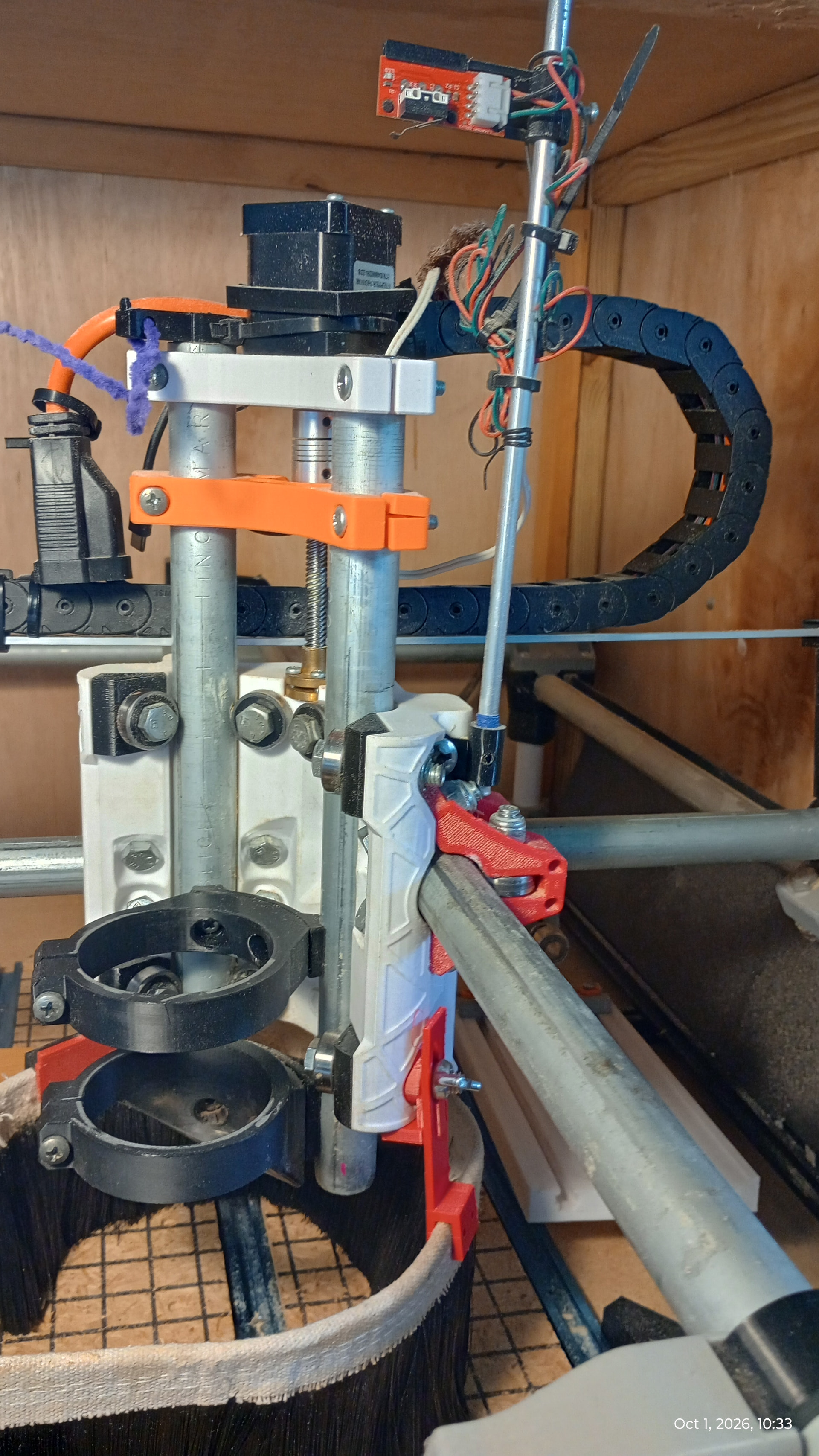
Thanks Robert, and welcome aboard. I understand this is your first post. I’m planning to do something quite similar, are you using fluidnc and if so did the mod to the config.yaml file go smoothly?
Thanks for the welcome. I’m using Fluidnc on the Jackpot 1 board. The changes I recall setting are:
Homing cycle : in the z axis: set to 1 (my x and y are 2 and 3 respectively).
Homing Machine Posistion MM : set to 0
Positive Direction: set to true
Homing Seek and Feed mm-per-min: set them to your liking (300,800 for me)
Soft Limits : Set to true for z as well as the other 2 axes.
Pull off distance for Z . I set mine to 2
Thanks, I’ll use your settings.