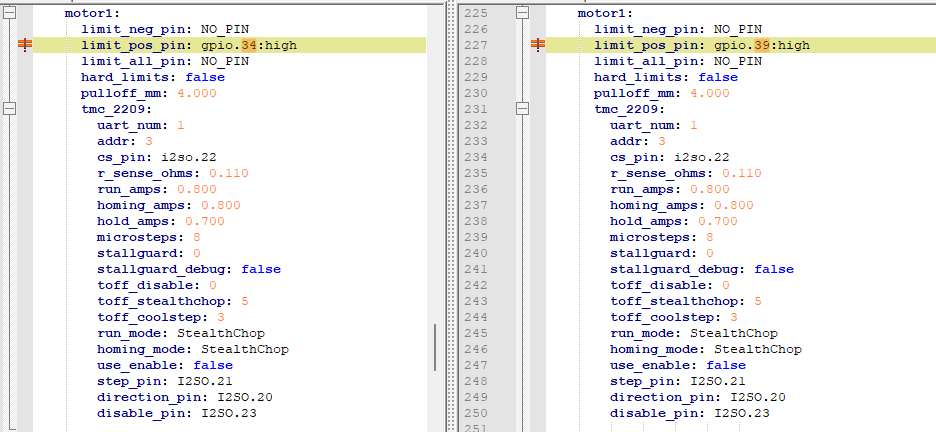
Please take note your addr:3 is addressed 2 times is appears. If I am wrong, very sorry.
i did not stay at a holiday inn express last night 
Please take note your addr:3 is addressed 2 times is appears. If I am wrong, very sorry.
i did not stay at a holiday inn express last night
disregard, ryans config shows 2 addr 3s sorry, wait the double is commented out.
you should start with 0, 1,2,3
i just went further up, here you have 3 on addr 3. can you please post your yaml?
The yaml associated with that output is the first one Britt posted in post #4.
i was hoping someone else would comment on my findings, but Ryans does have 2 addr: 3s, yours has 3!
I am not sure why there are 2 duplicates. I do not have tmc2209s so I am sorry, but i feel you do have an addressing problem
Well I’m stumped. The only time I’ve ever seen that is when I or someone else plugged in the USB first.
Ryan will see this in the morning and give you more advice on what to try next. Sorry I couldn’t figure out your problem.
I appreciate you trying! I learned a few things in the process, so it was not entirely in vain!
Sorry nothing crazy is poking out at me but lets start with the basics. 2 things to try.
Might as well use the jackpot firmware erase and reflash load up the fresh files, just to be sure.
next would be to move your Z enstops down more. The first video shows you homing super high up and it might not be triggering well enough because it is hitting the stop.
The Z not working in the C port…we can look at that later but we can also try moving the Z endstop plug…but try the other two first.
You’re right about the end stops being too high, at least on Z1. The hard stop was broken! So I lowered them a bit even before reloading firmware.
So after loading firmware I jogged Z through it’s range a few times, homed it several times. It looked really good! 
Right up until it didn’t. 
Z1 stopped at the switch during homing just like it did before. At that point I could rotate the lead screw just like before. And just like before, cycling power got it going again, only for the next home sequence to fail again the same way, so I stopped there.
I’ve seen two other threads where people are having trouble with the B and/or C ports. Is it possible we just got a bad batch of boards?
I am not sure. All the components are used several times on each port so it would be odd for the same chip to only fail on a certain port. I am looking into the traces though, that would be the only common way boards could have an issue like this. I get 200 boards per batch so it is a reoccurring issue but definitely not the entire batch.
For you thought the difference seems to be your limit switch. I would look real hard at the crimps to that switch, maybe even give them another squeeze, or swap the switch from side one to side two to see if the problem moves.
We can easily swap for port C or a different endstop port as well.
If you are feeling froggy you could try 3.9.5 firmware to see if that changes anything. The 4.0 series is another option but I have not tested it at all.
The wires are soldered to my switches. I’ll put a meter on them and see how they look at the cable ends.
I’ve swapped the z motors and switches at the board several times and the problems always move from one to the other. That’s what leads me to believe the board is the issue. If a cable, motor, or switch was bad, I would expect the problem to stay on the same component.
I’ve tried building a yaml with Z1 moved to C, but I’m not sure I did it right. Do you have one I can try?
configBCswap.zip (1.6 KB)
This one should do it.
I am not seeing anything crazy in the schematic. I routed the A port nearly the same.
First thing I did tonight was compare your BC swap yaml to the one I made, and the only difference was that I had moved the end stop switch and you didn’t. But that didn’t really tell us anything except that I did a halfway decent job of interpreting the code.
So I fired up the machine to check it out before loading the new config and got no motion at all. I could connect via wifi to the WebUI and via FluidTerm via USB, but that was it. The data on the settings tab looked like it had reverted back to a Fluid default or something. There was data there, but nothing under the Name or Meta flags where I would expect it to say LowRider and 11-01-2025 RyanZ.
I loaded the new config through FluidTerm and rebooted. It took a couple of attempts to get it to take, but it eventually did. In the process, I sent a few $ss commands to grab some data. Guru Meditation Error?  Holy shnikes! I haven’t seen that since I had an Amiga 500!
  What is going on? You can see the results attached. At another point, the $ss output was clean, but the WebUI said “Alarm” in the status window with no other information. The terminal output from that is also attached. Maybe you can tell me what was going on there?
Anyway, eventually I got it running on the new config, Z0 on Z, Z1 on C. But again, Z0 moves, Z1 does not. So I swapped them, and Z1 moves, but not Z0.
Just for giggles, I then swapped Y0/Z0 and Y1/Z1. In this case using C for Y1. As a cautionary move, I set “Y” (which is now connected to the Z motors) to 1mm moves. The two Z motors moved together as intended. Y0 moves when I issue a Z command, but Y1 does not. I then swapped Y0 to C and repeated the test. Now Y1 moves, but not Y0.
Basically… anything I put on C doesn’t work. I didn’t bother checking the end stop switches. When this all started, I was 90% certain there was a problem with the board. Now I’m 100% convinced.
FluidUI Terminal alarm.txt.zip (4.4 KB)
I have no idea what the heck.
Have you tried a complete erase and reload?
You can cut-and-paste code, there is a preformatted option, that is easier for us than downloading unzipping and opening.
So now neither B or C ports work for you? And the terminal in the webui shows no errors?
I think you just need a wipe and use the config I sent, that will let us know if there are any errors. I tested it and it works. But you have something random happening, That is why you need a full wipe.
The thinking here is you now have three issues. That is not normal. There is one problem causing everything else. The Wipe should fix something. You would be surprised at how often that fixes everything.
I decoded the backtrace but I haven’t attempted to interpret it yet.
addr2line.exe -a 0x4008d649:0x3ffe26b0 0x400d6cf3:0x3ffe26c0 0x400d6d73:0x3ffe26e0 0x400e2b66:0x3ffe2700 0x400e14b1:0x3ffe27b0 0x400e5726:0x3ffe27d0 0x400e59e2:0x3ffe2c70 0x4011680d:0x3ffe2ce0 0x40116f49:0x3ffe2df0 0x40203041:0x3ffe2e50 0x40127486:0x3ffe2e70 0x4012afcd:0x3ffe2e90 0x4012b10d:0x3ffe2ef0 0x40112429:0x3ffe2f40 0x400ff8e5:0x3ffe2f60 -e wifi-firmware.elf
0x4008d649
/builds/idf/crosstool-NG/.build/xtensa-esp32-elf/src/newlib/newlib/libc/machine/xtensa/strlen.S:43
0x400d6cf3
/home/runner/work/FluidNC/FluidNC/FluidNC/esp32/localfs.cpp:128
0x400d6d73
/home/runner/work/FluidNC/FluidNC/FluidNC/esp32/localfs.cpp:149 (discriminator 3)
0x400e2b66
/home/runner/work/FluidNC/FluidNC/FluidNC/src/FluidPath.cpp:14
0x400e14b1
/home/runner/work/FluidNC/FluidNC/FluidNC/src/FluidPath.h:14
0x400e5726
/home/runner/work/FluidNC/FluidNC/FluidNC/src/FileStream.h:35
0x400e59e2
/home/runner/work/FluidNC/FluidNC/FluidNC/src/HashFS.cpp:119
0x4011680d
/home/runner/work/FluidNC/FluidNC/FluidNC/src/WebUI/WebServer.cpp:264
0x40116f49
/home/runner/work/FluidNC/FluidNC/FluidNC/src/WebUI/WebServer.cpp:381
0x40203041
/home/runner/.platformio/packages/toolchain-xtensa-esp32/xtensa-esp32-elf/include/c++/8.4.0/bits/std_function.h:297
0x40127486
/home/runner/.platformio/packages/toolchain-xtensa-esp32/xtensa-esp32-elf/include/c++/8.4.0/bits/std_function.h:687
0x4012afcd
/home/runner/.platformio/packages/framework-arduinoespressif32/libraries/WebServer/src/WebServer.cpp:647
0x4012b10d
/home/runner/.platformio/packages/framework-arduinoespressif32/libraries/WebServer/src/WebServer.cpp:307
0x40112429
/home/runner/work/FluidNC/FluidNC/FluidNC/src/WebUI/WebServer.cpp:1211
0x400ff8e5
/home/runner/work/FluidNC/FluidNC/FluidNC/src/Protocol.cpp:143 (discriminator 3)
No, nothing has changed. B is problematic, and C doesn’t work. The only error I’ve seen in webui terminal indicates a lack of an SD card. Which is true. Please tell me that’s not what’s causing this!
Assuming that’s the same procedure you linked back in Post 27, I have tried that, but I di it again just to be sure. Here are the results, using the preformatted code option which I just learned about! Buckle up. This is gonna get long.
To verify everything was as I left it yesterday, I fired it up and checked a few things. Luckily, no Guru Meditations or Blue Screens of Death or whatever UNIVAC called an unrecoverable error. Whew.
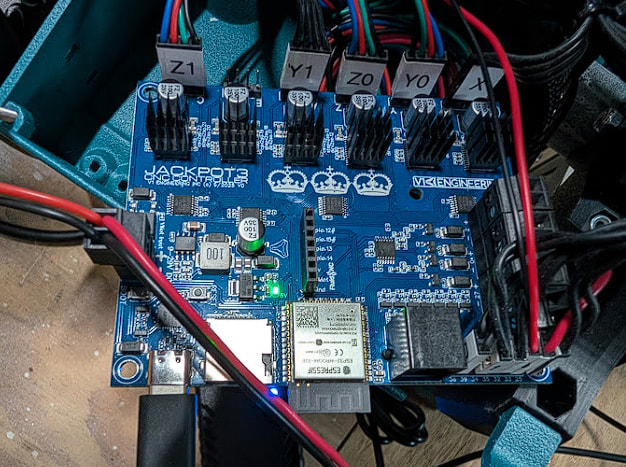
Here’s how the motors are arranged:
Here’s the startup log:
FluidTerm 1.3.0 using COM4
Exit: Ctrl-C, Ctrl-Q or Ctrl-], Clear screen: CTRL-W
Upload: Ctrl-U, Reset ESP32: Ctrl-R, Send Override: Ctrl-O, STM32 Loader: Ctrl-S
$ss
[MSG:INFO: FluidNC v3.9.9 https://github.com/bdring/FluidNC]
[MSG:INFO: Compiled with ESP32 SDK:v4.4.7-dirty]
[MSG:INFO: Local filesystem type is littlefs]
[MSG:INFO: Configuration file:config.yaml]
[MSG:INFO: Machine LowRider BC swap]
[MSG:INFO: Board Jackpot3 TMC2226]
[MSG:INFO: UART1 Tx:gpio.16 Rx:gpio.4 RTS:NO_PIN Baud:115200]
[MSG:INFO: I2SO BCK:gpio.22 WS:gpio.17 DATA:gpio.21Min Pulse:2us]
[MSG:INFO: SPI SCK:gpio.18 MOSI:gpio.23 MISO:gpio.19]
[MSG:INFO: SD Card cs_pin:gpio.5 detect:NO_PIN freq:20000000]
[MSG:INFO: Stepping:I2S_STATIC Pulse:2us Dsbl Delay:0us Dir Delay:1us Idle Delay:255ms]
[MSG:INFO: User Digital Output: 0 on Pin:gpio.26]
[MSG:INFO: User Digital Output: 1 on Pin:gpio.27]
[MSG:INFO: User Digital Output: 2 on Pin:gpio.0]
[MSG:INFO: User Digital Output: 3 on Pin:gpio.2]
[MSG:INFO: Axis count 3]
[MSG:INFO: Axis X (3.000,1223.000)]
[MSG:INFO:   Motor0]
[MSG:INFO:     tmc_2209 UART1 Addr:0 CS:NO_PIN Step:I2SO.2 Dir:I2SO.1 Disable:I2SO.0 R:0.110]
[MSG:INFO:  Neg Limit gpio.25]
[MSG:INFO: Axis Y (3.000,2443.000)]
[MSG:INFO:   Motor0]
[MSG:INFO:     tmc_2209 UART1 Addr:1 CS:NO_PIN Step:I2SO.5 Dir:I2SO.4 Disable:I2SO.7 R:0.110]
[MSG:INFO:  Neg Limit gpio.33]
[MSG:INFO:   Motor1]
[MSG:INFO:     tmc_2209 UART1 Addr:3 CS:I2SO.14 Step:I2SO.13 Dir:I2SO.12 Disable:I2SO.15 R:0.110]
[MSG:INFO:  Neg Limit gpio.35]
[MSG:INFO: Axis Z (-147.000,3.000)]
[MSG:INFO:   Motor0]
[MSG:INFO:     tmc_2209 UART1 Addr:2 CS:NO_PIN Step:I2SO.10 Dir:I2SO.9 Disable:I2SO.8 R:0.110]
[MSG:INFO:  Pos Limit gpio.32]
[MSG:INFO:   Motor1]
[MSG:INFO:     tmc_2209 UART1 Addr:3 CS:I2SO.22 Step:I2SO.21 Dir:I2SO.20 Disable:I2SO.23 R:0.110]
[MSG:INFO:  Pos Limit gpio.34]
[MSG:INFO: X Axis driver test passed]
[MSG:INFO: Y Axis driver test passed]
[MSG:INFO: Y2 Axis driver test passed]
[MSG:INFO: Z Axis driver test passed]
[MSG:INFO: Z2 Axis driver test passed]
[MSG:INFO: Kinematic system: Cartesian]
[MSG:INFO: STA SSID is not set]
[MSG:INFO: AP SSID FluidNC IP 192.168.0.1 mask 255.255.255.0 channel 1]
[MSG:INFO: AP started]
[MSG:INFO: WiFi on]
[MSG:INFO: Captive Portal Started]
[MSG:INFO: HTTP started on port 80]
[MSG:INFO: Telnet started on port 23]
[MSG:INFO: Probe gpio.36:low]
ok
Resetting MCU
Resetting Done
ets Jul 29 2019 12:21:46

rst:0x1 (POWERON_RESET),boot:0x13 (SPI_FAST_FLASH_BOOT)
configsip: 0, SPIWP:0xee
clk_drv:0x00,q_drv:0x00,d_drv:0x00,cs0_drv:0x00,hd_drv:0x00,wp_drv:0x00
mode:DIO, clock div:1
load:0x3fff0030,len:1184
load:0x40078000,len:13260
load:0x40080400,len:3028
entry 0x400805e4
ets Jul 29 2019 12:21:46

rst:0x1 (POWERON_RESET),boot:0x13 (SPI_FAST_FLASH_BOOT)
configsip: 0, SPIWP:0xee
clk_drv:0x00,q_drv:0x00,d_drv:0x00,cs0_drv:0x00,hd_drv:0x00,wp_drv:0x00
mode:DIO, clock div:1
load:0x3fff0030,len:1184
load:0x40078000,len:13260
load:0x40080400,len:3028
entry 0x400805e4
[MSG:INFO: uart_channel0 created]

[MSG:RST]
[MSG:INFO: FluidNC v3.9.9 https://github.com/bdring/FluidNC]
[MSG:INFO: Compiled with ESP32 SDK:v4.4.7-dirty]
[MSG:INFO: Local filesystem type is littlefs]
[MSG:INFO: Configuration file:config.yaml]
[MSG:INFO: Machine LowRider BC swap]
[MSG:INFO: Board Jackpot3 TMC2226]
[MSG:INFO: UART1 Tx:gpio.16 Rx:gpio.4 RTS:NO_PIN Baud:115200]
[MSG:INFO: I2SO BCK:gpio.22 WS:gpio.17 DATA:gpio.21Min Pulse:2us]
[MSG:INFO: SPI SCK:gpio.18 MOSI:gpio.23 MISO:gpio.19]
[MSG:INFO: SD Card cs_pin:gpio.5 detect:NO_PIN freq:20000000]
[MSG:INFO: Stepping:I2S_STATIC Pulse:2us Dsbl Delay:0us Dir Delay:1us Idle Delay:255ms]
[MSG:INFO: User Digital Output: 0 on Pin:gpio.26]
[MSG:INFO: User Digital Output: 1 on Pin:gpio.27]
[MSG:INFO: User Digital Output: 2 on Pin:gpio.0]
[MSG:INFO: User Digital Output: 3 on Pin:gpio.2]
[MSG:INFO: Axis count 3]
[MSG:INFO: Axis X (3.000,1223.000)]
[MSG:INFO:   Motor0]
[MSG:INFO:     tmc_2209 UART1 Addr:0 CS:NO_PIN Step:I2SO.2 Dir:I2SO.1 Disable:I2SO.0 R:0.110]
[MSG:INFO:  Neg Limit gpio.25]
[MSG:INFO: Axis Y (3.000,2443.000)]
[MSG:INFO:   Motor0]
[MSG:INFO:     tmc_2209 UART1 Addr:1 CS:NO_PIN Step:I2SO.5 Dir:I2SO.4 Disable:I2SO.7 R:0.110]
[MSG:INFO:  Neg Limit gpio.33]
[MSG:INFO:   Motor1]
[MSG:INFO:     tmc_2209 UART1 Addr:3 CS:I2SO.14 Step:I2SO.13 Dir:I2SO.12 Disable:I2SO.15 R:0.110]
[MSG:INFO:  Neg Limit gpio.35]
[MSG:INFO: Axis Z (-147.000,3.000)]
[MSG:INFO:   Motor0]
[MSG:INFO:     tmc_2209 UART1 Addr:2 CS:NO_PIN Step:I2SO.10 Dir:I2SO.9 Disable:I2SO.8 R:0.110]
[MSG:INFO:  Pos Limit gpio.32]
[MSG:INFO:   Motor1]
[MSG:INFO:     tmc_2209 UART1 Addr:3 CS:I2SO.22 Step:I2SO.21 Dir:I2SO.20 Disable:I2SO.23 R:0.110]
[MSG:INFO:  Pos Limit gpio.34]
[MSG:INFO: X Axis driver test passed]
[MSG:INFO: Y Axis driver test passed]
[MSG:INFO: Y2 Axis driver test passed]
[MSG:INFO: Z Axis driver test passed]
[MSG:INFO: Z2 Axis driver test passed]
[MSG:INFO: Kinematic system: Cartesian]
[MSG:INFO: STA SSID is not set]
[MSG:INFO: AP SSID FluidNC IP 192.168.0.1 mask 255.255.255.0 channel 1]
[MSG:INFO: AP started]
[MSG:INFO: WiFi on]
[MSG:INFO: Captive Portal Started]
[MSG:INFO: HTTP started on port 80]
[MSG:INFO: Telnet started on port 23]
[MSG:INFO: Probe gpio.36:low]

Grbl 3.9 [FluidNC v3.9.9 (wifi) '$' for help]
I jogged Z around a bit. As before, Z0 (port Z) works, Z1 (port C) does not. I ran a home sequence just to see it throw an alarm. Here’s the WebUI terminal log:
[MSG:ERR: sdmmc_card_init failed code 0x108]
<Idle|MPos:0.000,0.000,0.000|FS:0,0|WCO:0.000,0.000,3.000>
<Idle|MPos:0.000,0.000,0.000|FS:0,0|Ov:100,100,100>
<Idle|MPos:0.000,0.000,0.000|FS:0,0>
<Idle|MPos:0.000,0.000,0.000|FS:0,0>
<Idle|MPos:0.000,0.000,0.000|FS:0,0>
<Idle|MPos:0.000,0.000,0.000|FS:0,0>
<Idle|MPos:0.000,0.000,0.000|FS:0,0>
<Idle|MPos:0.000,0.000,0.000|FS:0,0>
<Idle|MPos:0.000,0.000,0.000|FS:0,0>
<Idle|MPos:0.000,0.000,0.000|FS:0,0>
<Idle|MPos:0.000,0.000,0.000|FS:0,0|WCO:0.000,0.000,3.000>
<Idle|MPos:0.000,0.000,0.000|FS:0,0|Ov:100,100,100>
<Idle|MPos:0.000,0.000,0.000|FS:0,0>
<Idle|MPos:0.000,0.000,0.000|FS:0,0>
<Idle|MPos:0.000,0.000,0.000|FS:0,0>
<Idle|MPos:0.000,0.000,0.000|FS:0,0>
<Idle|MPos:0.000,0.000,0.000|FS:0,0>
<Idle|MPos:0.000,0.000,0.000|FS:0,0>
$J=G91 G21 Z-10 F900
ok
<Idle|MPos:0.000,0.000,-10.000|FS:0,0>
$J=G91 G21 Z-10 F900
ok
<Idle|MPos:0.000,0.000,-20.000|FS:0,0>
$J=G91 G21 Z-10 F900
ok
$J=G91 G21 Z-10 F900
ok
<Jog|MPos:0.000,0.000,-35.285|FS:900,0|WCO:0.000,0.000,3.000>
<Idle|MPos:0.000,0.000,-40.000|FS:0,0|Ov:100,100,100>
<Idle|MPos:0.000,0.000,-40.000|FS:0,0>
<Idle|MPos:0.000,0.000,-40.000|FS:0,0>
<Idle|MPos:0.000,0.000,-40.000|FS:0,0>
$J=G91 G21 Z+10 F900
ok
$J=G91 G21 Z+10 F900
ok
<Jog|MPos:0.000,0.000,-29.895|FS:768,0>
<Idle|MPos:0.000,0.000,-20.000|FS:0,0>
<Idle|MPos:0.000,0.000,-20.000|FS:0,0>
$J=G91 G21 Z+10 F900
ok
<Idle|MPos:0.000,0.000,-10.000|FS:0,0>
<Idle|MPos:0.000,0.000,-10.000|FS:0,0>
<Idle|MPos:0.000,0.000,-10.000|FS:0,0|WCO:0.000,0.000,3.000>
<Idle|MPos:0.000,0.000,-10.000|FS:0,0|Ov:100,100,100>
<Idle|MPos:0.000,0.000,-10.000|FS:0,0>
<Idle|MPos:0.000,0.000,-10.000|FS:0,0>
<Idle|MPos:0.000,0.000,-10.000|FS:0,0>
<Idle|MPos:0.000,0.000,-10.000|FS:0,0>
<Idle|MPos:0.000,0.000,-10.000|FS:0,0>
<Idle|MPos:0.000,0.000,-10.000|FS:0,0>
$J=G91 G21 Z+10 F900
ok
<Idle|MPos:0.000,0.000,0.000|FS:0,0>
$J=G91 G21 Z-10 F900
ok
$J=G91 G21 Z-10 F900
ok
<Jog|MPos:0.000,0.000,-15.915|FS:900,0>
<Idle|MPos:0.000,0.000,-20.000|FS:0,0|WCO:0.000,0.000,3.000>
$J=G91 G21 Z-10 F900
ok
<Jog|MPos:0.000,0.000,-20.100|FS:768,0|Ov:100,100,100>
$J=G91 G21 Z+10 F900
ok
<Jog|MPos:0.000,0.000,-20.990|FS:260,0>
$J=G91 G21 Z+10 F900
ok
<Idle|MPos:0.000,0.000,-10.000|FS:0,0>
$J=G91 G21 Z+10 F900
ok
<Idle|MPos:0.000,0.000,0.000|FS:0,0>
$HZ
<Home|MPos:0.000,0.000,18.990|FS:800,0|Pn:Z>
<Home|MPos:0.000,0.000,46.150|FS:800,0|Pn:Z>
<Home|MPos:0.000,0.000,73.225|FS:800,0|Pn:Z>
<Home|MPos:0.000,0.000,100.405|FS:800,0|Pn:Z>
<Home|MPos:0.000,0.000,127.695|FS:800,0|Pn:Z>
<Home|MPos:0.000,0.000,154.750|FS:800,0|Pn:Z|WCO:0.000,0.000,3.000>
<Home|MPos:0.000,0.000,165.000|FS:0,0|Pn:Z|Ov:100,100,100>
[MSG:INFO: ALARM: Homing Fail Approach]
ALARM:9
ok
<Alarm|MPos:0.000,0.000,165.000|FS:0,0|Pn:Z>
<Alarm|MPos:0.000,0.000,165.000|FS:0,0|Pn:Z>
<Alarm|MPos:0.000,0.000,165.000|FS:0,0|Pn:Z>
<Alarm|MPos:0.000,0.000,165.000|FS:0,0|Pn:Z>
<Alarm|MPos:0.000,0.000,165.000|FS:0,0|Pn:Z>
<Alarm|MPos:0.000,0.000,165.000|FS:0,0|Pn:Z>
<Alarm|MPos:0.000,0.000,165.000|FS:0,0|Pn:Z>
<Alarm|MPos:0.000,0.000,165.000|FS:0,0|Pn:Z>
<Alarm|MPos:0.000,0.000,165.000|FS:0,0|Pn:Z|WCO:0.000,0.000,3.000>
<Alarm|MPos:0.000,0.000,165.000|FS:0,0|Pn:Z|Ov:100,100,100>
$X
[MSG:INFO: Caution: Unlocked]
ok
<Idle|MPos:0.000,0.000,165.000|FS:0,0|Pn:Z>
<Idle|MPos:0.000,0.000,165.000|FS:0,0|Pn:Z>
<Idle|MPos:0.000,0.000,165.000|FS:0,0|Pn:Z>
<Idle|MPos:0.000,0.000,165.000|FS:0,0|Pn:Z>
<Idle|MPos:0.000,0.000,165.000|FS:0,0|Pn:Z>
<Idle|MPos:0.000,0.000,165.000|FS:0,0|Pn:Z>
<Idle|MPos:0.000,0.000,165.000|FS:0,0|Pn:Z>
<Idle|MPos:0.000,0.000,165.000|FS:0,0|Pn:Z>
<Idle|MPos:0.000,0.000,165.000|FS:0,0|Pn:Z|WCO:0.000,0.000,3.000>
<Idle|MPos:0.000,0.000,165.000|FS:0,0|Pn:Z|Ov:100,100,100>
<Idle|MPos:0.000,0.000,165.000|FS:0,0|Pn:Z>
Next we go to the FluidNC web downloader site and run the Erase and Reflash function. Then I loaded the appropriate files and restarted the ESP32. Here is the log taken from the FNC website terminal:
FluidTerm 1.3.0 using COM4
Exit: Ctrl-C, Ctrl-Q or Ctrl-], Clear screen: CTRL-W
Upload: Ctrl-U, Reset ESP32: Ctrl-R, Send Override: Ctrl-O, STM32 Loader: Ctrl-S
$ss
[MSG:INFO: FluidNC v3.9.9 https://github.com/bdring/FluidNC]
[MSG:INFO: Compiled with ESP32 SDK:v4.4.7-dirty]
[MSG:INFO: Local filesystem type is littlefs]
[MSG:INFO: Configuration file:config.yaml]
[MSG:INFO: Machine LowRider BC swap]
[MSG:INFO: Board Jackpot3 TMC2226]
[MSG:INFO: UART1 Tx:gpio.16 Rx:gpio.4 RTS:NO_PIN Baud:115200]
[MSG:INFO: I2SO BCK:gpio.22 WS:gpio.17 DATA:gpio.21Min Pulse:2us]
[MSG:INFO: SPI SCK:gpio.18 MOSI:gpio.23 MISO:gpio.19]
[MSG:INFO: SD Card cs_pin:gpio.5 detect:NO_PIN freq:20000000]
[MSG:INFO: Stepping:I2S_STATIC Pulse:2us Dsbl Delay:0us Dir Delay:1us Idle Delay:255ms]
[MSG:INFO: User Digital Output: 0 on Pin:gpio.26]
[MSG:INFO: User Digital Output: 1 on Pin:gpio.27]
[MSG:INFO: User Digital Output: 2 on Pin:gpio.0]
[MSG:INFO: User Digital Output: 3 on Pin:gpio.2]
[MSG:INFO: Axis count 3]
[MSG:INFO: Axis X (3.000,1223.000)]
[MSG:INFO:   Motor0]
[MSG:INFO:     tmc_2209 UART1 Addr:0 CS:NO_PIN Step:I2SO.2 Dir:I2SO.1 Disable:I2SO.0 R:0.110]
[MSG:INFO:  Neg Limit gpio.25]
[MSG:INFO: Axis Y (3.000,2443.000)]
[MSG:INFO:   Motor0]
[MSG:INFO:     tmc_2209 UART1 Addr:1 CS:NO_PIN Step:I2SO.5 Dir:I2SO.4 Disable:I2SO.7 R:0.110]
[MSG:INFO:  Neg Limit gpio.33]
[MSG:INFO:   Motor1]
[MSG:INFO:     tmc_2209 UART1 Addr:3 CS:I2SO.14 Step:I2SO.13 Dir:I2SO.12 Disable:I2SO.15 R:0.110]
[MSG:INFO:  Neg Limit gpio.35]
[MSG:INFO: Axis Z (-147.000,3.000)]
[MSG:INFO:   Motor0]
[MSG:INFO:     tmc_2209 UART1 Addr:2 CS:NO_PIN Step:I2SO.10 Dir:I2SO.9 Disable:I2SO.8 R:0.110]
[MSG:INFO:  Pos Limit gpio.32]
[MSG:INFO:   Motor1]
[MSG:INFO:     tmc_2209 UART1 Addr:3 CS:I2SO.22 Step:I2SO.21 Dir:I2SO.20 Disable:I2SO.23 R:0.110]
[MSG:INFO:  Pos Limit gpio.34]
[MSG:INFO: X Axis driver test passed]
[MSG:INFO: Y Axis driver test passed]
[MSG:INFO: Y2 Axis driver test passed]
[MSG:INFO: Z Axis driver test passed]
[MSG:INFO: Z2 Axis driver test passed]
[MSG:INFO: Kinematic system: Cartesian]
[MSG:INFO: STA SSID is not set]
[MSG:INFO: AP SSID FluidNC IP 192.168.0.1 mask 255.255.255.0 channel 1]
[MSG:INFO: AP started]
[MSG:INFO: WiFi on]
[MSG:INFO: Captive Portal Started]
[MSG:INFO: HTTP started on port 80]
[MSG:INFO: Telnet started on port 23]
[MSG:INFO: Probe gpio.36:low]
ok
Oops. Turns out I loaded the default V1E config file instead of the C swapped version. What I find interesting though, is that all the motor drivers passed their tests, even though Z1 was plugged into C instead of B. Guess it’s not actually checking for that?
So back up… rerun the Erase and Flash, load the correct config and the other files, reboot. And I get this, again from the website terminal:
FluidTerm 1.3.0 using COM4
Exit: Ctrl-C, Ctrl-Q or Ctrl-], Clear screen: CTRL-W
Upload: Ctrl-U, Reset ESP32: Ctrl-R, Send Override: Ctrl-O, STM32 Loader: Ctrl-S
$ss
[MSG:INFO: FluidNC v3.9.9 https://github.com/bdring/FluidNC]
[MSG:INFO: Compiled with ESP32 SDK:v4.4.7-dirty]
[MSG:INFO: Local filesystem type is littlefs]
[MSG:INFO: Configuration file:config.yaml]
[MSG:INFO: Machine LowRider BC swap]
[MSG:INFO: Board Jackpot3 TMC2226]
[MSG:INFO: UART1 Tx:gpio.16 Rx:gpio.4 RTS:NO_PIN Baud:115200]
[MSG:INFO: I2SO BCK:gpio.22 WS:gpio.17 DATA:gpio.21Min Pulse:2us]
[MSG:INFO: SPI SCK:gpio.18 MOSI:gpio.23 MISO:gpio.19]
[MSG:INFO: SD Card cs_pin:gpio.5 detect:NO_PIN freq:20000000]
[MSG:INFO: Stepping:I2S_STATIC Pulse:2us Dsbl Delay:0us Dir Delay:1us Idle Delay:255ms]
[MSG:INFO: User Digital Output: 0 on Pin:gpio.26]
[MSG:INFO: User Digital Output: 1 on Pin:gpio.27]
[MSG:INFO: User Digital Output: 2 on Pin:gpio.0]
[MSG:INFO: User Digital Output: 3 on Pin:gpio.2]
[MSG:INFO: Axis count 3]
[MSG:INFO: Axis X (3.000,1223.000)]
[MSG:INFO:   Motor0]
[MSG:INFO:     tmc_2209 UART1 Addr:0 CS:NO_PIN Step:I2SO.2 Dir:I2SO.1 Disable:I2SO.0 R:0.110]
[MSG:INFO:  Neg Limit gpio.25]
[MSG:INFO: Axis Y (3.000,2443.000)]
[MSG:INFO:   Motor0]
[MSG:INFO:     tmc_2209 UART1 Addr:1 CS:NO_PIN Step:I2SO.5 Dir:I2SO.4 Disable:I2SO.7 R:0.110]
[MSG:INFO:  Neg Limit gpio.33]
[MSG:INFO:   Motor1]
[MSG:INFO:     tmc_2209 UART1 Addr:3 CS:I2SO.14 Step:I2SO.13 Dir:I2SO.12 Disable:I2SO.15 R:0.110]
[MSG:INFO:  Neg Limit gpio.35]
[MSG:INFO: Axis Z (-147.000,3.000)]
[MSG:INFO:   Motor0]
[MSG:INFO:     tmc_2209 UART1 Addr:2 CS:NO_PIN Step:I2SO.10 Dir:I2SO.9 Disable:I2SO.8 R:0.110]
[MSG:INFO:  Pos Limit gpio.32]
[MSG:INFO:   Motor1]
[MSG:INFO:     tmc_2209 UART1 Addr:3 CS:I2SO.22 Step:I2SO.21 Dir:I2SO.20 Disable:I2SO.23 R:0.110]
[MSG:INFO:  Pos Limit gpio.34]
[MSG:INFO: X Axis driver test passed]
[MSG:INFO: Y Axis driver test passed]
[MSG:INFO: Y2 Axis driver test passed]
[MSG:INFO: Z Axis driver test passed]
[MSG:INFO: Z2 Axis driver test passed]
[MSG:INFO: Kinematic system: Cartesian]
[MSG:INFO: STA SSID is not set]
[MSG:INFO: AP SSID FluidNC IP 192.168.0.1 mask 255.255.255.0 channel 1]
[MSG:INFO: AP started]
[MSG:INFO: WiFi on]
[MSG:INFO: Captive Portal Started]
[MSG:INFO: HTTP started on port 80]
[MSG:INFO: Telnet started on port 23]
[MSG:INFO: Probe gpio.36:low]
ok
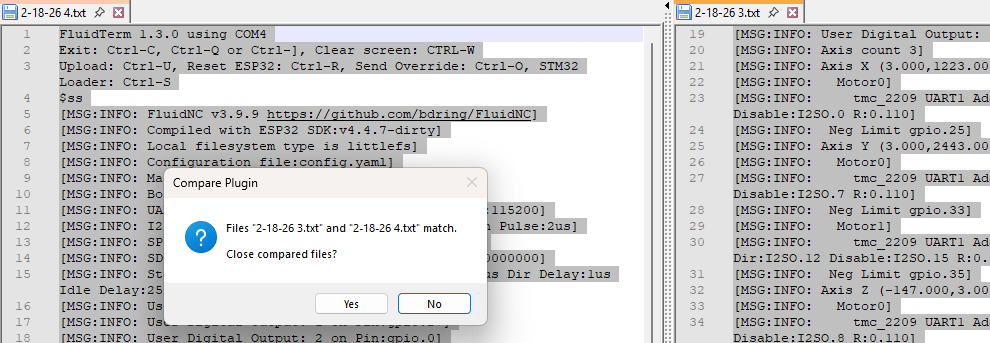
100% exactly the same as before. Character for character.
Right. For good measure, I disconnected from the website terminal and fired up FluidTerm on my laptop, $ss, and away we go…
FluidTerm 1.3.0 using COM4
Exit: Ctrl-C, Ctrl-Q or Ctrl-], Clear screen: CTRL-W
Upload: Ctrl-U, Reset ESP32: Ctrl-R, Send Override: Ctrl-O, STM32 Loader: Ctrl-S
$ss
[MSG:INFO: FluidNC v3.9.9 https://github.com/bdring/FluidNC]
[MSG:INFO: Compiled with ESP32 SDK:v4.4.7-dirty]
[MSG:INFO: Local filesystem type is littlefs]
[MSG:INFO: Configuration file:config.yaml]
[MSG:INFO: Machine LowRider BC swap]
[MSG:INFO: Board Jackpot3 TMC2226]
[MSG:INFO: UART1 Tx:gpio.16 Rx:gpio.4 RTS:NO_PIN Baud:115200]
[MSG:INFO: I2SO BCK:gpio.22 WS:gpio.17 DATA:gpio.21Min Pulse:2us]
[MSG:INFO: SPI SCK:gpio.18 MOSI:gpio.23 MISO:gpio.19]
[MSG:INFO: SD Card cs_pin:gpio.5 detect:NO_PIN freq:20000000]
[MSG:INFO: Stepping:I2S_STATIC Pulse:2us Dsbl Delay:0us Dir Delay:1us Idle Delay:255ms]
[MSG:INFO: User Digital Output: 0 on Pin:gpio.26]
[MSG:INFO: User Digital Output: 1 on Pin:gpio.27]
[MSG:INFO: User Digital Output: 2 on Pin:gpio.0]
[MSG:INFO: User Digital Output: 3 on Pin:gpio.2]
[MSG:INFO: Axis count 3]
[MSG:INFO: Axis X (3.000,1223.000)]
[MSG:INFO:   Motor0]
[MSG:INFO:     tmc_2209 UART1 Addr:0 CS:NO_PIN Step:I2SO.2 Dir:I2SO.1 Disable:I2SO.0 R:0.110]
[MSG:INFO:  Neg Limit gpio.25]
[MSG:INFO: Axis Y (3.000,2443.000)]
[MSG:INFO:   Motor0]
[MSG:INFO:     tmc_2209 UART1 Addr:1 CS:NO_PIN Step:I2SO.5 Dir:I2SO.4 Disable:I2SO.7 R:0.110]
[MSG:INFO:  Neg Limit gpio.33]
[MSG:INFO:   Motor1]
[MSG:INFO:     tmc_2209 UART1 Addr:3 CS:I2SO.14 Step:I2SO.13 Dir:I2SO.12 Disable:I2SO.15 R:0.110]
[MSG:INFO:  Neg Limit gpio.35]
[MSG:INFO: Axis Z (-147.000,3.000)]
[MSG:INFO:   Motor0]
[MSG:INFO:     tmc_2209 UART1 Addr:2 CS:NO_PIN Step:I2SO.10 Dir:I2SO.9 Disable:I2SO.8 R:0.110]
[MSG:INFO:  Pos Limit gpio.32]
[MSG:INFO:   Motor1]
[MSG:INFO:     tmc_2209 UART1 Addr:3 CS:I2SO.22 Step:I2SO.21 Dir:I2SO.20 Disable:I2SO.23 R:0.110]
[MSG:INFO:  Pos Limit gpio.34]
[MSG:INFO: X Axis driver test passed]
[MSG:INFO: Y Axis driver test passed]
[MSG:INFO: Y2 Axis driver test passed]
[MSG:INFO: Z Axis driver test passed]
[MSG:INFO: Z2 Axis driver test passed]
[MSG:INFO: Kinematic system: Cartesian]
[MSG:INFO: STA SSID is not set]
[MSG:INFO: AP SSID FluidNC IP 192.168.0.1 mask 255.255.255.0 channel 1]
[MSG:INFO: AP started]
[MSG:INFO: WiFi on]
[MSG:INFO: Captive Portal Started]
[MSG:INFO: HTTP started on port 80]
[MSG:INFO: Telnet started on port 23]
[MSG:INFO: Probe gpio.36:low]
ok
Once again, identical. That seems logical. Now with the firmware reflashed for I think the fourth (?) time now, and the BC swap config loaded, I jogged Z around a bit. No change. Z0 = ok, Z1 = NFG. Here’s the log, showing only the SD card error.
[MSG:ERR: sdmmc_card_init failed code 0x108]
<Idle|MPos:0.000,0.000,0.000|FS:0,0>
<Idle|MPos:0.000,0.000,0.000|FS:0,0>
<Idle|MPos:0.000,0.000,0.000|FS:0,0>
<Idle|MPos:0.000,0.000,0.000|FS:0,0>
<Idle|MPos:0.000,0.000,0.000|FS:0,0>
<Idle|MPos:0.000,0.000,0.000|FS:0,0|WCO:0.000,0.000,0.000>
<Idle|MPos:0.000,0.000,0.000|FS:0,0|Ov:100,100,100>
<Idle|MPos:0.000,0.000,0.000|FS:0,0>
<Idle|MPos:0.000,0.000,0.000|FS:0,0>
<Idle|MPos:0.000,0.000,0.000|FS:0,0>
<Idle|MPos:0.000,0.000,0.000|FS:0,0>
<Idle|MPos:0.000,0.000,0.000|FS:0,0>
<Idle|MPos:0.000,0.000,0.000|FS:0,0>
<Idle|MPos:0.000,0.000,0.000|FS:0,0>
<Idle|MPos:0.000,0.000,0.000|FS:0,0>
<Idle|MPos:0.000,0.000,0.000|FS:0,0|WCO:0.000,0.000,0.000>
<Idle|MPos:0.000,0.000,0.000|FS:0,0|Ov:100,100,100>
<Idle|MPos:0.000,0.000,0.000|FS:0,0>
<Idle|MPos:0.000,0.000,0.000|FS:0,0>
<Idle|MPos:0.000,0.000,0.000|FS:0,0>
<Idle|MPos:0.000,0.000,0.000|FS:0,0>
<Idle|MPos:0.000,0.000,0.000|FS:0,0>
<Idle|MPos:0.000,0.000,0.000|FS:0,0>
<Idle|MPos:0.000,0.000,0.000|FS:0,0>
<Idle|MPos:0.000,0.000,0.000|FS:0,0>
<Idle|MPos:0.000,0.000,0.000|FS:0,0|WCO:0.000,0.000,0.000>
<Idle|MPos:0.000,0.000,0.000|FS:0,0|Ov:100,100,100>
<Idle|MPos:0.000,0.000,0.000|FS:0,0>
<Idle|MPos:0.000,0.000,0.000|FS:0,0>
<Idle|MPos:0.000,0.000,0.000|FS:0,0>
<Idle|MPos:0.000,0.000,0.000|FS:0,0>
<Idle|MPos:0.000,0.000,0.000|FS:0,0>
<Idle|MPos:0.000,0.000,0.000|FS:0,0>
<Idle|MPos:0.000,0.000,0.000|FS:0,0>
<Idle|MPos:0.000,0.000,0.000|FS:0,0>
<Idle|MPos:0.000,0.000,0.000|FS:0,0|WCO:0.000,0.000,0.000>
<Idle|MPos:0.000,0.000,0.000|FS:0,0|Ov:100,100,100>
<Idle|MPos:0.000,0.000,0.000|FS:0,0>
<Idle|MPos:0.000,0.000,0.000|FS:0,0>
<Idle|MPos:0.000,0.000,0.000|FS:0,0>
$J=G91 G21 Z-10 F900
ok
<Jog|MPos:0.000,0.000,-4.520|FS:900,0>
$J=G91 G21 Z+10 F900
ok
<Jog|MPos:0.000,0.000,-9.420|FS:900,0>
$J=G91 G21 Z+10 F900
ok
$J=G91 G21 Z-10 F900
ok
<Jog|MPos:0.000,0.000,4.670|FS:900,0>
$J=G91 G21 Z-10 F900
ok
$J=G91 G21 Z+10 F900
ok
<Jog|MPos:0.000,0.000,-9.005|FS:900,0>
$J=G91 G21 Z+10 F900
ok
$J=G91 G21 Z-10 F900
ok
<Jog|MPos:0.000,0.000,7.965|FS:900,0>
$J=G91 G21 Z-10 F900
ok
$J=G91 G21 Z+10 F900
ok
<Jog|MPos:0.000,0.000,-0.645|FS:116,0|WCO:0.000,0.000,0.000>
<Idle|MPos:0.000,0.000,0.000|FS:0,0|Ov:100,100,100>
<Idle|MPos:0.000,0.000,0.000|FS:0,0>
<Idle|MPos:0.000,0.000,0.000|FS:0,0>
<Idle|MPos:0.000,0.000,0.000|FS:0,0>
<Idle|MPos:0.000,0.000,0.000|FS:0,0>
So far, I’ve swapped cables, swapped motors, swapped ports, swapped end stop switches, reflashed firmware, tried multiple configs… all with the same results. Port B is ugly, port C no worky. If I had another board, I’d be swapping that in at this point. Unless I’m missing something, it’s the only thing left.
Send it in, lemme take a look.
I’m not certain but the best I can tell is something tried to retrieve a file from flash memory that didn’t exist. Along the way, it tried to hash the file to see if it matched a file in the cache. When it calculated the length, it was probably too long to store in the variable.
Since this error hasn’t recurred, I’m not sure I would take any action yet.
Some thoughts:
I may be completely off base here. This may have nothing to do with the B/C issues.
Try STA mode?! Easy and fast.