YMin motor/jackpot board not working?

I’ve gotten my LR4 complete and finally booted up. Going through small steps to verify each motor was plugged in correctly. When I worked my way up to the 100mm movements the Y Max would run fine, but the Y Min wouldn’t go as far and the machine would tilt on the table, pulling the Y Max off of it’s rail. I looked through the forum and found the ‘check your grub screws’ answer, so I tore the thing apart thinking ‘clearly that is the answer as to why it is moving a little but, just not as much as the other side’.

Nope.

Grub screws are fine. Now the fun begins.

With the machine on its side and the YMin motor extracted I booted it back up to test them. The YMax motor still runs when I step it, but now the YMin one doesn’t move at all.
So I swap the motor into the X port on the Jackpot controller to check if the motor is bad. Jogging the Xaxis moves the motor. But when plugged back into YMin, it doesn’t work. This tells me the motor is fine, does that mean something is wrong on the board?

What can I do next to test/narrow down the error further?

What board are you using and exactly what ports are things plugged into? Posting a picture of the board (and connections) may be helpful for those in the know.

edit: Ah, subject line. Jackpot.

Jackpot V 1.2.1
X to X
YMin to Y
ZMin to Z
YMax to A
ZMax to B

Did you download this config and upload it to the Jackpot?

Okay, I uploaded the config file you linked and still have the same issue. When everything is plugged in, the YMax motor will jog, but the YMin does not. Switching the plug for YMin to the X plug on the board and rebooting allows me to jog the YMin motor.

What happens when you swap the driver modules between those posiitons? While powered off, of course.

1 Like

When I swap the driver module, the other motor doesn’t work!
Bad module?

Pull the diagnostics.

In the terminal, send $SS, and past the ouput here as preformatted text, like what @Britt did above with the config.

The diag will tell us a lot about what’s going on with your machine.

$SS
[MSG:INFO: FluidNC v3.9.1 https://github.com/bdring/FluidNC]
[MSG:INFO: Compiled with ESP32 SDK:v4.4.7-dirty]
[MSG:INFO: Local filesystem type is littlefs]
[MSG:INFO: Configuration file:config.yaml]
[MSG:INFO: Machine LowRider]
[MSG:INFO: Board Jackpot TMC2209]
[MSG:INFO: UART1 Tx:gpio.0 Rx:gpio.4 RTS:NO_PIN Baud:115200]
[MSG:INFO: I2SO BCK:gpio.22 WS:gpio.17 DATA:gpio.21]
[MSG:INFO: SPI SCK:gpio.18 MOSI:gpio.23 MISO:gpio.19]
[MSG:INFO: SD Card cs_pin:gpio.5 detect:NO_PIN freq:20000000]
[MSG:INFO: Stepping:I2S_STATIC Pulse:2us Dsbl Delay:0us Dir Delay:1us Idle Delay:255ms]
[MSG:INFO: User Digital Output: 0 on Pin:gpio.26]
[MSG:INFO: User Digital Output: 1 on Pin:gpio.27]
[MSG:INFO: Axis count 3]
[MSG:INFO: Axis X (3.000,1263.000)]
[MSG:INFO:   Motor0]
[MSG:INFO:     tmc_2209 UART1 Addr:0 CS:NO_PIN Step:I2SO.2 Dir:I2SO.1 Disable:I2SO.0 R:0.110]
[MSG:INFO:  X Neg Limit gpio.25]
[MSG:INFO: Axis Y (3.000,2483.000)]
[MSG:INFO:   Motor0]
[MSG:INFO:     tmc_2209 UART1 Addr:1 CS:NO_PIN Step:I2SO.5 Dir:I2SO.4 Disable:I2SO.7 R:0.110]
[MSG:INFO:  Y Neg Limit gpio.33]
[MSG:INFO:   Motor1]
[MSG:INFO:     tmc_2209 UART1 Addr:3 CS:I2SO.14 Step:I2SO.13 Dir:I2SO.12 Disable:I2SO.15 R:0.110]
[MSG:INFO:  Y2 Neg Limit gpio.35]
[MSG:INFO: Axis Z (-297.000,3.000)]
[MSG:INFO:   Motor0]
[MSG:INFO:     tmc_2209 UART1 Addr:2 CS:NO_PIN Step:I2SO.10 Dir:I2SO.9 Disable:I2SO.8 R:0.110]
[MSG:INFO:  Z Pos Limit gpio.32]
[MSG:INFO:   Motor1]
[MSG:INFO:     tmc_2209 UART1 Addr:3 CS:I2SO.19 Step:I2SO.18 Dir:I2SO.17 Disable:I2SO.16 R:0.110]
[MSG:INFO:  Z2 Pos Limit gpio.34]
[MSG:INFO: X Axis driver test passed]
[MSG:INFO: Y Axis driver test passed]
[MSG:INFO: Y2 Axis driver test passed]
[MSG:INFO: Z Axis driver test passed]
[MSG:INFO: Z2 Axis driver test passed]
[MSG:INFO: Kinematic system: Cartesian]
[MSG:INFO: Connecting to STA SSID:cdstaff]
[MSG:INFO: Connecting.]
[MSG:INFO: Connecting..]
[MSG:INFO: Connected - IP is 192.168.1.161]
[MSG:INFO: WiFi on]
[MSG:INFO: Start mDNS with hostname:http://fluidnc.local/]
[MSG:INFO: HTTP started on port 80]
[MSG:INFO: Telnet started on port 23]
[MSG:INFO: Flood coolant gpio.2]
[MSG:INFO: Mist coolant gpio.16]
[MSG:INFO: Probe gpio.36:low]
ok

Those diags say that FluidNC is able to intialize and communicate with all of the stepper driver modules. That doesn’t rule out a bad TMC2209 module, but it does say that the ESP-32 and Jackpot are electrically able to communicate with the driver.

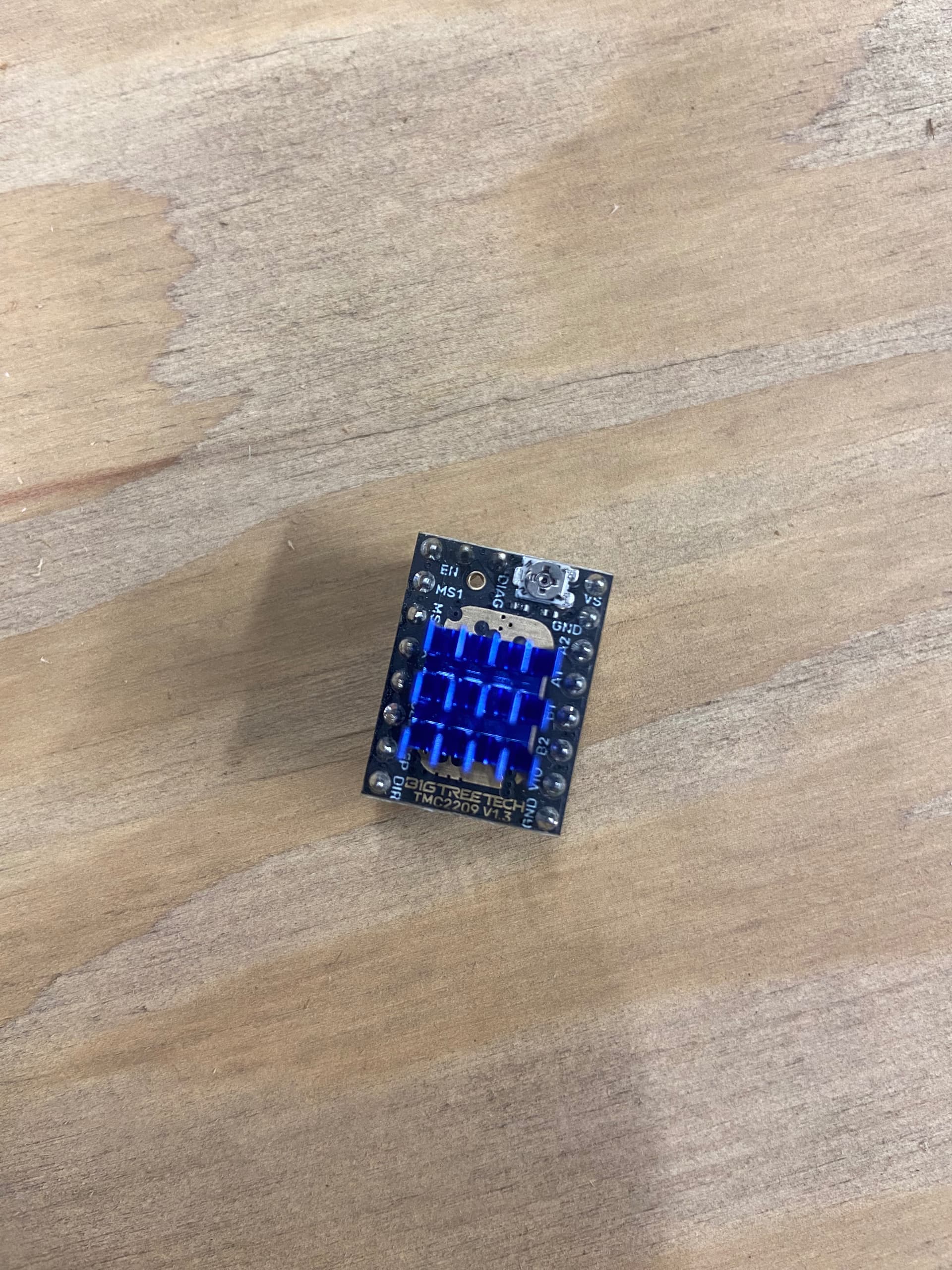
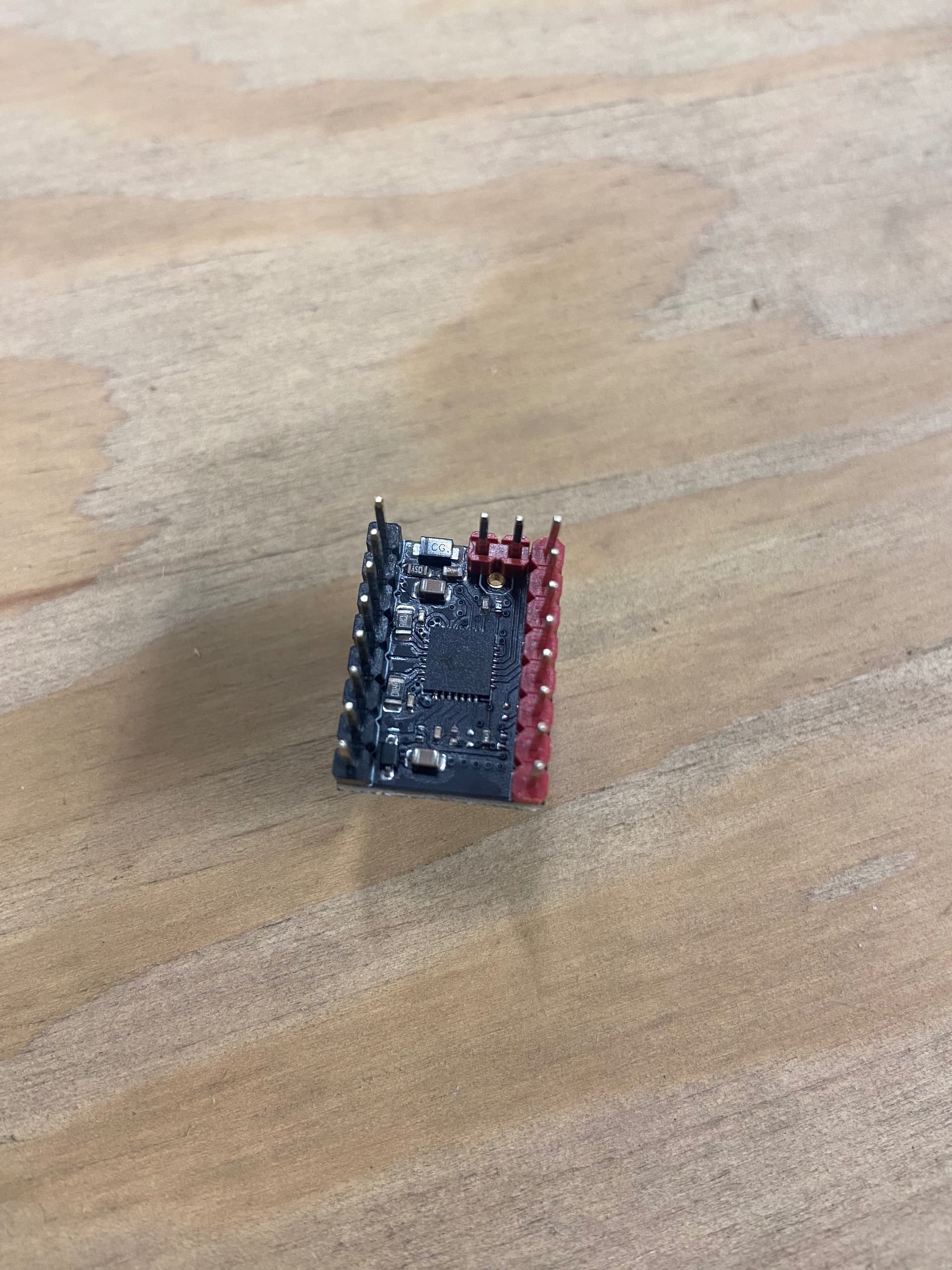
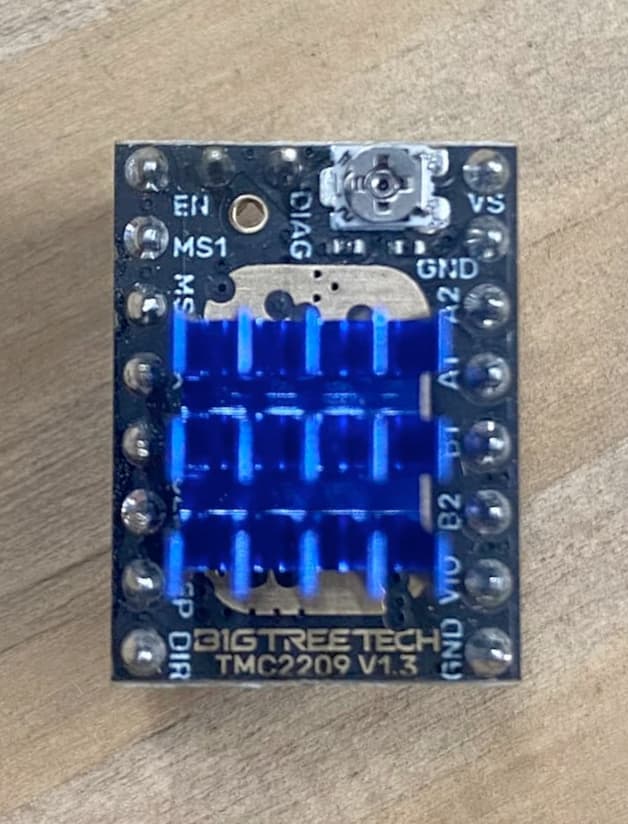
You could post high-resolution front and back side images of the driver that appears to be misbehaving.

I’d replace the driver, pending anything we might see wrong with those photos.
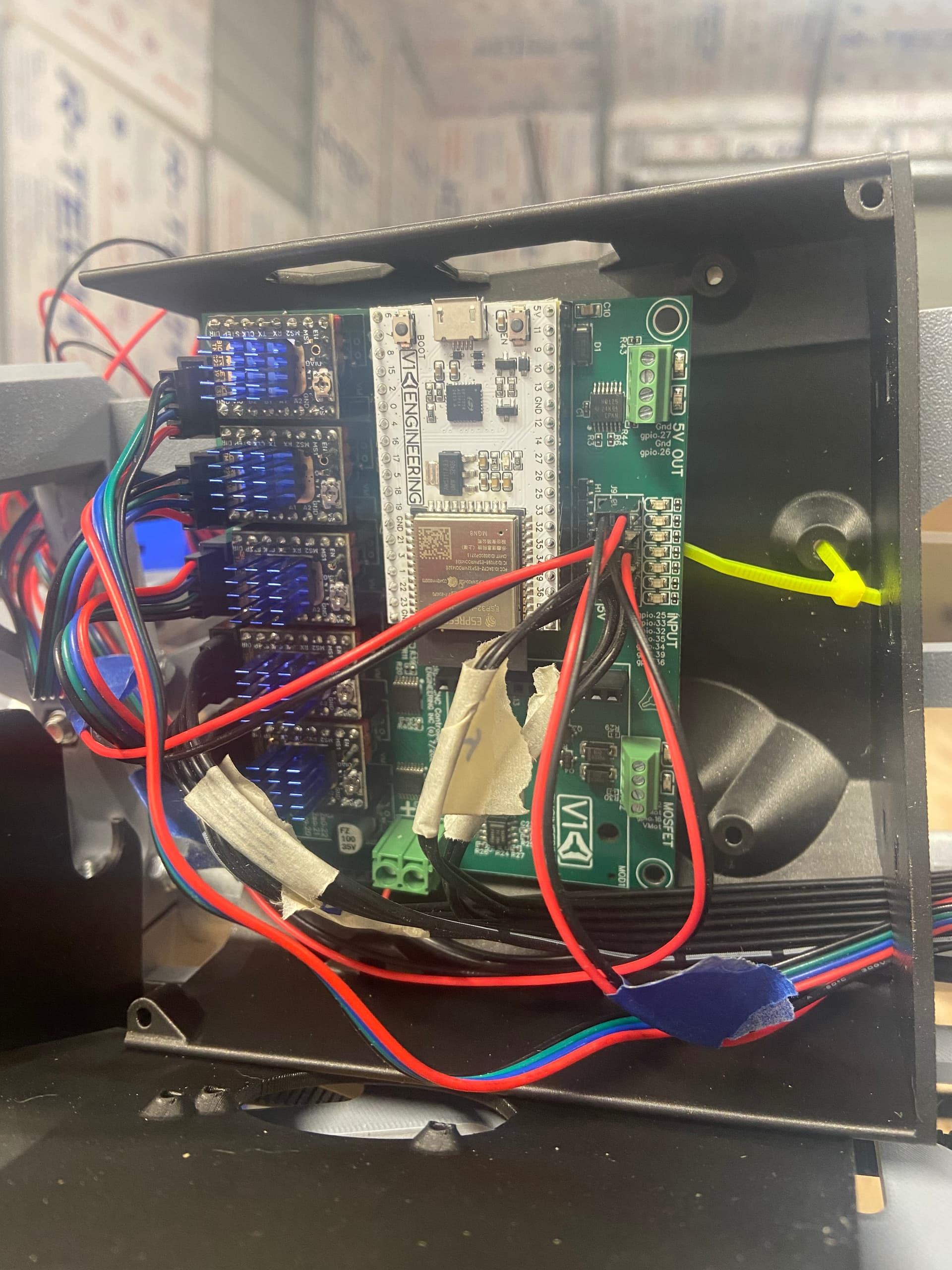
I’d also check the Ymin wiring for intermittent faults (opens or shorts) to ensure that you don’t blow another driver.

It’s hard to see the solder in that top side image, but as far as what can be seen there’s nothing obviously wrong with the driver visually.

I would double check for intermittent wiring as @dos mentioned above- but would get a replacement driver to test with.

Got a new driver, and everything seems to be working!

I couldn’t find any other wiring issues, but I’ll keep my eye on everything through the rest of the calibration process.

Thank you everyone for your help!

2 Likes

closing old topic to help fight spambots