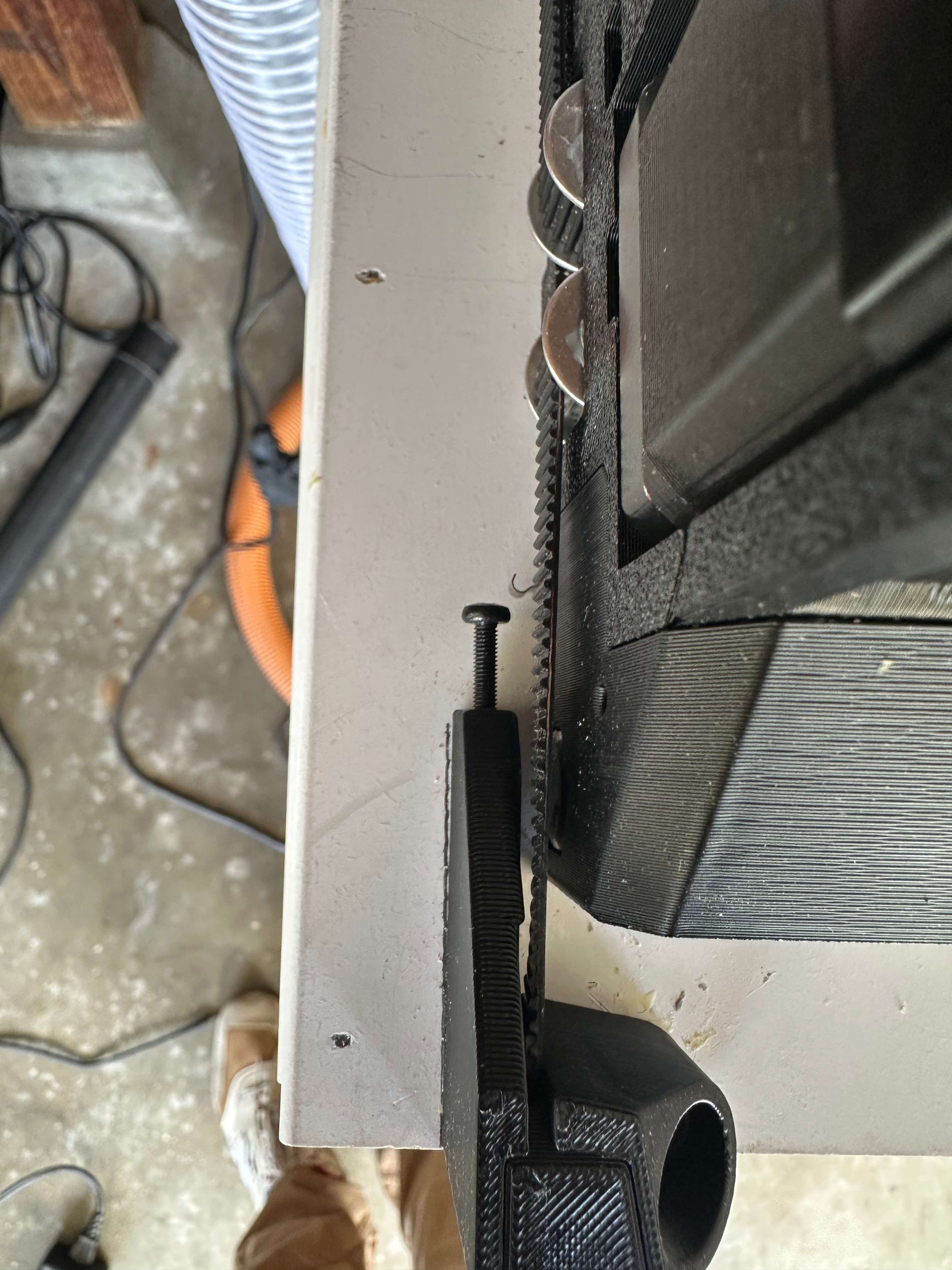
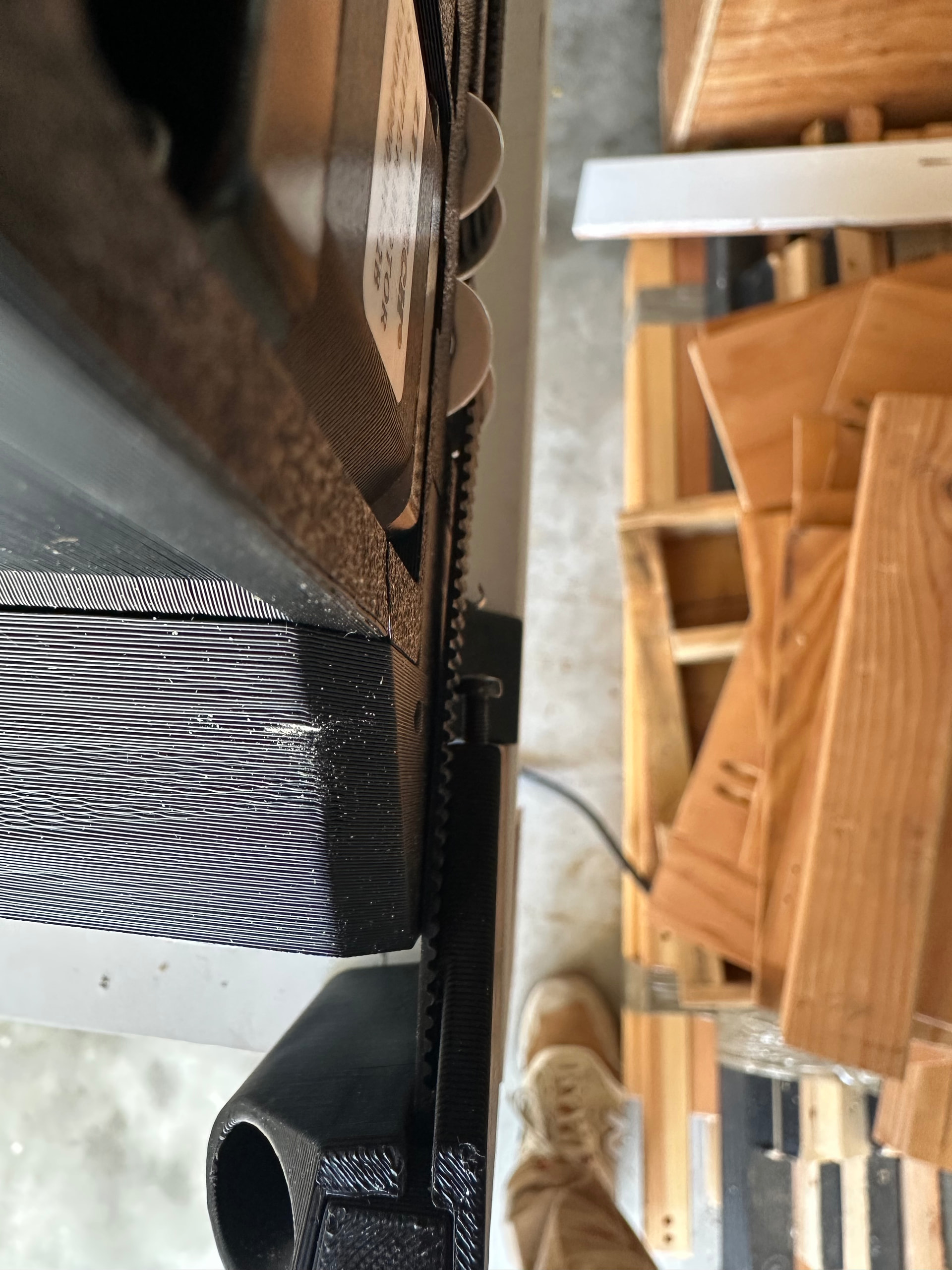
I recently finished building my LR4 and I’m in the process of calibrating everything, but my Y endstop is acting super weird. By “super weird” I mean that I get everything all lined up and the screws on both sides set so that they trigger their respective switch at almost exactly the same time. If I then back up on the Y axis and slowly move forward 1mm at a time, the switches trigger as expected. However, it appears as if when I move a long distance (e.g. when trying to square the machine) the endstop switch on the X min side totally misses the screw. The screw/switch on the other side always make contact, which makes sense since the Y rail prevents it from moving.
I have measured the distance between Y max braces and Y min braces and they are equal. I have checked belt tension on both sides, but honestly I have little confidence they are the same or correct tension (side question: is there a simple/reliable way to measure tension that doesn’t require a $700 tool?)
I’m running FluidNC on a Jackpot3 purchased from V1E. I bought the hardware kit from V1E and 3D printed the parts myself. The only hardware I changed from the kit are the adjustment screws for the Y min braces; still M3 i just swapped with some others I had that have a slightly larger head in an attempt to make more consistent contact with the switches. my table is 4’x8’.
I tried to document in the attached photos, not sure how easy it is to see; it was hard to get a clear shot from directly above.
Is this as simple as just remounting the Y braces on the non-rail side (again )?
It looks like your Y belt holder on the X min side is just a little bit too far away from the YZ plate. There shouldn’t be that much room between there. If you move that over and tighten the gap you shouldn’t have any issues.
That makes sense. The reason I didn’t just go ahead and move it closer is that it’s currently right at the width calculated for my table; so I thought the dimension was more important.
I assume that if I move the one at Y min, I also have to move the one at Y max the same amount to avoid creating a trapezoid. correct?
No. The ones at Y max are not as critical because we don’t use those to home against. These need to be dead on so that the switches line up correctly with the screws. The Y Rail will keep it straight, and your software squaring will keep it square.
Well, I’m pretty sure it’s all working! I was able to get it squared and it still homes on the Y axis without totally missing the end stop screw. Although it’s gonna be a while before I stop clenching my teeth each time I hit “home Y”
Just have to level the Z axis and cut my struts. Thanks again for the help!
 )?
)?